语音信箱检测

让智能体自动检测语音信箱系统,并可选择留言。

概述

语音信箱检测工具允许 ElevenLabs 智能体自动识别接听通话的是语音信箱系统而非真人。此系统工具让智能体能够妥善处理自动语音信箱场景:播放预先配置的消息,或立即结束通话。

功能

  • 自动检测:LLM 根据自动问候语和提示词分析对话模式,以识别语音信箱系统
  • 可配置响应:检测到语音信箱时,可选择播放自定义语音信箱消息,或立即结束通话
  • 结束通话:完成检测和可选的消息播放后,通话会自动结束
  • 状态跟踪:语音信箱检测事件会被记录,可在对话历史和批量通话结果中查看

参数:

  • reason(字符串,必填):检测到语音信箱的原因(例如,“检测到自动问候语”“无人响应”)

函数调用格式:

{
"type": "function",
"function": {
"name": "voicemail_detection",
"arguments": "{\"reason\": \"Automated greeting detected with request to leave message\"}"
}
}

配置选项

语音信箱检测工具可使用以下选项配置:

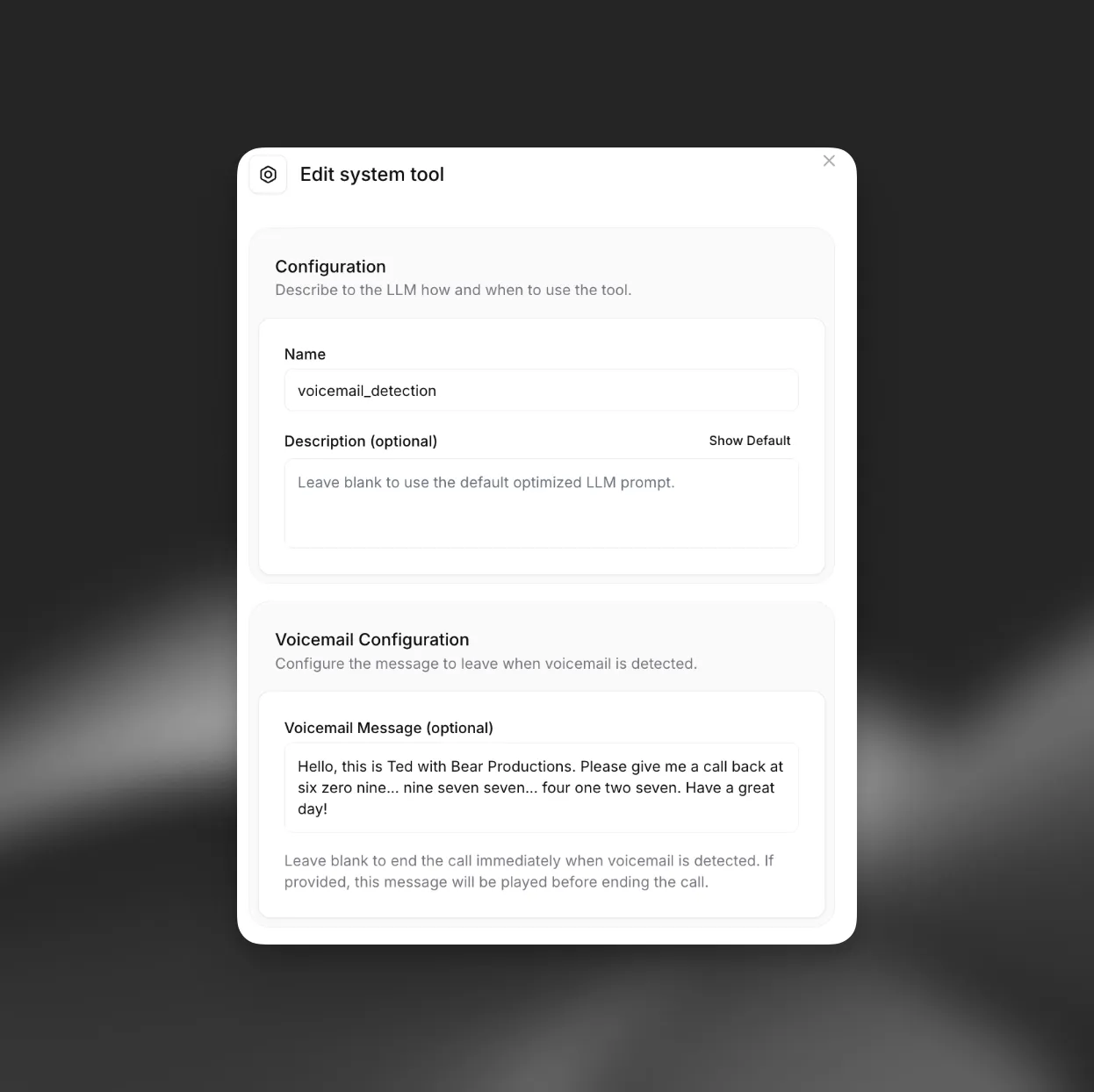
语音信箱检测配置
界面

  • 语音信箱消息:可配置检测到语音信箱时播放的可选自定义消息。此消息支持动态变量,可使用 {{user_name}} 或 {{appointment_time}} 等运行时值个性化语音信箱消息

API 实现

通过 API 创建智能体时,可以将语音信箱检测工具添加到智能体配置中。应将其定义为系统工具:

from elevenlabs import AgentConfig, ConversationalConfig, ElevenLabs
elevenlabs = ElevenLabs(api_key="YOUR_API_KEY")
response = elevenlabs.conversational_ai.agents.create(
conversation_config=ConversationalConfig(
agent=AgentConfig(
prompt={
"built_in_tools": {
"voicemail_detection": {
"type": "system",
"name": "voicemail_detection",
# Optional: customize when the tool should be triggered
"description": "",
"params": {
"system_tool_type": "voicemail_detection",
# Optional: message left when voicemail is detected
"voicemail_message": "Sorry I missed you. I'll call back later.",
},
}
}
},
),
),
)