

Procedures
Task-specific instructions your agent loads when relevant
Overview
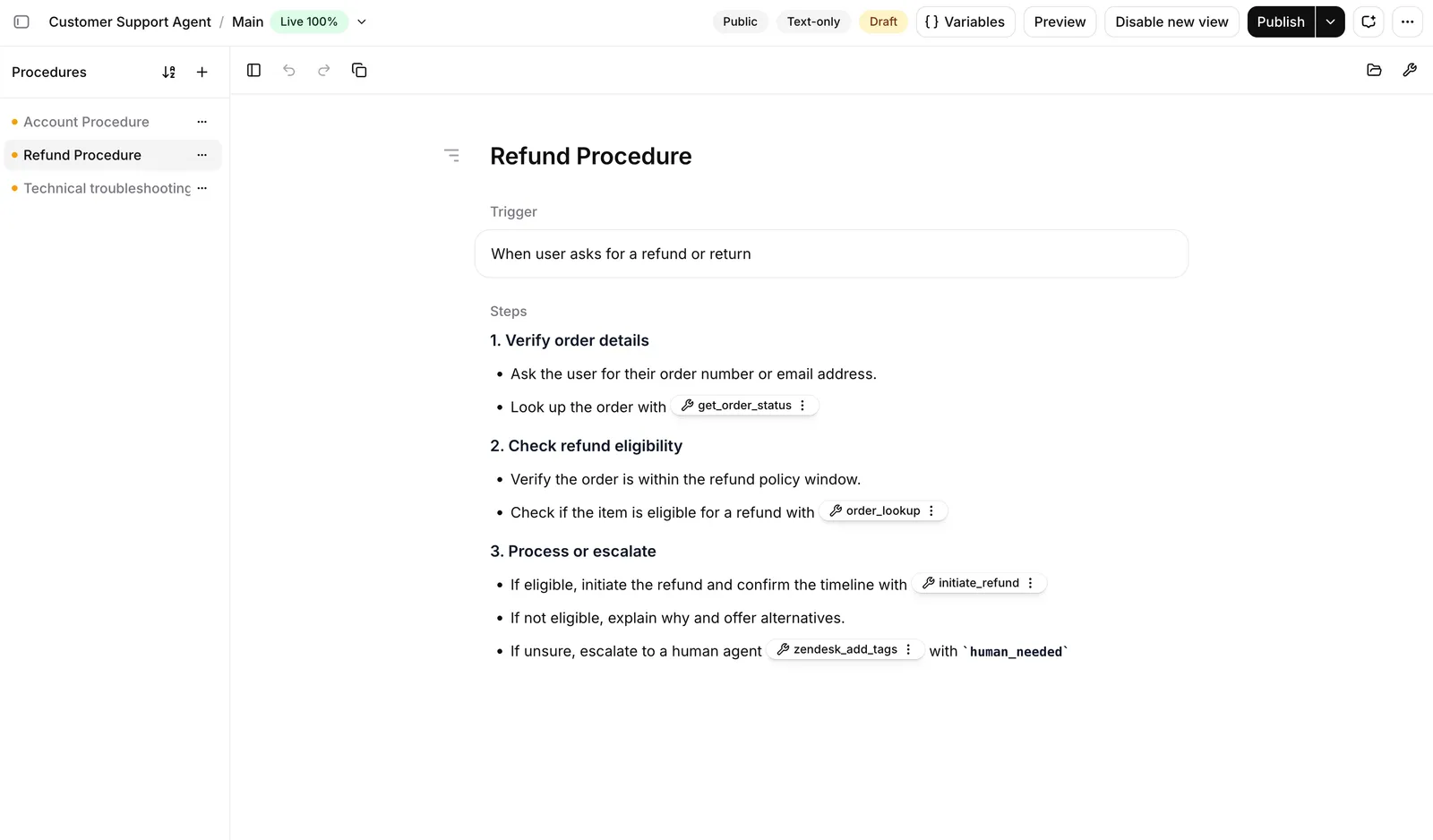
A procedure contains instructions for one specific task. Each procedure has a trigger that describes when it applies and content that describes what to do. When a conversation matches the trigger, the agent loads the procedure.
Use procedures when your agent needs to handle many distinct tasks. One example use case is a customer support agent, where each procedure covers one type of request: refunds, identity verification, account recovery, or connection troubleshooting.
Procedure types
There are two kinds of procedures:
- Free-form procedures are written as natural-language instructions the agent interprets and adapts to the situation.
- Structured procedures are an ordered list of typed steps the agent runs the same way every time.
You can use both kinds on the same agent. The agent picks the relevant procedure from its trigger, regardless of type.
Procedures can call each other. A free-form procedure calls another procedure with an inline reference, and a structured procedure calls another structured procedure with a Sub-procedure step. A common pattern is to keep open-ended handling in a free-form procedure and hand off the parts that must run the same way every time to a structured one.
An agent can have procedures, a workflow, or both. When both are present, every procedure is available from every point in the workflow; a procedure cannot be limited to specific workflow nodes. Most agents are built around one approach or the other, but the two compose.
When to use procedures
Every agent has a system prompt. Procedures and workflows are two ways to add structure on top, and an agent can use both. Choose a starting point based on how much the conversation can vary.
Free-form procedures are the default choice. They are the fastest to write, they read like a document so non-technical teams can own them, and the agent can recover when a conversation goes off script. Reach for a structured procedure when the cost of a skipped or reordered step is high, such as authentication, escalation, or a financial transaction. Reach for a workflow when you need routing logic or per-step model control that neither procedure type offers.
Manage procedures
The dashboard is the recommended way to author procedures. Use the CLI or the API to manage procedures programmatically or integrate them into deployment tooling.
Build via the dashboard
Manage via the CLI
Manage via the API
Open your agent in the dashboard, then select Procedures. Use + to create a free-form or structured procedure. Procedures can be grouped into folders from the same menu. See Free-form procedures and Structured procedures for authoring guidance.
Limitations
- A procedure’s content is capped at 50,000 characters.
- The agent keeps the five most recently started procedures in context. When more have been started in one conversation, the content, inline tools, and knowledge base documents of the oldest free-form procedures drop out of the prompt. Keep procedures focused and use sub-procedures so that few are active at once.
- You cannot change a procedure’s type after creating it. To convert between free-form and structured, create a new procedure and update any references to it.
- Procedures belong to one agent. They cannot be shared across agents or stored as workspace-level resources.
- Duplicating an agent copies its procedures instead of sharing them. The copies receive new procedure IDs, so references in the duplicated agent must use those new IDs.
- Procedures cannot be limited to specific workflow nodes. When an agent has both, every procedure is available from every node.
- Structured procedures cannot reference knowledge base documents.