

Environment variables
Environment variables let you define per-environment values for tool URLs, secrets, headers, and auth connections. A single agent and tool configuration works across all your environments — URLs, API keys, and authentication resolve dynamically based on the environment specified at conversation time.
Overview
Without environment variables, deploying an agent across multiple environments (development, staging, production) requires duplicating agents and tools for each environment, then manually keeping their configurations in sync. This leads to:
- Configuration drift between environments
- Fragmented analytics across duplicated agent IDs
- Promotion friction when moving from staging to production
Environment variables solve this by introducing a reusable, workspace-scoped resource that stores different values per environment. Tools and MCP servers reference these variables using template syntax, and the correct value is resolved at runtime based on the conversation’s environment.
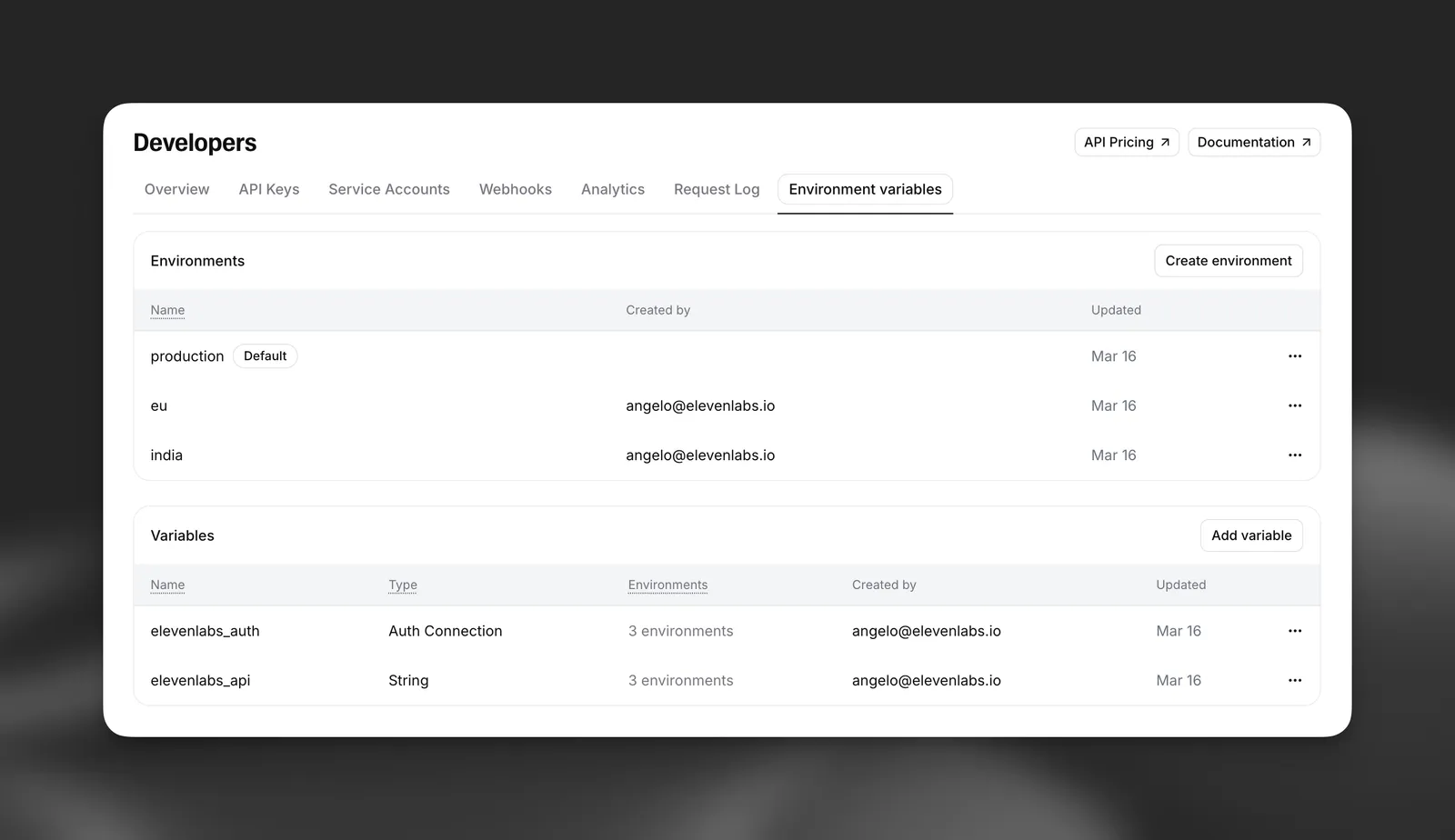
Core concepts
Environment variables
An environment variable is a workspace-scoped resource with a label and a set of per-environment values. There are three types:
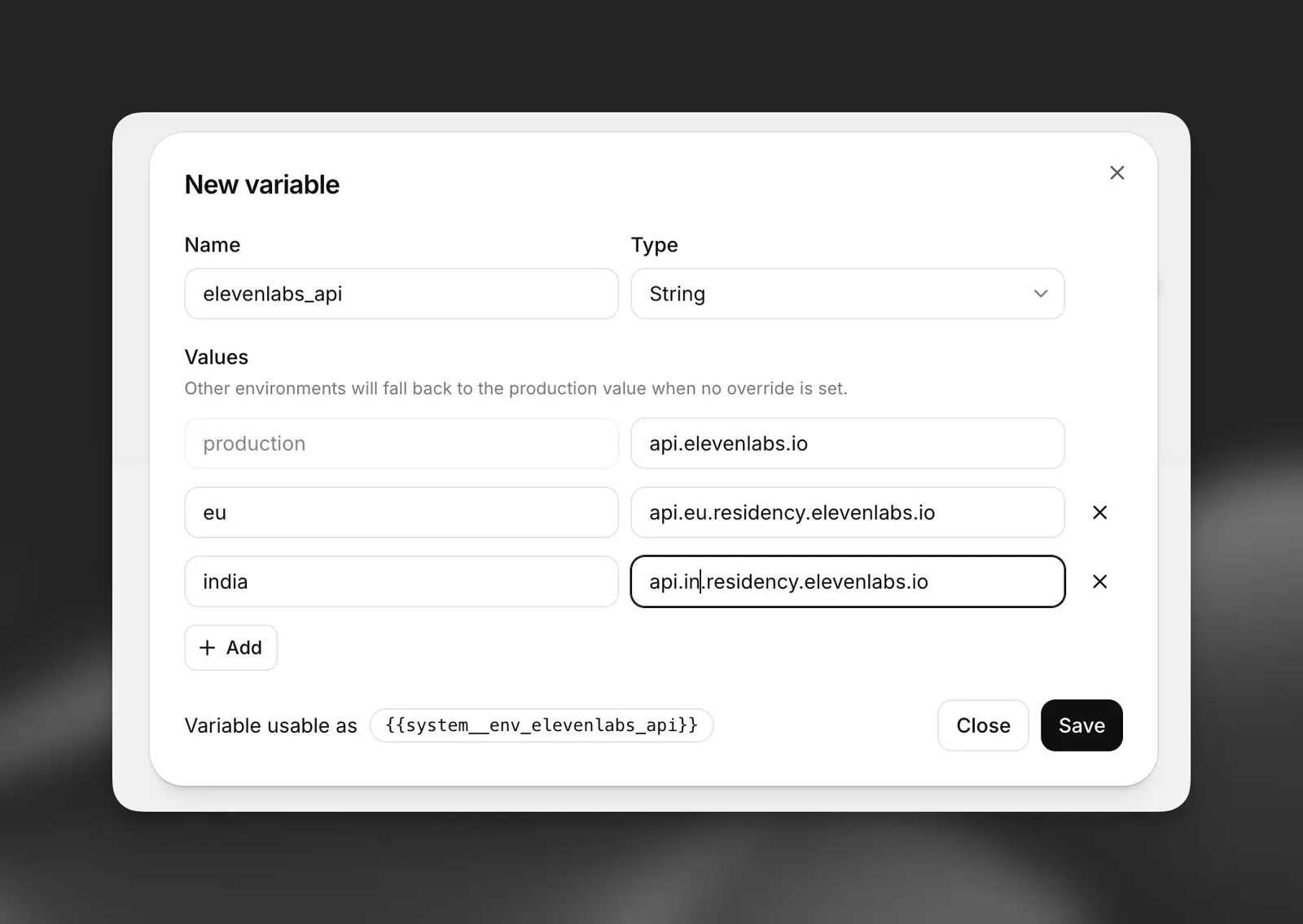
Each environment variable must have a value for the default production environment. Additional environments (e.g., staging, development) are optional.
Template syntax
Reference environment variables in URL fields using the {{system__env_<label>}} syntax:
Given an environment variable api_host with values api (production) and staging.api (staging), this resolves to:
- In
production:https://api.example.com/v1/text-to-speech - In
staging:https://staging.api.example.com/v1/text-to-speech
This syntax is consistent with dynamic variables and works in URL fields for webhook tools and MCP server connections.
Environment variables are also supported in pre-call webhook URLs and headers (the Conversation Initiation Client Data Webhook) and in post-call webhook URLs configured under Developers > Webhooks. Templates resolve using the conversation’s environment, so the same webhook configuration can target different endpoints per environment. For pre-call webhooks, the environment can be set upfront on the phone number, or returned dynamically in your webhook response (see Telephony below).
URLs must begin with https:// before any environment variable references. For example, https:// {{ system__env_api_host }}.example.com/v1/data is valid, but {{ system__env_api_host }}/v1/data
is not. This is required for validation and security — environment variable values cannot control
the protocol.
Resolution and fallback
When a conversation runs in a specific environment, the system resolves environment variables as follows:
- Look up the value for the requested environment (e.g.,
staging) - If no value exists for that environment, fall back to the
productionvalue - If the variable cannot be resolved, the tool call fails with a configuration error
This fallback behavior means you only need to define values for environments that differ from production.
Creating environment variables
Environment variables are not yet manageable via the ElevenLabs CLI — use the dashboard or SDK.
Create via the dashboard
Create via the API
Using environment variables
In webhook tool URLs
Use the template syntax in the URL field of a webhook tool to make the base URL resolve per environment.
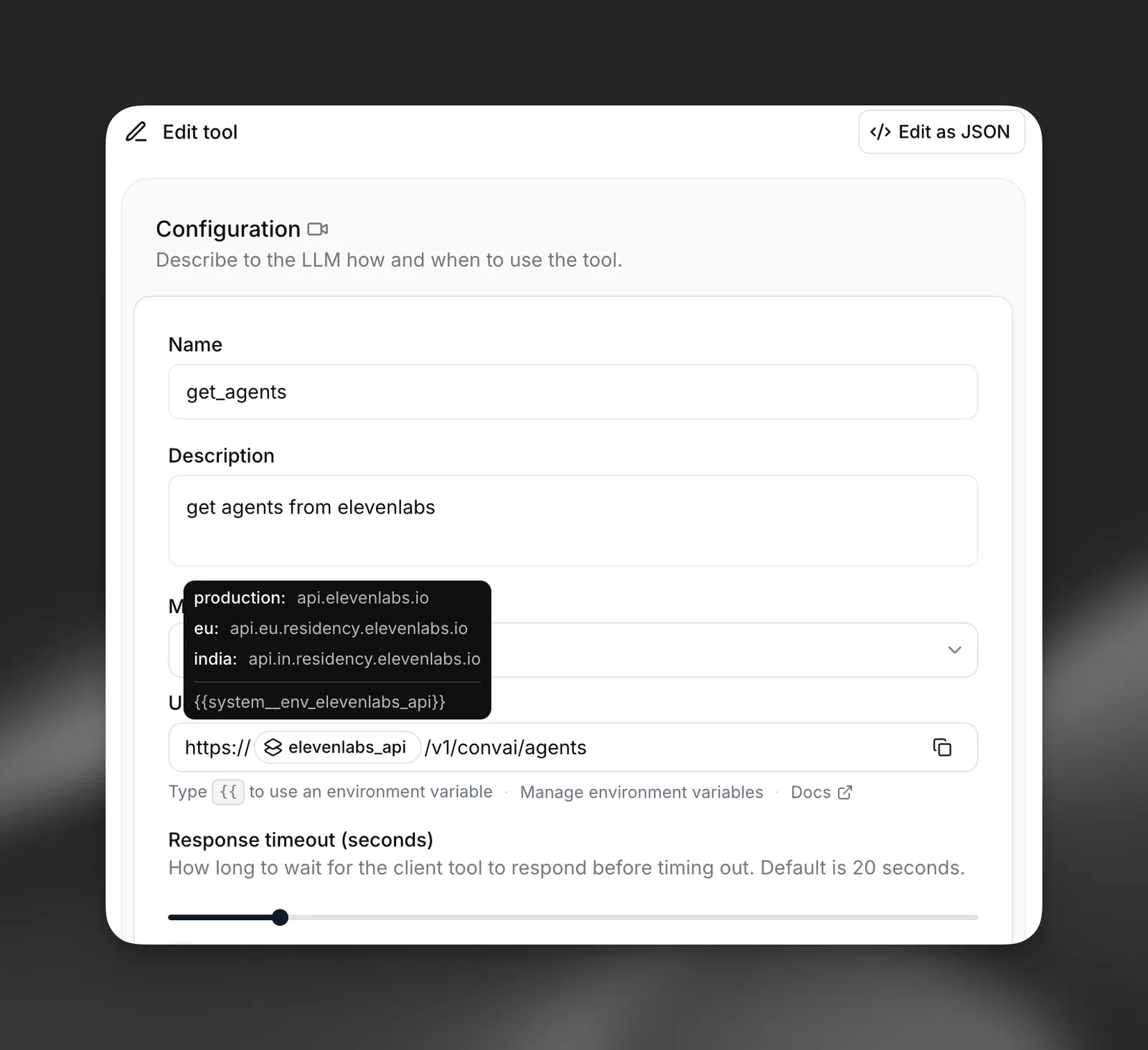
For example, a tool URL configured as:
resolves to https://api.example.com/v1/weather?lat=40.7&lon=-74.0 in production and https://staging.api.example.com/v1/weather?lat=40.7&lon=-74.0 in staging.
You can combine multiple environment variables and literal segments in a single URL:
API example
In webhook tool headers
Secret environment variables can be used in request headers. Instead of hardcoding a secret ID, reference an environment variable so different secrets are used per environment. When configuring a tool header in the dashboard, select an environment variable instead of a static secret. At runtime, the header value resolves to the secret stored for the current environment.
API example
Pass an environment variable reference in the request_headers field:
In webhook tool auth connections
Auth connections (OAuth2, JWT, Basic Auth) can also be resolved per environment. This is useful when your staging and production environments use different OAuth clients or token endpoints.
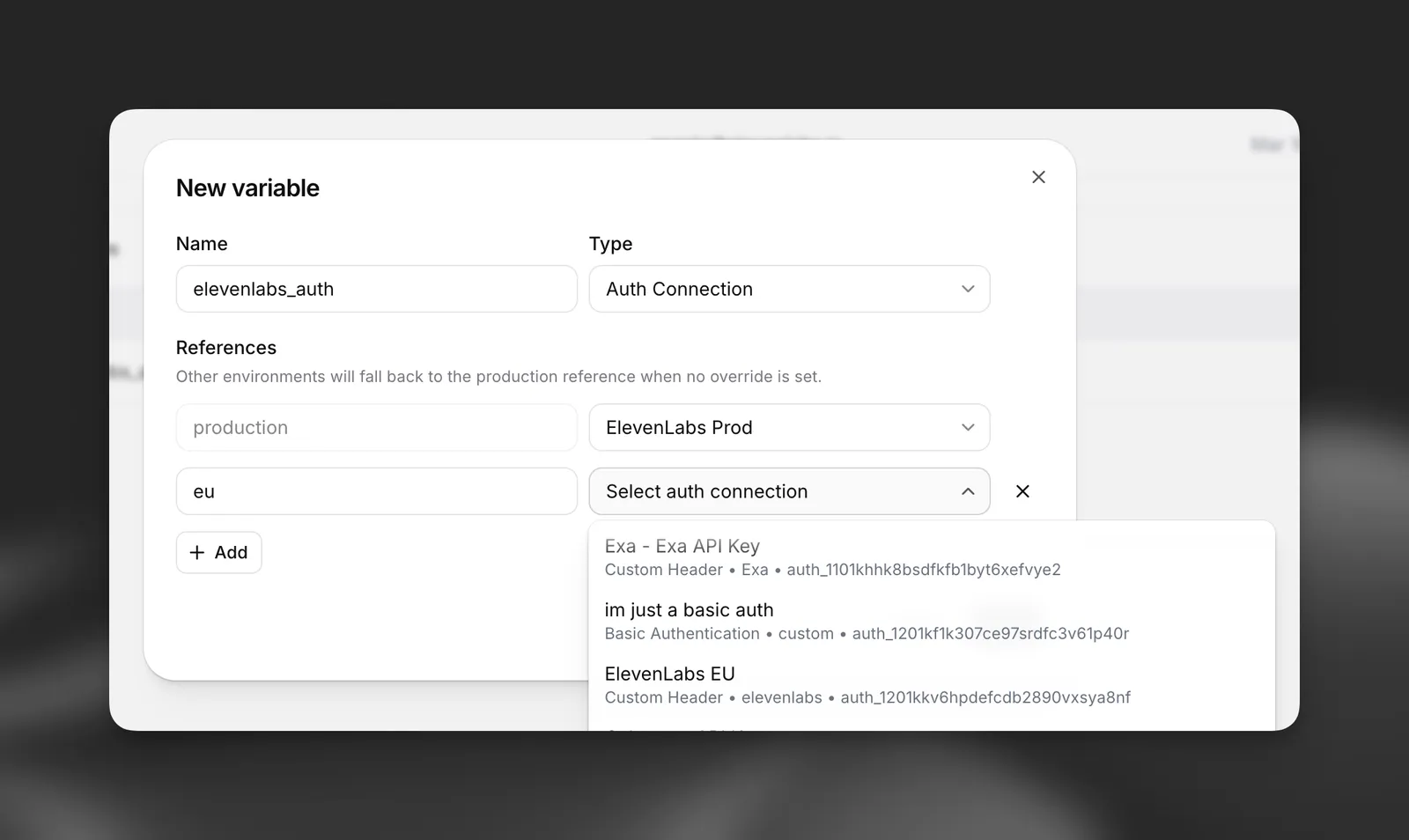
In the tool configuration, select an environment variable of type auth_connection instead of directly selecting an auth connection. The correct auth connection for the current environment is resolved at runtime.
API example
Reference an environment variable in the auth_connection field:
In MCP server connections
Environment variables work with MCP server connections in the same way they work with webhook tools. You can use them in:
- Server URL: Template the MCP server URL to point to different servers per environment
- Request headers: Use secret environment variables for authentication headers
- Auth connections: Use auth connection environment variables for OAuth-based MCP servers
For example, an MCP server URL configured as:
resolves to different MCP server endpoints depending on the environment.
In custom LLM configurations
When using a custom LLM, environment variables can template the API key and request headers. This lets you use different model endpoints and credentials across environments.
The custom LLM URL field supports the same {{system__env_<label>}} template syntax. The api_key field accepts an environment variable reference so different API keys are used per environment.
API example
Specifying the environment
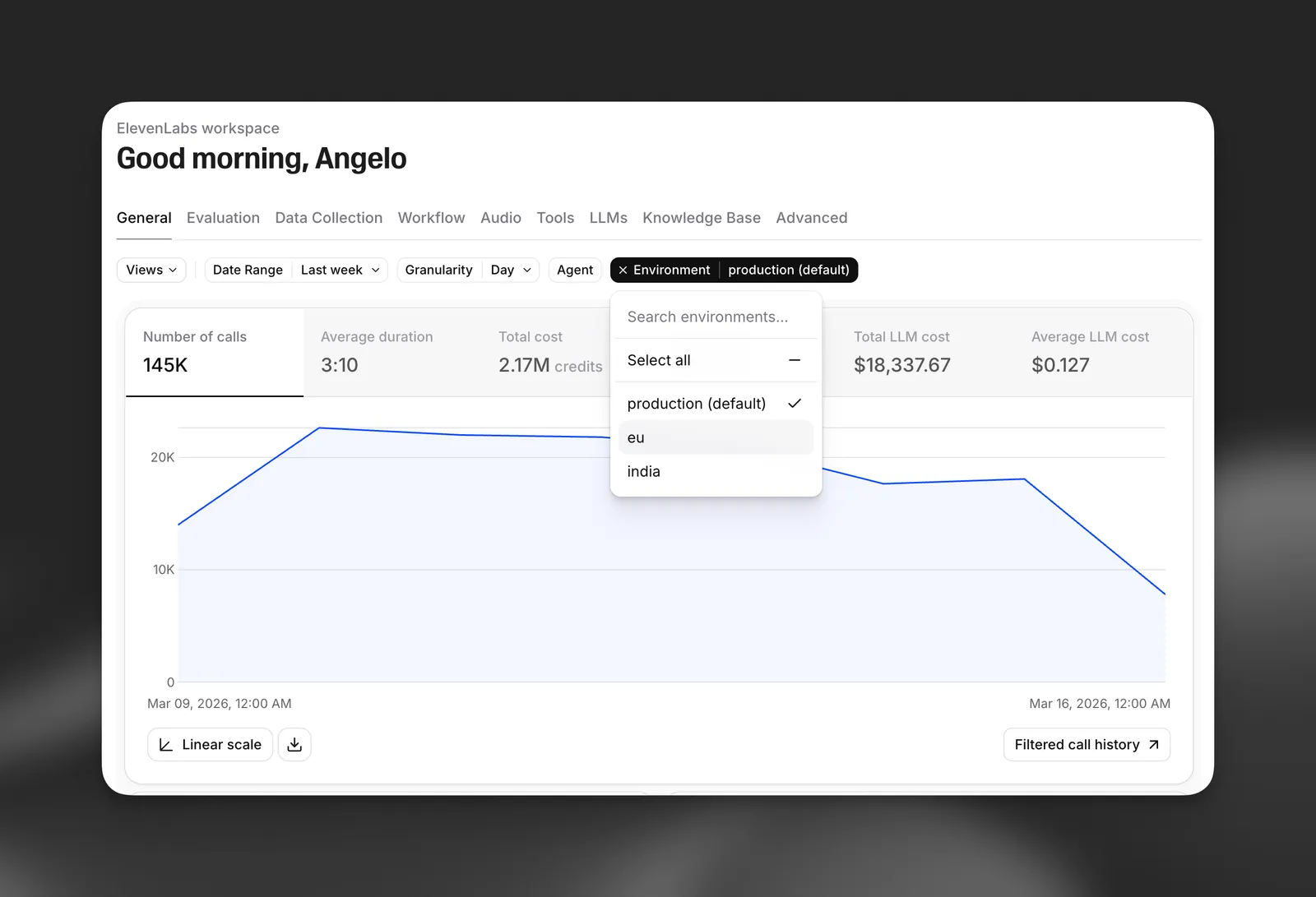
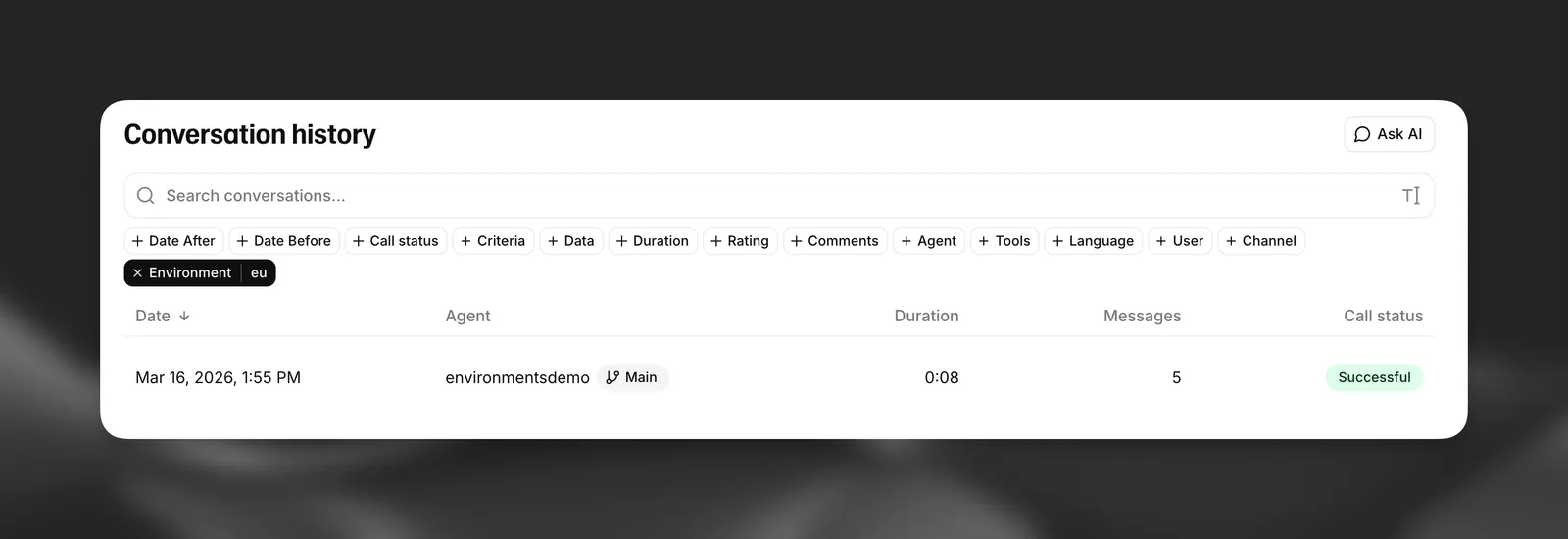
The environment is set at conversation start time and persists for the entire conversation. If no environment is specified, it defaults to production.
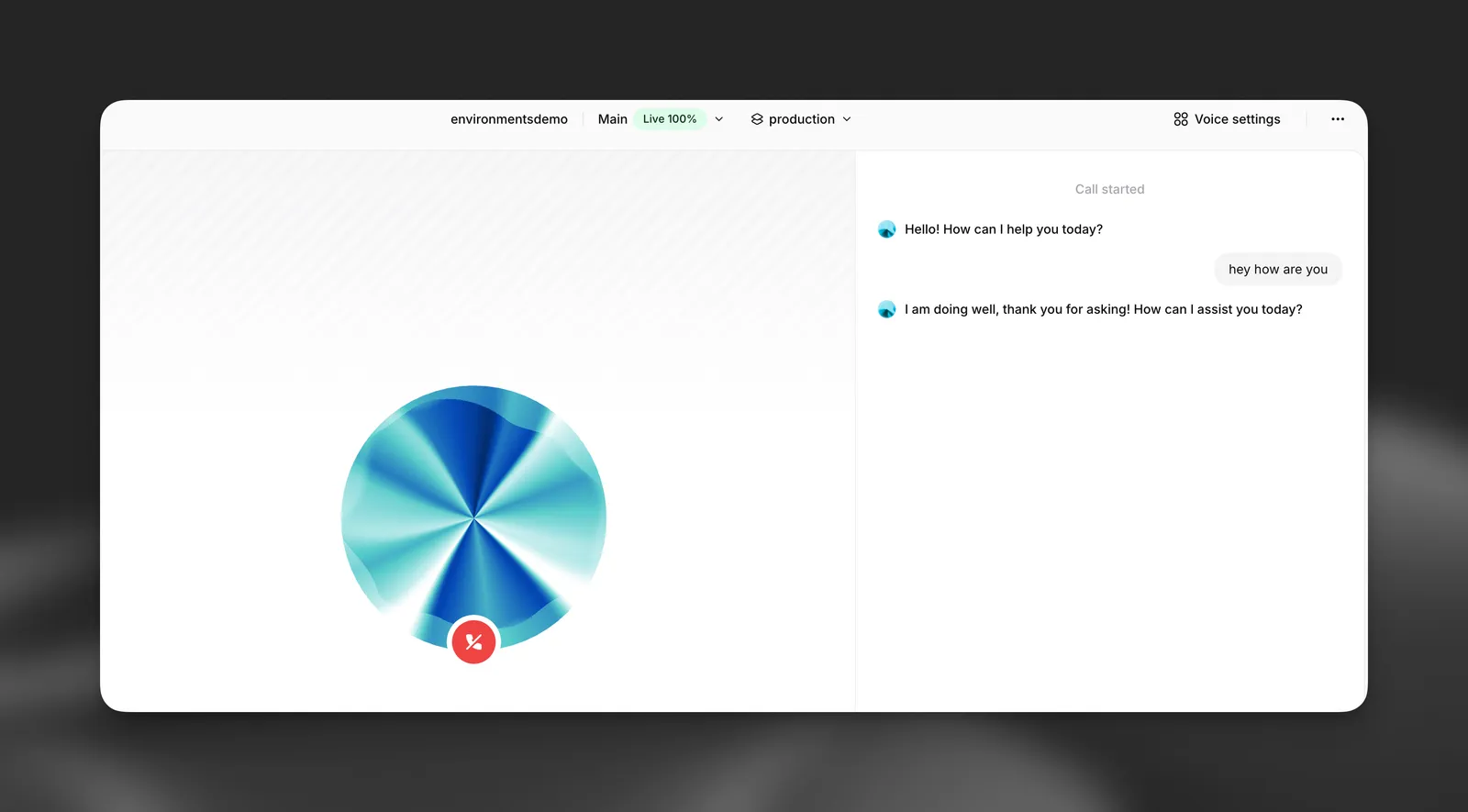
When testing in the dashboard, select the environment from the dropdown in the agent preview:
WebSocket
Pass the environment query parameter when connecting to the conversation WebSocket:
WebRTC (Signed URL / Token)
When using WebRTC, pass the environment parameter when requesting a conversation token:
Telephony (Twilio and SIP trunk)
Phone numbers can be pinned to a specific environment and to a specific agent branch, making it easy to route a test phone number to a dev branch of an agent whose tools execute against a dev API.
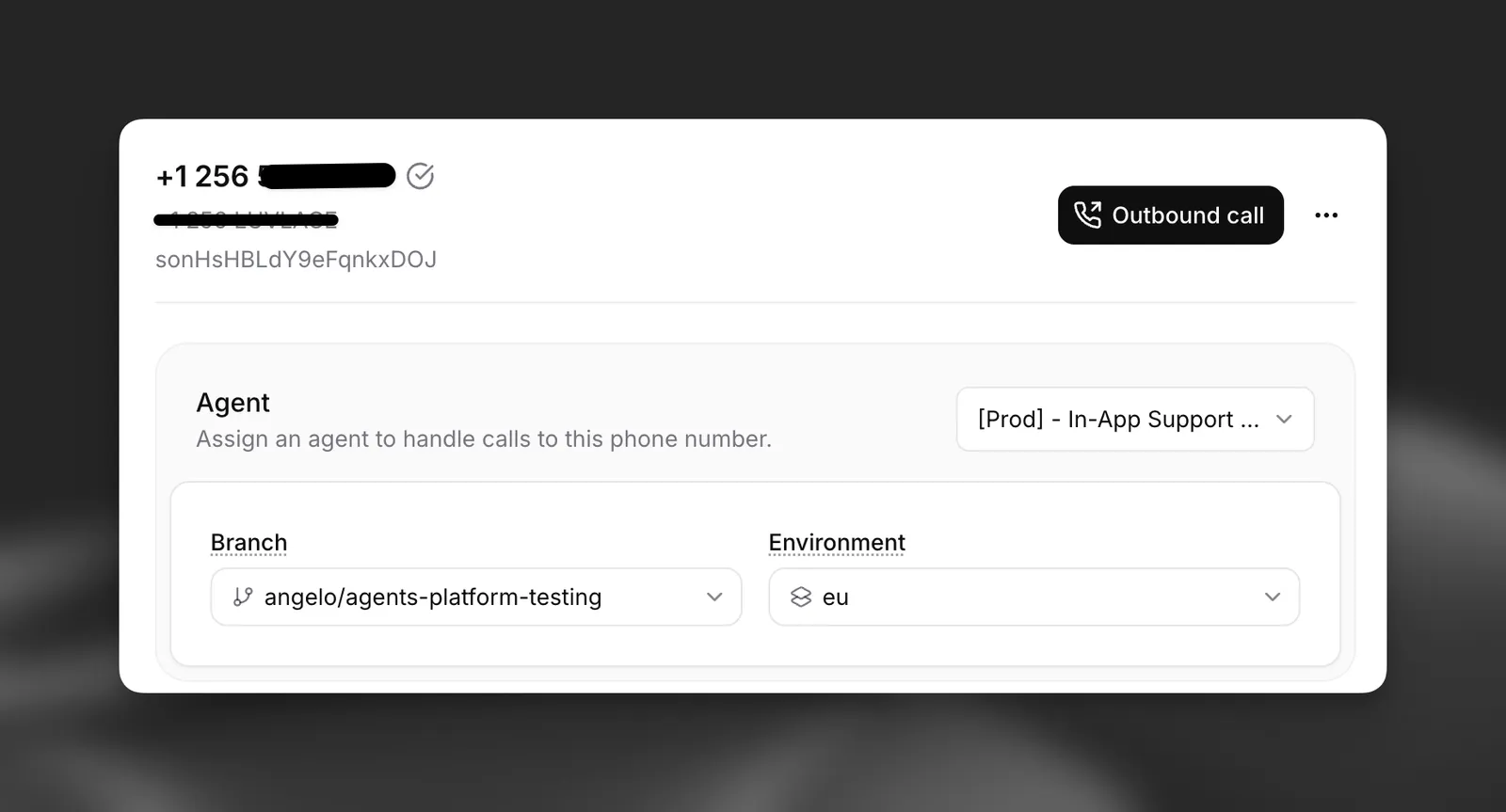
For inbound calls, the environment is resolved in this order:
- The
environmentvalue returned by your conversation initiation webhook, if your server provides one dynamically per call - The environment stored on the phone number itself
productionas the default
The same precedence applies to branch_id. Pre-call webhook URLs and headers, and post-call webhook URLs, then resolve {{system__env_*}} templates using the chosen environment.
Pin a phone number to an environment and branch (requires elevenlabs Python SDK ≥ 2.47.0 or @elevenlabs/elevenlabs-js ≥ 2.47.0):
For outbound calls, pass the environment field when initiating the call via the Twilio or SIP trunk outbound endpoints.
React SDK
Pass the environment option in the useConversation hook or when starting a session:
Example: multi-environment agent
This example demonstrates a complete setup with a single agent that uses different API backends and credentials across development, staging, and production.
Configure tools with environment variable references
Set up your webhook tools using template syntax:
- URL:
https://{{system__env_api_host}}.example.com/v1/orders - Headers: Reference
api_keyenvironment variable for theX-Api-Keyheader - Auth: Reference
oauth_credsenvironment variable for OAuth authentication
Naming constraints
- Labels: Alphanumeric characters and underscores only (e.g.,
base_url,api_key_v2) - Environment names: Must start with a lowercase letter and may contain only lowercase letters, digits, underscores, and hyphens, up to 64 characters (e.g.,
production,staging,dev-us-east) - Every environment variable must have a
productionvalue