

Register Twilio calls
This guide covers an advanced integration pattern for developers who need full control over their Twilio infrastructure. For a simpler setup, consider using the native Twilio integration which handles configuration automatically.
When to use each approach
Before diving in, understand the trade-offs between the native integration and the register call approach:
Overview
The register call endpoint allows you to use your own Twilio infrastructure while leveraging ElevenLabs agents for the conversation. Instead of importing your Twilio number into ElevenLabs, you maintain full control of your Twilio setup and use the ElevenLabs API to register calls and receive TwiML for connecting them to your agents.
This approach is ideal when you:
- Need to maintain your existing Twilio infrastructure and workflows
- Want programmatic control over call routing and handling
- Have complex call flows that require custom Twilio logic before connecting to an agent
- Need to integrate ElevenLabs agents into an existing telephony system
How it works
- Your server receives an inbound call or initiates an outbound call via Twilio
- Your server calls the ElevenLabs register call endpoint with agent and call details
- ElevenLabs returns TwiML that connects the call to your agent via WebSocket
- You return this TwiML to Twilio to establish the connection
When using the register call endpoint, call transfer functionality is not available as ElevenLabs does not have direct access to your Twilio account credentials.
Prerequisites
- An ElevenLabs account
- A configured ElevenLabs Conversational Agent (create one here)
- A Twilio account with an active phone number
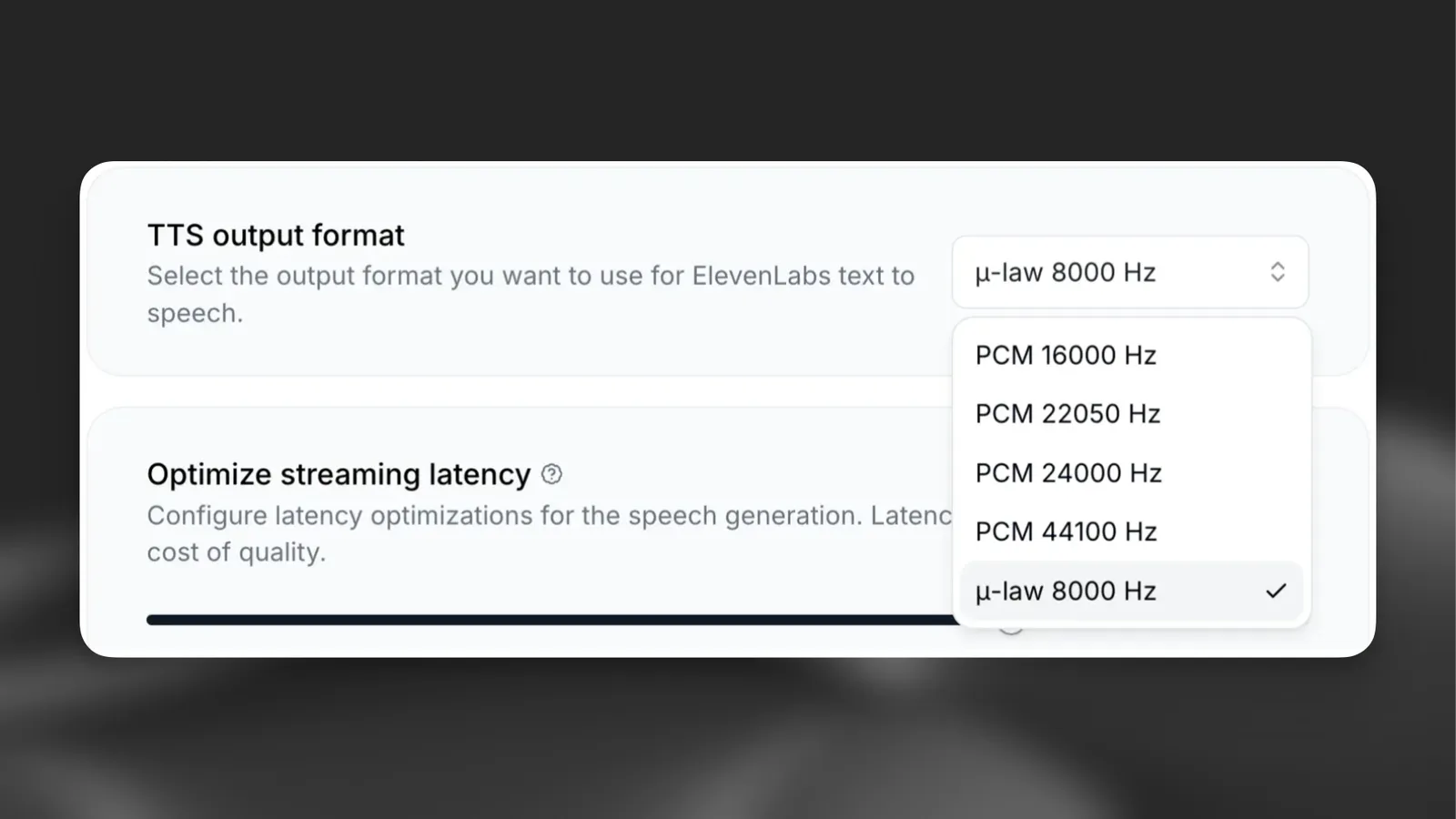
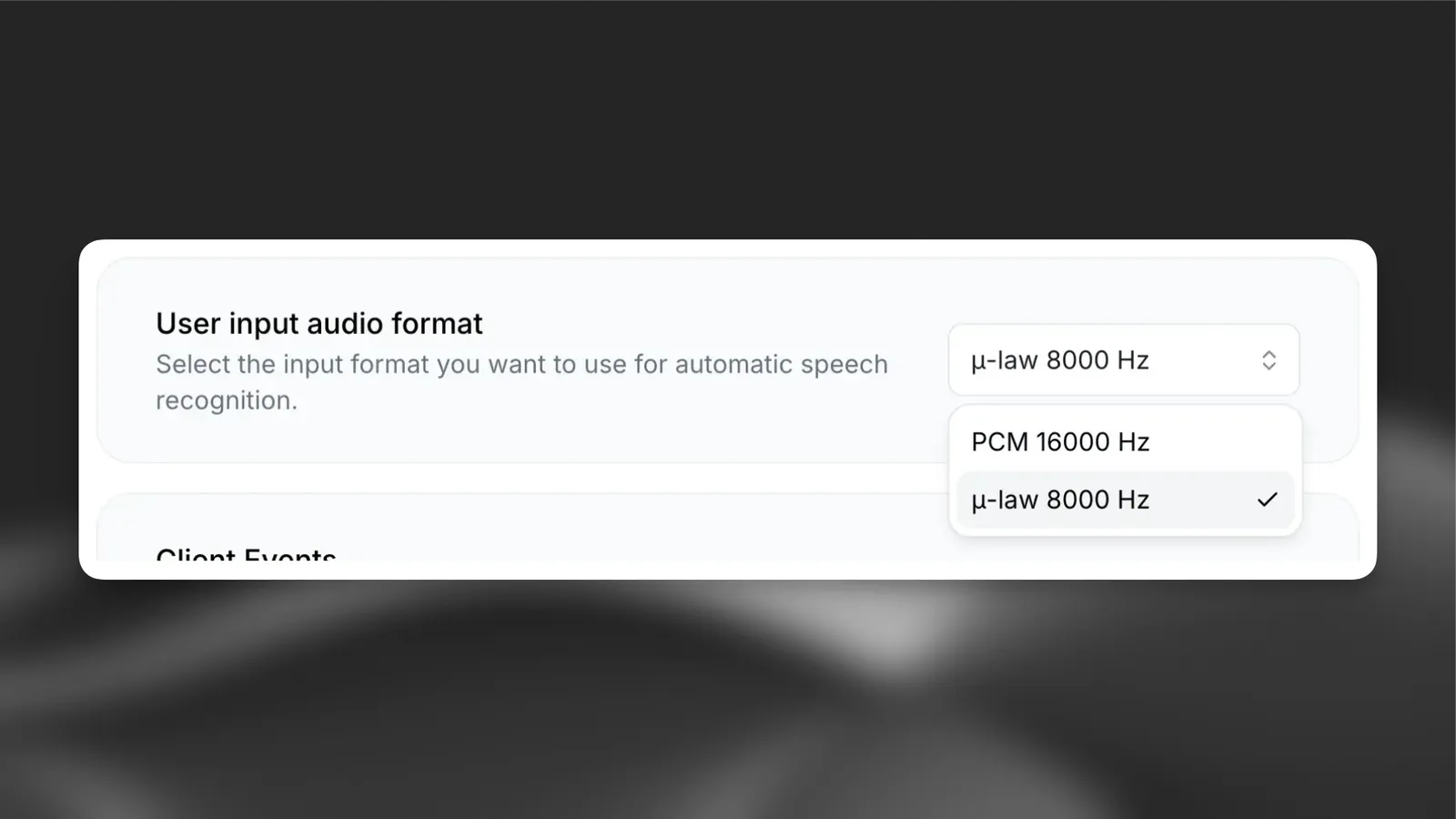
- Your agent configured with μ-law 8000 Hz audio format (see agent configuration)
Agent configuration
Before using the register call endpoint, configure your agent to use the correct audio format supported by Twilio.
API reference
The register call endpoint accepts the following parameters:
The endpoint returns TwiML that you should pass directly to Twilio.
Implementation
Outbound calls
For outbound calls, initiate the call through Twilio and point the webhook URL to your server, which then registers with ElevenLabs:
Personalizing conversations
Use the conversation_initiation_client_data parameter to pass dynamic variables and override agent configuration:
For more information about dynamic variables and overrides, see the dynamic variables and overrides documentation.
Twilio configuration
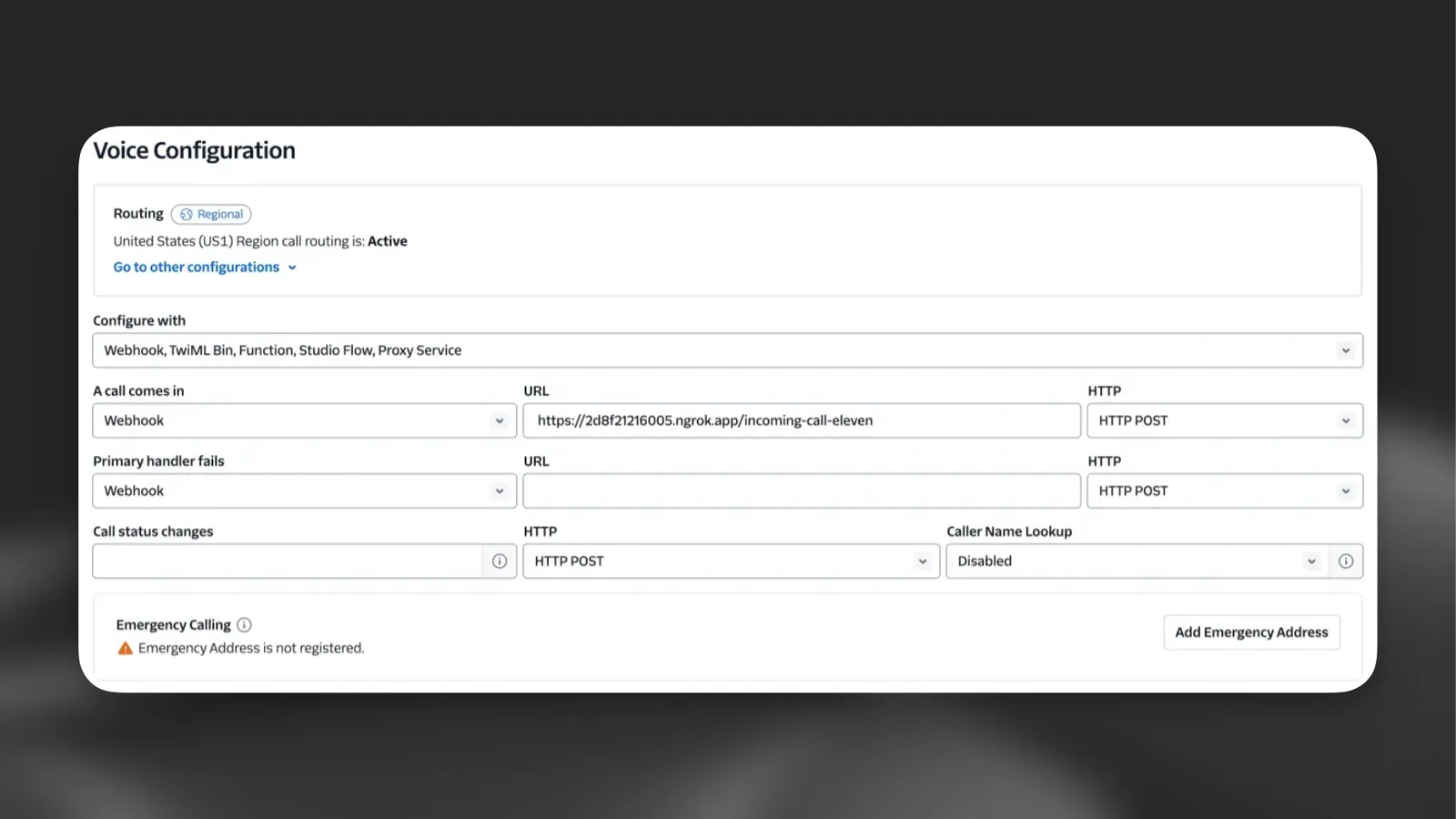
Configure your Twilio phone number to point to your server:
Configure your Twilio number
- Go to the Twilio Console
- Navigate to Phone Numbers > Manage > Active numbers
- Select your phone number
- Under “Voice Configuration”, set the webhook URL to your server endpoint (e.g.,
https://your-ngrok-url.ngrok.app/twilio/inbound) - Set the HTTP method to POST
Limitations
When using the register call endpoint instead of the native integration:
- No call transfers: Transfer functionality is not available as ElevenLabs does not have access to your Twilio credentials
- Manual configuration: You must configure audio formats and handle TwiML routing yourself
- No dashboard import: Phone numbers registered this way do not appear in the ElevenLabs phone numbers dashboard