

Transfer to number
Overview
The transfer_to_number system tool allows an ElevenLabs agent to transfer the ongoing call to a specified phone number or SIP URI when certain conditions are met. This enables agents to hand off complex issues, specific requests, or situations requiring human intervention to a live operator.
This feature supports transfers via Twilio and SIP trunk numbers. When triggered, the agent can provide a message to the user while they wait and a separate message summarizing the situation for the human operator receiving the call.
The transfer_to_number system tool is only available for phone calls and is not available in the
chat widget.
Transfer Types
The system supports three types of transfers:
- Conference Transfer: Default behavior that calls the destination and adds the participant to a conference room, then removes the AI agent so only the caller and transferred participant remain. When using the native Twilio integration, supports a warm transfer message (
agent_message) read to the human operator. - Blind Transfer: Transfers the call directly to the destination without a warm transfer message to the human operator. Preserves the original caller ID. Only available when the agent’s phone number is imported via the native Twilio integration.
- SIP REFER Transfer: Uses the SIP REFER protocol to transfer calls directly to the destination. Works with both phone numbers and SIP URIs, but only available when using SIP protocol during the conversation and requires your SIP Trunk to allow transfer via SIP REFER. Does not support warm transfer messages.
Warm transfer messages (agent_message) are only available when the agent’s phone number is
imported via the native Twilio
integration. SIP-based
transfers do not support warm transfer messages.
Blind transfers are only available when the agent’s phone number is imported via the native
Twilio integration and
must currently be configured via the JSON editor in the UI. Select “Edit as JSON” on the transfer
tool configuration and set "transfer_type": "blind" for the desired transfer rule.
Purpose: Seamlessly hand off conversations to human operators when AI assistance is insufficient.
Trigger conditions: The LLM should call this tool when:
- Complex issues requiring human judgment
- User explicitly requests human assistance
- AI reaches limits of capability for the specific request
- Escalation protocols are triggered
Parameters:
reason(string, optional): The reason for the transfertransfer_number(string, required): The phone number to transfer to (must match configured numbers)client_message(string, required): Message read to the client while waiting for transferagent_message(string, required): Message for the human operator receiving the call
Function call format:
Implementation: Configure transfer phone numbers and conditions. Define messages for both customer and receiving human operator. Works with both Twilio and SIP trunking.
Numbers that can be transferred to
Human transfer supports transferring to external phone numbers using both SIP trunking and Twilio phone numbers.
Enabling human transfer
Human transfer is configured using the transfer_to_number system tool.
Add the transfer tool
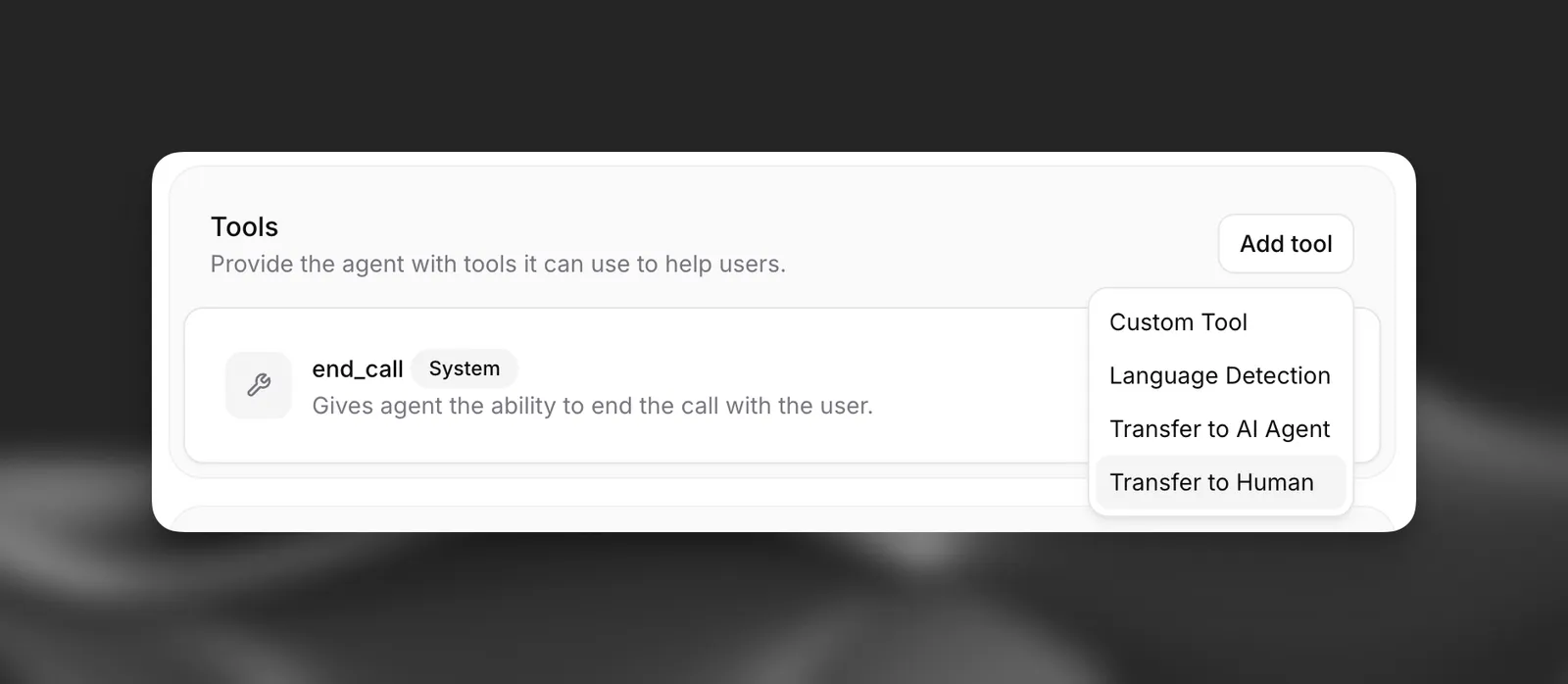
Enable human transfer by selecting the transfer_to_number system tool in your agent’s configuration within the Agent tab. Choose “Transfer to Human” when adding a tool.
Configure tool description (optional)
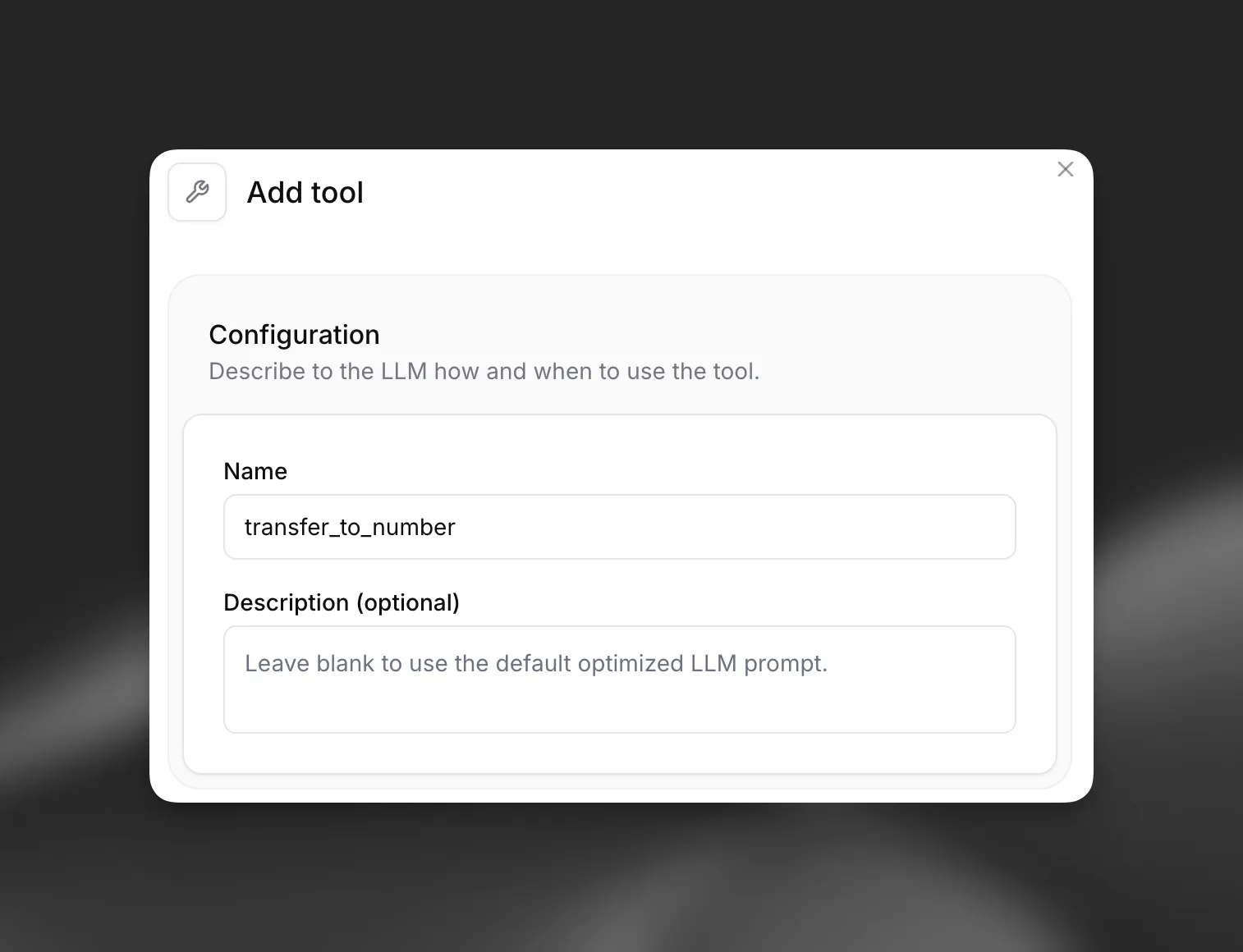
You can provide a custom description to guide the LLM on when to trigger a transfer. If left blank, a default description encompassing the defined transfer rules will be used.
Define transfer rules
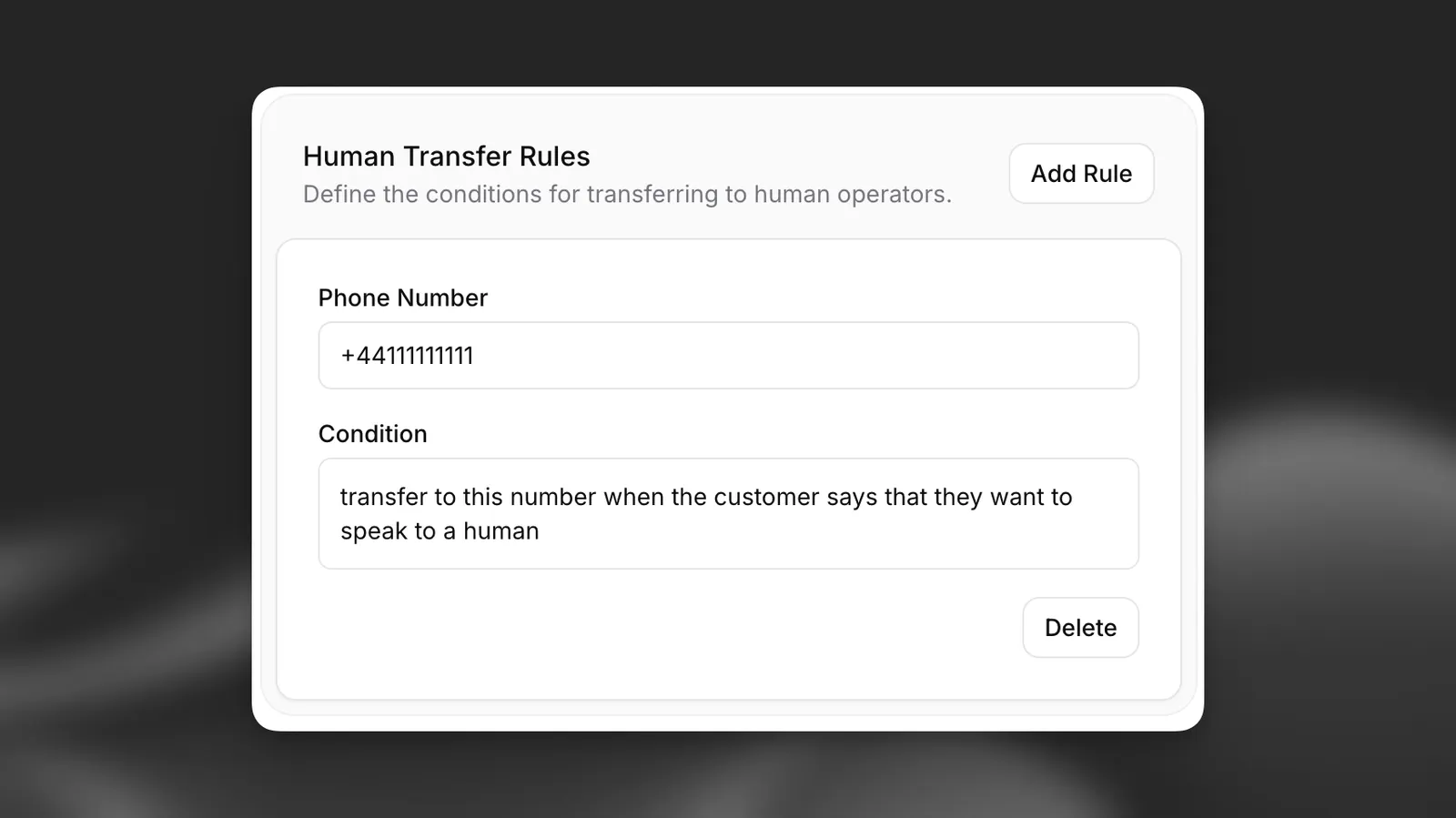
Configure the specific rules for transferring to phone numbers or SIP URIs. For each rule, specify:
- Transfer Type: Choose between Conference (default), Blind, or SIP REFER transfer methods
- Number Type: Select Phone for regular phone numbers or SIP URI for SIP addresses
- Phone Number/SIP URI: The target destination in the appropriate format:
- Phone numbers: E.164 format (e.g., +12125551234)
- SIP URIs: SIP format (e.g., sip:1234567890@example.com)
- Condition: A natural language description of the circumstances under which the transfer should occur (e.g., “User explicitly requests to speak to a human”, “User needs to update sensitive account information”).
The LLM will use these conditions, along with the tool description, to decide when and to which destination to transfer.
SIP REFER transfers require SIP protocol during the conversation and your SIP Trunk must allow transfer via SIP REFER. Only SIP REFER supports transferring to a SIP URI.
Blind transfers are only available when the agent’s phone number is imported via the native Twilio integration and must be configured via the JSON editor. The original caller ID is preserved, but no warm transfer message is sent to the human operator.
Ensure destinations are correctly formatted:
- Phone numbers: E.164 format and associated with a properly configured account
- SIP URIs: Valid SIP format (sip:user@domain or sips:user@domain)
Configure custom SIP REFER headers (optional)
When using SIP REFER transfers, you can include custom SIP headers to pass additional information to the receiving system.
For each custom header, specify:
- Header Name: The SIP header name (e.g.,
X-Customer-ID,X-Priority) - Header Value: The header value, which can be static text or include dynamic variables
Custom SIP REFER headers are only included with SIP REFER transfers. Conference transfers do not support custom headers.
System headers X-Conversation-ID and X-Caller-ID are automatically included by ElevenLabs and will override any custom headers with the same names (case-insensitive).
Configure User-to-User Information (UUI) (optional)
SIP REFER transfers can carry User-to-User Information (UUI), a small payload delivered to the receiving platform (for example Talkdesk or Genesys Cloud) in the User-to-User parameter of the Refer-To header. UUI is only sent on SIP REFER transfers to a SIP URI destination; phone-number (tel:) destinations do not carry it.
Configure UUI per transfer rule with the uui object:
data: The payload to send, as plaintext. ElevenLabs hex-encodes it and appends;encoding=hex. Can be static text or include dynamic variables. Maximum 256 bytes (UTF-8), enforced after dynamic variables are substituted — for plain ASCII that is 256 characters, fewer for multi-byte characters.protocol_discriminator: A single hex octet, for example04. Include it for platforms that strip the first octet of the payload; omit it for platforms that pass the payload through.protocol_discriminator_mode:prefix(default) prepends the octet, producing04<hex>;encoding=hex.pd_parameteradds it as a separate parameter, producing<hex>;pd=04;encoding=hex.
Talkdesk passes the value through unchanged, so omit the protocol discriminator. Genesys Cloud strips the first octet of the payload unless a discriminator is present, so include a protocol_discriminator. See Genesys UUI data formats.
The 256-byte limit applies after dynamic variables are substituted. Pass identifiers or short codes such as an account ID, not free-form text like a full call summary, which exceeds the limit and is dropped from the transfer.
To receive UUI on inbound SIP calls, no configuration is required. When an incoming INVITE contains a User-to-User header, its value is exposed to the agent as the {{sip_uui_raw}} and {{sip_uui_data}} dynamic variables. See the SIP reference.
Configure post-dial digits (optional)
Post-dial digits are DTMF tones that are relayed after the phone connects to the transfer destination. This is useful for entering extensions or navigating IVR (Interactive Voice Response) menus automatically.
For each transfer rule, you can specify a post_dial_digits string containing:
- Digits (
0-9): Standard DTMF tones w: 0.5 second delayW: 1 second delay*and#: Special DTMF tones
For example, ww1234 waits 1 second after the call connects, then dials extension 1234.
Post-dial digits are only available when the agent’s phone number (the number initiating the transfer) is imported via the native Twilio integration. The destination number can be any phone number.
Post-dial digits are supported for conference and blind transfer types only. SIP REFER transfers do not support post-dial digits.
API Implementation
You can configure the transfer_to_number system tool when creating or updating an agent via the API (Create agent, Update agent). The tool allows specifying messages for both the client (user being transferred) and the agent (human operator receiving the call).