

Pronunciation dictionaries
Overview
Pronunciation dictionaries allow you to customize how your AI agent pronounces specific words or phrases. This is particularly useful for:
- Correcting pronunciation of names, places, or technical terms
- Ensuring consistent pronunciation across conversations
- Customizing regional pronunciation variations
Configuration
Pronunciation dictionary phoneme tags only work with eleven_v4, eleven_flash_v2 and eleven_v3 models.
Other models skip dictionary phoneme tags and use the default pronunciation. For other models, use alias tags instead to substitute spellings or phrases that produce the pronunciation you need.
If you want to use IPA and CMU pronunciations in languages other than English, you will have to switch to the eleven_v3 or eleven_v4 models.
Attach a dictionary to your agent
Update via the dashboard
Update via the CLI
Update via the API
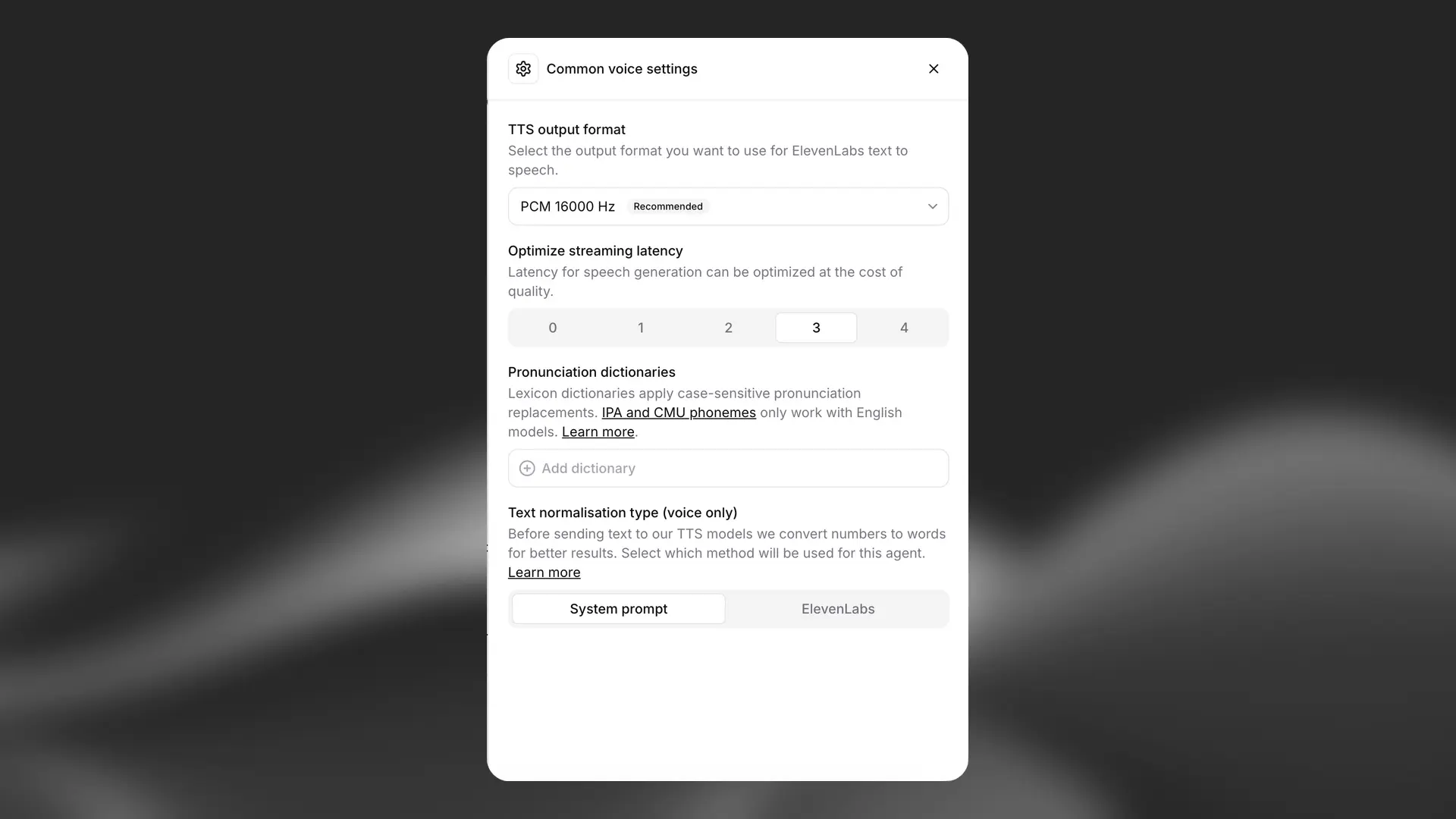
Open your agent in the dashboard, navigate to Voice Settings, and add a pronunciation dictionary. Save your changes.
Dictionary file format
Pronunciation dictionaries use XML-based .pls files. Here’s an example structure:
Supported formats
Pronunciation dictionaries support two types of pronunciation notation:
-
IPA (International Phonetic Alphabet)
- More precise control over pronunciation
- Requires knowledge of IPA symbols
- Example: “nginx” as
/ˈɛndʒɪnˈɛks/
-
CMU (Carnegie Mellon University) Dictionary format
- Simpler ASCII-based format
- More accessible for English pronunciations
- Example: “tomato” as “T AH M EY T OW”
You can use AI tools like Claude or ChatGPT to help generate IPA or CMU notations for specific words.
Best practices
- Case sensitivity: Create separate entries for capitalized and lowercase versions of words if needed
- Testing: Always test pronunciations with your chosen voice and model
- Maintenance: Keep your dictionary organized and documented
- Scope: Focus on words that are frequently mispronounced or critical to your use case
FAQ
Which models support phoneme-based pronunciation?
Pronunciation dictionary phoneme tags only work with eleven_v4, eleven_flash_v2 and eleven_v3 models.
Other models skip dictionary phoneme tags and use the default pronunciation. For other models, use alias tags instead to substitute spellings or phrases that produce the pronunciation you need.
If you want to use IPA and CMU pronunciations in languages other than English, you will have to switch to the eleven_v4 or eleven_v3 model.
Can I use multiple dictionaries?
Yes, you can upload multiple dictionary files to handle different sets of pronunciations.
What happens if a word isn't in the dictionary?
The model will use its default pronunciation rules for any words not specified in the dictionary.