

WhatsApp tools
Overview
You can give your agent a tool to send messages on WhatsApp, even during conversations on another channel (e.g. phone).
The WhatsApp integration provides three tools:
- Send Message — sends a template message to any WhatsApp user. Works from any channel, so a phone agent can, for example, text a confirmation to the caller’s WhatsApp. This page covers this tool.
- Send Interactive Buttons and Send Interactive List — offer tappable choices to the user of a live WhatsApp conversation. These only work within WhatsApp message conversations — see Interactive messages.
Setup
Add an integration
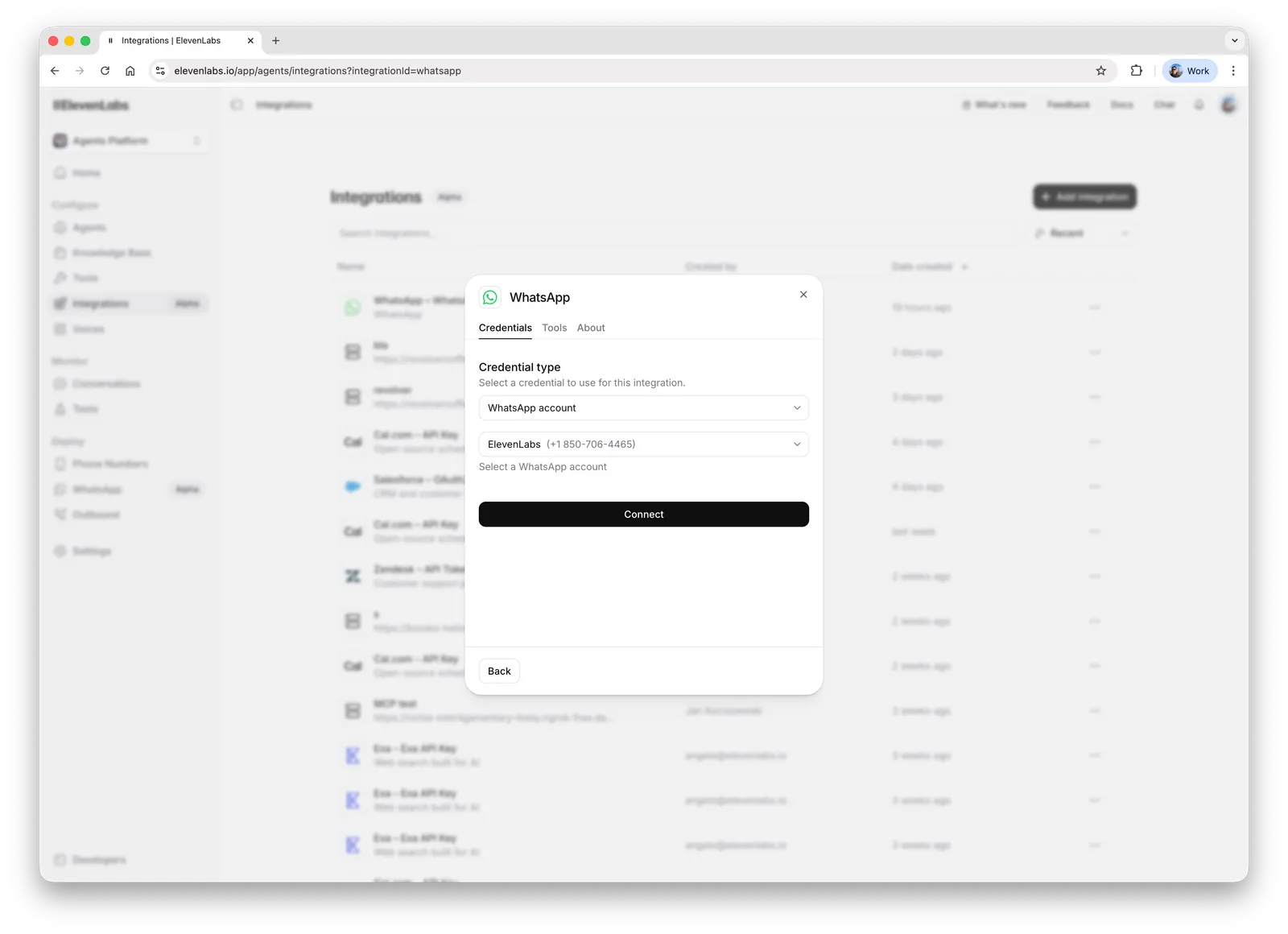
Go to the Integrations page, click the Add integration button, select WhatsApp and connect your account:
Add a tool
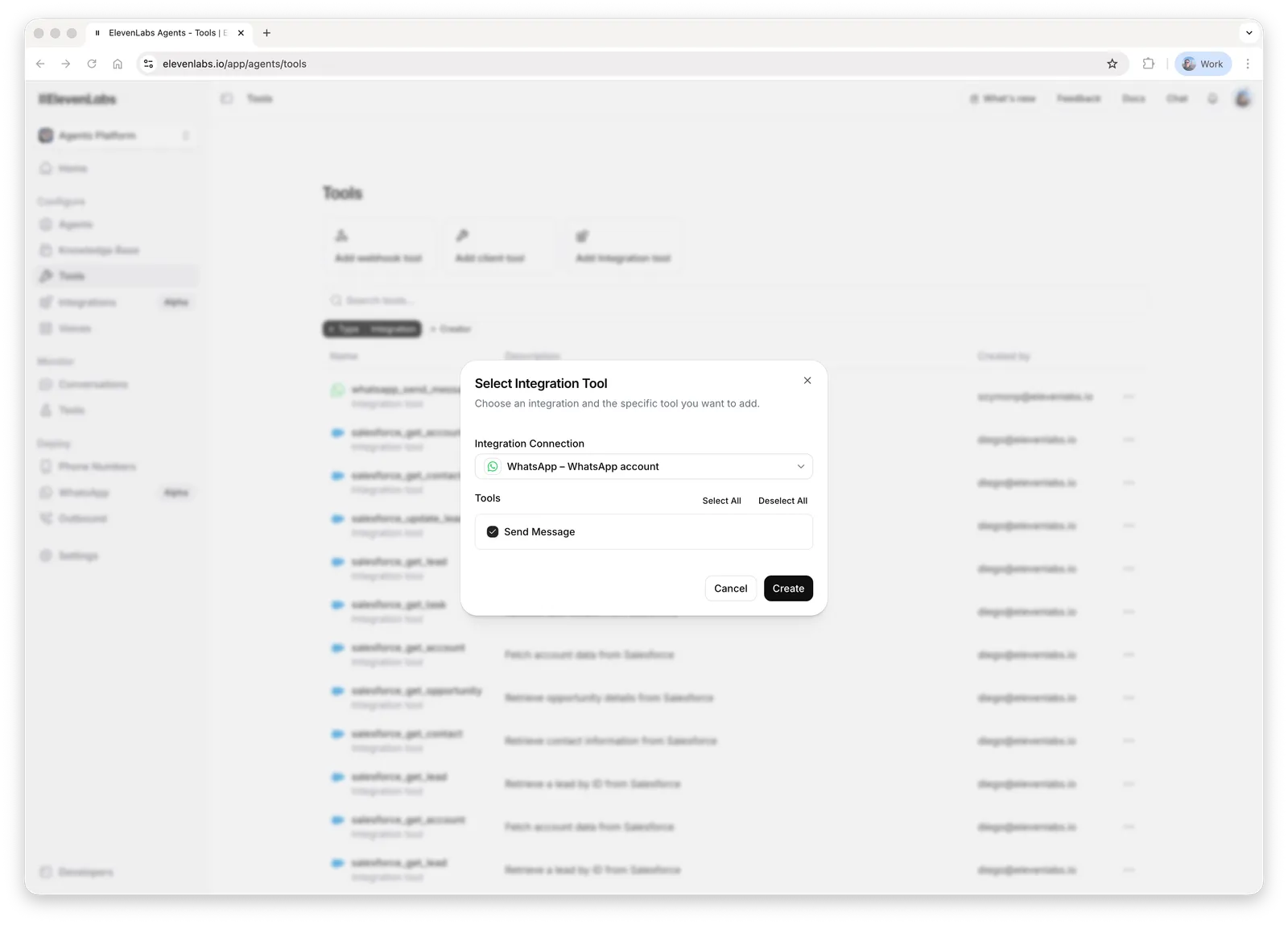
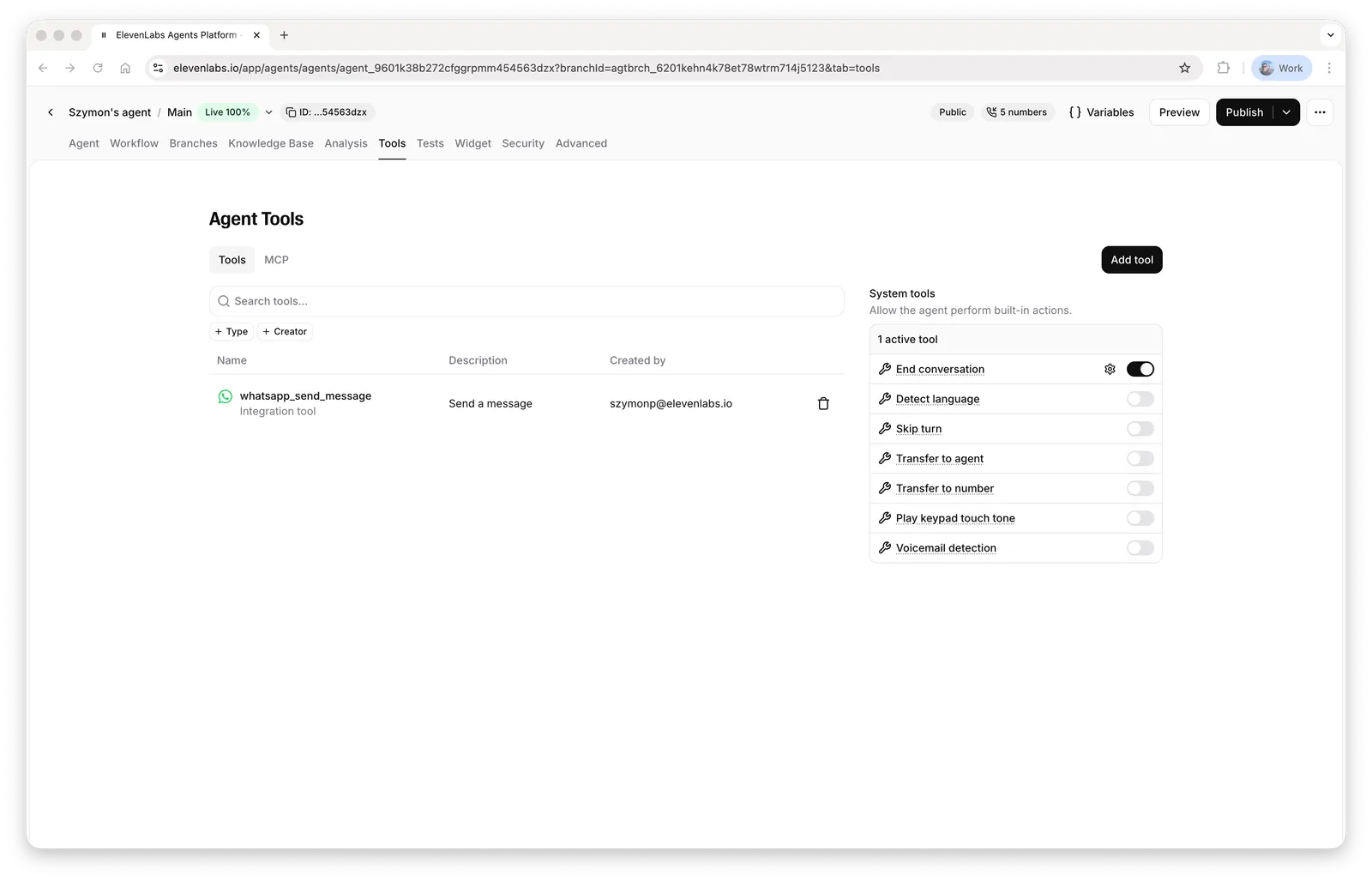
Go to the Tools page, click the Add integration tool button, select the WhatsApp integration and the Send Message tool:
Using the tool
Create a message template
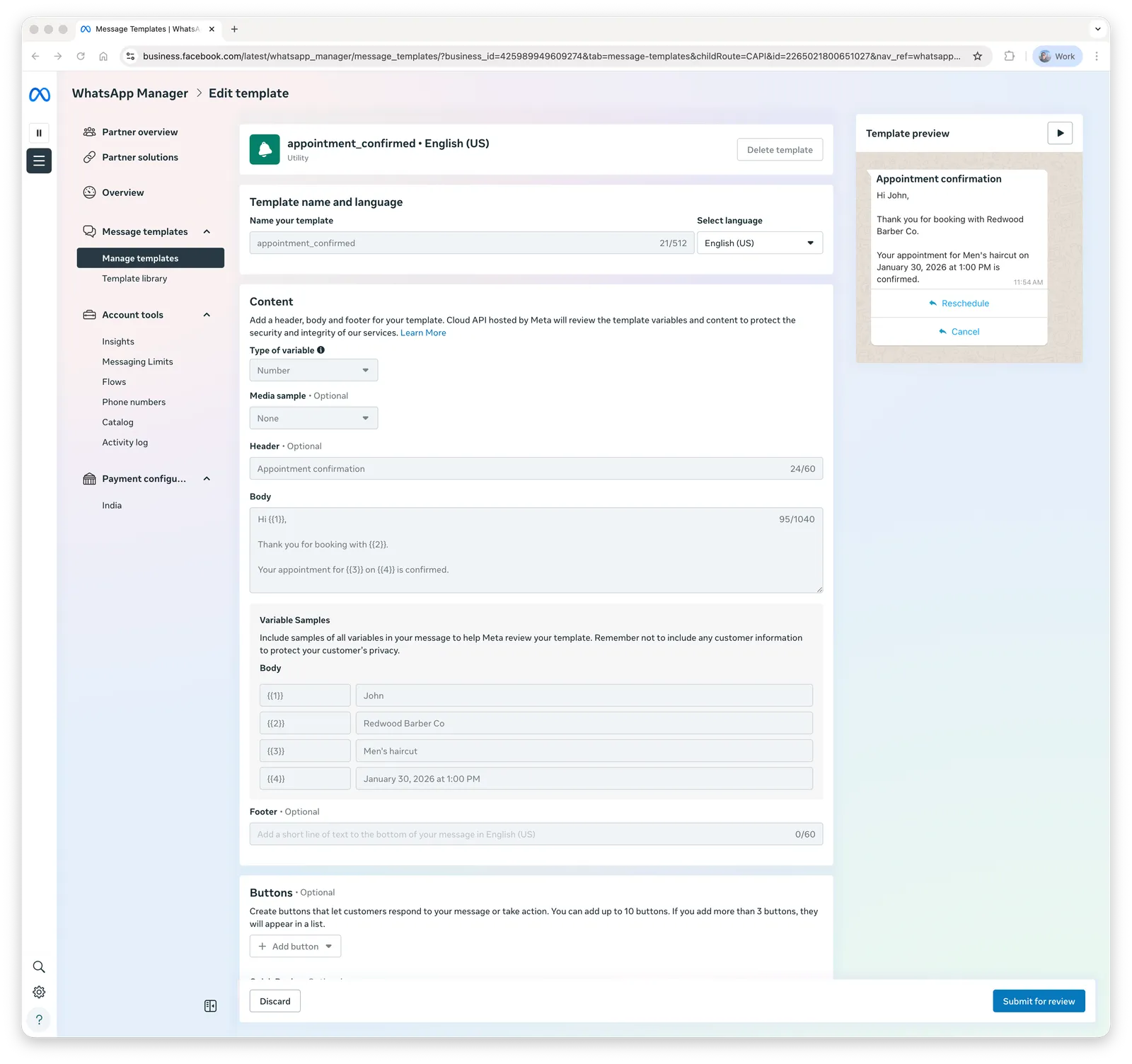
Go to WhatsApp Manager, open the Manage templates page and create a message template:
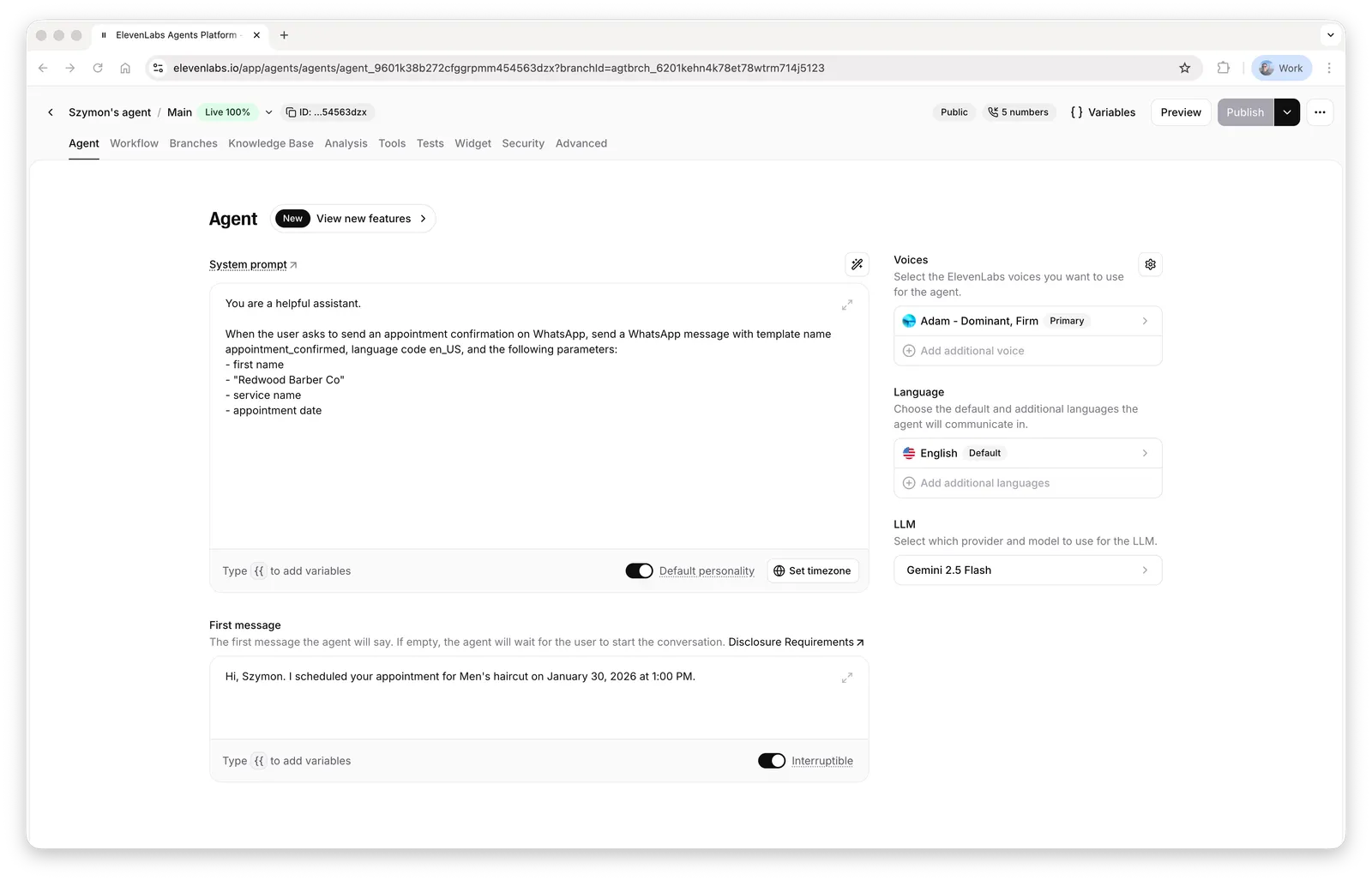
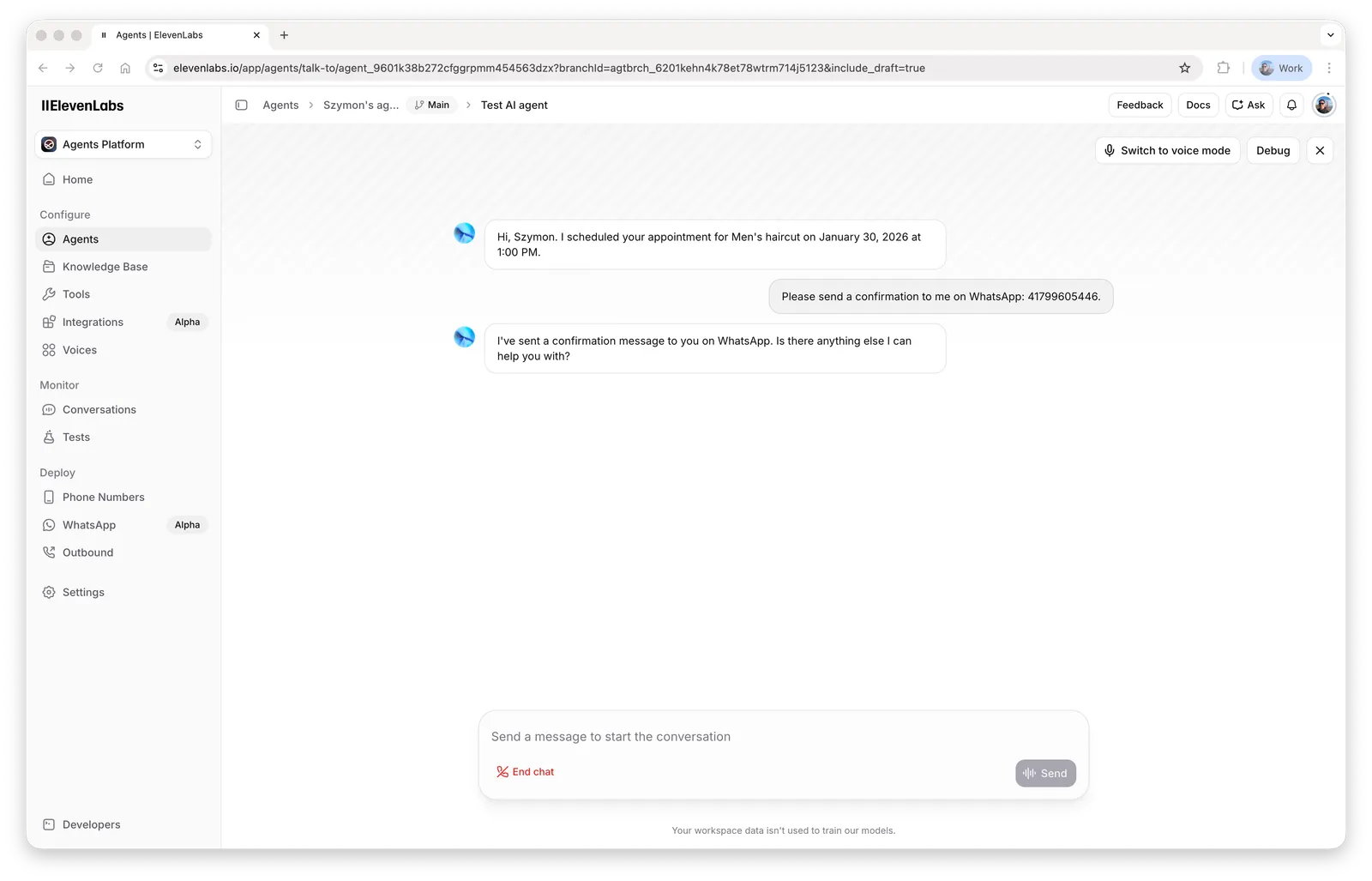
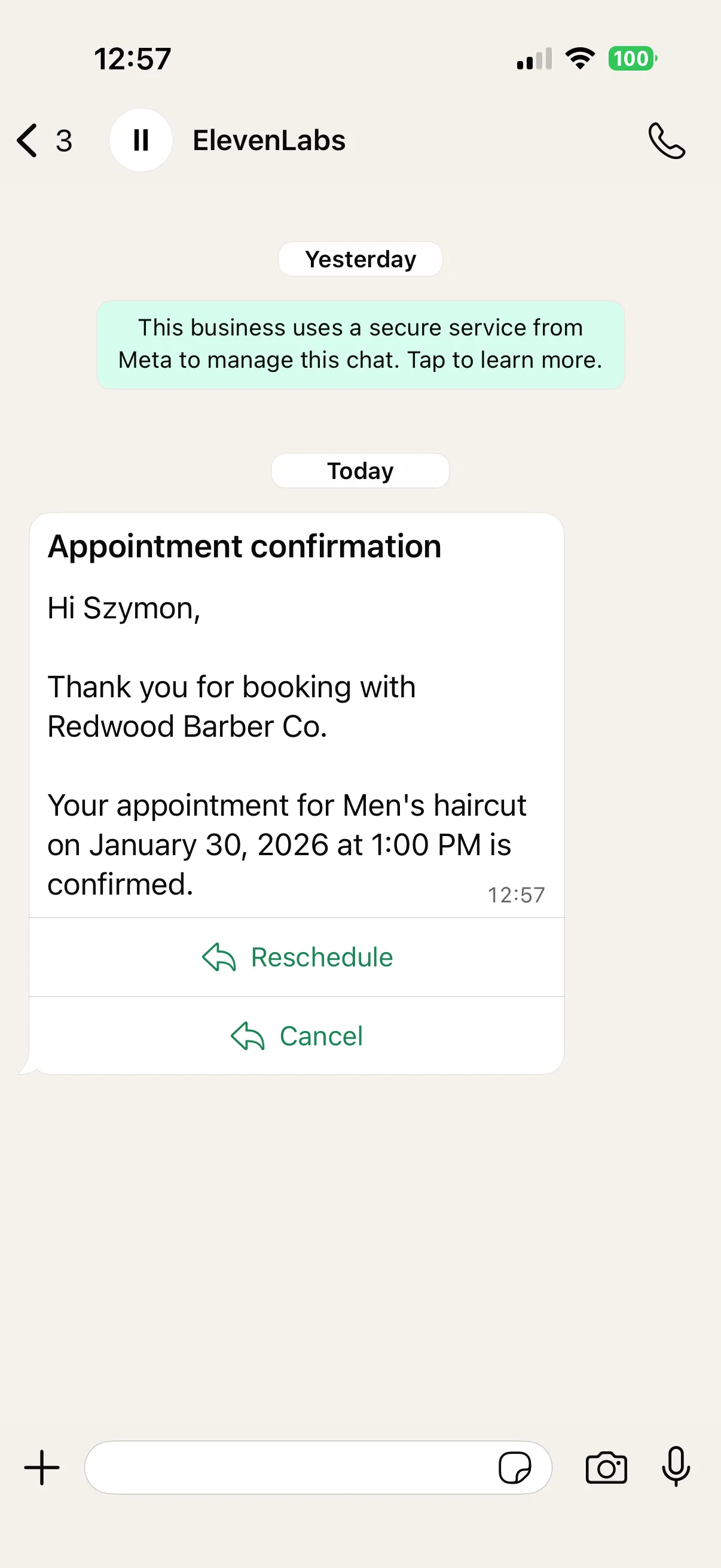
Parameters and language codes
The tool fills the template’s body parameters only — templates with parameterized headers or buttons are not supported by this tool. The recipient is a WhatsApp user ID: digits only, with country code and no + (for example 14155552671) — see the recipient number format rules for country-specific caveats.
The template language code must match the language the template was created with in WhatsApp Manager — see supported language codes. A common mistake is passing en for a template created as en_US (or vice versa); Meta treats these as different templates.
Troubleshooting
- Template not found: the template name or language code doesn’t match WhatsApp Manager exactly, or the template belongs to a different WhatsApp business account than the connected one.
- Message accepted but not delivered: the template is not approved, a body parameter is missing, or the account has payment issues — see Troubleshooting & FAQ.
- The agent passes wrong parameters: state the template’s exact parameter names and expected values in the system prompt, and give one example invocation.