

Customizing ElevenAgents Architect
Overview
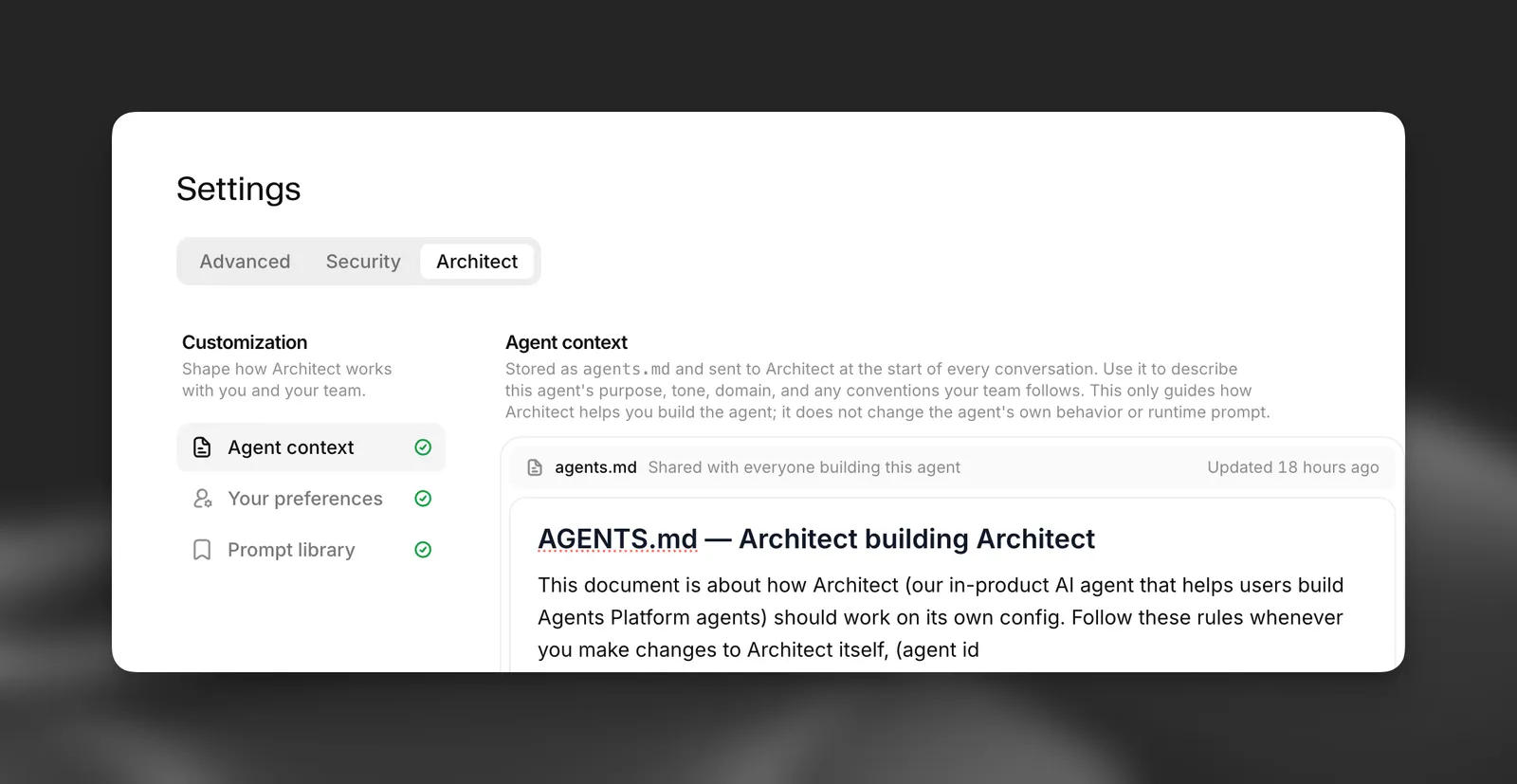
ElevenAgents Architect’s own instructions are fixed, but you control the context it brings to every conversation. These documents shape how it works:
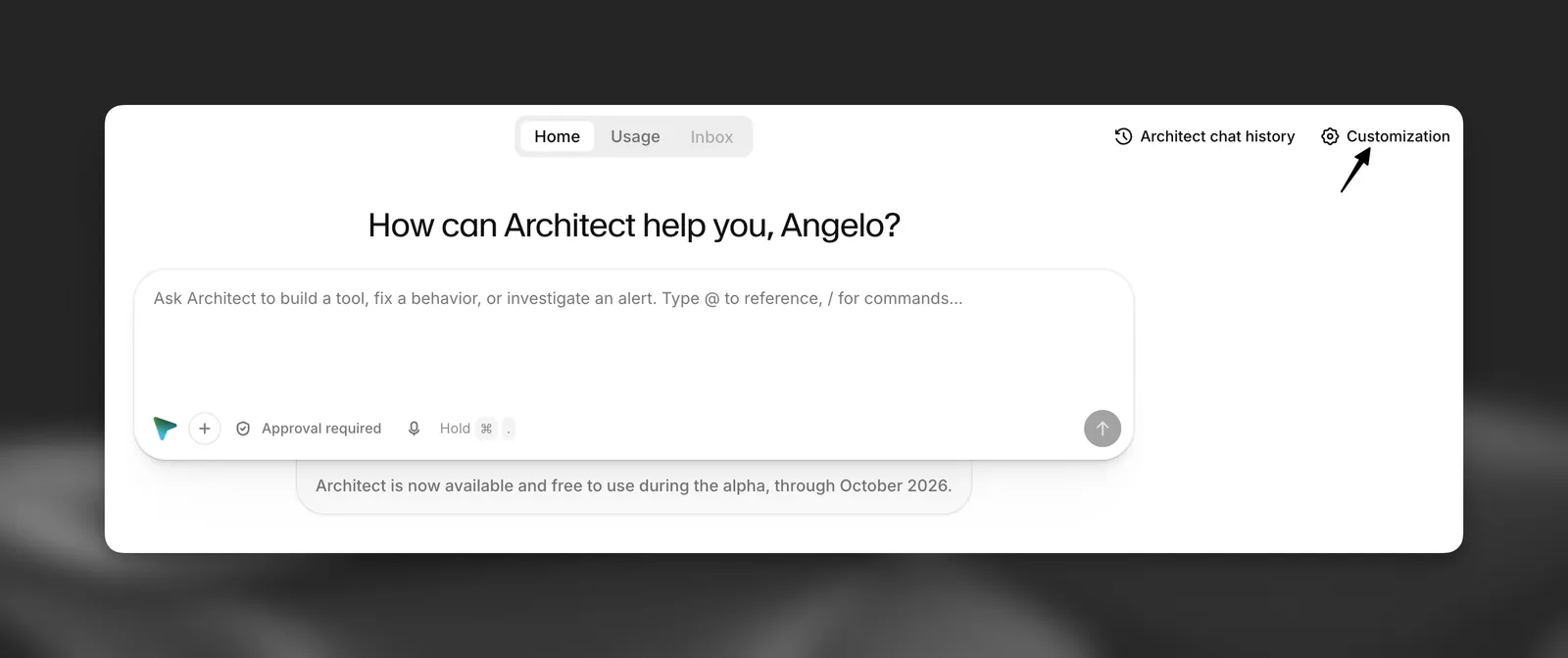
To open them, go to the agent’s Settings > Architect tab, or to Workspace Settings > Architect. You can also select Customization on the Architect tab home page. The workspace page also lists the agent context for each of your agents.
These documents only guide how Architect helps you build. They don’t change the agent’s runtime behavior or the system prompt it uses with callers.
Defining the standards ElevenAgents Architect follows
There is no separate rules engine. Today, you define the standards Architect follows in three places:
- Agent context for standards specific to one agent, such as “Every procedure change needs a simulation test” or “Never change the voice without asking.”
- Your preferences for how you personally like to work, such as “Always use Plan mode for prompt rewrites” or “Explain changes as a bulleted diff.”
- The agent itself. Architect reads the agent’s system prompt, procedures, and guardrails before changing them, and follows the conventions it finds there.
There is no workspace-wide rules document yet. To apply the same standard to several agents, add it to each agent’s context, or save a shared prompt that states it.
Agent context
Every agent has an agents.md document that Architect receives at the start of every conversation about that agent. It’s shared with everyone who builds the agent. Use it for the agent’s purpose, tone, domain, and the conventions your team follows, so nobody has to repeat that background.
You can write the document yourself, start from a template with Purpose, Tone and voice, Conventions, and Testing sections, or select Set up with Architect. You can also type /start in a conversation inside the agent. Architect asks a few questions and writes the document for you. Architect can update it later when you ask, for example “Add to agents.md that refunds over $500 always go to a human.”
When a conversation uses agent context, a Shared agents.md context label appears above the composer.
The document can be up to 100,000 characters. Above 10,000 characters the editor shows a warning, because a shorter, focused document tends to work better.
Your preferences
Your preferences document (user.md) is personal to you and applies across every agent you build. Use it for standing instructions about how you like to work, such as how much detail you want in explanations, or when Architect should ask before proceeding. It has the same 100,000-character limit as agent context.
Prompt library
Save prompts you use often and reuse them instead of retyping them. Prompts are private by default. Select Share to share a prompt with workspace members, so your team starts common tasks such as reviewing triage tickets or auditing guardrails from the same playbook. The library shows Your prompts and Shared with you separately.
To use a saved prompt:
- In the composer, select + > Use a saved prompt.
- In the prompt library, select Run to start a new conversation with that prompt.
Each prompt can be up to 20,000 characters.