

Azure Communication Services
Overview
This approach gives your agent a phone number. A caller dials it, Azure Communication Services (ACS) answers with bidirectional media streaming, and a small bridge relays PCM audio between ACS and the ElevenLabs agent using the standard agent WebSocket protocol. It’s the contact-center / IVR pattern — the same shape as a SIP trunking deployment, with ACS as the carrier.
It also connects to Teams two ways: a Teams user with a Calling Plan can dial the ACS number directly, or you can front the number with Teams Phone Extensibility so calls to a Teams resource account route into ACS.
ACS provisions PSTN numbers only in a limited set of countries. If a number isn’t available in your region, use a SIP provider with SIP trunking instead, or the Graph calling bot.
How it works
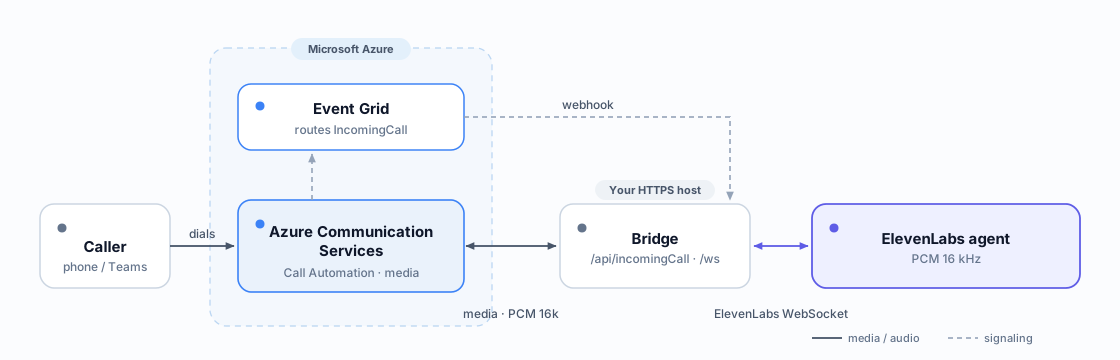
Audio is PCM 16 kHz mono on both legs (the agent’s input/output format is pcm_16000), so it passes through as base64 with no resampling.
The bridge exposes these routes:
Requirements
- A paid Azure subscription (MCA / EA / Pay-As-You-Go) — free/trial/sponsorship subs cannot buy numbers.
- An Azure Communication Services resource.
- An HTTPS host for the bridge with a public WebSocket (Azure Container Apps, App Service, or a VM).
- An ElevenLabs agent set to PCM 16000 Hz on both legs: TTS output format on the Voice tab, user input audio format on the Advanced tab.
Permissions & roles
Under Contributor (not Owner), az containerapp up can’t create the managed-identity ACR pull
role assignment. Enable the registry admin user and attach it instead — see the warning in Step 2.
Step 1 — Provision the ACS resource and number
Buy a number in the resource (Portal → your ACS resource → Phone numbers → Get, or the phone-numbers SDK). For an agent that answers calls, a number with inbound calling is enough; add outbound capability if you also want /api/outboundCall.
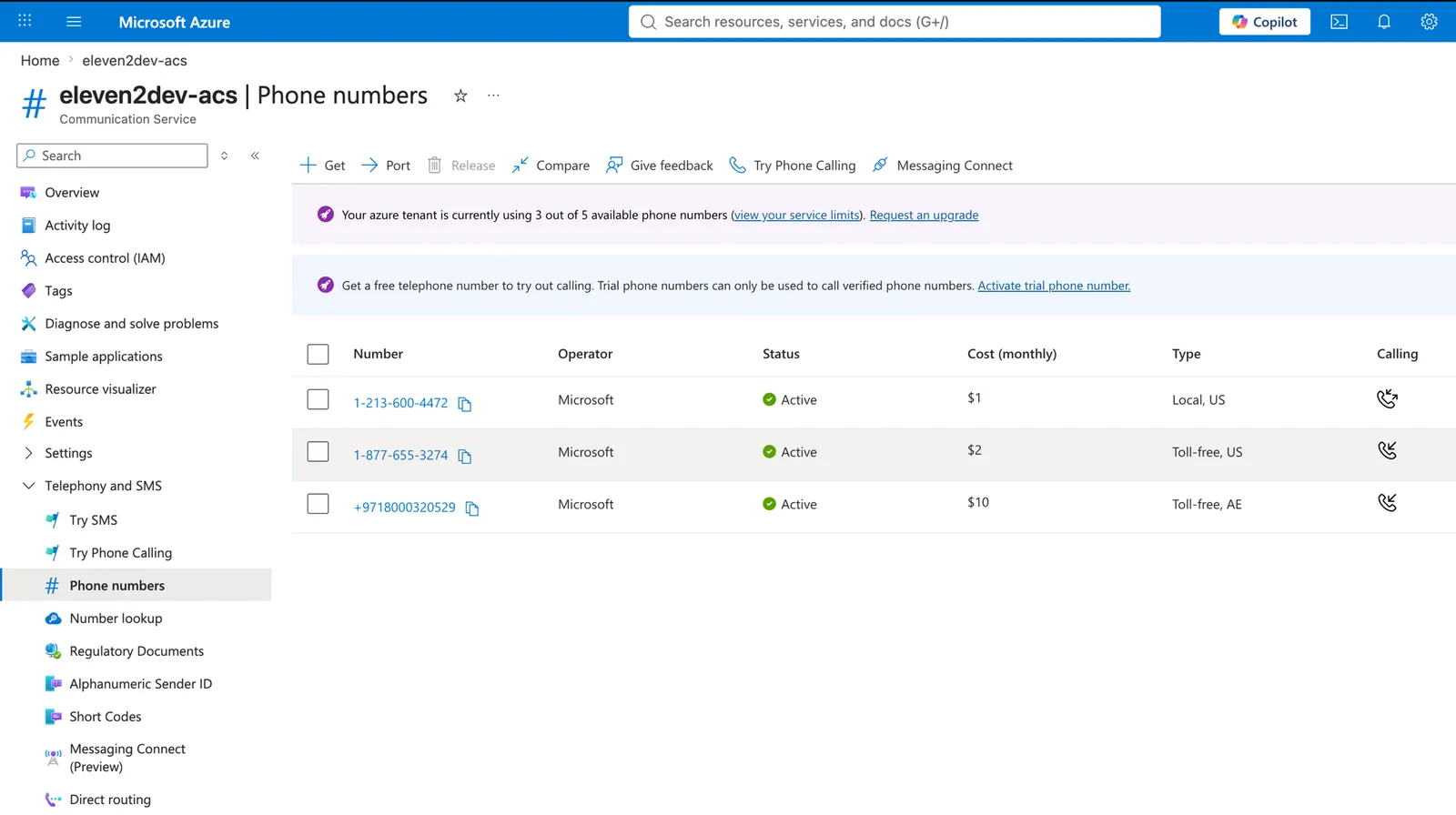
To verify from the CLI (requires az extension add --name communication), and to fetch the connection string the bridge uses as ACS_CONNECTION_STRING:
Step 2 — Deploy the bridge
The bridge is a small Flask + flask-sock app using azure-communication-callautomation. The core of the inbound flow:
On the /ws socket, relay PCM16 both ways: forward ACS AudioData frames to ElevenLabs as {"user_audio_chunk": "<base64>"}, and send the agent’s audio back as {"Kind":"AudioData","AudioData":{"Data":"<base64>"},"StopAudio":null}. The first frame ACS sends is AudioMetadata (the negotiated format) — log it and ignore it. The ElevenLabs side is the standard agent WebSocket protocol.
ACS uses different JSON casing per direction: inbound frames it sends are camelCase (kind,
audioData.data), while outbound frames it expects are PascalCase (Kind, AudioData.Data,
StopAudio). Keep the two cases distinct — the relay below mirrors this.
This relay is intentionally minimal. For production, add logging, reconnection, and graceful teardown. The full message reference is in the WebSocket docs.
EL_WS connects to a public agent. For a private agent, have the bridge request a short-lived
signed URL server-side — GET /v1/convai/conversation/get-signed-url?agent_id=... with your API
key — and connect to the returned URL instead. On data
residency, set ELEVENLABS_ORIGIN to your
residency host (wss://api.eu.residency.elevenlabs.io, .in., or .sg.) — signed-URL requests
use the matching https:// host.
Deploy to Azure Container Apps and capture the public FQDN:
Then set BRIDGE_PUBLIC_HOST=$FQDN and the ACS connection string (as a secret) on the app.
Under Contributor (not Owner), az containerapp up cannot create the managed-identity ACR
pull role. Enable the registry admin user (az acr update --admin-enabled true) and attach it
with az containerapp registry set, then az containerapp update --image ....
Step 3 — Route IncomingCall to the bridge
Create an Event Grid subscription on the ACS resource that posts IncomingCall to the bridge. The bridge’s validation handshake (above) completes the subscription automatically.
The subscription appears under the ACS resource’s Events blade:
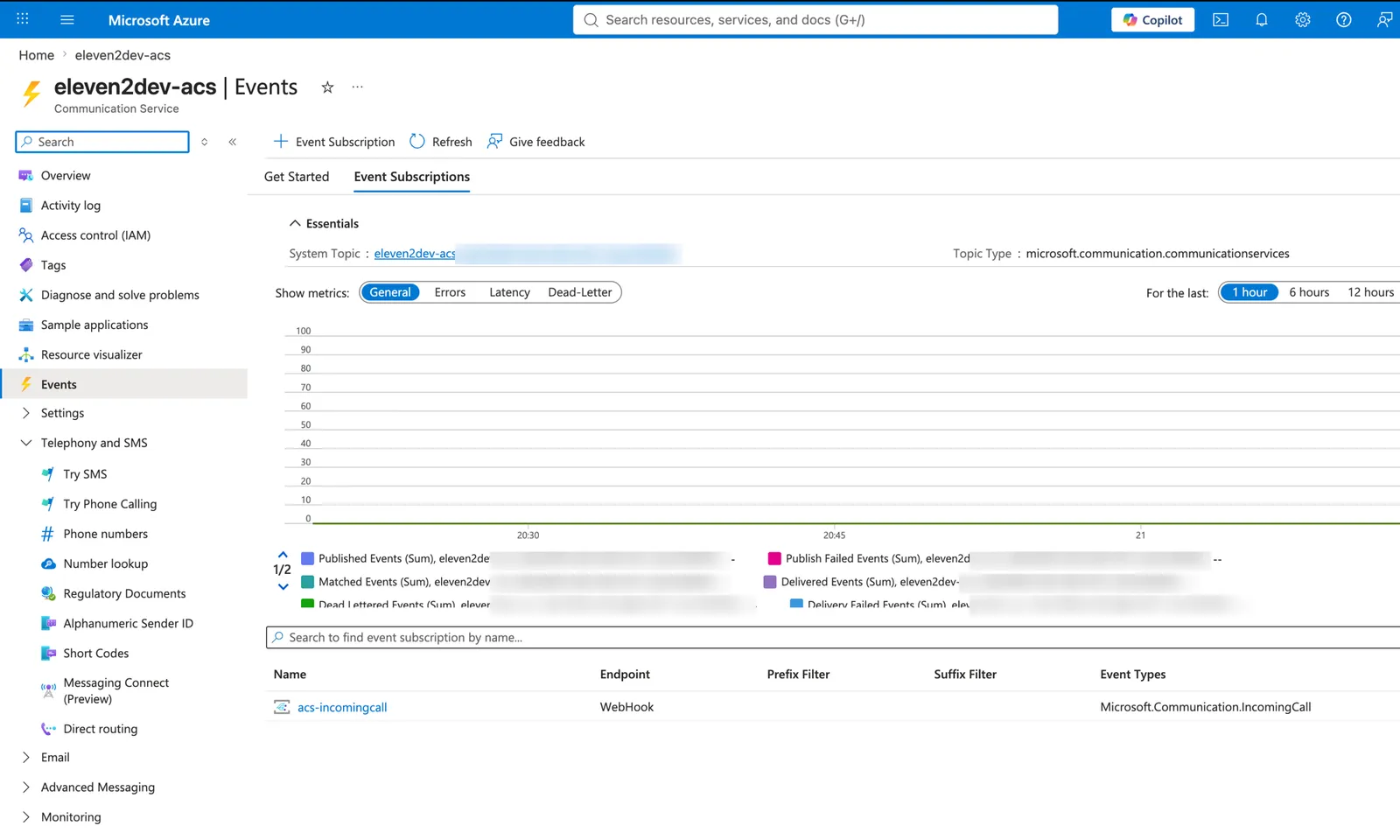
Dial the number — the agent answers.
Connecting it to Teams
- Direct dial: a Teams user with Teams Phone + a Calling Plan can dial the ACS number like any external number.
- Teams resource account (TPE): bind a Teams resource account to the ACS resource with Teams Phone Extensibility so calls to the resource account fire the same
IncomingCall→ bridge flow.
End of call
When the agent ends the conversation (e.g. its End Call tool), ElevenLabs closes the WebSocket. Hang up the ACS leg so the caller isn’t left on a dead line:
Warm transfer to a human
ElevenLabs’ native transfer tools only apply when ElevenLabs owns the telephony, so here the agent fires a custom client tool (e.g. transfer_to_human) that your bridge handles by adding the human to the live call with add_participant (warm) rather than a blind transfer:
ACS emits AddParticipantSucceeded / AddParticipantFailed callbacks to /api/callbacks. Return a client_tool_result to the agent so it can say its handoff line. See system tools for the agent-side configuration.
Set the transfer guard the instant the tool fires (before calling add_participant), or a fast EL
WebSocket close can race the hangup and drop the call before the human joins.
Troubleshooting
No IncomingCall reaches the bridge
Confirm the Event Grid subscription provisioned (provisioningState: Succeeded) and the
bridge’s /api/incomingCall returned the validation echo. Confirm the number has inbound
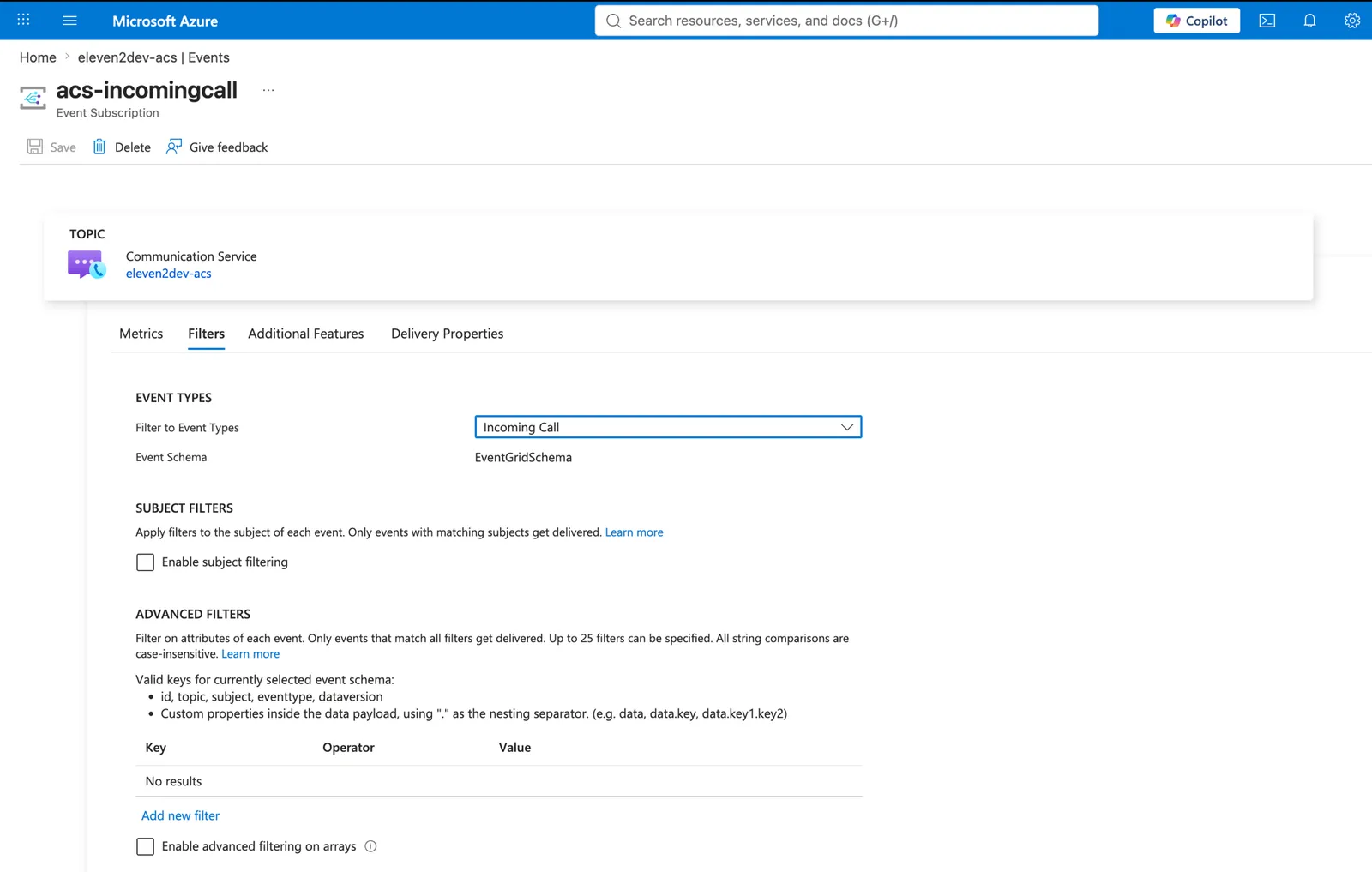
calling and is in the same ACS resource the subscription is on. On the subscription’s
Filters tab, the event types must include Incoming Call:
CreateCallFailed / AddParticipantFailed for an international number
CreateCallFailed / AddParticipantFailed for an international number
ACS outbound to some destinations (e.g. India) is restricted/intermittent. Use a supported destination, or front the human leg with a SIP/Operator number. The bridge logic is unaffected — it’s a carrier-level failure on the outbound leg.
Audio is distorted or wrong speed
Both sides must be PCM 16 kHz mono. Set the agent’s input/output format to pcm_16000; the
bridge logs the negotiated format from conversation_initiation_metadata.
Can't buy a number / number not available in my country
Number purchase requires a paid subscription type (MCA/EA/PAYG). If ACS doesn’t offer numbers in your country, use a SIP provider instead.