

Merge proposals
Overview
A merge proposal records a request to merge one branch’s changes into another and lets a teammate review the diff before that happens. Anyone with edit access to the agent can open a proposal, even into a branch they cannot merge into themselves. Merging the proposal still requires write access to the target branch, so a proposal is how a change reaches a protected branch without giving every contributor merge rights on it.
Merge proposals add an optional review step on top of merging branches directly. Merge directly when you have write access to the target branch and don’t need a second opinion. Open a proposal when you want one reviewed first, or when the target branch is protected and you don’t have write access to it.
Availability
Merge proposals are in alpha. When several branches of an agent are in progress at once, it becomes hard to track which ones are ready and safe to merge. Merge proposals give a team one place to review and discuss a branch’s changes, compare test pass rates between branches, and look at the branch’s latest conversations.
The alpha is a first step toward a CI/CD-style workflow for agents, similar to pull requests on GitHub. Planned additions over the coming weeks include:
- Required tests that must pass before a proposal can be merged.
- Requesting approvals from specific reviewers.
- Configuring owners for different parts of an agent.
Proposal lifecycle
Every proposal has one of these statuses:
While a proposal is open, reviewers leave one of these verdicts. A reviewer’s latest verdict replaces any earlier one from that same reviewer:
Opening a proposal
Open a proposal from the branch whose changes you want reviewed:
From the branch list
From the Proposals tab
In the agent’s Branches tab, open the options menu on the source branch and select Open merge proposal.
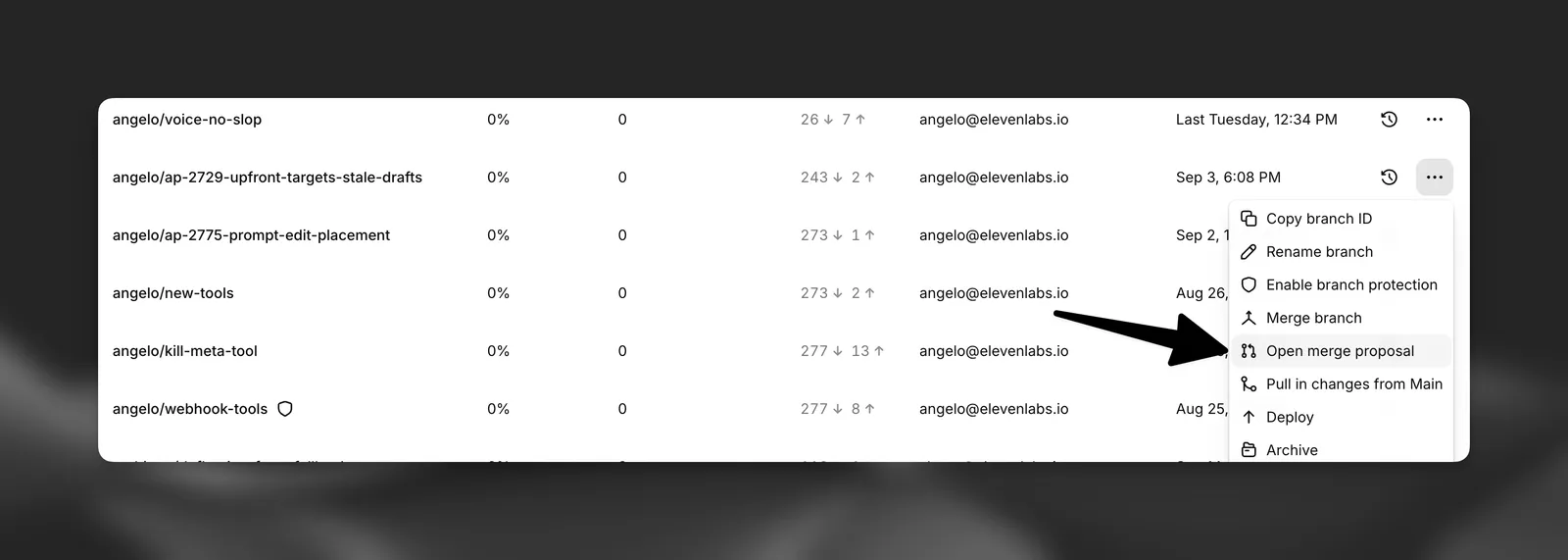
Give the proposal a title, an optional description, and pick a target branch from the agent’s other non-archived branches. Opening a proposal does not change either branch; it only records the request.
A source and target branch pair can have at most one open proposal at a time. Close the existing one before opening another between the same two branches.
Reviewing a proposal
A proposal’s page has these tabs:
Overview
Changes
Test runs
Conversations
The description, review history, and a form for leaving a review.
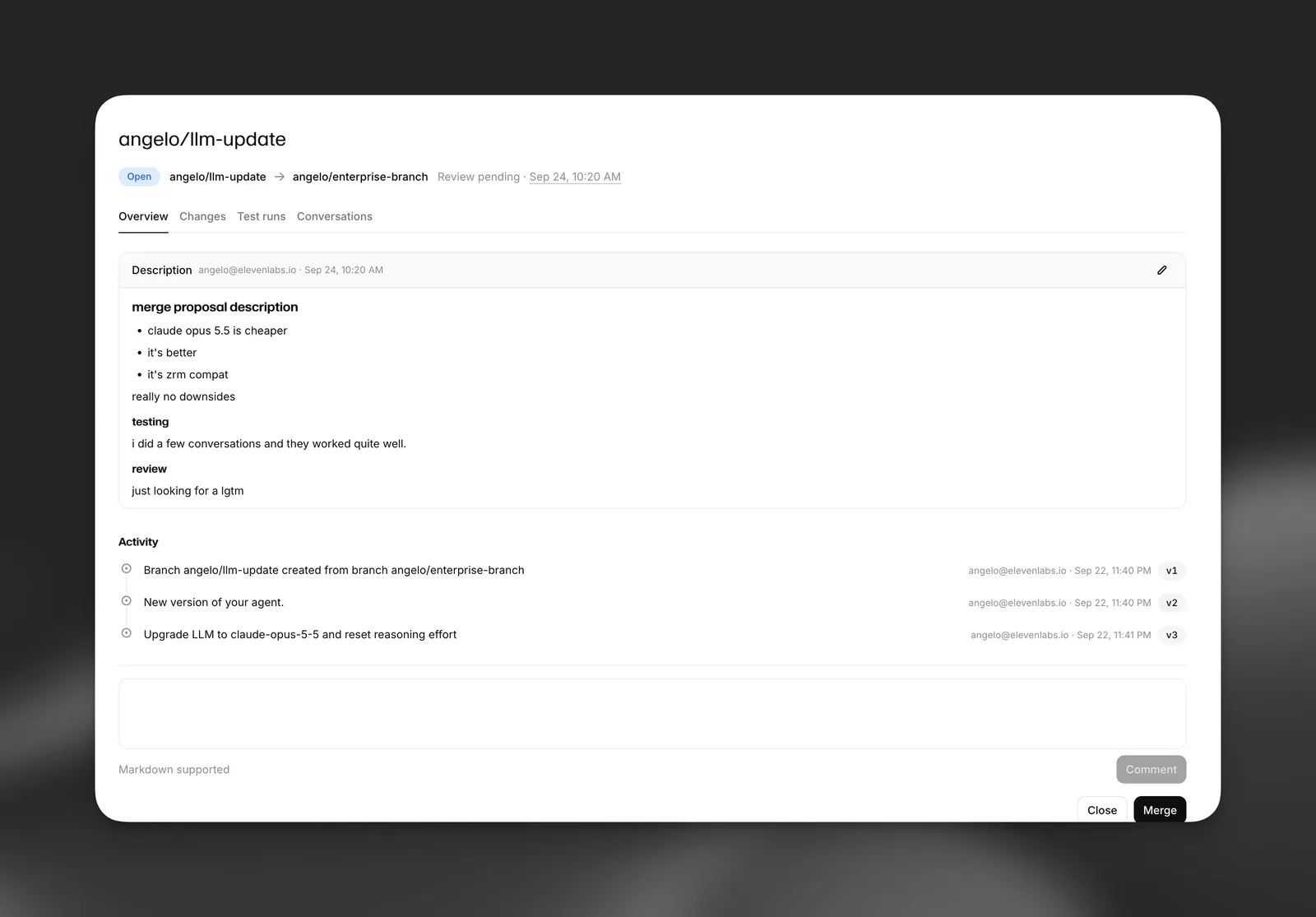
Anyone with edit access to the agent, other than the proposal’s own author, can leave a review with an optional comment. Comments support markdown.
Merging a proposal
Merging a proposal performs the same branch merge as merging directly, including conflict resolution and the option to archive the source branch afterward. Before it can be merged, a proposal must meet these requirements:
- The merging user has write access to both the source and target branches. On a protected branch, that means being a workspace admin.
- No reviewer’s latest verdict is “changes requested”. A reviewer who requested changes must approve before the proposal can be merged.
- The proposal has at least one approval from someone other than its author. Workspace admins can merge without this approval.
Merging a proposal automatically closes any other open proposal for the same source branch, since its changes have now moved on.
Closing a proposal
A proposal can be closed without merging at any point while it’s open. The author and reviewers can edit its title and description up until it’s closed.
- The author closing their own proposal records it as withdrawn.
- Anyone else closing it records it as rejected.
- Archiving the source branch closes any open proposal from or to it automatically, recorded as branch_archived.
Merge proposals and ElevenAgents Architect
Architect can open merge proposals for you. After it makes and tests a change on a branch, it reads the branch’s commits and merge preview and opens a proposal with Summary, Testing, and How to review sections. It can also suggest reviewers for you to choose from. Because Architect acts as you, the proposal lists you as its author.
Architect can’t review, approve, merge, or close a proposal. Those steps are always done by people. See Proposals and validation for the full flow.