

ElevenAgents Architect
ElevenAgents-assistenten för att bygga, undersöka och förbättra dina agenter.
Översikt
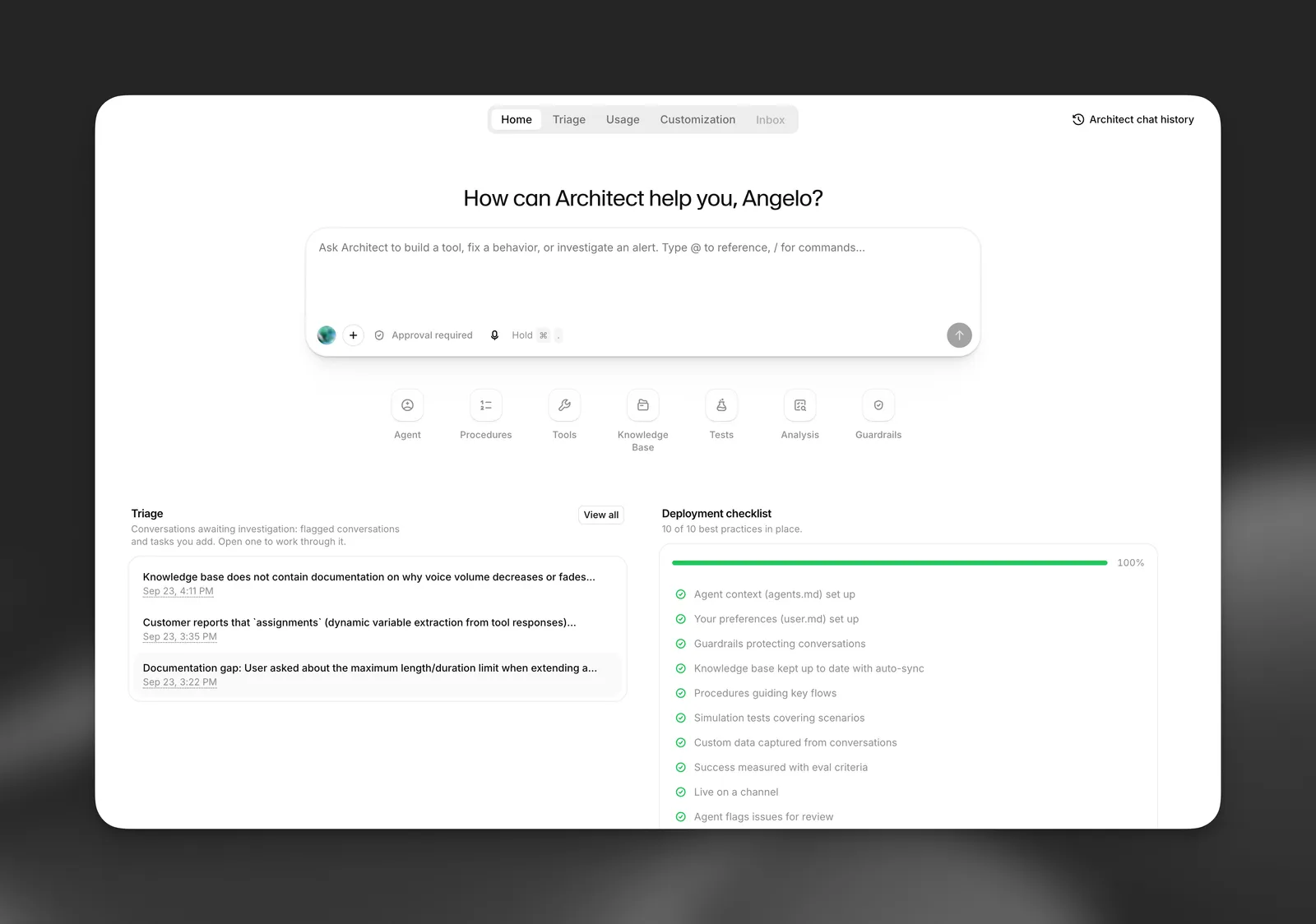
ElevenAgents Architect är AI-assistenten som är inbyggd i ElevenAgents. Du beskriver vad du vill ha på vanlig svenska, och Architect läser agentens konfiguration, konversationer och testresultat, gör ändringen och validerar den med tester innan du bestämmer om den ska driftsättas.
Architect är en AI-assistent och kan göra misstag. Dess resultat, inklusive ändringar av prompter, procedurer, verktyg, kunskapsbaser, skyddsräcken och tester, är förslag som du ska granska, inte verifierade resultat. Du ansvarar för att granska, testa och godkänna varje ändring innan den når aktiva uppringare. Läget för automatiskt godkännande (avstängt som standard) hoppar över ditt godkännande för åtgärder som att slå samman grenar och ändra trafikfördelningar, så använd det här läget på egen risk och endast för arbete som du är säker på. Läs Behörigheter, godkännanden och utkast för mer information.
Architect arbetar med samma objekt som du redigerar manuellt: systemprompten, procedurer, workflow, verktyg, kunskapsbas, skyddsräcken, tester, grenar och sammanslagningsförslag. Den har ingen separat dold konfiguration. Varje ändring den gör visas i samma utkast, diff och versionshistorik som en ändring du själv har gjort.
Vad ElevenAgents Architect är till för
Architect är särskilt användbar för att förbättra en agent som du redan har driftsatt. Den bygger på den här processen:
- Undersök. Läs riktiga konversationer, Spotlight-insikter, aviseringar, triageärenden och misslyckade tester för att hitta vad som går fel och varför.
- Ändra. Redigera prompten, en procedur, ett verktyg, kunskapsbasen eller skyddsräcken. Ändringar av agentkonfigurationen sparas som ett opublicerat utkast och tillämpas aldrig direkt på aktiva uppringare.
- Validera. Skriv tester och simuleringar för ändringen och kör dem i samma konversation innan du ombeds att driftsätta något.
- Föreslå. Lämna över ändringen till dig för granskning: du publicerar utkastet, och Architect kan öppna ett sammanslagningsförslag som en teammedlem kan godkänna och föreslå en liten trafikfördelning för att testa den på aktiva samtal.
Architect kan också bygga nya agenter utifrån en beskrivning, svara på produktfrågor och guida dig genom instrumentpanelen.
Läs Så fungerar Architect för ett komplett exempel på processen, som visar varje verktyg Architect anropar.
ElevenAgents Architect och Spotlight
Spotlight och Architect har olika uppgifter.
Spotlight-kort överlämnar till Architect med knappar som Analysera med Architect och Undersök med Architect. Läs Starta en konversation för att se vilket underlag varje överlämning skickar med.
Tillgänglighet
Architect är i alfa. Vissa delar, till exempel Architect-fliken per agent och triagekön, rullas ut gradvis och kanske ännu inte visas i alla arbetsytor. Architect är gratis att använda under alfaperioden, som pågår till och med oktober 2026. Under alfan räknas Architect-konversationer inte mot arbetsytans agentminuter eller LLM-kostnad. Kontrollera prissidan för villkor efter att alfan avslutas.
Vissa begränsningar gäller:
- Att bifoga filer i kompositören kräver en Creator-plan eller högre.
- En inaktiv Architect-session avslutas efter 5 minuter, eller 15 minuter med Enterprise-planer. Du kan fortsätta konversationen från chatthistoriken.
- Konversationsanalys är begränsad till 100 analyserade konversationer per användare och minut.
Läs Begränsningar och vanliga frågor för vad Architect inte kan göra i dag.
Integritet och datalagring
Architect-konversationer omfattas inte av Zero Retention Mode (ZRM). Undvik att dela personliga eller känsliga uppgifter i meddelanden till Architect.
Dina Architect-chattar är privata för dig. Teammedlemmar kan inte öppna dem, även när en chatt startades från ett delat triageärende. Information om vad ZRM omfattar finns i Zero Retention Mode.