

Workflows
Build sophisticated conversation flows with visual graph-based workflows
Overview
Agent Workflows provide a powerful visual interface for designing complex conversation flows in ElevenAgents. Instead of relying on linear conversation paths, workflows enable you to create sophisticated, branching conversation graphs that adapt dynamically to user needs.
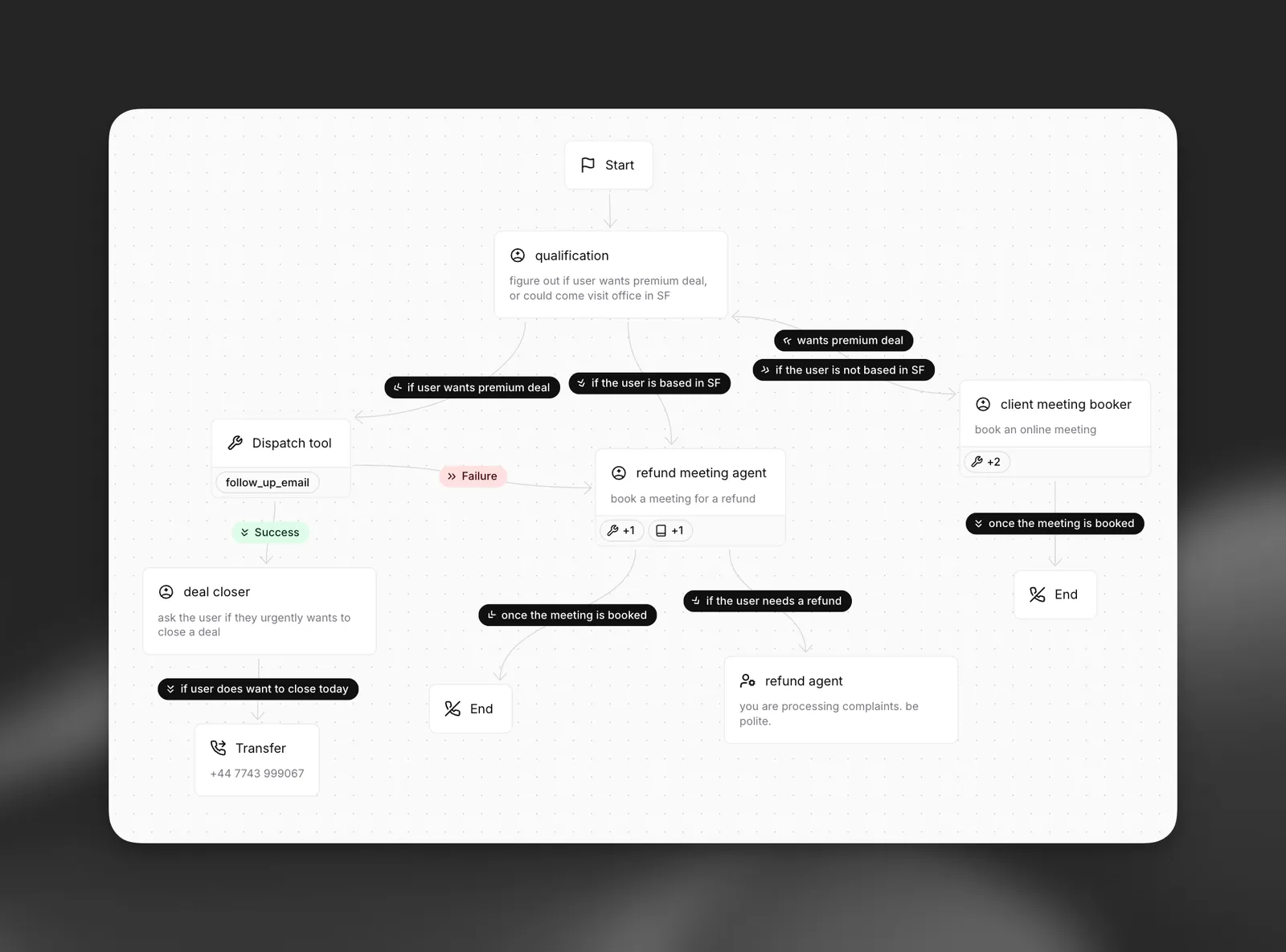
Building workflows
The dashboard is the recommended way to design workflows because of the visual graph editor. Workflows are stored in the agent’s top-level workflow field, so you can also pull, edit, and push the JSON via the CLI or update it via the SDK — useful for version control and CI/CD.
Build via the dashboard
Update via the CLI
Update via the API
Open your agent in the dashboard, navigate to the Workflow tab, and use the visual editor to add nodes, configure subagent behavior, and connect edges. Save your changes.
Node types
Workflows are composed of different node types, each serving a specific purpose in your conversation flow.
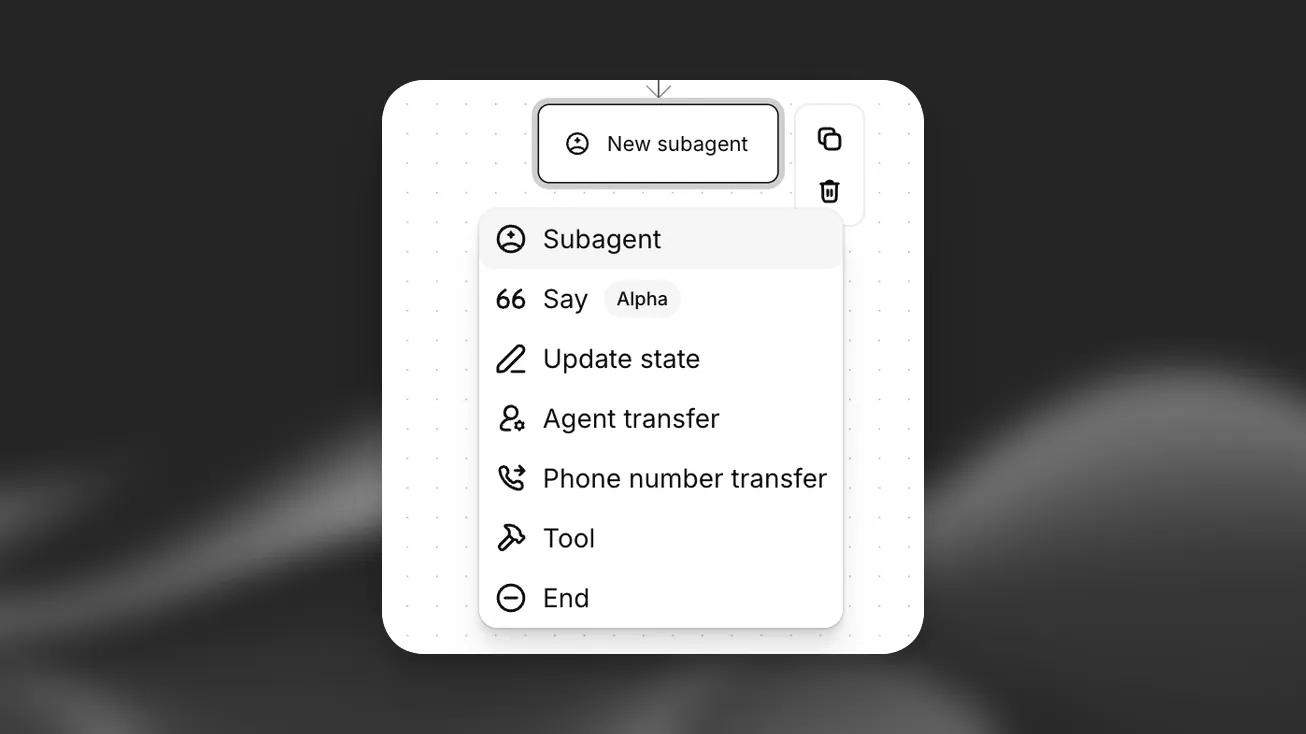
Subagent nodes
Subagent nodes allow you to modify agent behavior at specific points in your workflow. These modifications are applied on top of the base agent configuration, or can override the current agent’s config completely, giving you fine-grained control over each conversation phase. Any of an agent’s configuration, tools available, and attached knowledge base items can be updated/overwitten.
General
Knowledge Base
Tools
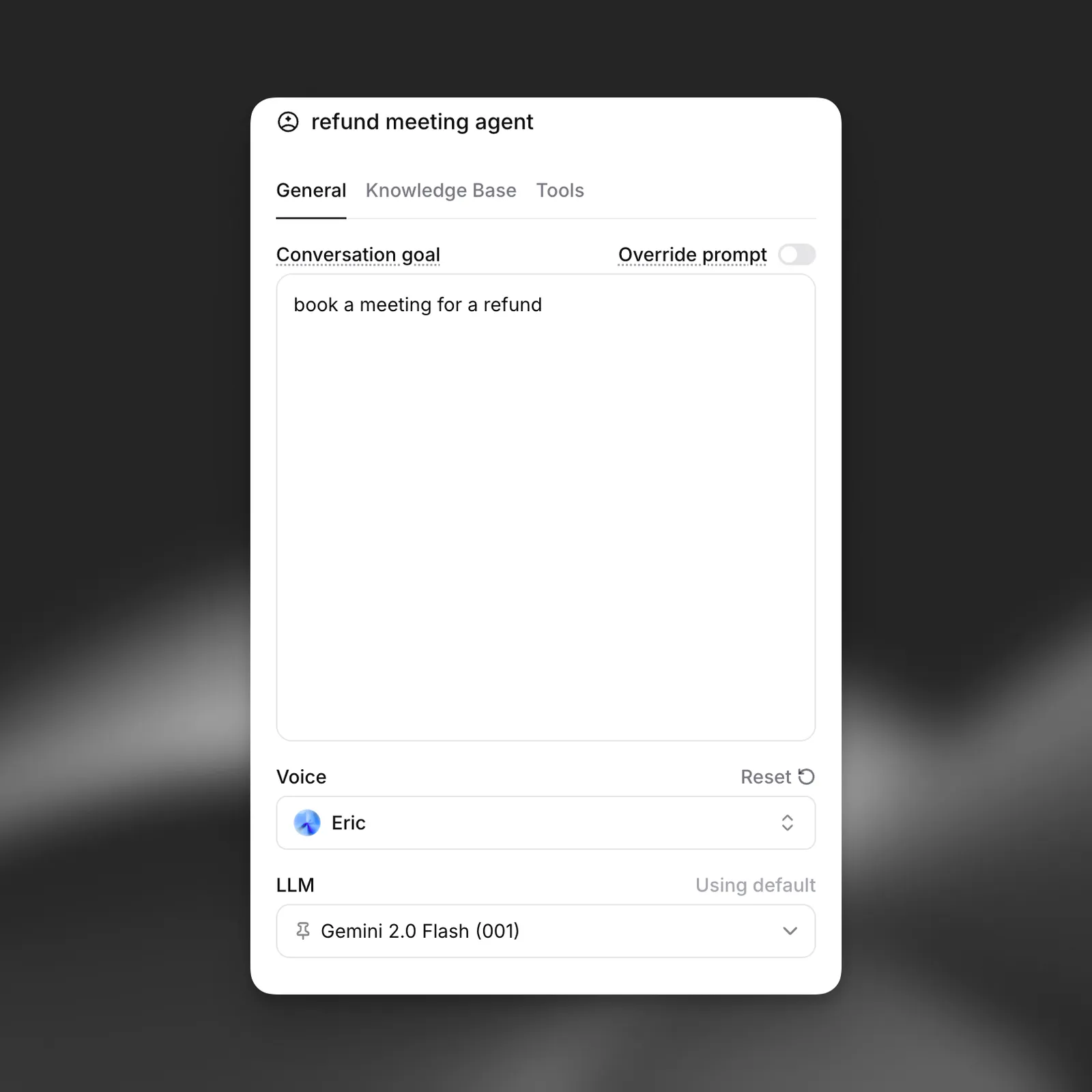
Modify core agent settings for this specific node:
- System Prompt: Append or override system instructions to guide agent behavior
- LLM Selection: Choose a different language model (e.g., switch from Gemini 2.0 Flash to a more powerful model for complex reasoning tasks)
- Voice Configuration: Change voice settings including speed, tone, or even switch to a different voice
Use Cases:
- Use a more powerful LLM for complex decision-making nodes
- Apply stricter conversation guidelines during sensitive information gathering
- Change voice characteristics for different conversation phases
- Modify agent personality for specific interaction types
Say node
A say node makes the agent speak one message at a specific point in the workflow, then moves on along its outgoing edges. Use it when the wording of a message matters and should not be left to a subagent, for example a greeting, a legal disclosure, or a confirmation read back to the user.
Each say node sends its message in one of two modes:
- Literal: the agent speaks the exact text you enter, with an optional translation per configured language.
- Prompt: the LLM generates the message from a description you write.
Dispatch tool node
Tool nodes execute a specific tool call during conversation flow. Unlike tools within subagents, tool nodes are dedicated execution points that guarantee the tool is called.
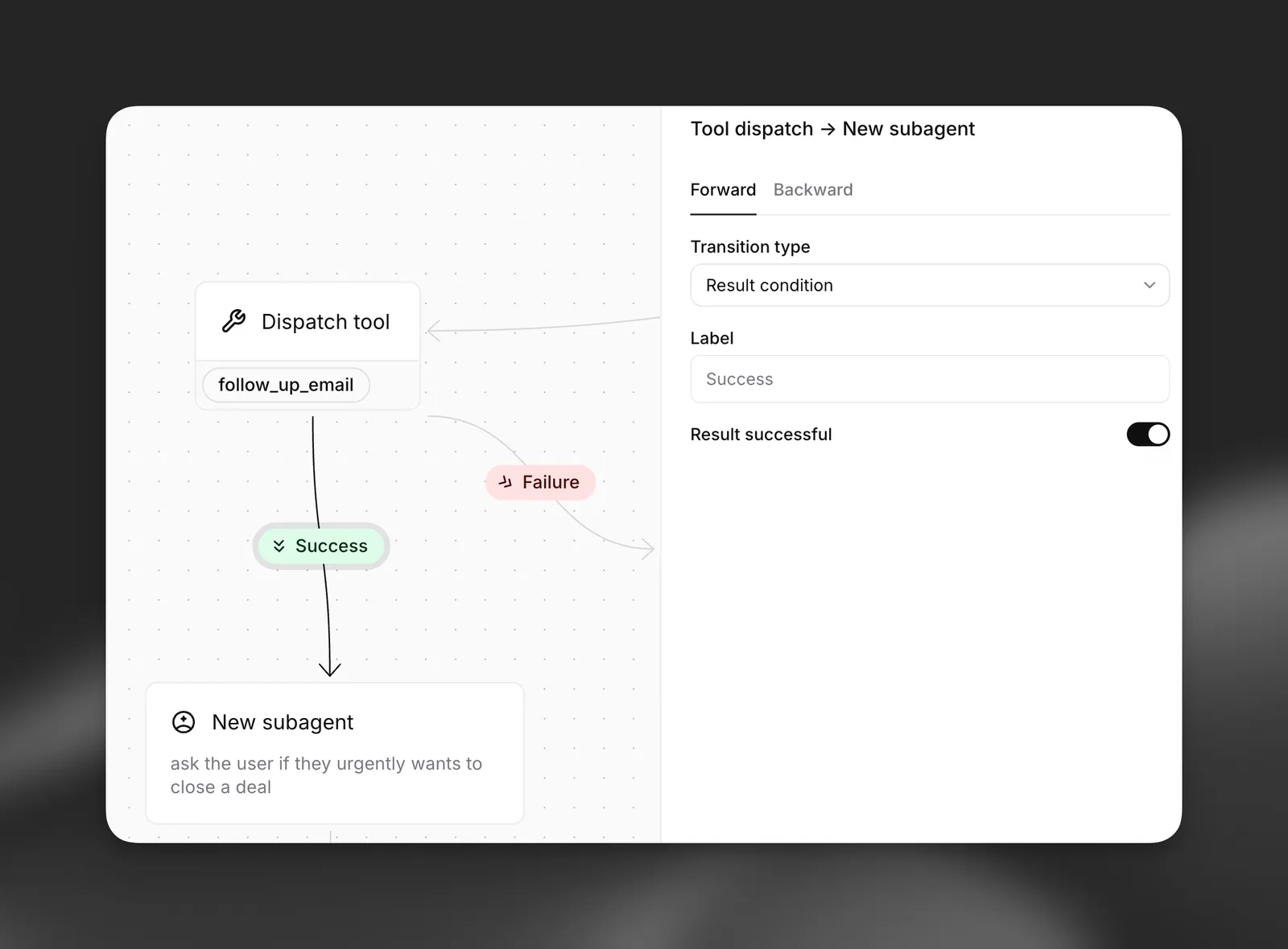
Special Edge Configuration: Tool nodes have a unique edge type that allows routing to a new node based on the tool execution result. You can define:
- Success path: Where to route when the tool executes successfully
- Failure path: Where to route when the tool fails or returns an error
In future, futher branching conditions will be provided.
Update state node
An update state node assigns one or more dynamic variables every time the workflow passes through it, using the same expressions as the Update state tool. Unlike the tool, which runs when the LLM decides to call it, the node always applies its updates at that point in the graph and then continues along its outgoing edges.
Learn more here.
Agent transfer node
Agent transfer node facilitate handoffs the conversation between different conversational agents, learn more here.
Transfer to number node
Transfer to number nodes transitions from a conversation with an AI agent to a human agent via phone systems, learn more here
End node
End call nodes terminate the conversation flow gracefully, learn more here
Edges and flow control
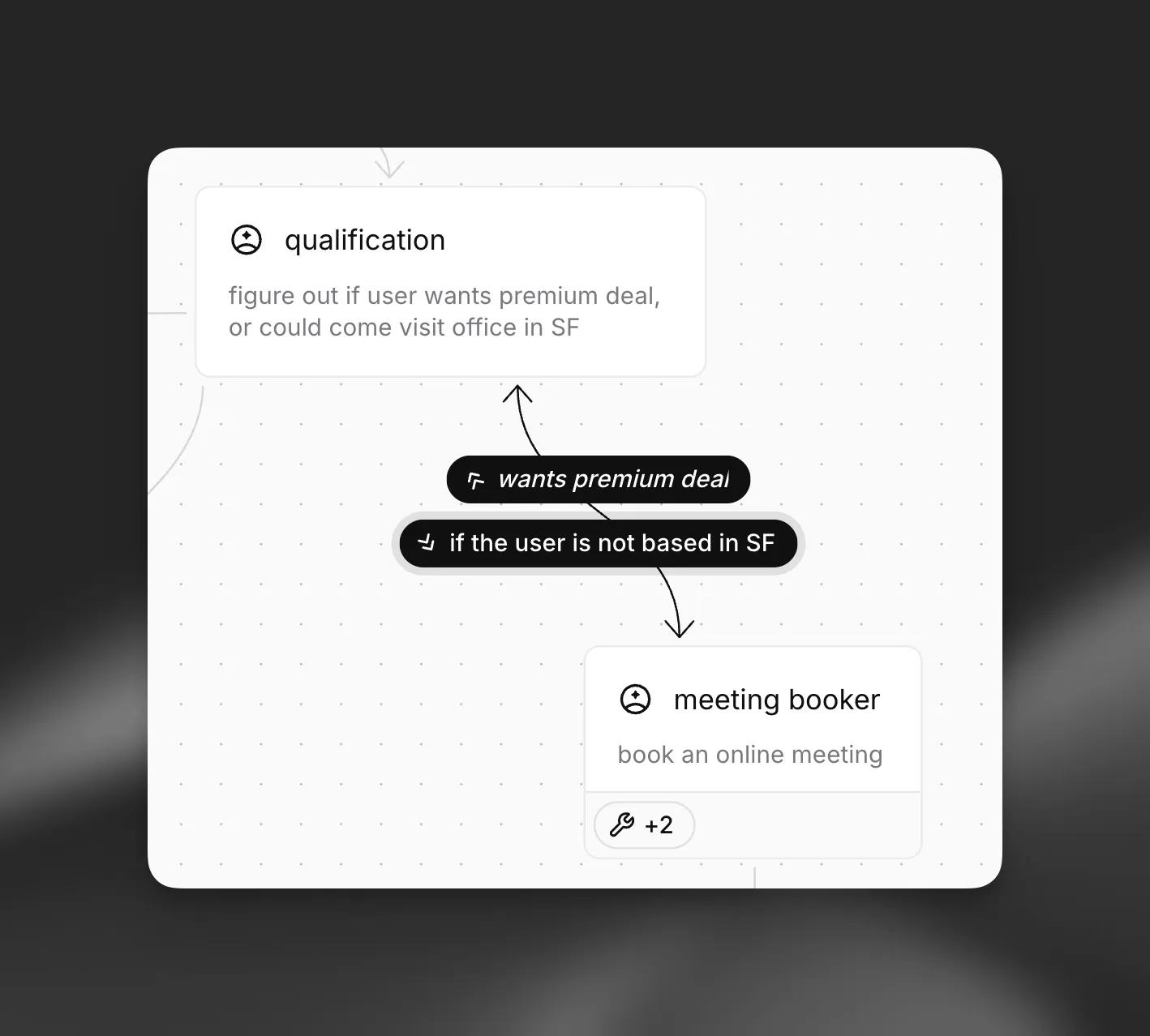
Edges define how conversations flow between nodes in your workflow. They support sophisticated routing logic that enables dynamic, context-aware conversation paths.
Forward Edges
Backward Edges
Forward edges move the conversation to subsequent nodes in the workflow. They represent the primary flow of your conversation.
LLM Condition
Expression
None
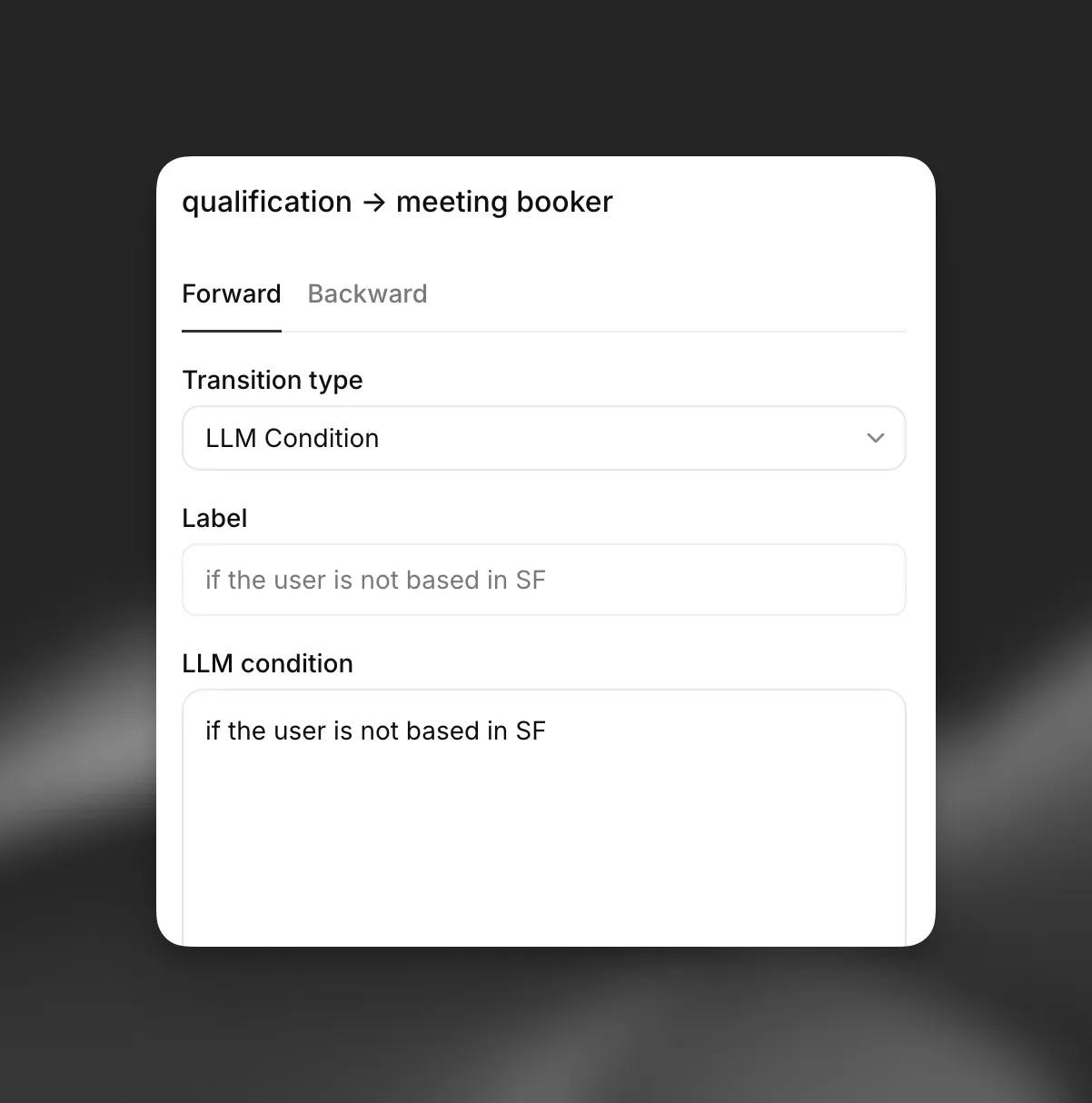
Use LLM conditions to create dynamic conversation flows based on natural language evaluation. The LLM evaluates conditions in real-time to determine the appropriate path.
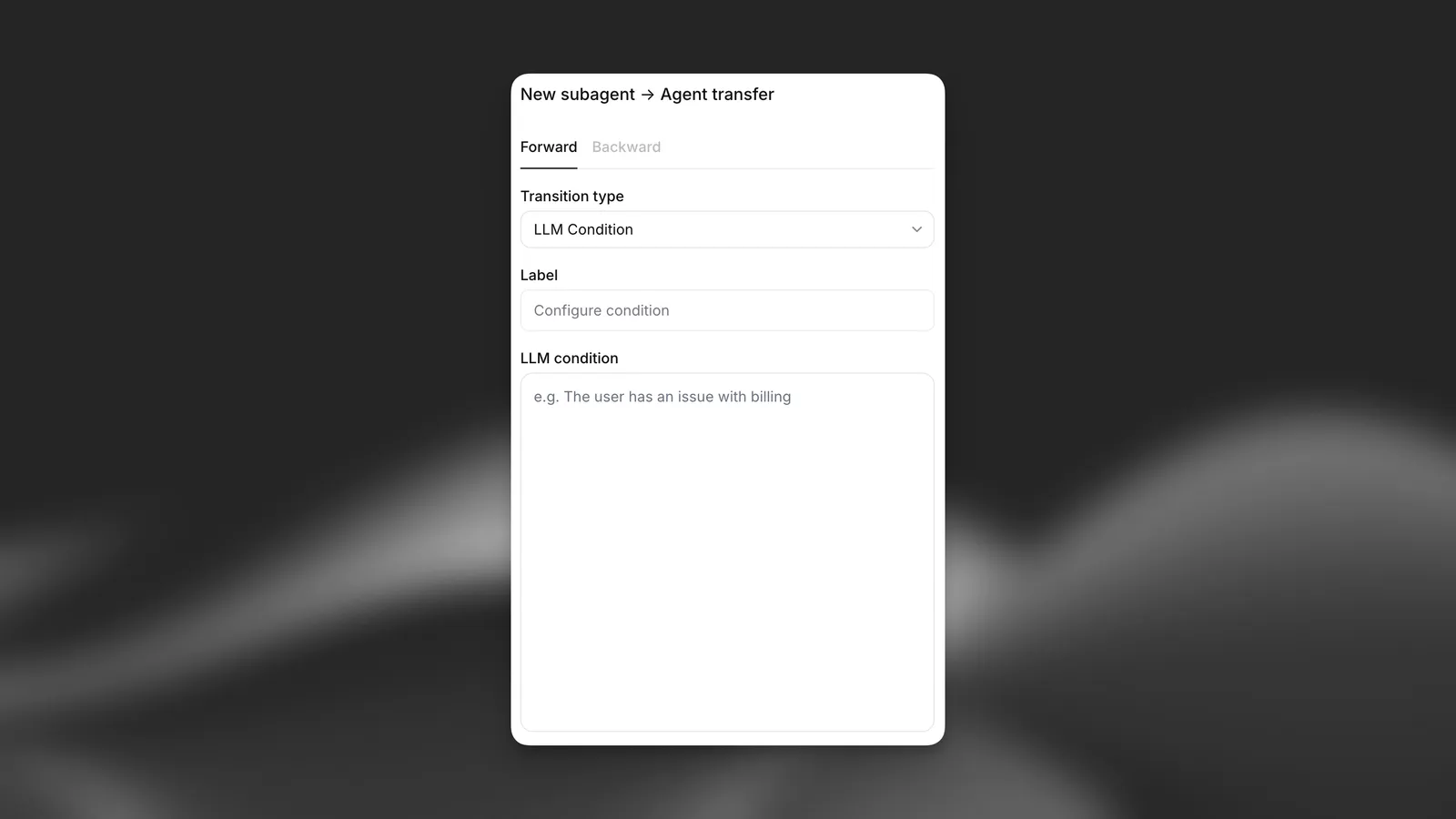
Configuration Options:
- Label: Human-readable description of the edge condition (not processed by LLM)
- LLM Condition: Natural language condition evaluated by the LLM
Analytics
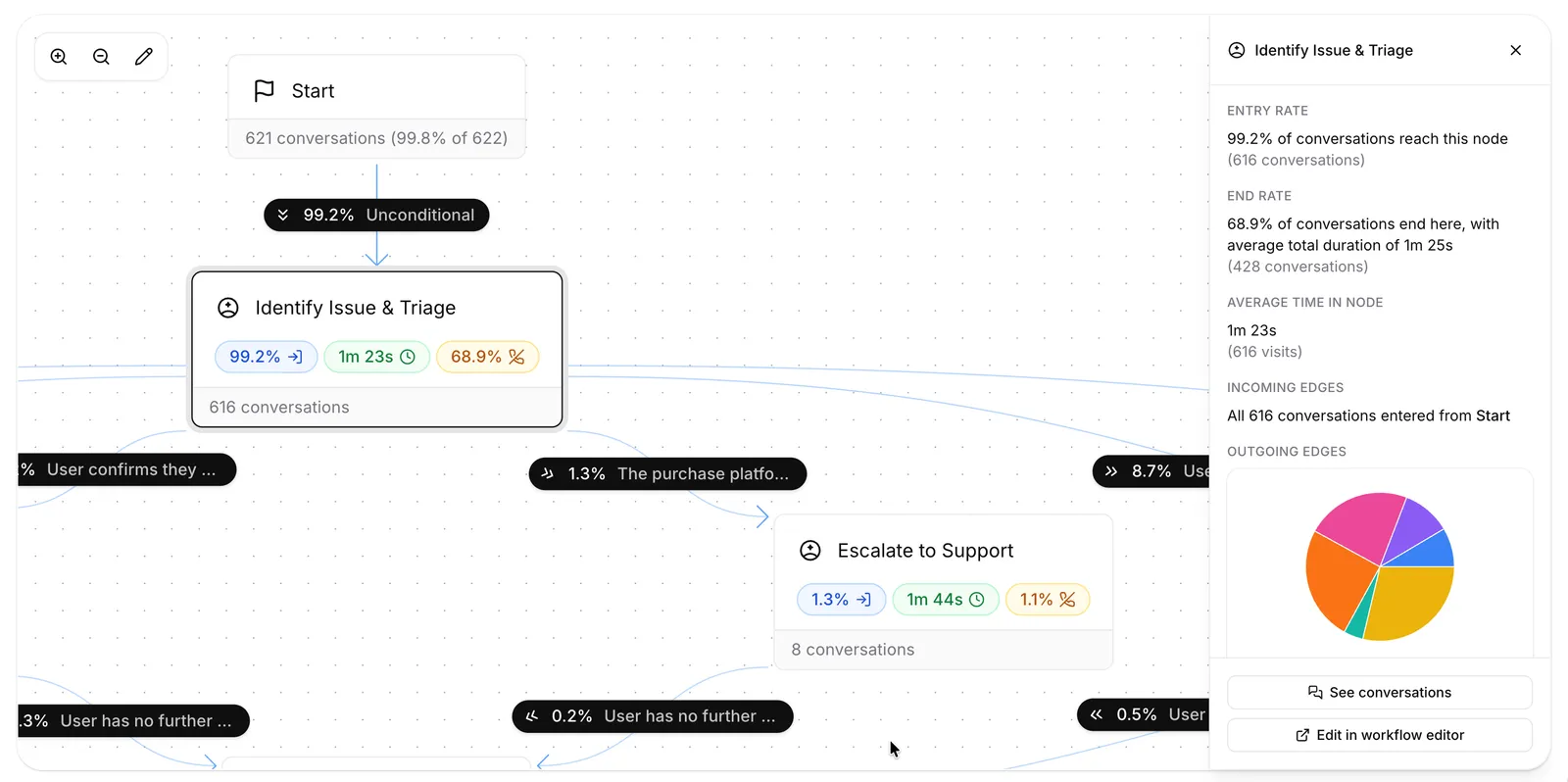
Once a workflow is live, the Workflow tab in the analytics dashboard overlays usage data on the graph: per-node entries, average time spent, and terminations, plus the incoming and outgoing edge distribution for each node. From the node inspector you can also jump straight to the matching conversations in history via the Node entered filter.