

Dynamic variables
Dynamic variables allow you to inject runtime values into your agent’s messages, system prompts, and tools. This enables you to personalize each conversation with user-specific data without creating multiple agents.
Overview
Dynamic variables can be integrated into multiple aspects of your agent:
- System prompts to customize behavior and context
- First messages to personalize greetings
- Tool parameters and headers to pass user-specific data
Here are a few examples where dynamic variables are useful:
- Personalizing greetings with user names
- Including account details in responses
- Passing data to tool calls
- Customizing behavior based on subscription tiers
- Accessing system information like conversation ID or call duration
Dynamic variables support three value types:
System dynamic variables
Your agent has access to built-in system__* variables in every conversation without runtime configuration. These variables are prefixed with the reserved system__ namespace and update automatically as the conversation progresses. Custom dynamic variables cannot use the system__ prefix or override system variables.
Variables marked with † change between turns. Placing them in prompt text can prevent prompt caching; see Best practices for alternatives.
Agent and conversation identity
Time and timezone
Telephony and messaging
These variables are populated when applicable for telephony and messaging channels:
Per-turn conversation state
Conversation history format
The system__conversation_history variable contains a JSON object with the following structure:
Each entry includes a role ("user", "agent", or "tool") and one of:
message: The text content of the turntool_requests: An array of tool calls made by the agent, with resolved parameter valuestool_results: An array of tool responses
If a tool result or parameter contains a nested conversation history, it is redacted to a placeholder (such as [conversation_history (5 turns)]) to avoid unbounded recursive expansion.
This variable is useful for passing conversation context to tools (such as webhooks or custom LLMs) or for including conversation history in sub-agent prompts during handoffs.
Secret dynamic variables
Secret dynamic variables are populated in the same way as normal dynamic variables, but indicate to ElevenAgents that they should only be used in dynamic variable headers and never sent to an LLM provider as part of an agent’s system prompt or first message.
Use secret dynamic variables for auth tokens or private IDs that should not be sent to an LLM. To create a secret dynamic variable, prefix the dynamic variable with secret__.
Secret values are stored redacted, so the conversations API returns them as <REDACTED>.
Post-call transcription webhooks deliver the original values, so make sure your webhook endpoint
handles them as secrets. Don’t use the secret__ prefix for values you need to read back from the
conversations API. Pass those as regular dynamic variables, or pass a non-sensitive identifier and
look up the sensitive value on your own system.
Updating dynamic variables from tools
Tool calls can create or update dynamic variables if they return a valid JSON object. To specify what should be extracted, set the object paths using dot notation. If the field or path doesn’t exist, nothing is updated.
Example of a response object and dot notation:
- Status corresponds to the path:
response.status - The first user’s email in the users array corresponds to the path:
response.users.0.email
To update a dynamic variable to be the first user’s email, set the assignment like so.
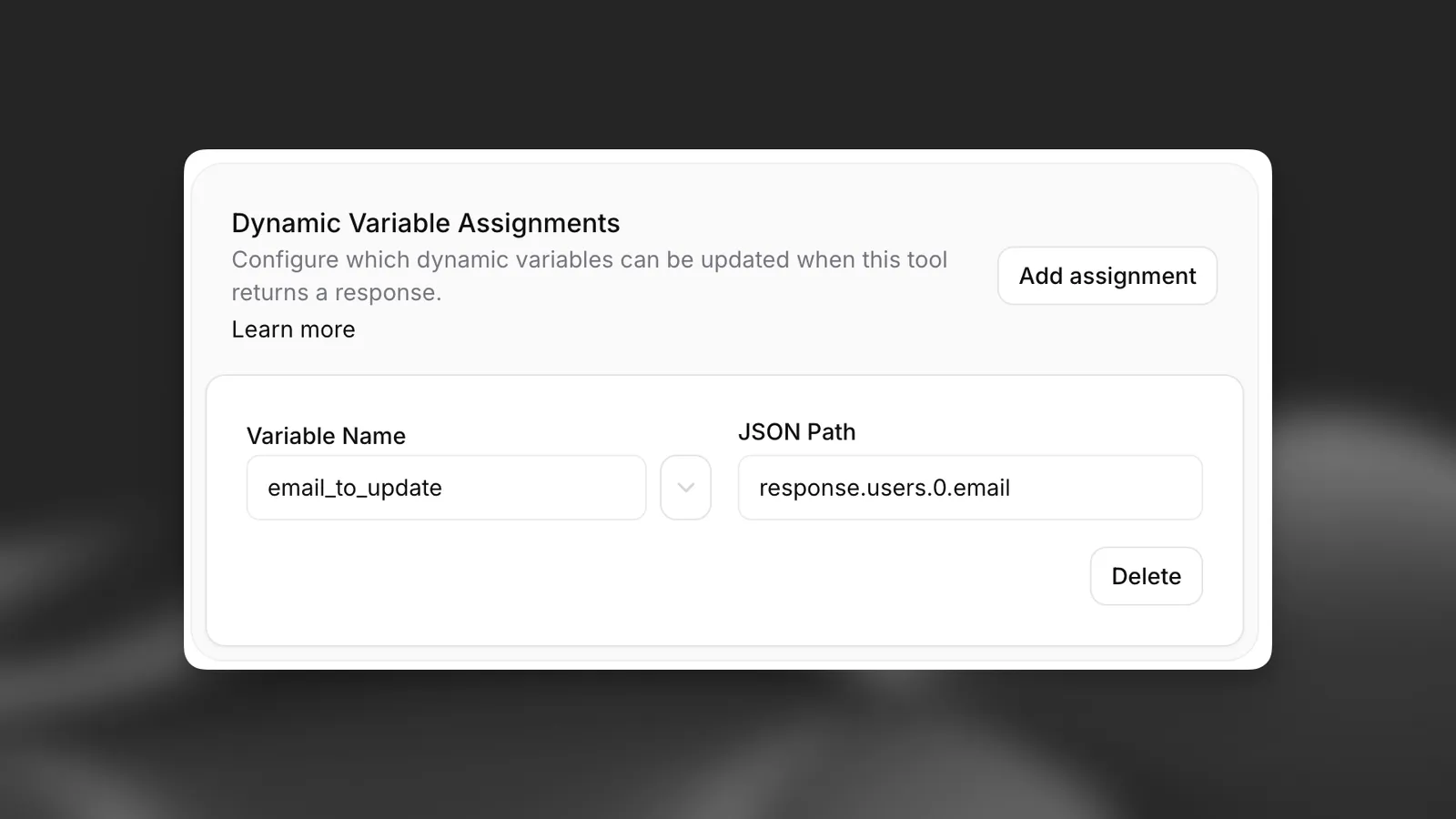
Assignments are configured on each webhook tool; see tool assignments in the API reference.
Guide
Prerequisites:
- An ElevenLabs account
- A configured ElevenAgents agent (follow the quickstart to create one)
Define dynamic variables in prompts
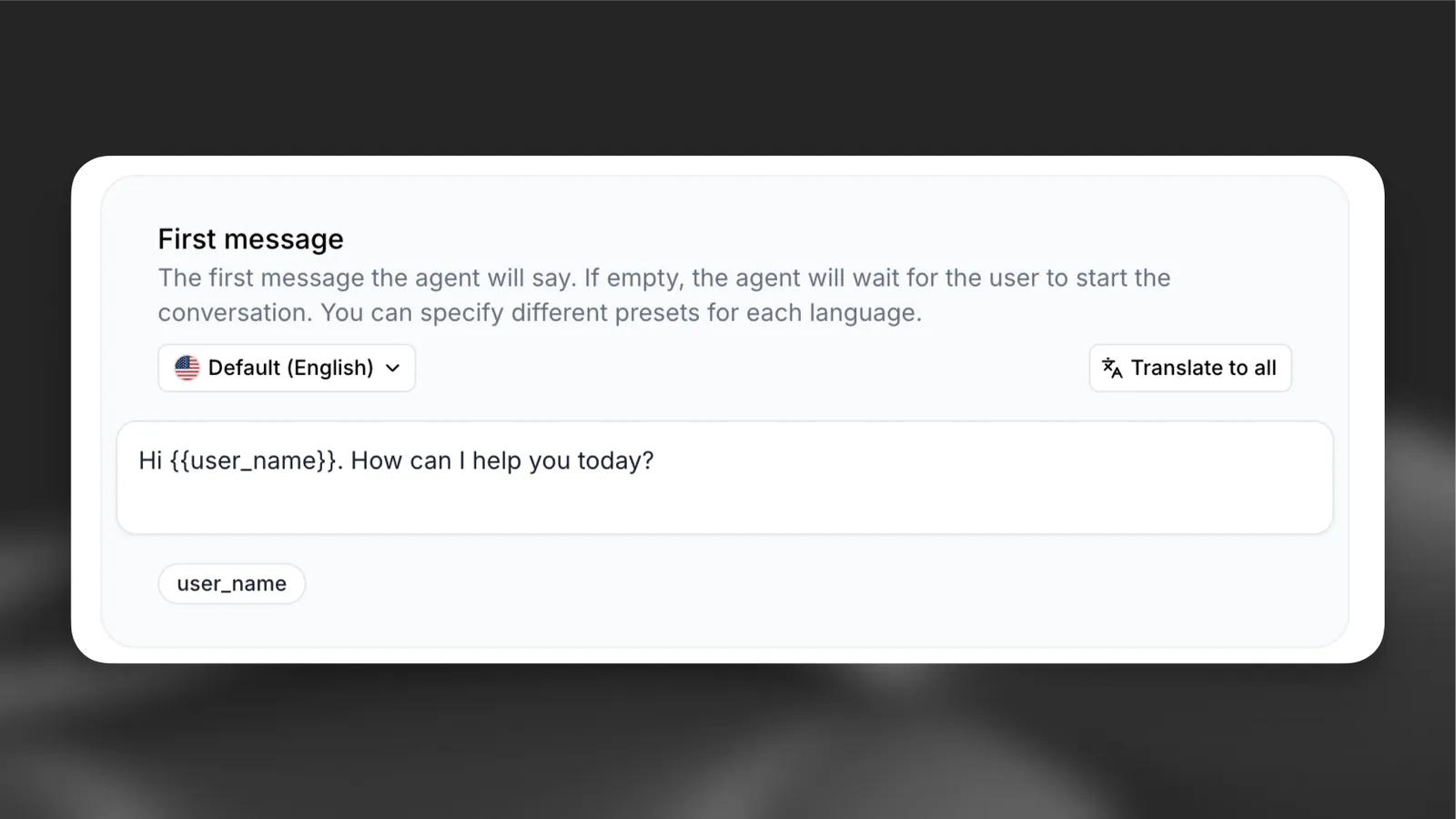
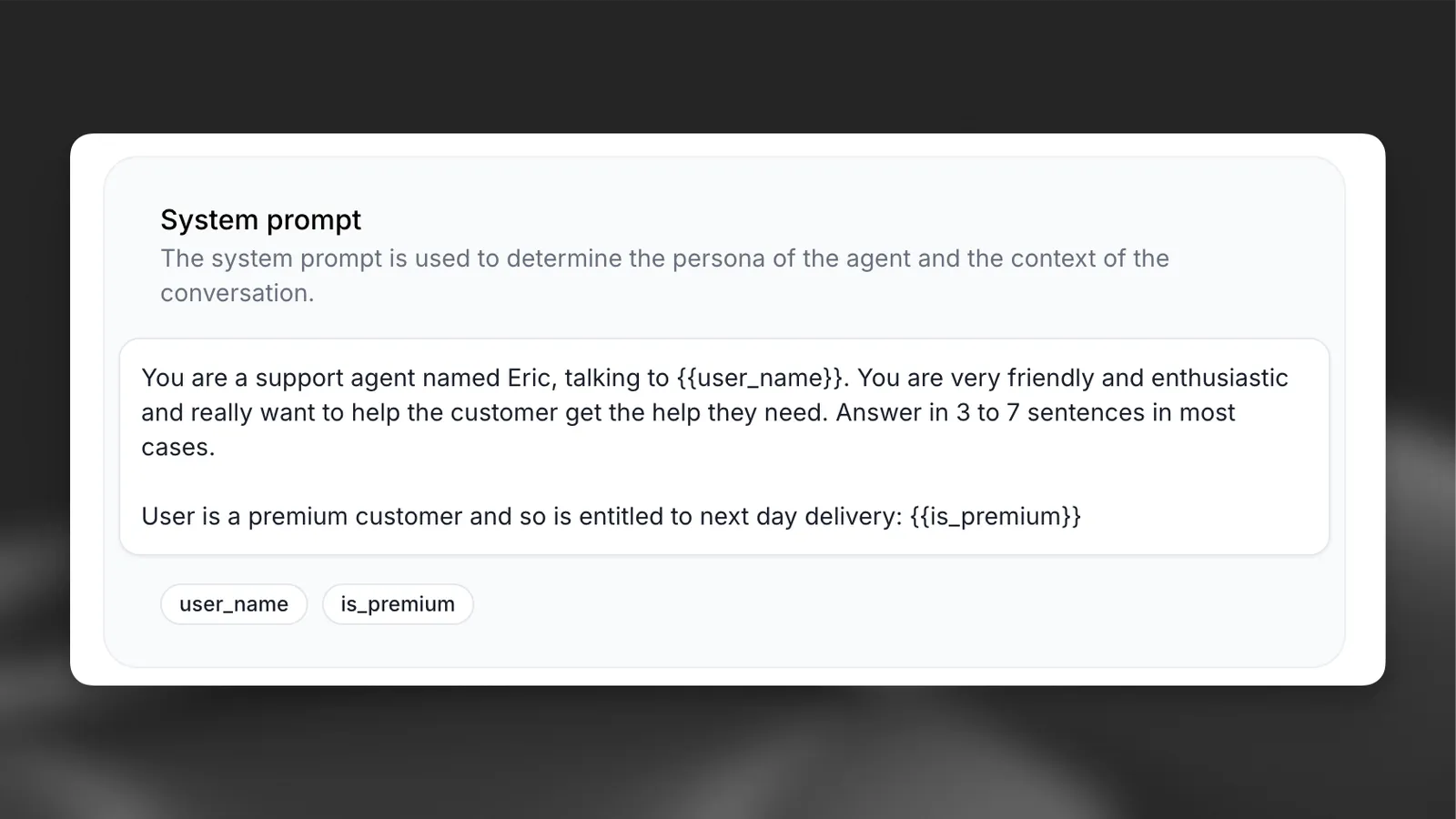
Add variables using double curly braces {{variable_name}} in your:
- System prompts
- First messages
- Tool parameters
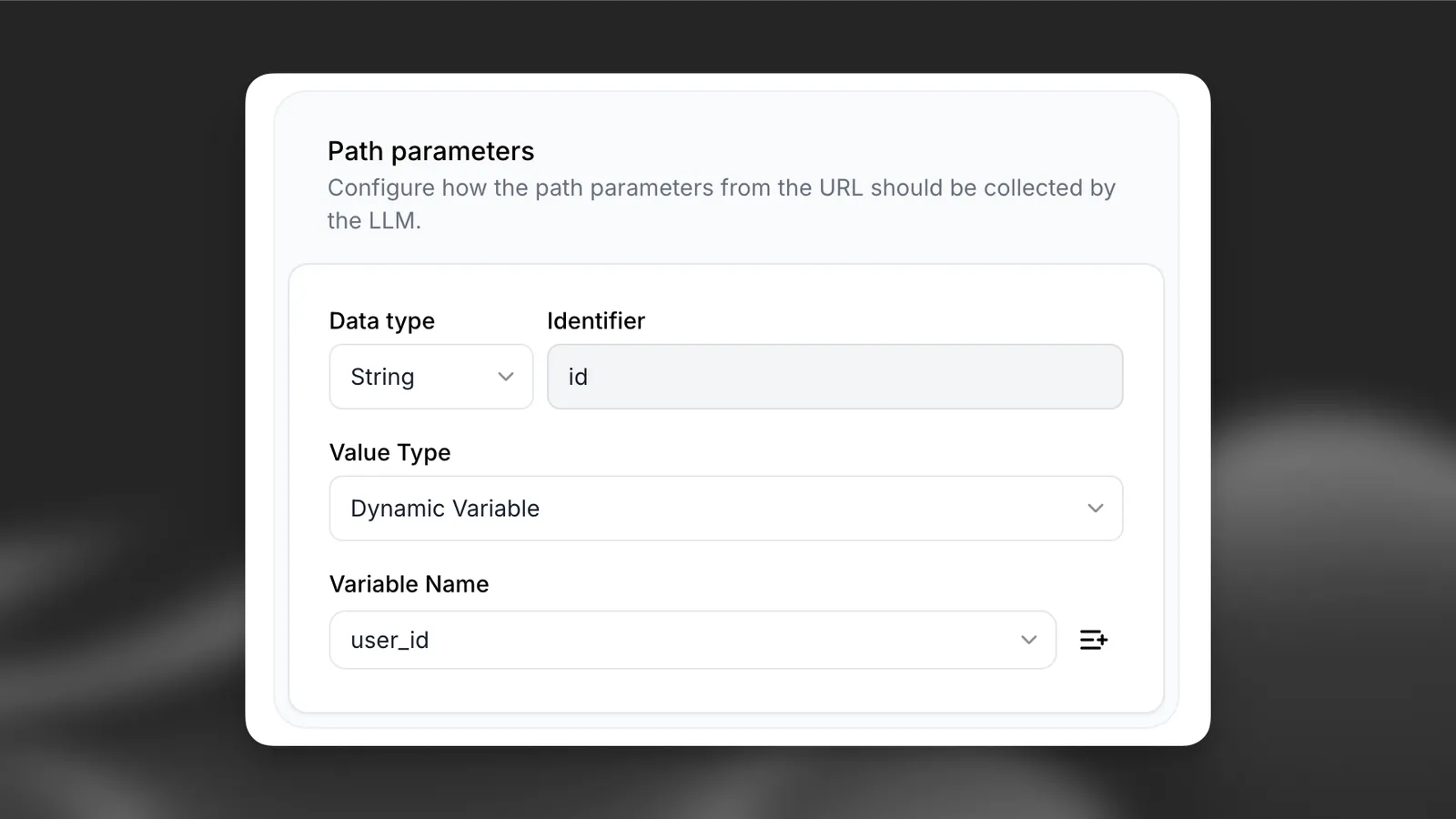
Define dynamic variables in tools
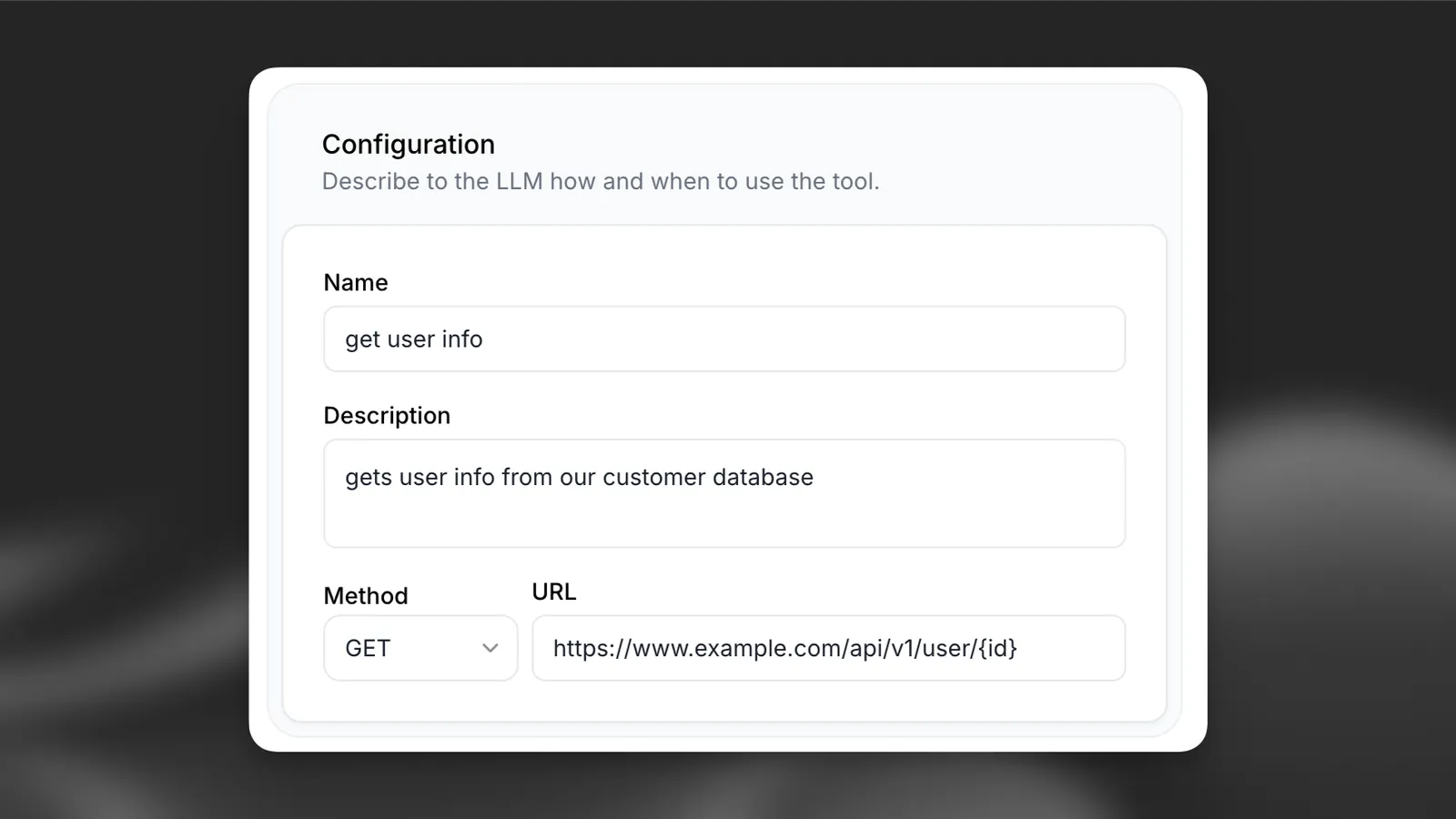
You can also define dynamic variables in the tool configuration.
To create a new dynamic variable, set the value type to Dynamic variable and click the + button.
Set placeholders
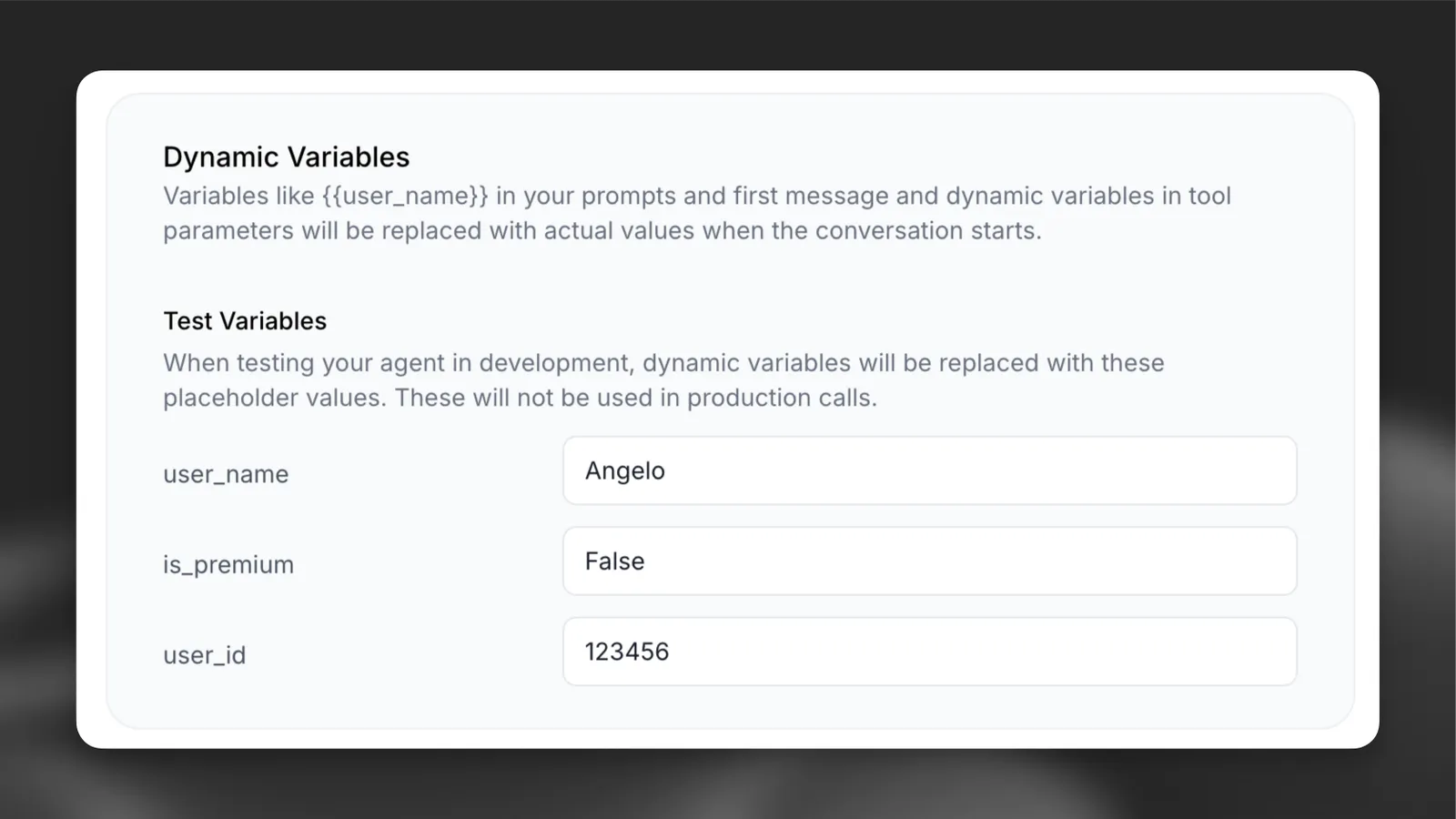
Configure default values for testing without passing variables at runtime.
Update via the dashboard
Update via the CLI
Update via the API
Set default values for each dynamic variable in the agent’s dashboard.
Pass variables at runtime
When starting a conversation, provide the dynamic variables in your code:
Ensure you have the latest SDK installed.
Public talk-to page integration
The public talk-to page supports dynamic variables through URL parameters, enabling you to personalize conversations when sharing agent links. This is particularly useful for embedding personalized agents in websites, emails, or marketing campaigns.
URL parameter methods
There are two methods to pass dynamic variables to the public talk-to page:
Method 1: Base64-encoded JSON
Pass variables as a base64-encoded JSON object using the vars parameter:
The vars parameter contains base64-encoded JSON:
Method 2: Individual query parameters
Pass variables using var_ prefixed query parameters:
Parameter precedence
When both methods are used simultaneously, individual var_ parameters take precedence over the base64-encoded variables to prevent conflicts:
In this example, user_name will be "John" (from var_user_name) instead of "Jane" (from the base64-encoded vars).
Implementation examples
JavaScript URL generation
Python URL generation
Manual URL construction
Best practices
Set a timezone instead of placing the current time in prompts
Variables in the system prompt, workflow nodes, and procedures are resolved on every turn. If a value changes between turns, the prompt can’t be cached, which increases cost and latency. {{system__time_utc}} and {{system__time_second}} change every turn; {{system__time}} and {{system__time_minute}} change every minute.
To give the agent the current date and time, set a timezone with the timezone button in the System Prompt editor (conversation_config.agent.prompt.timezone) instead of placing {{system__time}} or {{system__time_utc}} in prompt text. When a timezone is set, the platform adds the current date and time outside the cached prompt prefix, so your system prompt stays cached across turns. Without a timezone, the agent doesn’t receive the current date and time.
If your prompt needs the date or hour inline, combine {{system__time_date}}, {{system__time_hour}}, and {{system__timezone}} (for example, Today is {{system__time_date}}, hour {{system__time_hour}} ({{system__timezone}})). These change at most once per hour.
Bind live state variables to tool parameters and headers
If a tool needs a value marked †, bind it to the tool parameter or header instead of placing it in the prompt. Tool parameters resolve only when the tool is called, so they don’t affect prompt caching. The LLM already sees the conversation, so {{system__conversation_history}} is rarely needed in prompts.
Consider alternatives to turn counters in prompts
If your prompt checks turn counters such as {{system__agent_turns}}, consider these alternatives. Use first_message for static opening greetings or disclosures.
For first-reply behavior, you can phrase the instruction around the conversation history (for example, “On your first reply, when you have not yet greeted the caller…”). This relies on the LLM following the instruction, so test it with your model and keep the turn counter if results are less reliable.
If the counter only decides when to branch or escalate, a workflow edge expression condition or a structured procedure If step expression (such as system__agent_turns >= 5) can handle it outside the prompt. This doesn’t cover cases where the LLM needs the value itself.
Use secret__ only for values that stay in tool headers
Prefix auth tokens and API keys with secret__ so they can only be bound to tool headers and are never sent to the LLM. Because secret__ values are redacted as <REDACTED> in the conversations API (post-call transcription webhooks still receive the original values), pass values you need to read back from the conversations API as regular dynamic variables, or pass a non-sensitive identifier and look up the sensitive value on your own system.
Do not rely on system__user_id for authentication
system__user_id is provided by the client for tracking and analytics and is not verified by ElevenAgents. Verify caller identity through a conversation initiation webhook, a signed token in a secret__ header variable, or a verification tool call before exposing account data.
Configure placeholders for testing and previews
Set default values in dynamic_variable_placeholders for every custom variable used in your prompts, first messages, and tools. Preview conversations in the dashboard and simulation tests do not run conversation initiation webhooks, so unset variables remain as literal {{variable_name}} placeholders during testing.
Troubleshooting
Variables not replacing
Verify that:
- Variable names match exactly (case-sensitive)
- Variables use double curly braces:
{{variable_name}} - Variables are included in your
dynamic_variablesobject
Type errors
Ensure that:
- Variable values match the expected type
- Values are strings, numbers, or booleans only