
What is AI transcription: The complete guide
- Written by
- Jack Limebear
- Published
ListenListen to this article
AI transcription uses automatic speech recognition technologies to turn spoken words into written text and delivers transcripts with timestamps, speaker tags, and audio events.
Manually transcribing calls, videos, or meetings is laborious, especially when performed in real time. More organizations are turning to AI transcription tools to save time, improve productivity, and reduce costs.
This article explains how AI transcription works, key features to look for, benefits, and common use cases. It also expands into legal and compliance concerns when using AI transcription tools.
Summary
- AI transcription uses speech to text models to convert audio recordings into textual format.
- When choosing an AI transcription tool, consider accuracy, speaker diarization, keyterm prompting, and other features your workflow needs.
- Organizations use AI transcription to improve transcribing productivity, analyze recordings at scale, streamline team collaboration, meet regulatory compliance, and more.
- Common use cases for AI transcription include meetings, content creation, and customer service, where teams often produce large volumes of audio recordings that need transcription.
- AI transcription is generally legal, but organizations must comply with privacy, consent, and local laws.
What is AI transcription: How it works and what it captures
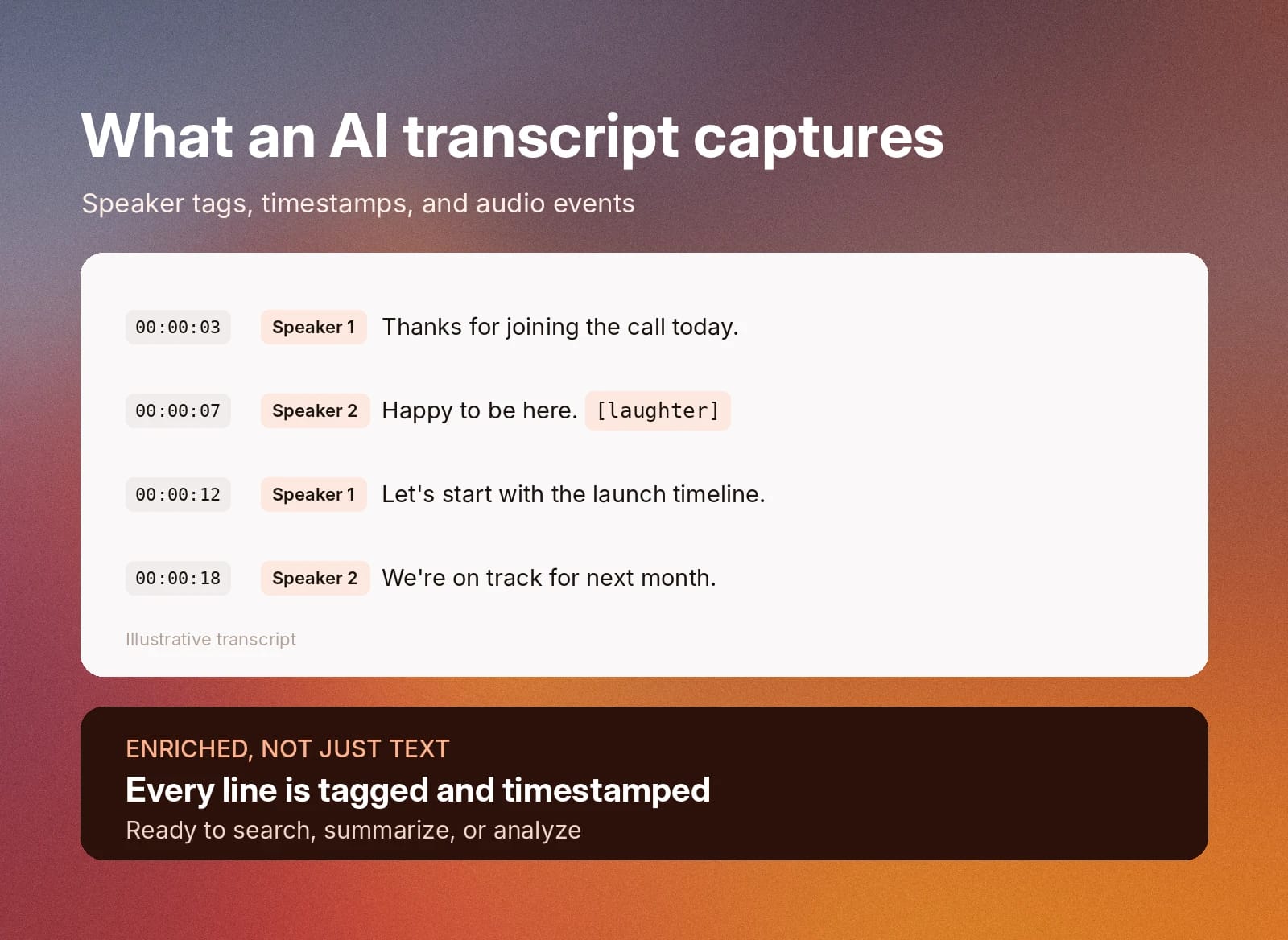
AI transcription converts spoken audio into written text using speech to text technologies. Modern AI transcription includes speaker tags, timestamps, and event tags to enrich the generated transcript. Organizations use AI transcription software to augment manual transcription or note-taking, allowing marketers, brand strategists, and content creators to focus on high-value tasks.
AI transcription relies on deep learning and natural language processing to produce accurate, contextually consistent, and structured transcripts. Some AI transcribers also use generative AI for post-processing, such as summarizing, searching, and extracting specific topics.
Generally, here’s how AI transcription works.
- Audio capture: The system records spoken conversations, whether in calls, meetings, or video, and sends them to a speech to text model. This can happen in real time or as post-recording audio files.
- Automatic speech recognition: The model analyzes the audio and predicts the words the speaker said, accounting for accents and context. Then, the model turns the audio into written text based on context it derives from the conversation stream.
- Formatting: The transcription model applies speaker tags and timestamps and differentiates pauses and background events, such as laughter, to enrich the transcript.
- Text delivery: Lastly, the AI transcription delivers the final transcript to you, which you can save or process further.
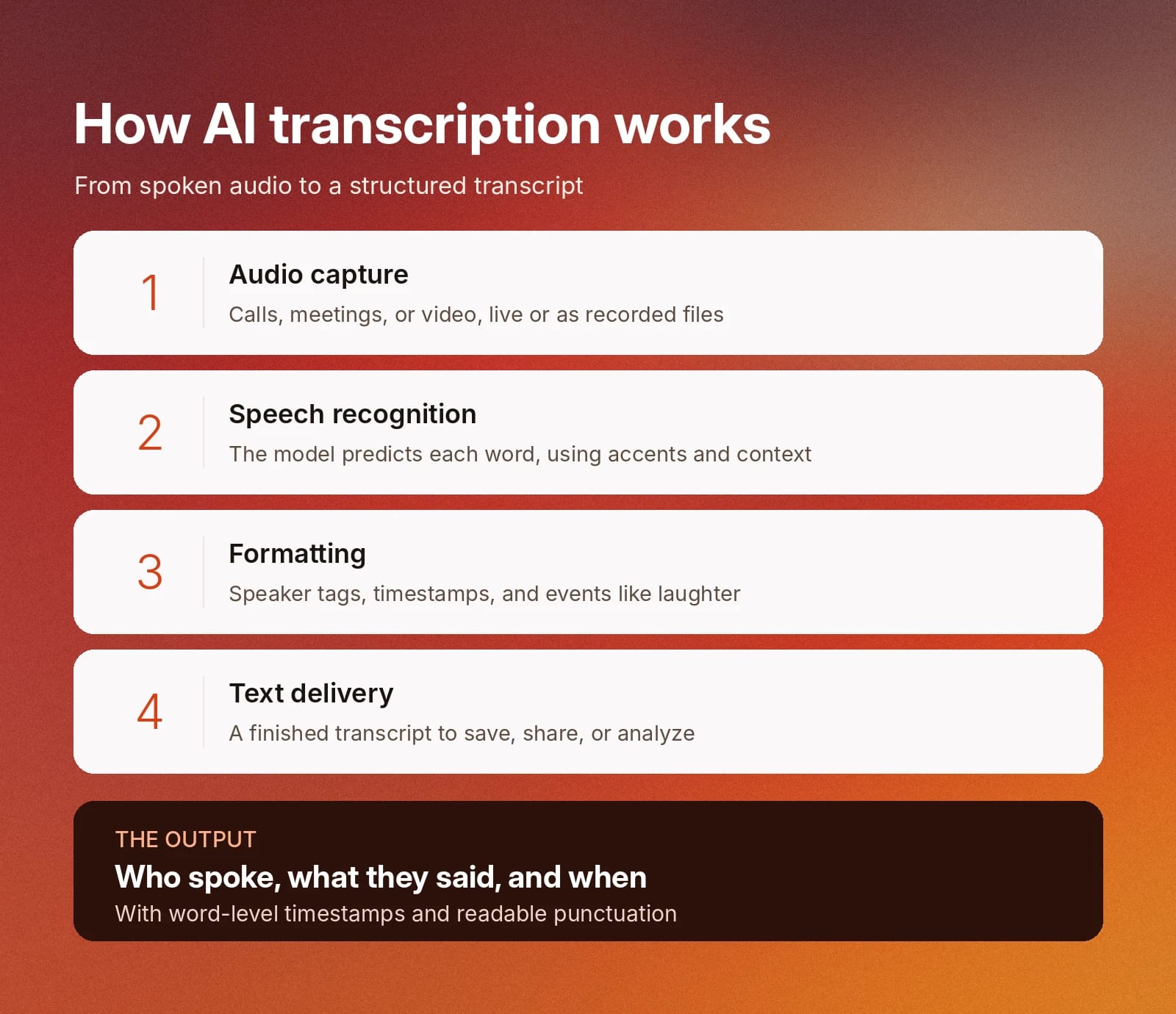
The final output of AI transcription is a textual record of narration, conversation, or speeches, structured with supporting data. You’ll know who spoke what, when each word was spoken through word-level timestamps, and punctuation that makes the transcript easier to read.
Features to prioritize in AI transcription software
Organizations have unique transcription workflows that not all AI transcription tools can meet. Some might need a basic AI transcription tool, while others require advanced features that only select providers offer.
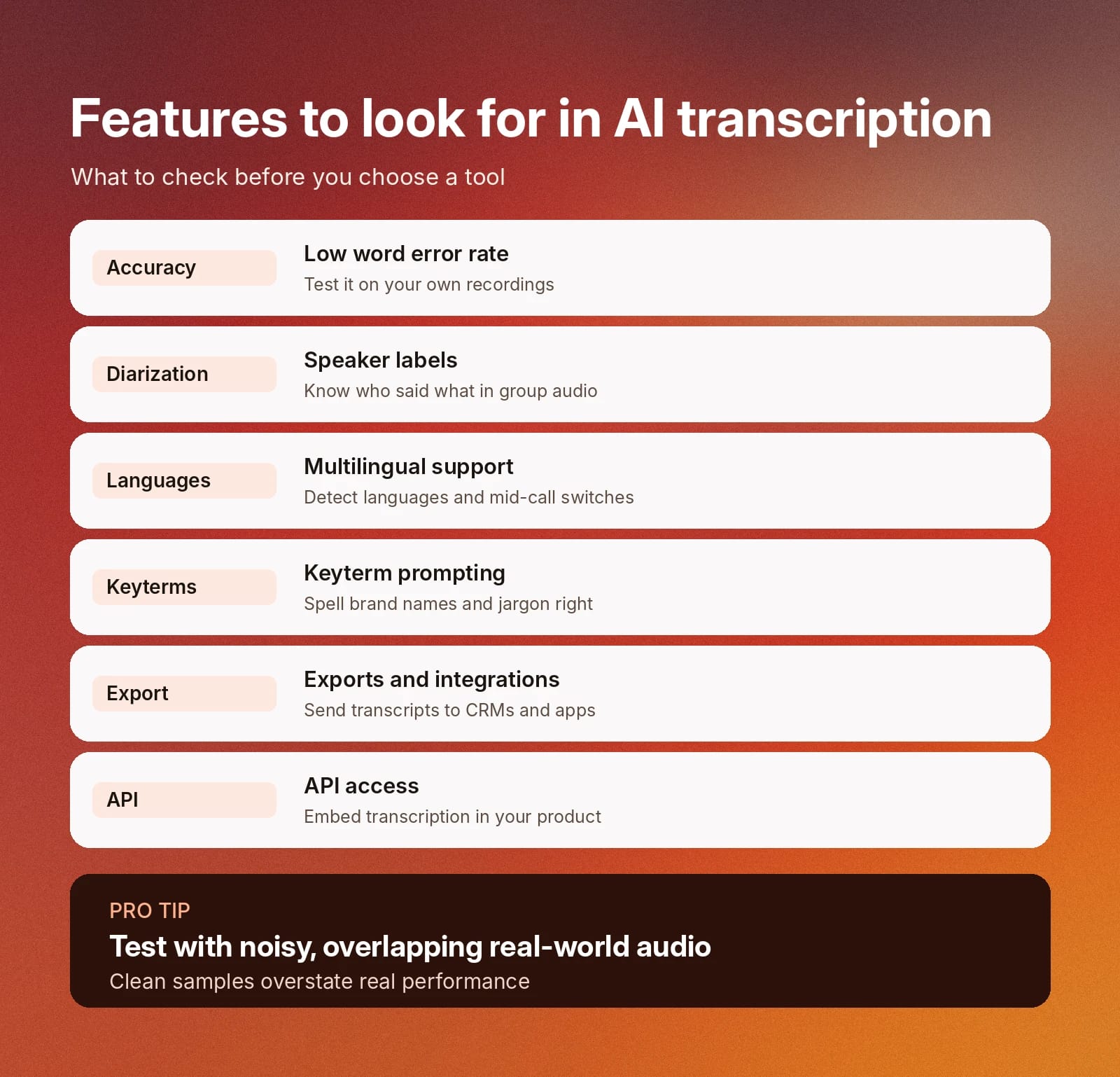
When choosing AI transcription software, consider the following:
- Accuracy: The transcription model should demonstrate high accuracy, regardless of use case. To know how accurate an AI transcription tool is, check its word error rate (WER). A lower rate means the tool is more accurate. WER also varies with audio quality and language, so test on your own recordings. For reference, ElevenLabs Scribe v3 makes 27% fewer word errors than Scribe v2 across 102 languages. ElevenLabs computes FLEURS WER per clip and then averages per language. Note that this methodology may produce different figures than alternative WER computation methods.
- Speaker diarization: A feature that allows the transcription system to identify different speakers in the audio and tag them accordingly in the transcript. Speaker diarization is useful for transcribing conversations involving multiple individuals.
- Multi-language support: The model transcribes audio in multiple languages. Some models also detect the spoken language automatically and handle switches between languages mid-conversation.
- Keyterm prompting: A vocabulary dictionary that helps the ASR model transcribe special phrases, such as brand names, correctly.
- Export and integrations: Beyond downloading transcripts directly to your computer, some AI transcription tools can send transcripts directly to CRMs and other enterprise applications.
- API support: Some AI transcription tools expose their transcription capabilities with an API. This allows engineering teams to embed transcription directly into existing products.
To learn more about choosing an AI transcription model, check out this guide.
Pro tip: Test AI transcription on real-world audio with background noise or overlapping conversations, not just clean samples. This gives you a more realistic expectation of how the tool will perform in real use.
What are the benefits of AI transcription?
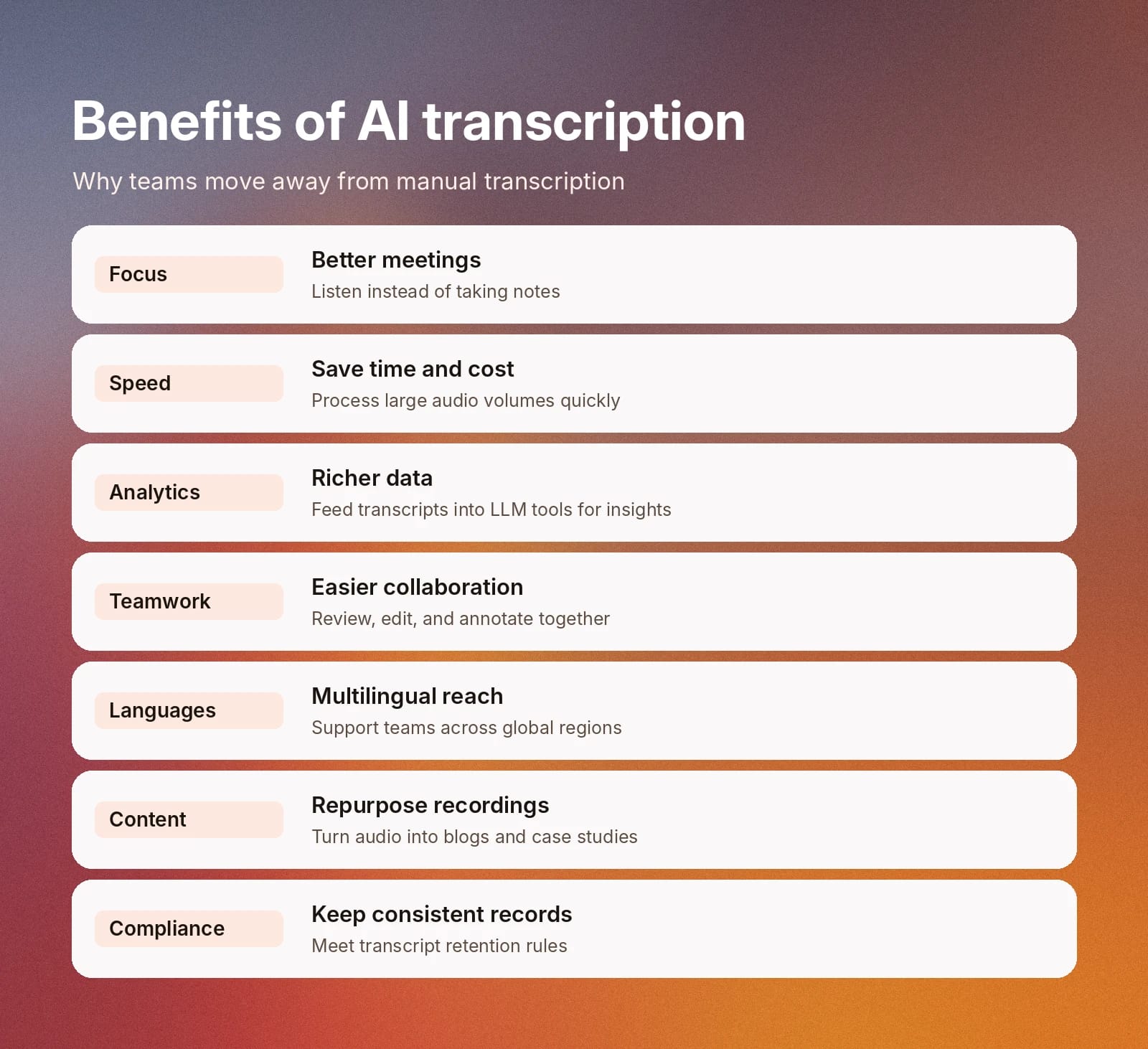
AI transcription offers multiple benefits to organizations, especially those that previously relied on manual transcription.
- Improve focus and productivity: During meetings or calls, participants can focus on the conversation instead of juggling note-taking.
- Save time and cost: Speech to text models can process large volumes of audio files quickly, letting human transcriptionists focus on high-stakes, complex tasks.
- Power data analytics: AI-generated transcripts, enriched with timestamps, audio tags, and speakers, support advanced data analytics. You can feed the transcript into an LLM-powered tool for summarization, entity extraction, or other analysis.
- Support cross-team collaboration: Team members across departments can review, edit, and annotate the transcript easily using collaborative features.
- Enable multilingual support: Some AI transcription tools support a broad range of languages, which fits enterprises operating across global regions.
- Repurpose content: Marketing teams can repurpose original recordings into blogs, case studies, and other textual formats to support their content marketing strategy.
- Meet regulatory compliance: Some industries require organizations to maintain conversation transcripts for compliance purposes. AI transcription provides a consistent, easier way to meet compliance goals.
AI meeting transcription: turn live calls into actionable notes
Meetings often produce hours-long recordings. Manually transcribing entire recordings is tough because it requires human transcriptionists to maintain unwavering focus. Plus, people may talk over each other, which complicates transcription efforts.
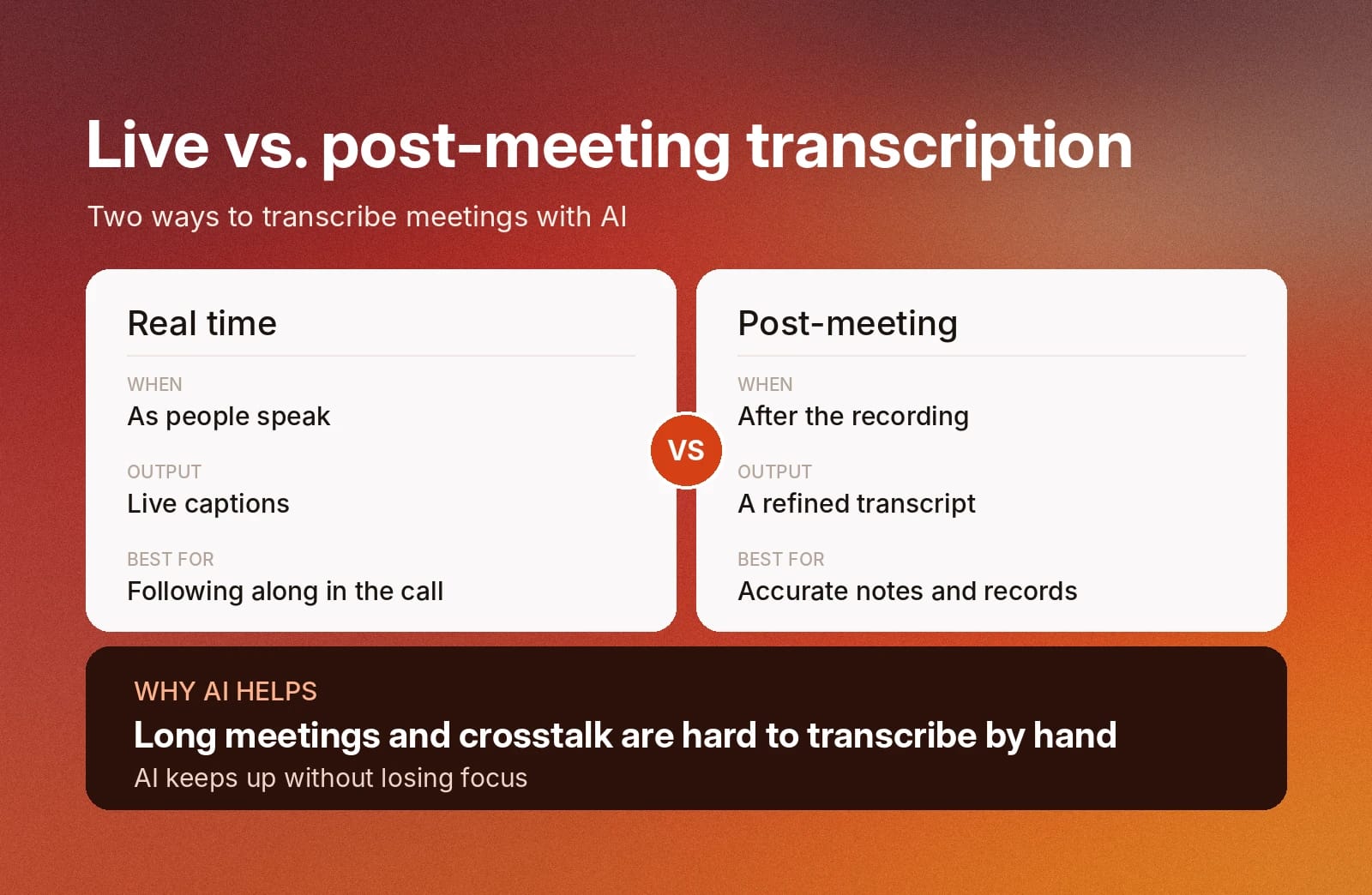
AI meeting transcription overcomes these challenges by capturing the conversation with microphones, sending the audio signal to a speech to text model, and compiling the transcript. There are two ways to transcribe meetings.
- In some meetings, teams prefer a real-time AI transcriber that generates a textual representation of the conversation as it happens. This way, they can caption the session in real time so every participant knows what’s being said.
- Some teams might also send post-meeting recordings to an automatic speech recognition model to generate a more refined and contextually precise transcript.
Learn more about using a meeting transcription API to process real-time and batch transcripts.
Audio to text converter workflows for content and customer support
Both content teams and customer support agents can benefit from AI transcription.
Content production is often time- and resource-intensive, especially when it involves video or podcast recording. When trying to meet deadlines, transcription volume can overwhelm the production pipeline and affect delivery schedules.
Therefore, content teams have strong motivation to use AI transcription in different use cases. Learn more in our guide to Speech to Text for content creators.
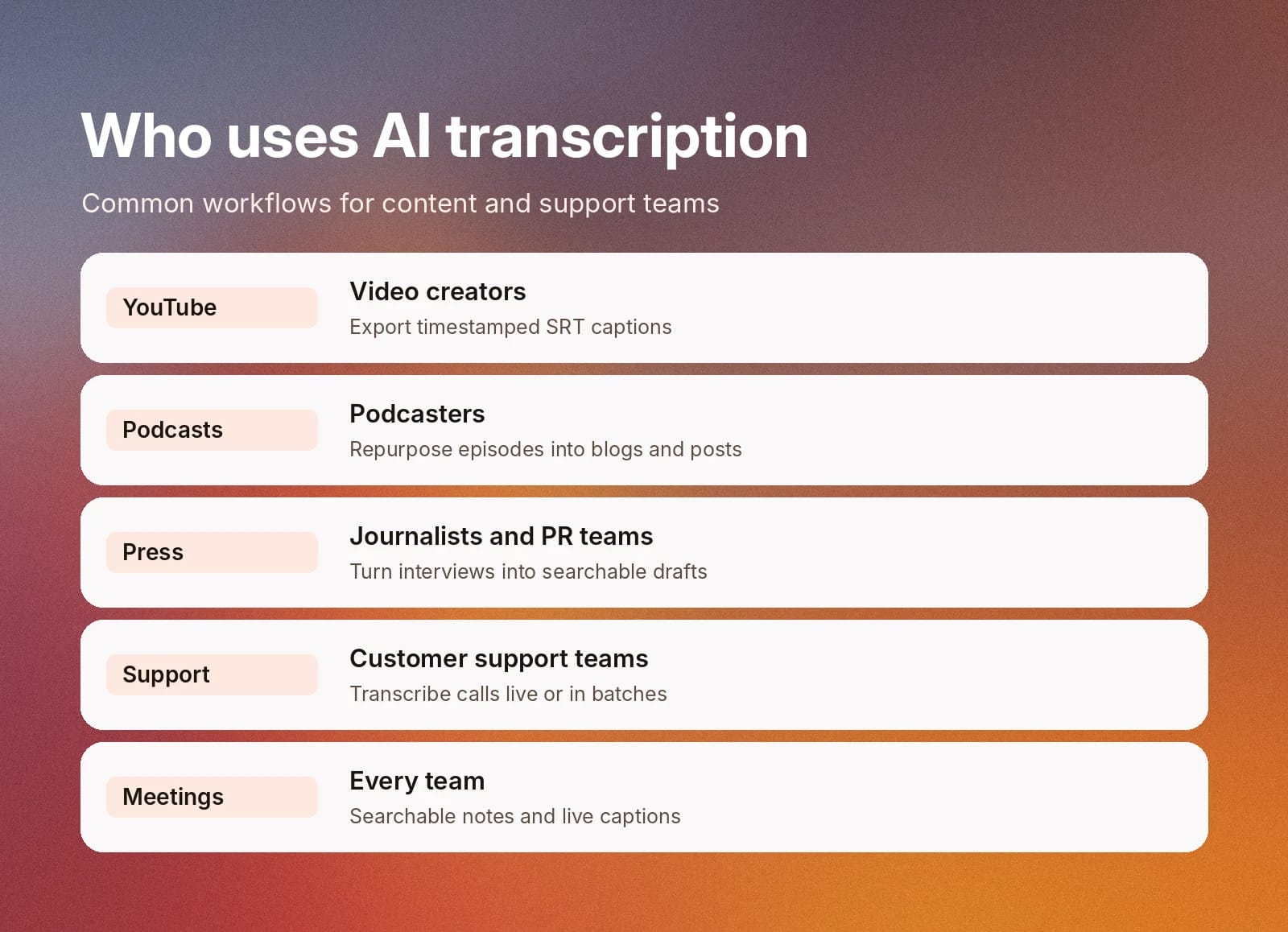
- YouTube creators transcribe video and export the timestamped transcript as an SRT subtitle file. They can also upload the transcript or captions to YouTube so viewers can follow along.
- Podcasters turn their recordings into transcripts and repurpose them as blog posts or social media posts.
- Journalists and digital PR teams use AI transcription to turn interviews into searchable drafts, which they can verify against the recordings.
Meanwhile, customer support teams often handle long hours of voice or video calls. Traditionally, they had to write summaries in the CRM and store entire recordings in raw format.
With an AI transcription tool, teams can transcribe calls in real time or upload them in batches through speech to text APIs like ElevenLabs Scribe v3. For CRM workflows, ElevenAgents supports integrations that log calls, notes, and follow-ups in platforms like HubSpot, Salesforce, and Zoho.
Free AI transcription: how to assess usage limits and accuracy
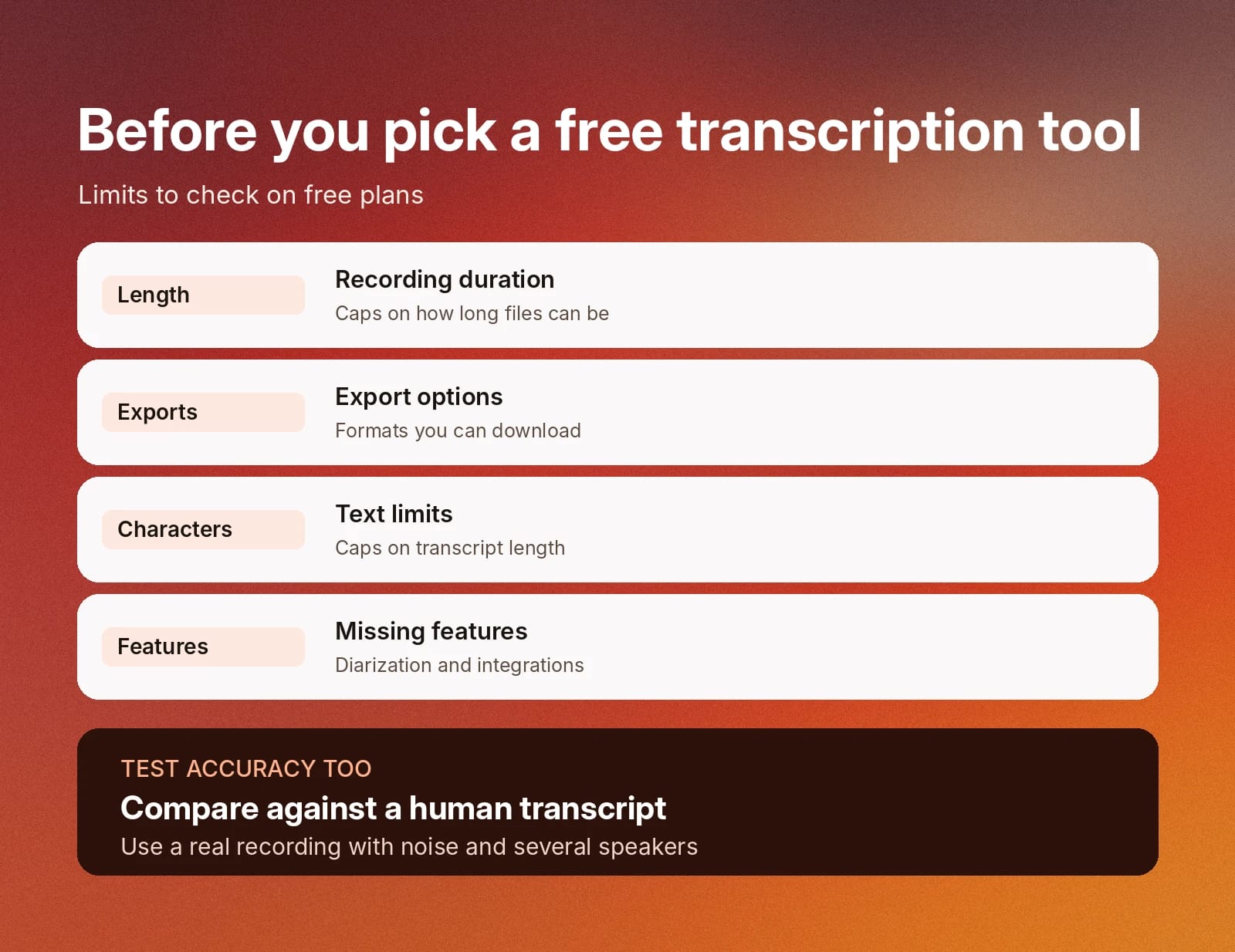
One way to start transcribing your recordings is to sign up for a free AI transcription tool. However, before you do, check any imposed limits and the tool's transcription accuracy. Not all free AI transcription tools are truly free or offer high-quality transcription. With ElevenLabs, credits are shared across all products, which means Free plan users can use their monthly credit quota toward Speech to Text transcription.
Some free AI transcription tools limit recording duration, export options, and the number of text characters, or lack advanced features like speaker diarization and CRM integration.
Unless you pay for full access, you’ll be restricted to a basic transcriber that may not meet your workflow’s needs.
More importantly, run a test with a real-life recording with multiple speakers and background noise. Then, compare the outcome with a human-transcribed text to check the Word Error Rate (WER).
Are AI transcribers legal? Privacy, consent, and compliance basics
Organizations that use AI transcribers must follow the laws of the hosts' and participants' jurisdictions.
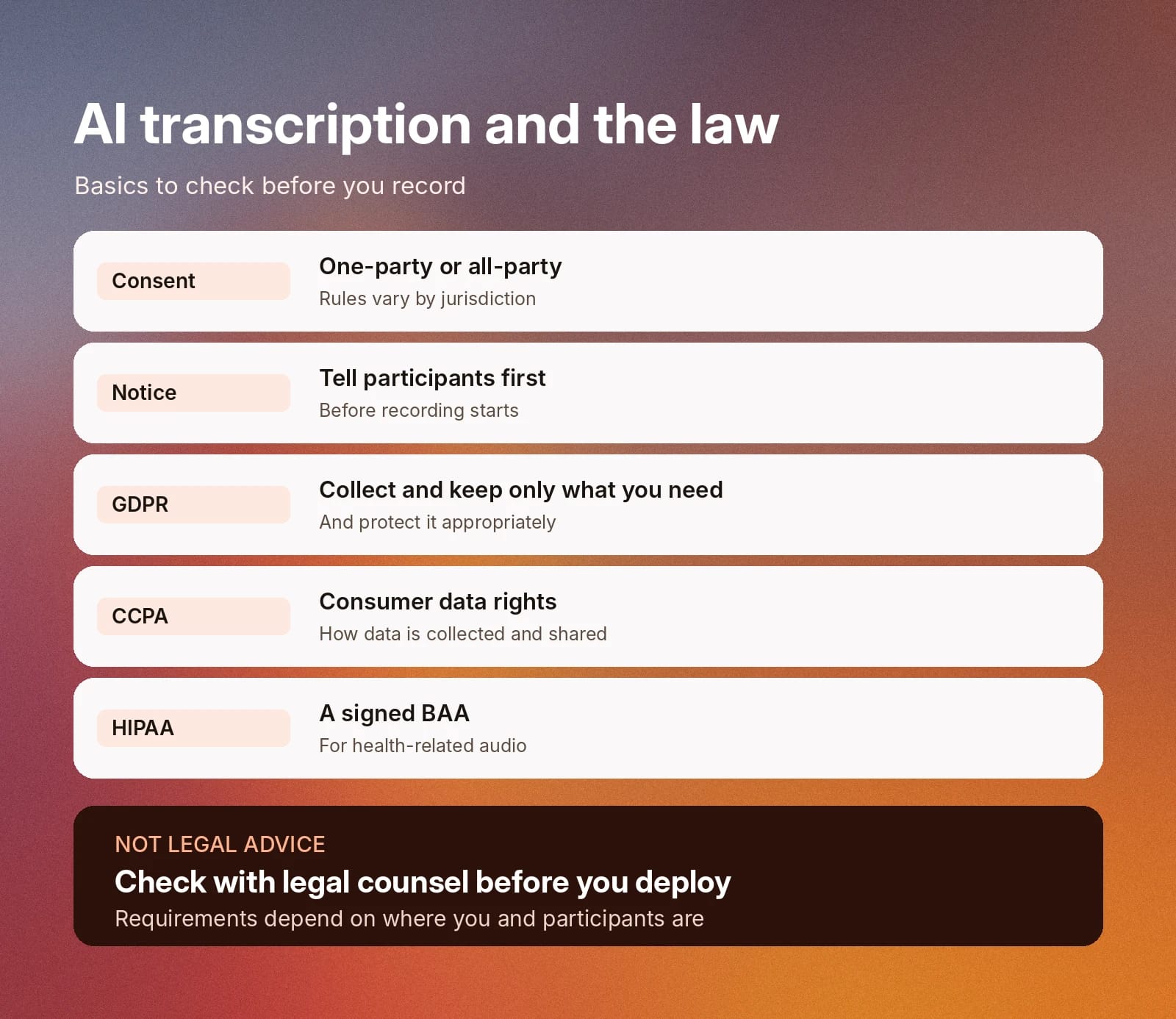
Some regions impose strict regulations requiring the host to inform all attendees before recording and transcribing the conversation. Some countries also require only single-party consent, where any party can record and transcribe the conversation.
Beyond consent, data privacy laws like GDPR and CCPA govern how organizations collect, store, and protect personal data. GDPR, for example, requires organizations to collect only the data they need, keep it no longer than necessary, and protect it with appropriate security measures. CCPA gives consumers rights over how businesses collect, retain, and share their personal information.
For sensitive audio, look for providers with zero retention options, formal compliance programs, and a signed business associate agreement (BAA) for HIPAA workloads. ElevenLabs Scribe, for example, is covered by ElevenLabs’ SOC 2, ISO 27001, PCI DSS Level 1, and GDPR compliance programs. Zero Retention Mode deletes audio inputs and text outputs immediately after the request completes, and Enterprise customers can sign a BAA with ElevenLabs for HIPAA-eligible configurations, including for medical speech to text.
Depending on the regulations that apply to your organization, you may need to document your compliance through audits, appropriate safeguards, and consent notices.
Note: Before implementing AI transcription, you might want to seek legal advice to ensure that you meet all data privacy and compliance requirements. This section is for informational purposes and is never intended as legal advice.
Get started with ElevenLabs for AI transcription
ElevenLabs offers Speech to Text through ElevenCreative for marketing teams and content creators, and through ElevenAPI for developers who want to integrate transcription into their own products. Both give access to highly accurate speech to text models for transcribing meetings, calls, videos, and other recordings.
With ElevenCreative or ElevenAPI, you can transcribe in batches and in real time with ElevenLabs Scribe v3 and ElevenLabs Scribe v3 Live. Scribe v3 offers improved speaker diarization, keyterm prompting, and multilingual accuracy, with 27% fewer word errors than Scribe v2 on the FLEURS benchmark across 102 languages. Meanwhile, Scribe v3 Live supports turn prediction from conversation context, multilingual mode for mid-sentence language switches, and keyterm prompting in real-time conversations.
Get started by signing up for ElevenCreative today or request an API key to get started.
What is AI transcription: FAQ

Jack Limebear is on the Growth team, acting as a content writer and strategist across the blog and insights pages. Before ElevenLabs, he spent over a decade leading content strategy for organizations ranging from fast-growing SaaS startups to Fortune 500 companies. He holds a Master's degree in English Literature from the University of Cambridge.