What is multilingual transcription and how does it work?
- Written by
- Jack Limebear
- Published
- Last updated
ListenListen to this article
Whether you’re hosting an international conference or simply wanting accurate records of customer support conversations in any language, multilingual transcription is more necessary than ever before.
By converting audio data into accurate, searchable text, multilingual transcription tools turn conversations into usable records. The technology that enables transcription across languages has matured alongside the increasing research into Speech to Text (STT) models. Developers can now even embed powerful STT APIs into their workflows for complex multilingual transcription pipelines.
In this article, we’ll explore what multilingual transcription is, touch on how it works via desktop app and API, and demonstrate why it’s essential to enterprises across the globe.
Summary
- Multilingual transcription transforms an audio file into written text across several languages.
- The best multilingual transcription tools offer additional features like speaker diarization, keyterm prompting, and entity detection.
- You can use multilingual transcription tools online or integrate a Speech to Text API for development workflows.
- Automatic transcription handles speed and scale, while human transcription may be useful in dense cases with multiple overlapping speakers.
- Accuracy in multilingual transcription is measured by Word Error Rate (WER), which varies by language.
What is multilingual transcription and why does it matter?
Multilingual transcription converts spoken audio into written text across more than one language. Artificial intelligence systems automatically detect the language (or languages) being spoken and transcribe the audio. The output of multilingual STT could be a verbatim transcript or include a translation layer to unify the input languages into a common output.
For example, in a global conference, you may have speakers who receive a question in their native tongue. The multilingual speech to text tool could either directly transcribe what each speaker says in their own language or produce a singular output in a target language for the audience to read. Organizations can boost access to their events by using these STT tools.
ElevenLabs builds multilingual STT capabilities directly into our Speech to Text Scribe v2 model. Scribe v2 supports automatic language detection, meaning a single file can contain multiple languages. You can indicate which languages are in an audio clip or leave the setting on “Detect” and have our system identify any languages present in the uploaded file.
When using ElevenAPI, the language_code parameter defaults to automatic prediction. If you already know which languages are present, supplying them upfront improves performance.
Why multilingual transcription matters
Recent research suggests that the global transcription service market will reach $6 billion by 2035. Part of what’s accelerating its growth is the vast range of use cases that leverage multilingual STT.
There are several practical reasons that multilingual transcription is important:
- Accessibility: Captions and subtitles depend on accurate multilingual transcriptions before translation or dubbing can begin. Multilingual STT can greatly boost accessibility for users.
- Searchability: Transcribed audio can become indexable text, meaning your support calls or meetings can become useful resources for others. Searchability is especially important as AI systems begin to surface more data from internal documents, with clear transcription helping to build a comprehensive input reference.
- Compliance: Many regulated industries need auditable written records of spoken interactions, with multilingual STT meaning you can support this in every language your customers use. For example, the Financial Conduct Authority outlines that financial institutions must keep recordings and transcripts of telephone conversations.
- Global content pipelines: Whether it’s dubbing or subtitling, workflows always begin with a highly accurate initial transcript to work from. Quality multilingual transcription tools enable the first step in these wider global content distribution workflows.
Multilingual transcription is a necessary part of numerous industries: telecom providers transcribing support calls, financial services firms meeting compliance requirements, healthcare teams documenting patient interactions, and even movie studios localizing content. Whether you’re in SaaS, travel, or utilities, having a powerful system in place ensures your output transcripts are always high-quality and precise.
Key features to look for in multilingual transcription solutions
Multilingual transcription tools need to be able to adapt to the audio input they’re working with, dynamically identifying languages and transcribing them with high precision.
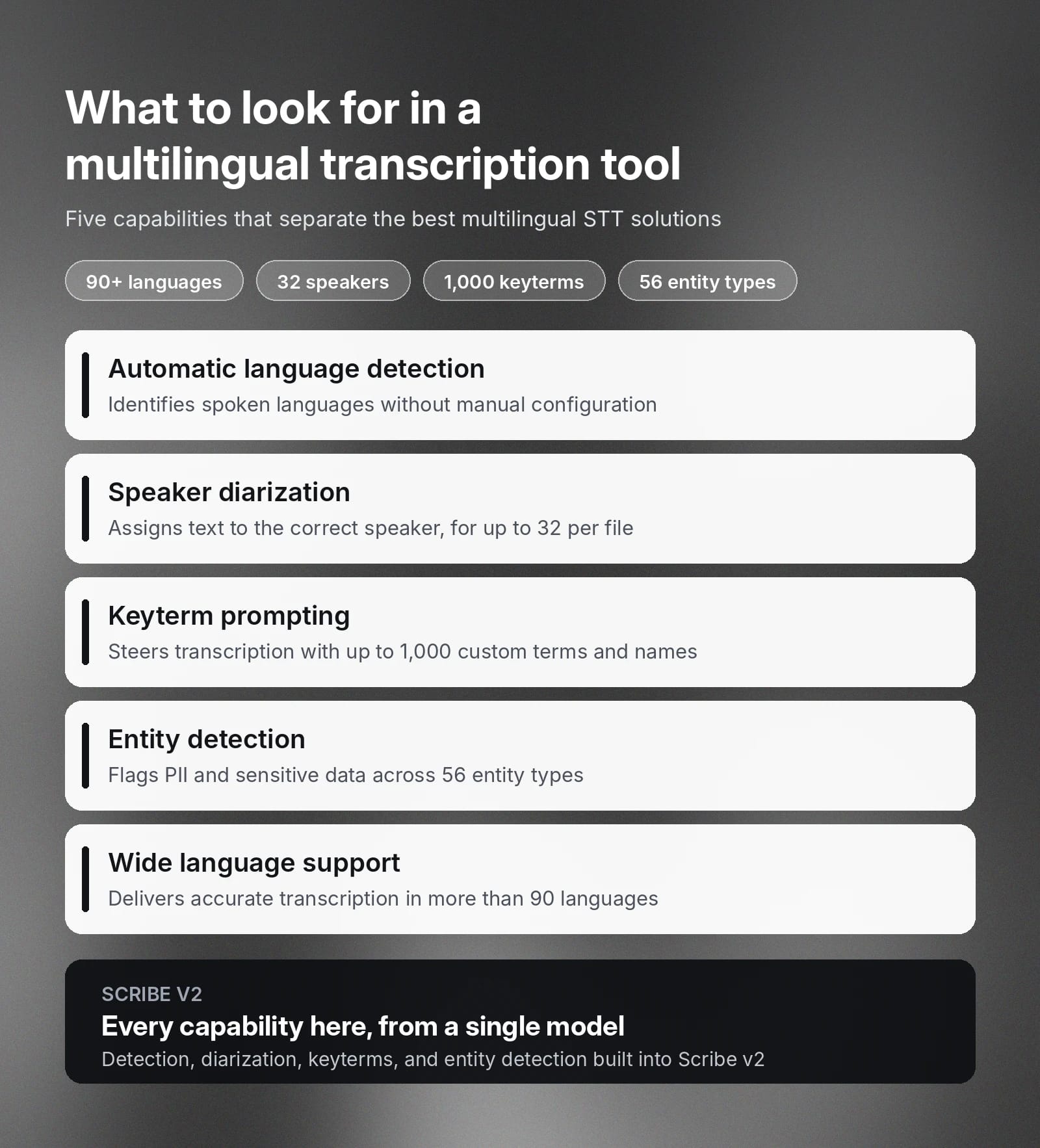
Here are the main features to look for in a high-quality multilingual transcription solution:
- Automatic language detection: The system should identify the spoken language on its own, rather than preventing transcription until the user supplies a source language. Especially in scenarios where the input language isn’t known or in a clip with several languages, automatic language detection will ensure you can manage multiple languages without any manual configuration.
- Speaker diarization: Diarization assigns transcribed text to the correct speaker in a file, which is important for any audio transcriptions that contain multiple speakers. For example, there might be several individuals on a panel whom you need to define, or even simply clear demarcation between when a customer and support agent are speaking. Scribe v2 supports diarization for up to 32 speakers in a single file.
- Keyterm prompting: Keyterms allow users to manually enter specific vocabulary, like product names or proper nouns to define the correct transcription. In batch systems, Scribe v2 allows up to 1,000 keyterms, while Scribe v2 Realtime for live transcription offers up to 50.
- Entity detection: Entity detection identifies specific words in a transcript, which is essential for compliance and security-based efforts to protect sensitive data. Read through the ElevenLabs entity detection docs for a full breakdown of the 56 supported entity types.
- Wide support for languages: Unsurprisingly, the best multilingual STT solutions are able to support transcription across an enormous range of languages. As a reference point, Scribe v2 offers accurate transcription in 90+ languages.
Together, these capabilities help support a wide range of use cases, allowing you to leverage a reliable STT system that covers multiple languages with precision.
How to transcribe audio in different languages efficiently
The most effective way to transcribe audio in different languages depends on the workload you have in mind. For one-off batch files, the ElevenLabs Speech to Text page allows you to upload a file and quickly receive the transcript.
When working on ElevenCreative, transcribing audio is as simple as:
- Uploading your audio: Navigate to Speech to Text and click “Transcribe files”.
- Selecting your options: Select the primary language or leave it on “Detect”, toggle audio events if you want to tag laughter or other non-speech events, and add keyterms if needed.
- Viewing your results: After uploading your files, you’ll be able to click on the name of the audio file to see its transcription. From there, you can review and refine the transcript directly in the Transcript Editor, then export it into the format each downstream workflow needs.
For programmatic or high-volume transcription, use the Speech to Text API. Here are a few details you can use to shape production pipelines:
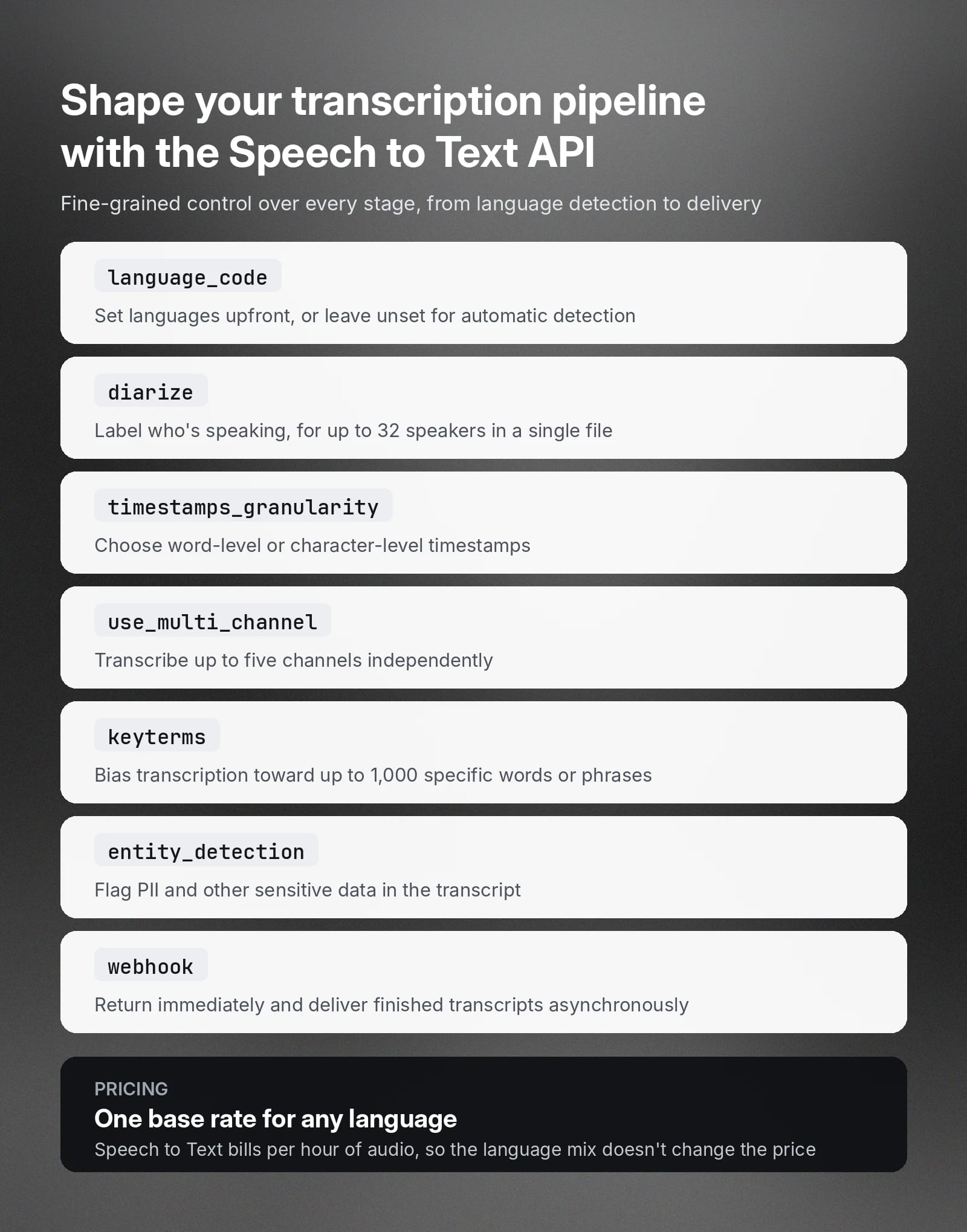
- Model selection: The model_id parameter chooses between scribe_v2 and scribe_v1, so the pipeline can pinpoint a specific model rather than relying on a default that may change over time.
- Language handling: The language_code parameter accepts an ISO-639-1 or ISO-639-3 code and will default to automatic detection when left unset. Supplying a language directly may improve performance.
- Speaker diarization controls: Setting diarize to true annotates which speaker is talking. The num_speakers parameter caps the count anywhere from 1 to 32. For more granular control, you can use the diarization_threshold parameter to tune the tradeoff between distinct speakers.
- Timestamp precision: The timestamps_granularity parameter controls output detail, with options for word-level or character-level timestamps (or none).
- Asynchronous processing at scale: Setting webhook to true returns the response immediately and delivers the finished transcript to your configured webhook once processing has completed. The webhook_metadata field attaches custom tracking data, such as your internal job ID, to each webhook response.
- Multichannel audio: Setting use_multi_channel to true will transcribe each channel independently, with up to five channels, tagging every word with a channel_index field.
- Specialized content handling: The keyterms parameter biases transcription toward up to 1,000 specific words or phrases, entity_detection flags PII and other sensitive data, and no_verbatim strips filler words and false starts from the output.
Together, these parameters give you fine-grained control over every stage of the pipeline. From language detection and speaker labeling to output formatting and delivery, the Speech to Text API adapts to your production needs.
Supported languages for transcription services explained
Language coverage is a major part of what sets the best multilingual transcription tools apart. ElevenLabs Scribe v2 and Scribe v2 Realtime both support 90+ languages, with the Speech to Text docs holding the full list of supported languages.
Languages such as English, Spanish, Italian, Polish, French, and German have larger volumes of training data, meaning these languages often have higher-accuracy STT. Some languages, like Amharic, Ganda, Yoruba, and Zulu, have lower accuracy rates than the languages above.
ElevenLabs Scribe models have <5% word error rate for 36 different languages and <10% WER for 21 others. Consult the ElevenLabs breakdown of language support for more details on supported languages and their WERs.
How much does multilingual transcription cost?
Typically, automatic transcription pricing is structured around how long an audio file lasts, rather than its word count or the number of languages involved. ElevenLabs charges for Speech to Text based on audio duration, billed per hour of audio. Specific rates vary by tier and model.
These are the main factors that influence multilingual transcription pricing:
- Additional transcription features: Some providers will charge additional fees for enabling certain features, such as entity detection.
- Multichannel audio bills per channel: When enabling use_multi_channel, each channel will bill independently, so a two-channel recording costs roughly twice as much as a single-channel recording.
- Language does not change the base rate: Duration-based pricing means that multilingual STT can support any language while maintaining the same per-hour rate, which will simplify budgeting for teams working across several languages.
For more details about how much ElevenLabs’ Speech to Text costs, consult our pricing page.
Get started with ElevenAPI for accurate multilingual transcription
ElevenAPI brings multilingual transcription into any production workflow in just a few steps. Whether you’re transcribing content for global media archives, customer support interactions, meetings, or research interviews or simply looking for accurate speech recognition across dozens of languages, our powerful multilingual STT engine can help.
Explore the ElevenAPI Speech to Text API to see its full capabilities, or create an ElevenLabs account to start transcribing multilingual audio today.
Multilingual transcription FAQ

Jack Limebear is on the Growth team, acting as a content writer and strategist across the blog and insights pages. Before ElevenLabs, he spent over a decade leading content strategy for organizations ranging from fast-growing SaaS startups to Fortune 500 companies. He holds a Master's degree in English Literature from the University of Cambridge.