
Voice cloning for content creators: Scale your content workflows with voice AI
- Written by
- Jack Limebear
- Published
ListenListen to this article
Voice cloning for content creators turns a recorded sample of your voice into a digital replica, then uses that replica to narrate new scripts. You’ll record once and be able to generate narration for videos, podcasts, courses, and social clips without needing to go back into the booth.
For most creators, recording time limits output more than ideas do. This guide covers where voice cloning fits into a publishing workflow, how the technology works, which features matter when you choose a tool, and how to use a cloned voice responsibly.
Summary
- Voice cloning lets creators publish more content in their own voice without recording every session.
- Instant cloning works from a short sample, while professional cloning uses more audio to produce a near-identical replica.
- The right voice cloning software depends on your format, whether that is narration-heavy video, multilingual content, or a recurring podcast.
- Podcasters get the most value when they treat a cloned voice as a brand asset that stays consistent across every episode.
- Consent checks, voice verification, and audience disclosure keep cloned voices safe for creators and trusted by audiences.
What voice cloning for content creators makes possible
The idea behind voice cloning is that it eliminates the link between how many hours you spend recording and how much you publish. Once you have a voice clone, any script becomes finished narration in minutes.
Here is where creators see the biggest gains:
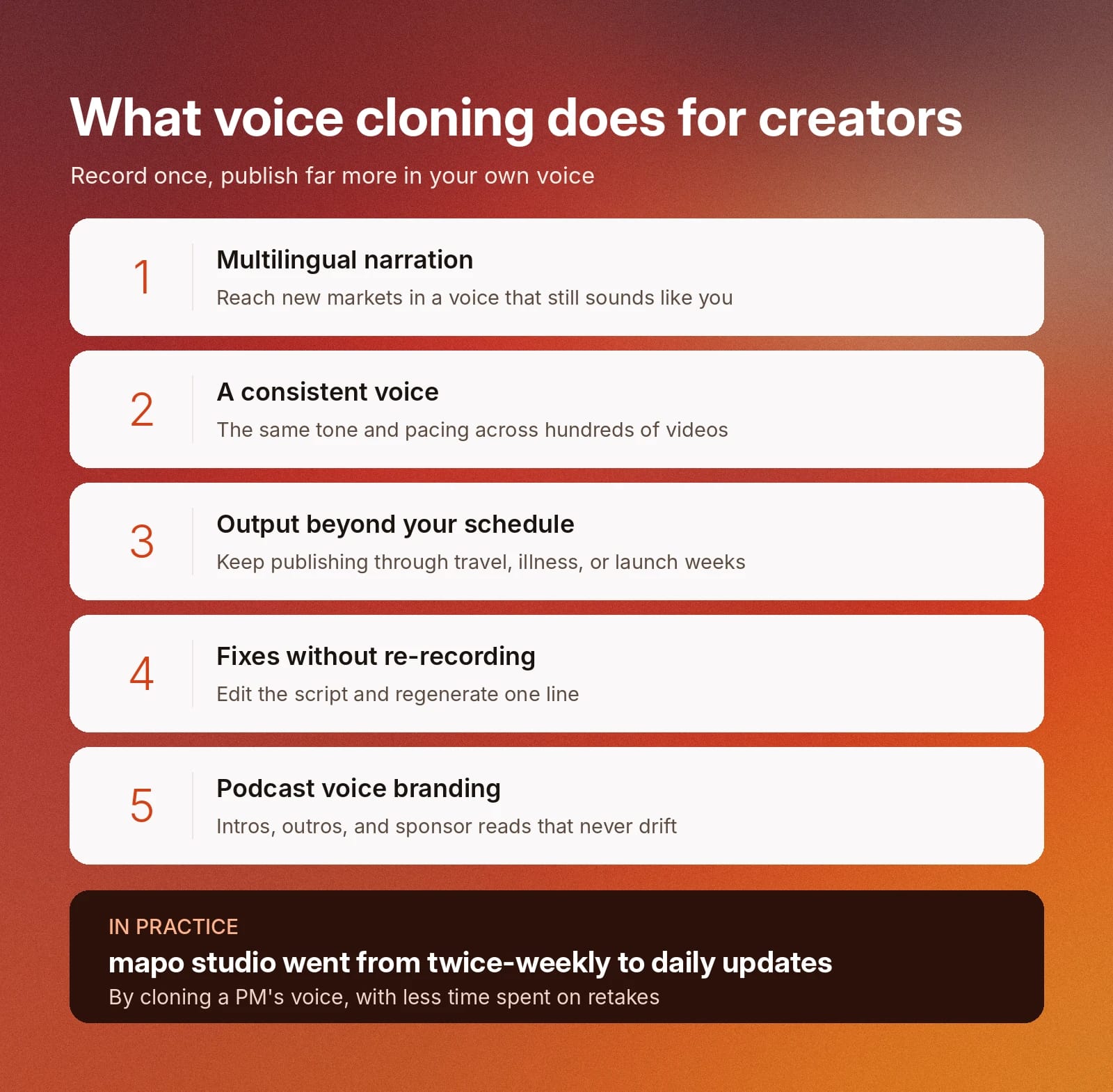
- Multilingual narration: Record in your native language once, then generate narration in other languages that still sounds like you. A single tutorial becomes a version for every market you serve.
- A consistent voice across your catalog: Energy, mic position, and room tone shift from session to session. A cloned voice holds the same tone and pacing across hundreds of videos.
- Output beyond your recording schedule: When recording time is the bottleneck, a clone lets you publish on the schedule your audience expects, even during travel, illness, or a busy launch week.
- Fixes without re-recording: A wrong date, a changed price, or a new product name no longer means a full re-take. Edit the script and regenerate the line.
- Podcast voice branding: Your show's intro, outro, sponsor reads, and segment transitions all carry your voice, delivered the same way in episode five and episode 150.
Here’s an example of how voice cloning works for one team with ElevenCreative:
At mapo studio, we use ElevenLabs to voice our weekly customer design updates by cloning a PM’s voice. It keeps the updates personal, without us spending hours on multiple retakes. We used to send these 2x a week, now we can send them daily while spending less time on it.
A cloned voice turns recognizable voices into a repeatable asset you can access on demand.
How AI voice cloning works, from sample to script
AI voice cloning analyzes a sample of your speech and builds a model of your vocal characteristics, including pitch, timbre, rhythm, and accent. When you supply new text, the model generates speech that reproduces those characteristics.
The process follows three stages:
- Capture: You upload or record a clean sample of your voice.
- Modeling: The system learns the patterns that make your voice distinct.
- Generation: You type or paste a script, and the model produces narration in your voice.
Instant Voice Cloning vs Professional Voice Cloning
ElevenLabs offers two cloning methods. Depending on how you use the voice, the Instant Voice Cloning or Professional Voice Cloning options might be the better choice.
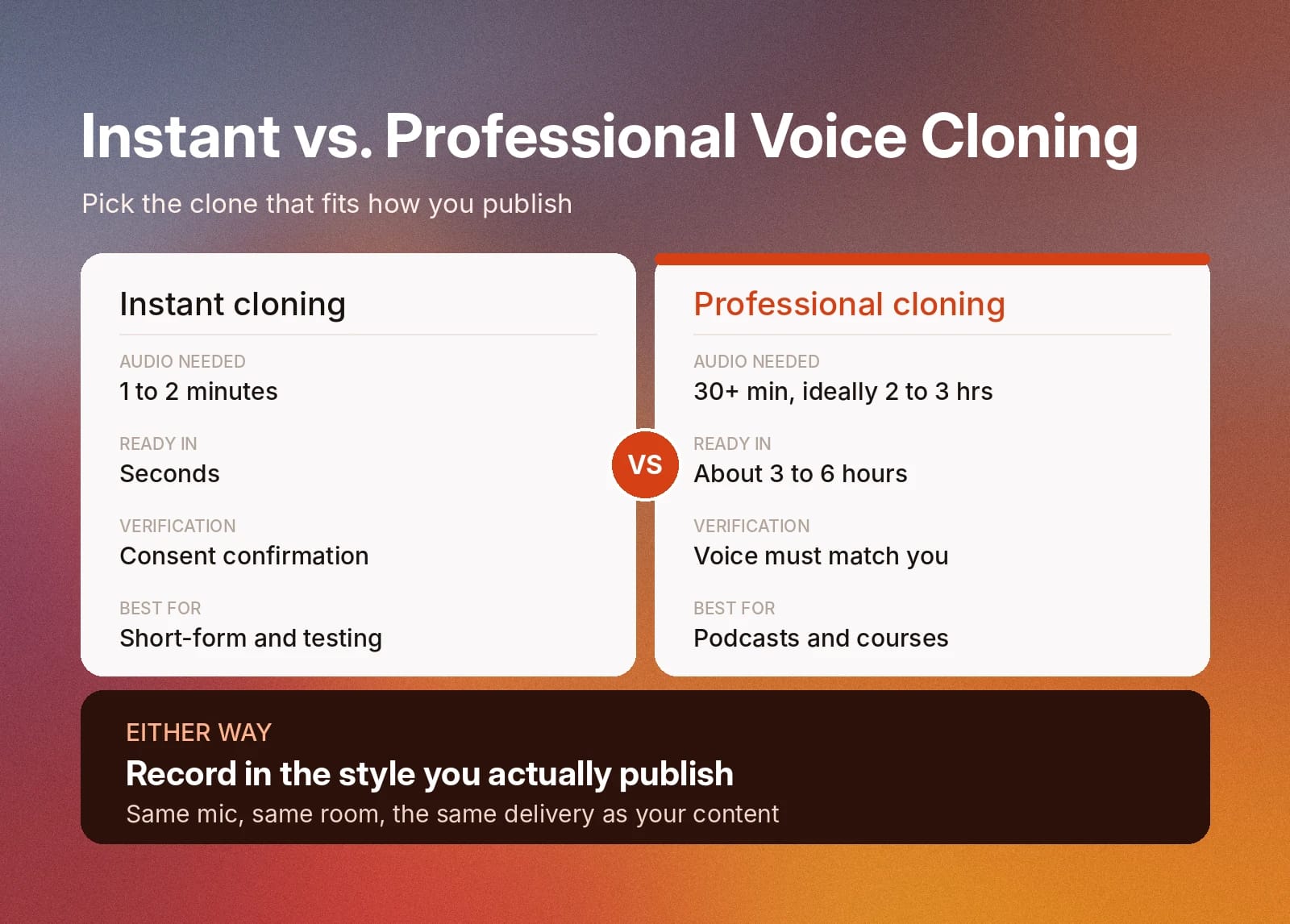
- Instant Voice Cloning: Uses a short sample and produces a clone in under a minute. It suits quick projects, testing, and short-form content.
- Professional Voice Cloning: Trains on a much larger set of recordings to produce a replica that is very close to your natural voice. It includes a verification step that confirms the voice belongs to you, which best suits long-running series, courses, and podcasts.
For a deeper comparison of fidelity, setup time, and use cases, read our guide to Instant vs Professional Voice Cloning.
What to look for in the best AI voice cloning software
The best AI voice cloning technology for creators holds up across hundreds of videos and episodes.
Judge each tool against the criteria below, as they're most likely to affect your daily workflow.
- Voice fidelity: Listen for natural breathing, varied intonation, and accurate emotional delivery. A clone that sounds right on one sentence but flat across a 10-minute script will cost you editing time.
- Delivery control: Look for control over pacing, emphasis, and pauses so narration matches the rhythm of your edit. Our guide on how to add pauses in AI voiceover shows how much timing affects the final result.
- Language coverage: If you plan to reach international audiences, confirm the tool keeps your voice consistent across every language you need, not only the most common ones.
- Consent and verification safeguards: A responsible tool confirms you have the right to clone a voice and verifies identity for high-fidelity clones. These safeguards protect your voice from being cloned by someone else.
- Export options: Check that output formats and audio quality fit your editing software, podcast host, and video platforms.
- Commercial licensing: If you monetize your content, confirm the plan you choose includes commercial rights to the generated audio.
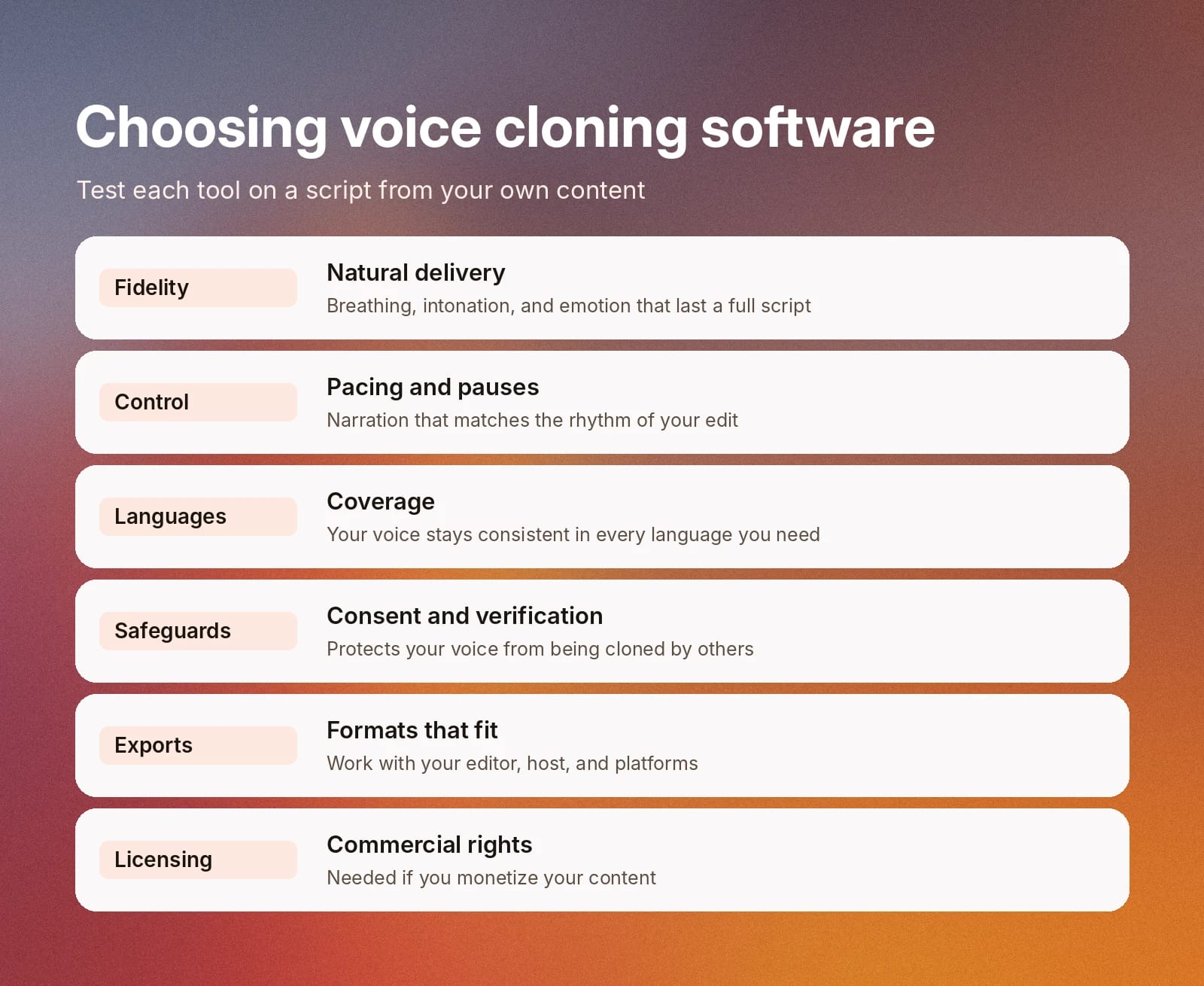
Score each tool against these criteria using a script from your own content. Leading options, like Voice Cloning in ElevenCreative, perform well across all of these criteria.
How to choose the best voice cloning app for your workflow
The best voice cloning app is the one that naturally fits into the content workflows that you use most. Begin by outlining the format you’re most likely to use, then work backward to identify the features you need.
Match the tool to your content format
The most effective way of finding a voice cloning app for your workflows is to match your workflow to the features that you’ll need.
Here are a few examples:
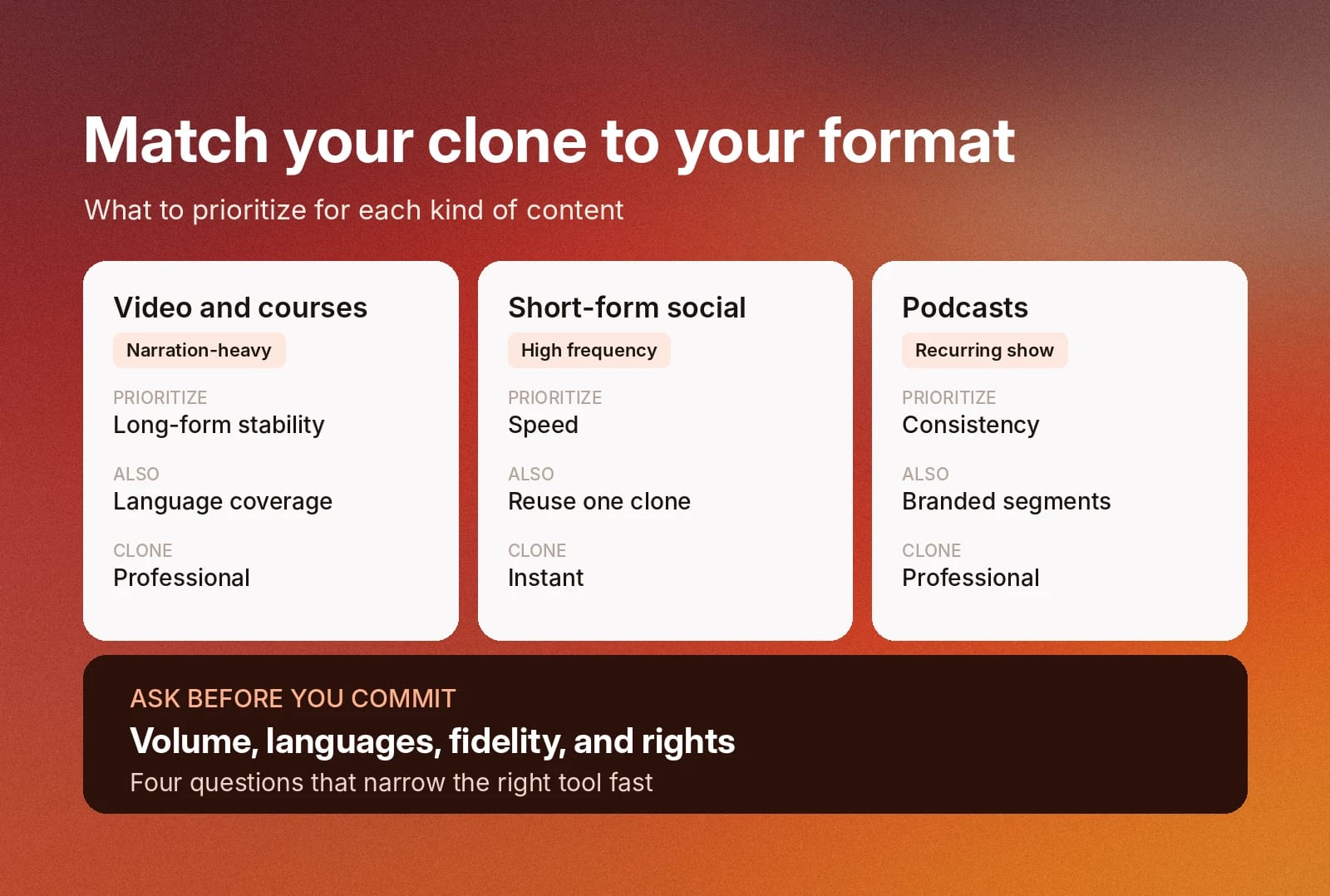
- Narration-heavy video and courses: Prioritize long-form stability and language coverage. A clone that holds up over a 30-minute lesson matters more than one that sounds impressive in a 10-second demo.
- Short-form social content: Prioritize speed. Instant Cloning lets you match the pace of daily posting without needing to take hours out of the day to create a PVC.
- Podcasts: Prioritize consistency over time. Your voice needs to sound identical in episode one and episode 200, which makes Professional Voice Cloning the stronger choice.
Questions to ask before you commit
Here are some useful questions to ask providers before you select a voice cloning tool:
- Volume: How many minutes of narration do you publish each month?
- Languages: Which markets do you plan to reach in the next year?
- Fidelity: Does your format need a quick clone or a near-identical replica?
- Rights: Will you monetize the content, and does your plan cover commercial use?
To hear the range of what synthetic voices sound like before you clone your own, explore the most popular Text to Speech voices in the ElevenLabs Voice Library.
Voice cloning for content creators in action: A podcaster voice-branding workflow
To demonstrate how different creatives get the most out of voice cloning, here is an example of how a cloned voice delivers value to podcasters.
Here is the full workflow from beginning to end.
- Record a clean source sample: Use the same microphone and room you use for the show. Read material in the style you publish, whether that is conversational, energetic, or calm, so the clone learns your on-air delivery rather than a flat reading voice.
- Create and verify your professional clone: Upload your recordings and complete the verification step. This confirms the voice is yours and protects it from misuse.
- Build a branded script library: Write your show intro, outro, recurring segment transitions, and call-to-action lines once. Save them as templates you reuse every episode.
- Generate episode elements on demand: For each new episode, update the episode number, guest name, and topic in your templates, then generate the audio. Your intro sounds identical every week, with only the details changing.
- Produce sponsor reads without a new session: When a sponsor sends copy, generate the read in your voice and drop it into the episode. Changes from the sponsor take minutes instead of a re-record.
- Extend the show into new formats: Turn episode summaries into narrated clips for social channels, or generate translated versions of your intro for international listeners.
- Review before every publish: Listen to each generated segment in context. Adjust pacing or pronunciation of guest names and brand terms before the episode goes live.
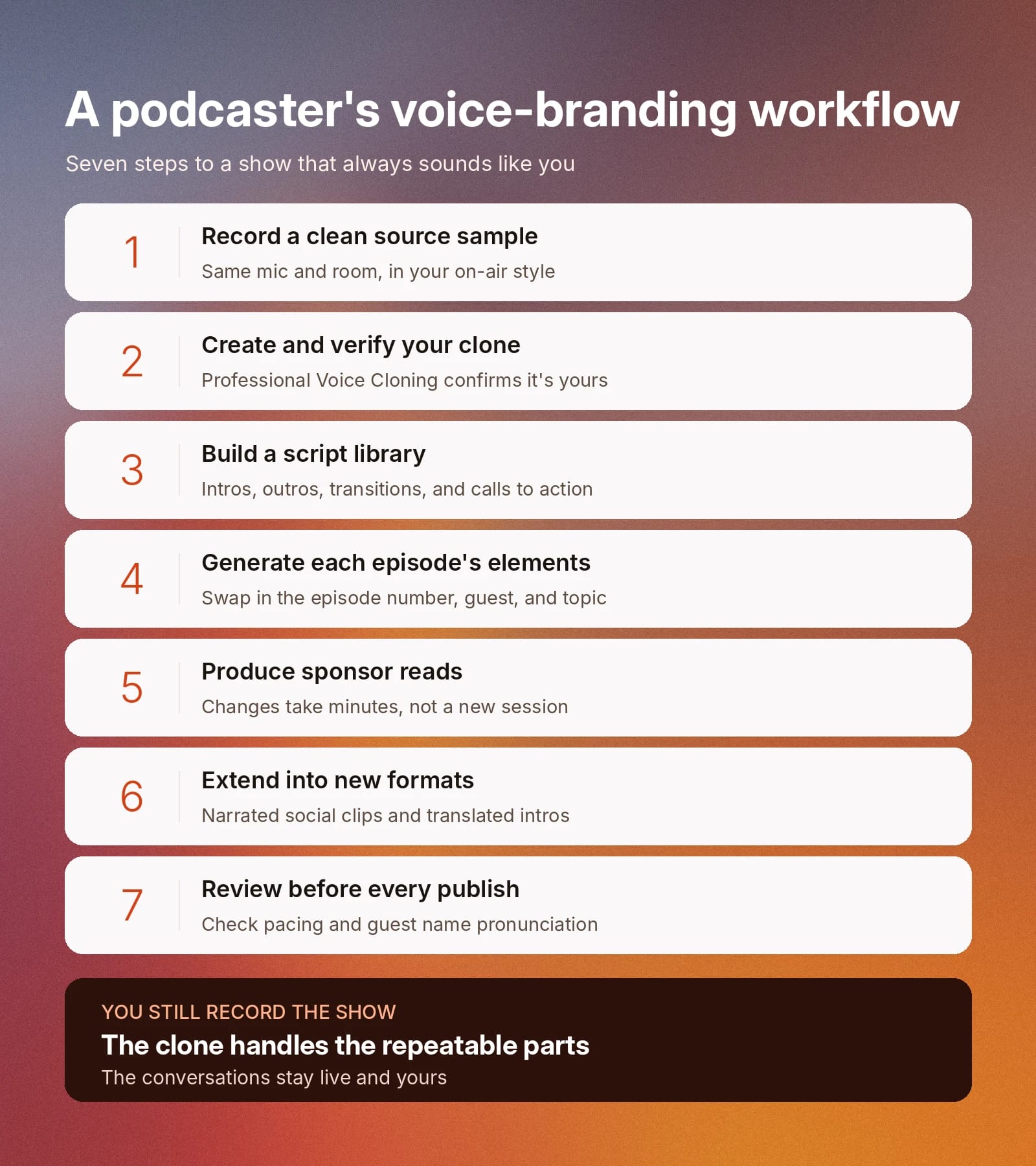
The result is a show that sounds like you in every episode, even when your recording schedule changes. You still record the conversations that make your podcast worth listening to, while the clone handles the repeatable parts that surround them.
Can AI mimic someone's voice? Consent, disclosure, and creator safety
AI voice cloning reproduces a voice from audio samples, which is why responsible tools build safeguards into every step. For creators, those safeguards protect both your own voice and your audience's trust.
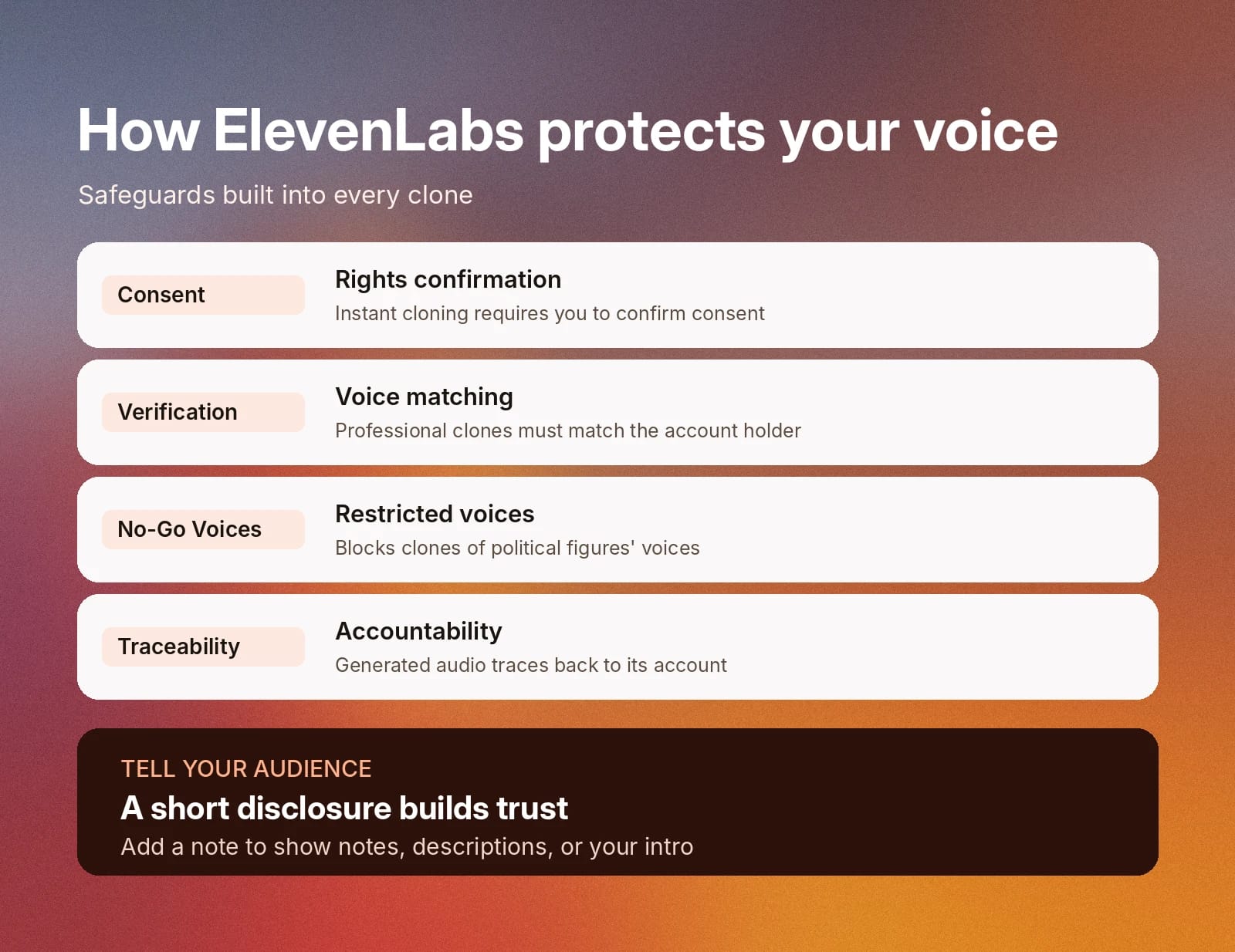
ElevenLabs applies several concrete protections:
- Consent confirmation: Instant Voice Cloning requires you to confirm you have the rights and consent to clone the voice you upload.
- Voice verification: Professional Voice Cloning adds a verification step that confirms the voice in the recordings matches the account holder.
- Restricted voices: Policies prohibit cloning voices without the rights to them, with No-Go Voices blocking the creation of clones that approximate the voices of political figures.
- Accountability: Generated audio is traceable to the account that created it, which deters misuse and supports enforcement when it happens.
Why disclosure builds audience trust
Your audience follows you for your perspective and your voice. Telling them when narration comes from your AI clone strengthens that relationship rather than weakening it.
A short note in your show notes, video description, or episode intro is enough. Many platforms also have their own disclosure requirements for AI-generated content, so check each one where you publish.
Voice cloning for YouTube and long-form video
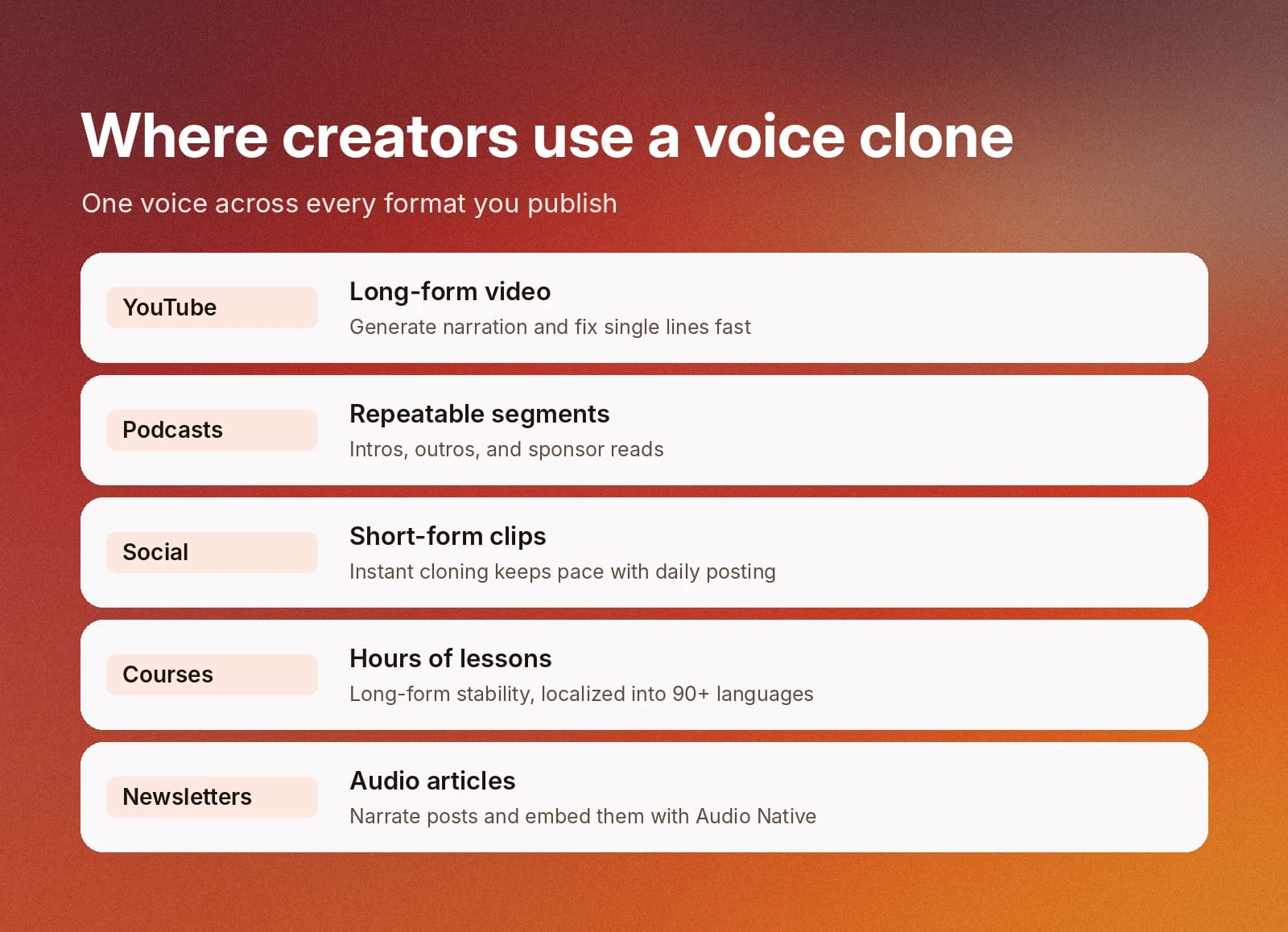
Long-form video needs a lot of narration, with each new script calling for a new session in the studio.
A voice clone lets you generate narration from the script and regenerate a single line when you need to change the script, all without having to dust off your production mic. Instant Voice Cloning is enough for most channels because it works from 1 to 2 minutes of clean audio.
Choose Professional Voice Cloning for a long-running series where you want the closest match to your natural delivery. Our guide to creating YouTube voiceovers with AI walks through the full workflow, while the voice cloning deep dive covers setup.
After cloning your voice for YouTube video narration, the only bottleneck in your production calendar will be writing high-quality scripts.
Voice cloning for podcasts
Podcasts depend on having a recognizable host or panel of hosts. For podcasting, you can use a clone for the entire production. That said, it’s often better used for the more repeatable parts of the episode, such as the intro or sponsor ad reads.
Professional Voice Cloning works best for long-running shows, as you’ll already have a wealth of audio content to provide the tool for building a realistic clone.
The podcaster workflow earlier in this guide shows each step for doing this at scale.
Voice cloning for short-form social content
Short-form video rewards frequency, with creators sometimes posting several times a day. To scale those workflows with a voice clone, you’ll need something that works just as fast as you.
Instant Voice Cloning suits this format because it creates a clone quickly from a short sample. Save one clone and reuse it across every platform so your clips sound consistent. A saved clone lets you publish daily without spending hours recording each clip.
Voice cloning for online courses
Courses entail hours upon hours of content for your students. With a voice clone, you only need to write the script and watch as tools like ElevenCreative bring your lesson to life with Text to Speech. Long-form stability is an important factor here, meaning that a PVC is a good option.
Additionally, a Professional Voice Clone supports all languages in the Eleven v4 model family, which will let you expand your lesson coverage to over 90 languages. You can localize lessons in your own voice and use Dubbing in ElevenCreative to translate videos you have already published.
Voice cloning for newsletters and audio articles
Writers can add an audio edition to every post using the script they already published. In fact, TIME uses this exact workflow to bring audio versions of its articles to millions of readers.
Generate the narration from your article text in your cloned voice, then embed it directly into your webpage. For more details, read about Audio Native by ElevenLabs.
Will your clone capture your accent and delivery?
Your clone learns from the audio you give it and can closely match your natural prosody and accent. For accents, voice cloning models learn pitch, timbre, and rhythm. For prosody, it analyzes your intonation, pacing, and emphasis from the samples you provide.
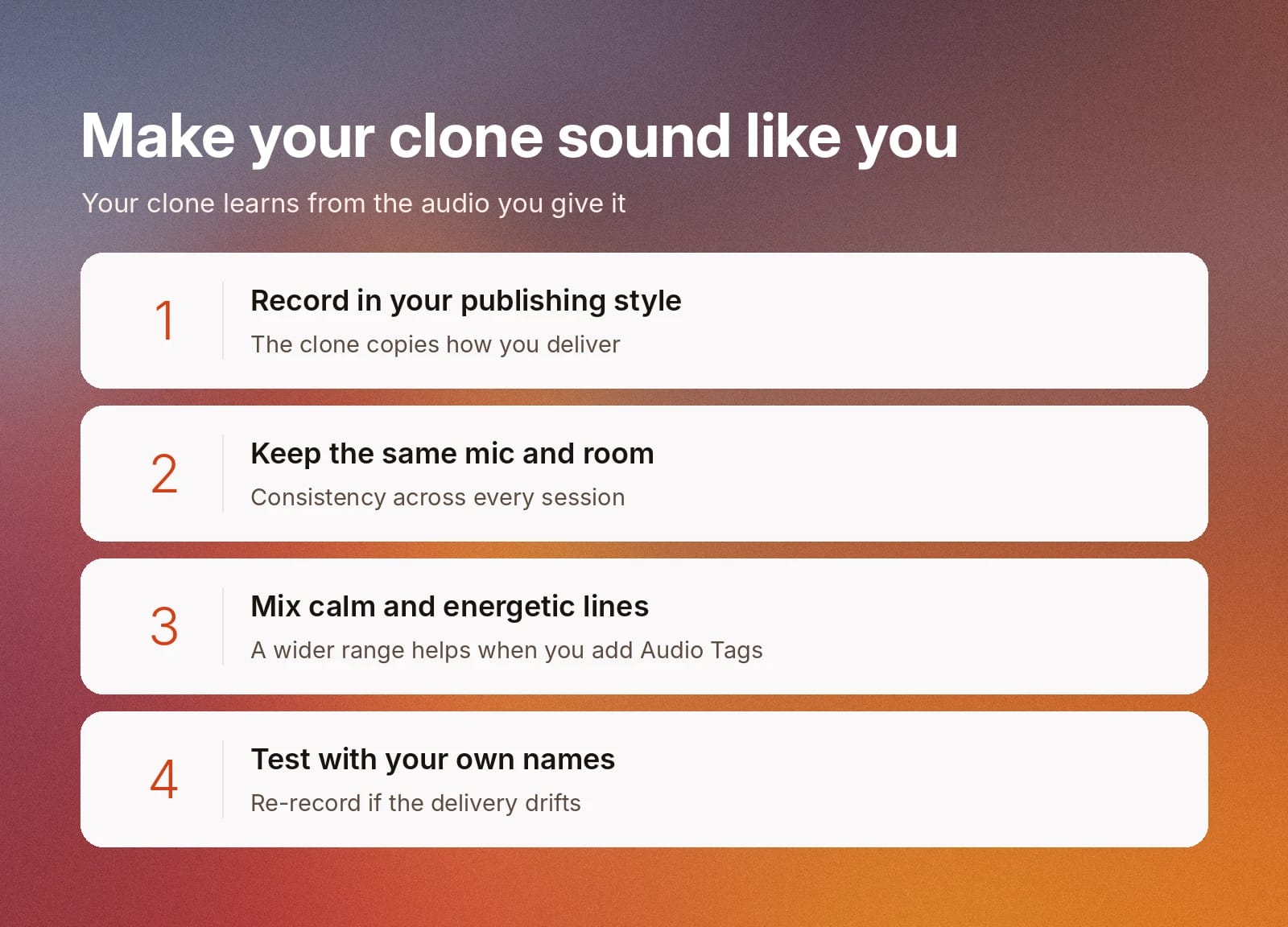
For the best results with voice cloning, record in the exact style you publish. Beyond that, keep the same microphone and room across sessions. If possible, include a mix of calm and more energetic lines to give the clone the widest possible range to learn from, which will help when you introduce Audio Tags to your TTS workflows down the line.
Our 7 tips for a professional-grade voice clone covers the full recording checklist. Test the clone on a short script with your usual names, places, and phrases, and re-record your samples if the delivery drifts from how you normally speak. If an accent still sounds off, the ElevenLabs help center article on accent and voice accuracy explains common causes.
Free vs paid plans for creators: How much does voice cloning cost?
Your ElevenLabs plan decides which clone type you can create and whether you can use the result commercially.
- Free: Text to Speech and voice design for testing. It does not include voice cloning or a commercial license, and content you share must credit ElevenLabs.
- Starter: Adds Instant Voice Cloning and a commercial license.
- Creator and above: Adds Professional Voice Cloning, which includes a verification step for additional security.
Get started on Starter if you publish monetized content with an Instant Voice Clone, and move to Creator when a show or channel needs the closest match to your voice. Check the ElevenLabs pricing page for current plan details.
Create more content in your voice with ElevenCreative
ElevenCreative combines ElevenLabs' voice models with image and video generation in one production environment. Clone your voice once, then use it to narrate videos, podcasts, courses, and localized versions for every market you serve. It’s a full-stack solution for creators working across multiple mediums.
Explore ElevenLabs Voice Cloning to compare Instant and Professional Voice Cloning, or sign up and clone your voice to start creating today.
FAQ

Jack Limebear is on the Growth team, acting as a content writer and strategist across the blog and insights pages. Before ElevenLabs, he spent over a decade leading content strategy for organizations ranging from fast-growing SaaS startups to Fortune 500 companies. He holds a Master's degree in English Literature from the University of Cambridge.