What is tool calling? A complete guide to AI integration
- Written by
- Jack Limebear
- Published
- Last updated
ListenListen to this article
AI models draw and extrapolate from their training data to deliver responses to users. But what happens when a request goes beyond the scope of that initial information?
Tool calling is a capability that helps to close these knowledge and function gaps, allowing a model to request additional help from external tools and systems, whether that means triggering an action like sending an update or drawing content from a data dashboard.
In this article, we’ll explore what tool calling is, how it compares to function calling, and how ElevenAgents puts tool calling to work for conversational AI workflows.
Summary
- Tool calling allows an AI model to trigger actions and request information from external tools and APIs.
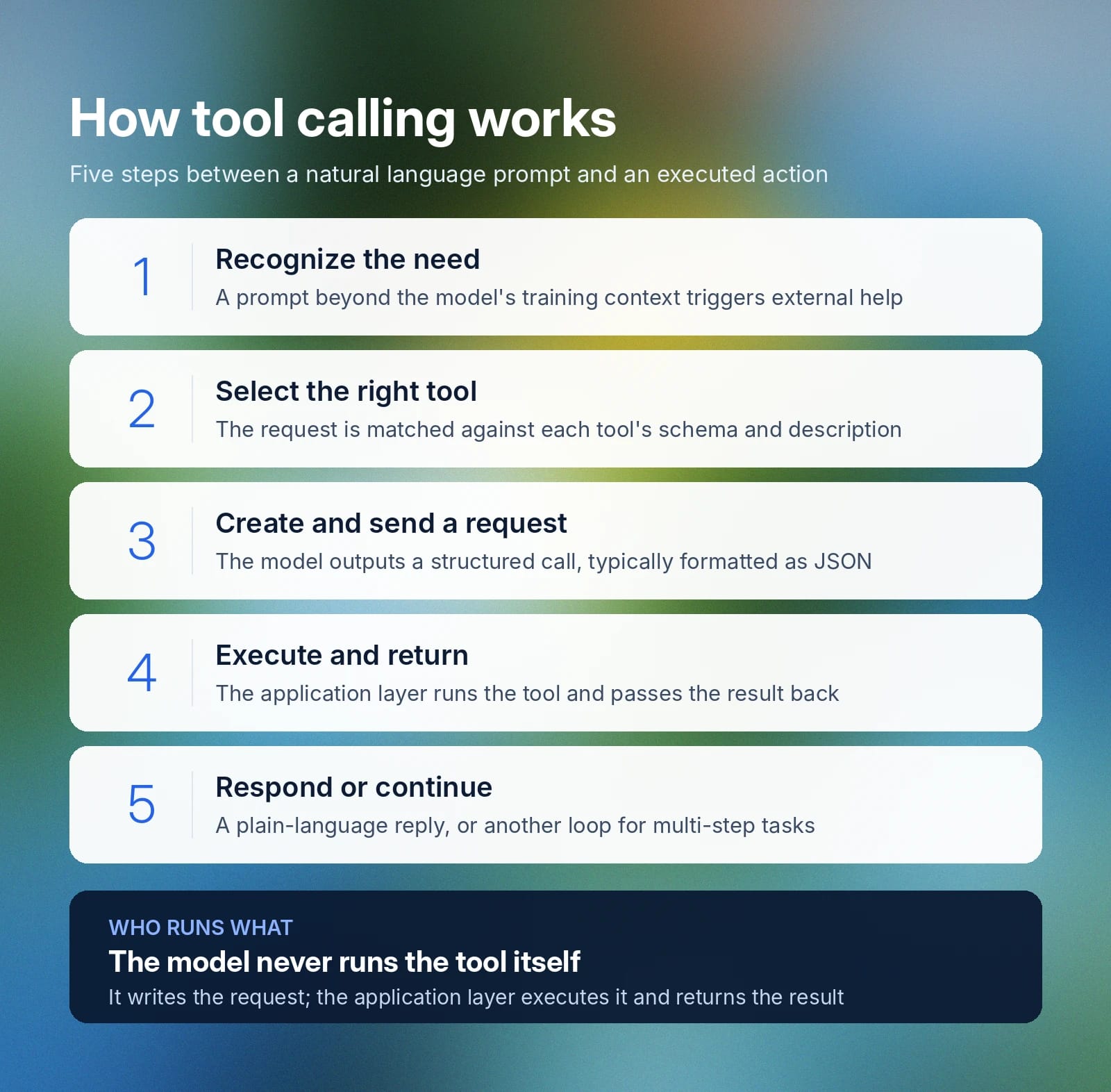
- An AI model doesn’t actively run a tool. Instead, an application layer runs the request.
- Tool calling follows a five-step process, with multiple different tools potentially being activated in the same request.
- Tool calling can be for information retrieval, code execution, device control, or workflow and process interaction.
- ElevenAgents supports tool calling in voice agents, allowing your conversational AI assistant to complete tasks on your behalf.
What is tool calling?
Tool calling is a capability of an AI model that allows it to interact with another system. That system could be a database, an API, a piece of software, or anything that allows it to perform a function beyond its training data.
Tool calling generates a request for a third-party system to perform a task, typically formatted as JSON. An AI system uses tool calling to query external systems, fetch real-time information, execute commands, or perform operations. The ability to call tools allows agentic AI to complete more complex or multi-step tasks by accessing external resources and dynamically using third-party systems.
The ability to call tools is what separates agentic AI assistants from LLMs that can only respond based on what they already know.
Why is tool calling important?
Large language models train on huge volumes of historical data to develop their capabilities. While this makes them a powerful system for responding to users and delivering information, they struggle to go beyond their initial training context and corpus of information. If you ask LLMs for information that’s outside their scope or beyond their capabilities, they need external help to deliver.
Tool calling is that external assistance, allowing LLMs to pull fresh data from other sources or integrate into live systems a company already runs, such as third-party APIs or internal databases.
There are numerous benefits of tool calling for AI systems:
- Fewer hallucinations: A system that relies on direct tool calls to verify information works off evidence and data rather than potentially making up information or extrapolating based on training data.
- More autonomy and scope: A tool-calling LLM can complete actions that go beyond just providing information.
- Real-time answers: By polling live sources, an LLM can get real-time data from databases or API calls, giving you up-to-date information that would not be available when working from training data alone.
- Automated multi-step processes: A task that may require you to interact with several different systems is reduced to one prompt with an LLM that has tool calling. It can query other systems and get information for you without you having to leave the interaction window.
Gartner predicts that 40% of enterprise applications will be integrated with task-specific AI agents by the end of 2026, increasing from less than 5% in 2025. A model that can call the correct tool for a task enhances its capabilities and allows users to get more done with natural language prompting.
Tool calling vs. retrieval-augmented generation (RAG)
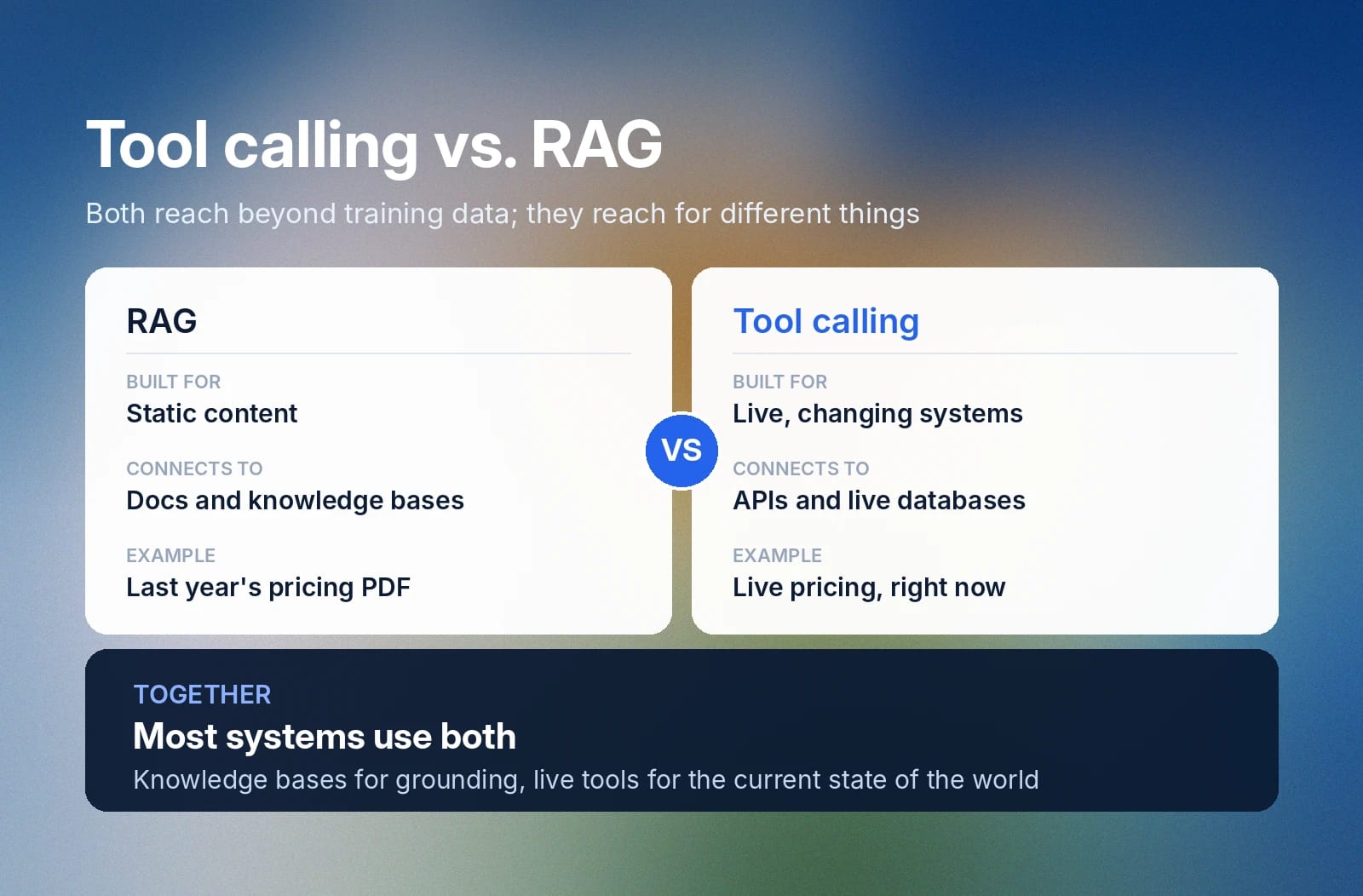
Retrieval-augmented generation and tool calling are both about searching for data beyond the context that a model’s training data supplies but focus on different things. RAG is mainly for static content, including information like articles, documents, and knowledge bases you connect to a model. It feeds an LLM with additional context that helps generate more comprehensive answers.
Tool calling is for dynamically reaching information, including real-time systems that constantly change. RAG could fetch a PDF of pricing from a certain year, while tool calling could instantly capture live pricing from a connected system. Most LLM systems use these capabilities in conjunction, as fetching knowledge bases and live tools are both important in many use cases.
How does tool calling work?
Tool calling follows a fairly standard pattern whether an AI agent is calling an internal app or an external model.
Here is a high-level overview of how tool calling works:
- Recognize when a tool call is needed
- Select the right tool from connected systems
- Create and send a request
- Request is executed, and a result is returned
- Model responds or takes further action
Let’s break these down in more detail.
Step 1: Recognize when a tool call is needed
After you type in a natural language request, a model reads your prompt and assesses whether or not it will need external help from a tool. A question that aligns with its training data won’t need external help, but some questions, like those that go beyond the model’s context, do.
Questions like “What were our Q2 sales numbers in Salesforce?” and “What’s the current active number of users on our Shopify store?” would both require a tool call.
Step 2: Select the right tool from connected systems
Every tool a model has access to has a schema: a name, a natural language description of what it does, and the parameters it will accept. A model compares your request against each of these descriptions to find the correct tool for the job. Especially when an agent has a large catalog of tools, it will run an internal process to filter through them to find relevant ones, as manually crawling through hundreds of tools would greatly slow down finding the correct tool to call.
Step 3: Create and send a request
After selecting the correct tool, a model will then build a structured call, often formatted as JSON. This call will define the tool it will call and what that request includes. For example, pinging for weather in Bogota might look like {"name": "get_weather", "arguments": {"city": "Bogota"}}. A model outputs this call, and the application layer executes it in the next step.
Step 4: Request is executed, and a result is returned
The application layer receives a model's request and runs the tool or calls an API to execute a request. The response is then passed back to the original model as more context, which can then populate its reply to a user.
Step 5: Model responds or takes further action
With the data or information from the tool call, the model either uses plain language to respond to a user or confirms that a specific action was taken. The latter response occurs if the specific task a user wanted to achieve is action-oriented, like posting a message to a specific platform or entering data into a database.
If the task needs more steps, the model will repeat steps 1-4 accordingly. More complex requests may need to call several tools before creating a final response to give a user. For example, if a user wanted to know a current exchange rate and then convert currencies, the model would have to execute several steps sequentially to achieve this end goal.
Types of tool calling
Tool calling describes any time a model calls an external system for data that goes beyond its underlying training. The actual process here could call upon several different systems, with many different use cases calling upon different kinds of tools.
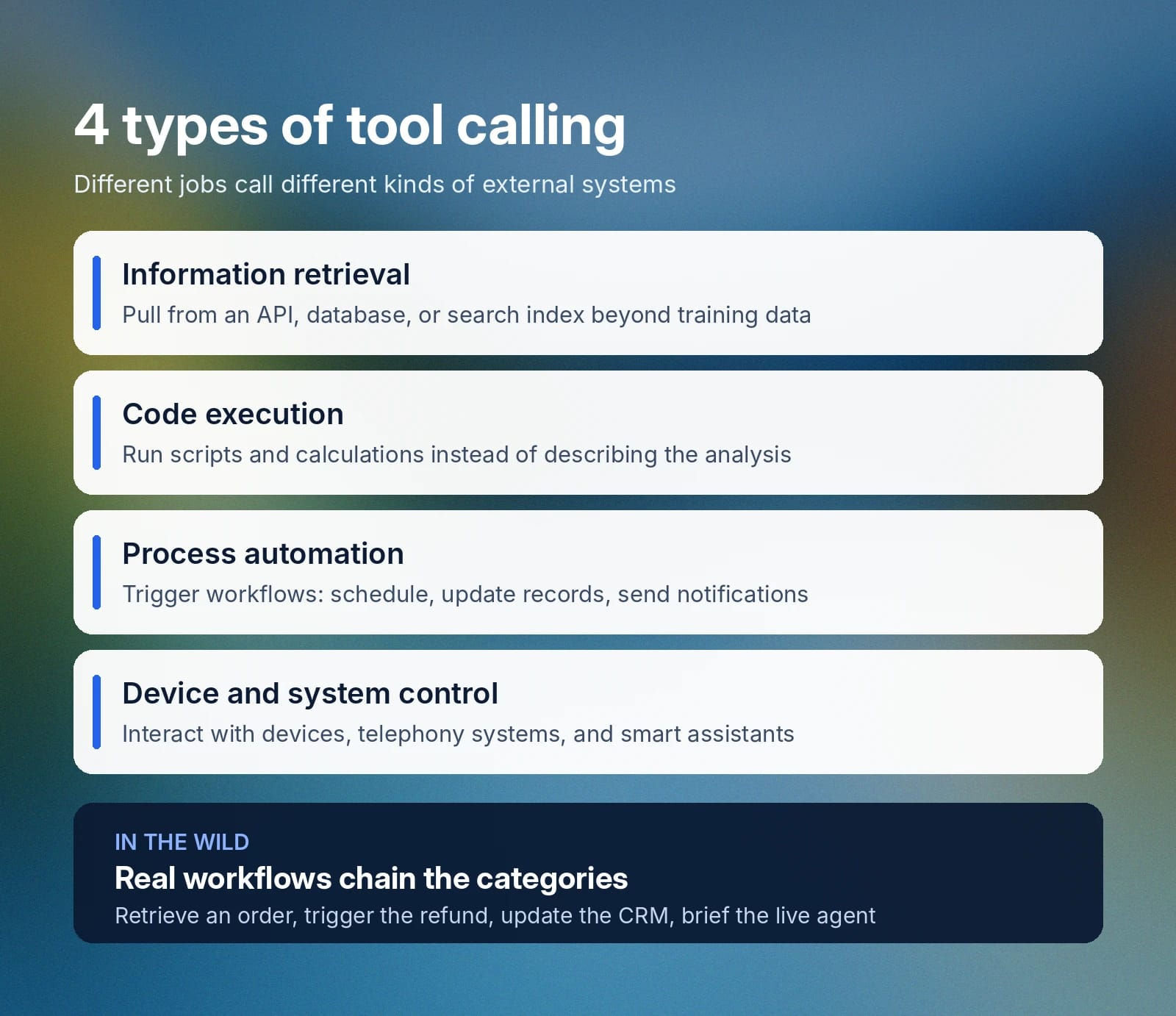
- Information retrieval: Includes pulling data from an external source such as an API, a connected company database, or a search index to answer a question that goes beyond the scope of a model's original training context.
- Code execution: The running of any script, data transformation process, or calculation through a code environment. This is typically used to analyze data rather than just describing how an analysis might work in practice.
- Process automation: Describes when an API call triggers a specific workflow in another system, such as interacting with a CMS, scheduling a meeting, updating records, sending notifications, or turning requests into completed actions. This is especially common in agentic systems that perform tasks for the individual.
- Device and system control: Tool calls that interact with another device, a telephony system, a smart home assistant, and more all fall under this category.
Often, tool calling doesn't neatly fall into just one of these categories. You may have multi-step and chained calls that combine several of the categories above in a continual sequence. For example, you could retrieve a customer's order status, then trigger a refund, then update your internal CRM, and relay that information to a live agent.
Tool calling vs. function calling: Key differences
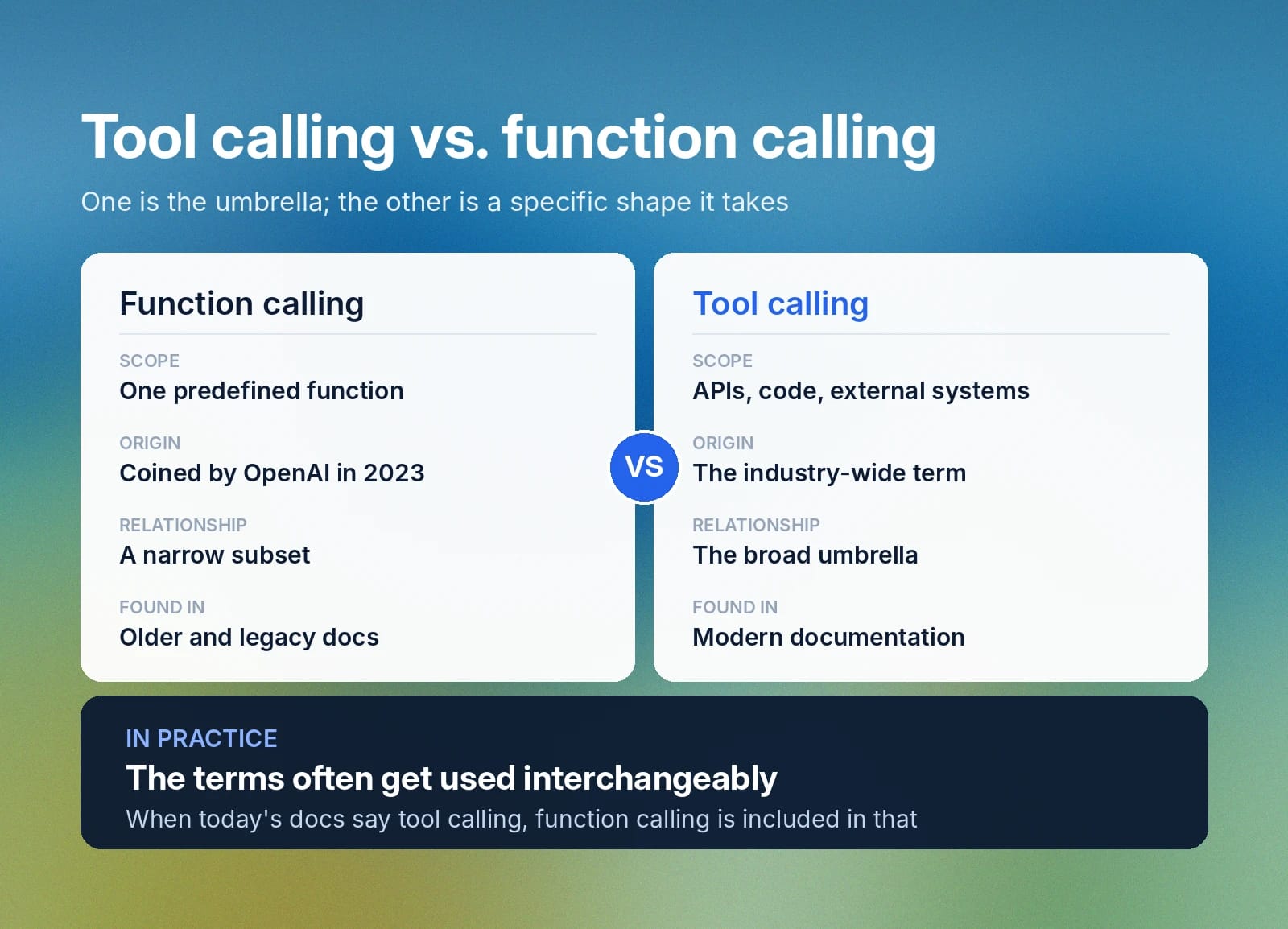
Tool calling is a broader category than function calling, covering a wider scope and a more diverse range of potential capabilities. Function calling is when a model generates a structured call, with arguments, to a predefined function.
Here’s a table to break down the differences between a tool call and a function call.
How reliable is tool calling?
How reliable tool calling is depends entirely on the model making the calls. Equally, failure might show up differently in distinct systems. For example, one AI model may, after failing a tool call, simply hallucinate an answer, while another may prompt the user to try again.
The Berkeley Function Calling Leaderboard is a commonly referenced leaderboard that compares how different models perform in terms of tool calling. While described as a function calling leaderboard, in practice, it measures tool calling efficiency by testing models on API calls, collecting information from database queries, running parallel calls, or responding over multi-turn conversations.
Models are examined on things like total cost, ability to search the web, multi-turn conversation accuracy, hallucination measurement, latency, and more. If you are going to be running complex or multi-step workflows, then knowing which models have more comprehensive tool calling abilities is a useful piece of information.
Get started with ElevenAgents for tool calling
On ElevenAgents, you're able to select from several models, allowing you to match your workload to the best possible underlying model. Voice agents call upon tools, look up orders, check records, update databases, and collect information from APIs.
You can call upon several kinds of tools, including webhook tools to call external APIs, client tools to trigger actions in applications or on a browser, code tools for custom server-side logic, MCP tools that connect to external tool servers, and system tools for built-in actions like transferring to a human agent.
ElevenLabs also offers prebuilt native connectors to services like Zendesk, HubSpot, Salesforce, and many more, allowing you to skip the need to configure custom setups. Discover more about ElevenAgents or sign up to get started building voice agents with tool calling today.
FAQ

Jack Limebear is on the Growth team, acting as a content writer and strategist across the blog and insights pages. Before ElevenLabs, he spent over a decade leading content strategy for organizations ranging from fast-growing SaaS startups to Fortune 500 companies. He holds a Master's degree in English Literature from the University of Cambridge.