What is IVR? How it transforms customer interactions
- Written by
- Jack Limebear
- Published
- Last updated
ListenListen to this article
Interactive voice response (IVR) is the automated phone system behind "press 1 for billing, press 2 for support." It answers calls, reads out menu options, and routes callers using keypad input or basic voice recognition, without a live agent.
IVR has handled routine calls since the 1970s. It cuts wait times, keeps contact centers running around the clock, and takes repetitive questions off agents' plates. But it can also have rigid menus and misheard commands, which can make for a poor customer experience.
This guide covers how IVR works, its benefits and limits, and how conversational AI is replacing the phone tree with something that can actually listen.
Summary
- IVR automates inbound call handling by routing callers or resolving simple requests through touch-tone or voice input.
- Common use cases for IVR span banking, healthcare, retail, telecommunications, utilities, and government, anywhere call volume is high, and requests are repetitive.
- A well-designed IVR system depends on backend integration, a menu that matches how customers actually phrase requests, and a fast path to a live agent when a request doesn't fit.
- Conversational AI replaces the keypad menu with open conversation, understanding what a caller wants directly from their words rather than which button they press.
What is IVR? The basics of interactive voice response
IVR is an automated telephony system that plays pre-recorded prompts and routes callers without connecting them to a person. IVR systems gather information from callers and route calls to the right recipient using voice recognition and dual-tone multi-frequency (DTMF) input. DTMF tones are the unique audible beeps that differ based on which key is pressed.
IVR is one of the most widely deployed pieces of call center infrastructure, and it can still work well. But most people don't experience IVR at its best and instead deal with long menus or monotone prompts. It can be quite frustrating for users when the system can't understand a request phrased slightly differently than expected.
How does IVR work? A closer look at system functionality
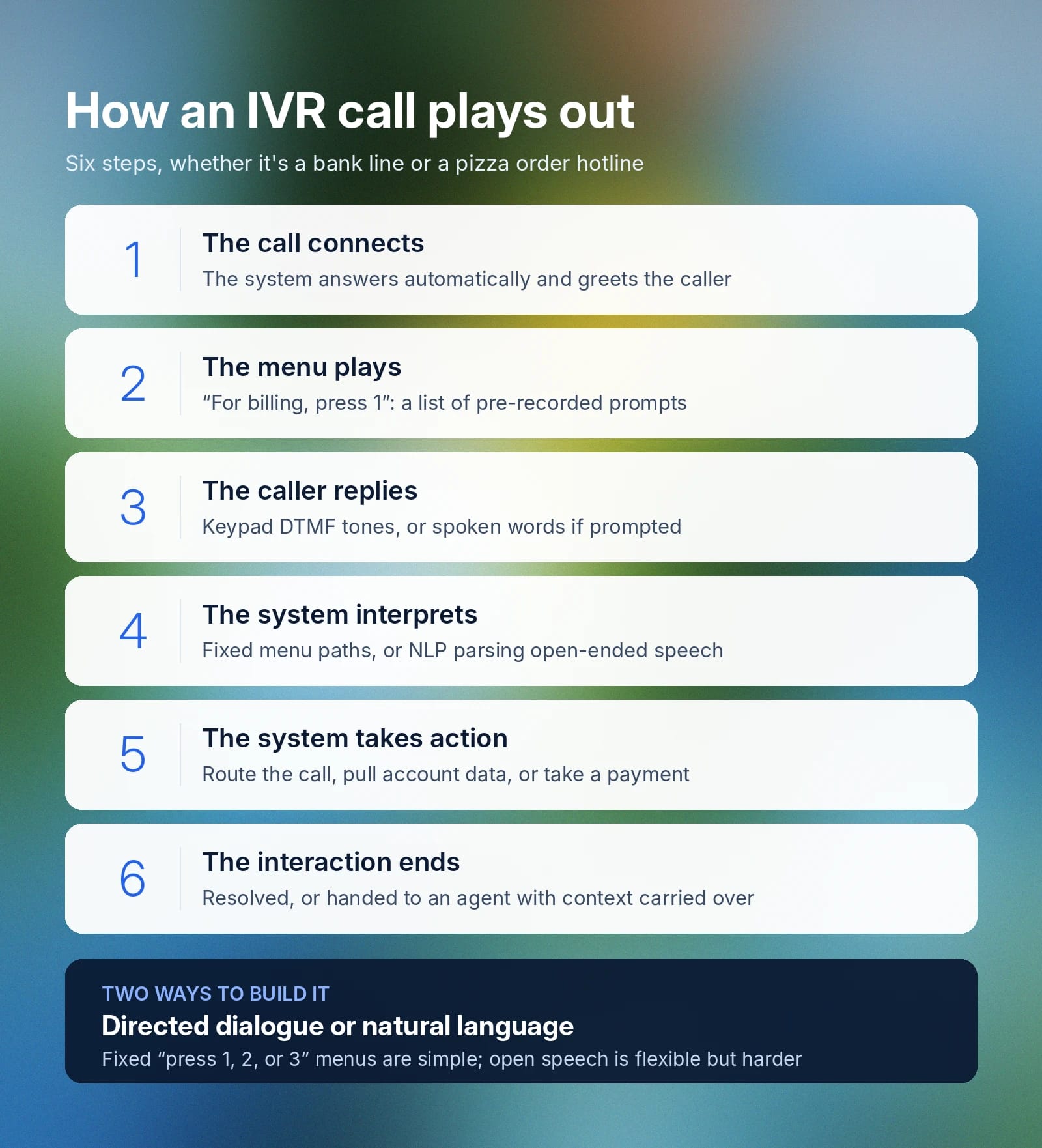
Most IVR interactions follow the same basic sequence, whether it's a bank's automated system or a pizza order hotline.
- The call connects: The system answers automatically and greets the caller.
- The menu plays: The caller is given a list of pre-recorded prompts, such as "For billing, press 1."
- The caller replies: They respond through the keypad (DTMF tones) or with spoken words, if prompted.
- The system interprets the input: Basic systems match keypad tones to a fixed menu path, while more advanced ones use natural language processing to parse open-ended speech, such as "I need to check my balance."
- The system takes action: It might route the call to the right department, pull data from a connected database (such as an account balance or order status), or complete a simple transaction, such as a bill payment.
- The interaction ends: The caller either gets their request resolved or is handed off to a live agent, ideally with their context carried over.
Within that sequence, step 3 and step 4 can play out in two different ways, depending on how the system is built.
The simpler approach, directed dialogue, limits callers to a fixed set of options at each step (such as "press 1, 2, or 3"). It's straightforward to build but often frustrating for callers to navigate.
Natural language IVR lets callers speak more freely, using natural language processing to extract intent from what they actually say. It's more flexible, but it requires more sophisticated speech processing, which is where most legacy systems fall short. Even well-built systems aren't perfect, and callers often end up repeating themselves when the system mishears an accent, background noise, or a phrase it wasn't trained to recognize.
Key benefits of using an interactive voice response system
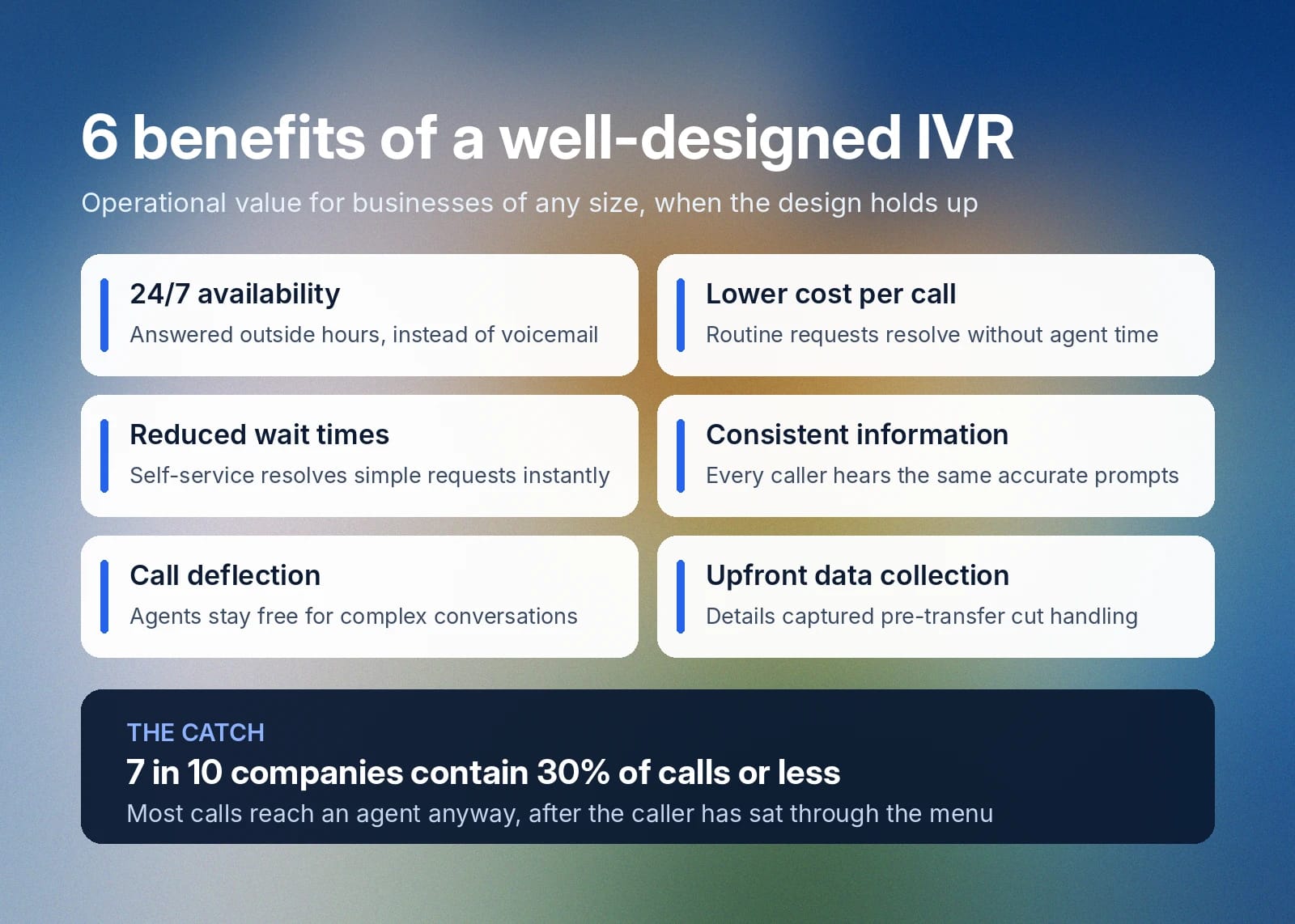
When it's well-designed, IVR adds operational value to businesses of all sizes and industries:
Benefit
Why it matters
24/7 availability
Calls get answered outside business hours instead of going to voicemail
Lower cost per call
Routine requests are resolved without agent time
Reduced wait times
Self-service options resolve simple requests immediately
Consistent information
Every caller hears the same accurate prompts, without human variation
Call deflection
Agents are free to handle complex, high-value conversations
Data collection upfront
Account numbers and case details are captured before a transfer, cutting handling time
But a poorly designed IVR erases most of these benefits. Seven out of 10 companies surveyed by McKinsey reported a containment rate (the share of calls that get fully resolved within the IVR system) of 30% or less. That means most calls are ending up with an agent anyway, after the caller has already sat through a menu. So the system is adding a step without removing the workload it was meant to reduce.
IVR use cases across industries
IVR can be useful anywhere call volume is high and requests are repetitive. Here are some common use cases for this technology:
- Banking and financial services: IVR can handle balance inquiries, transaction history, fraud alerts, lost card reporting, and loan status checks. Customers want and expect it, with two-thirds of Millennials expecting real-time, self-service options from their banks.
- Healthcare: IVR can respond to appointment scheduling and confirmation, prescription refill requests, insurance and billing inquiries, and post-visit follow-up.
- Retail and e-commerce: When customers call to check order status, process a return, or confirm store hours or location details, IVR can step in. These high-volume, low-complexity questions don't need a person.
- Telecommunications: IVR can support telecommunications companies with plan changes, billing disputes, outage reporting, and SIM or device troubleshooting.
- Utilities: Routine requests or customer service inquiries can be handled through IVR: outage reporting, meter readings, and payment processing.
- Government and public services: High-volume calls about voting, permits, and licensing can be supported by IVR.
IVR works best for narrow, predictable requests and can break down the moment a caller's need doesn't fit the menu.
The difference between IVR and auto attendant
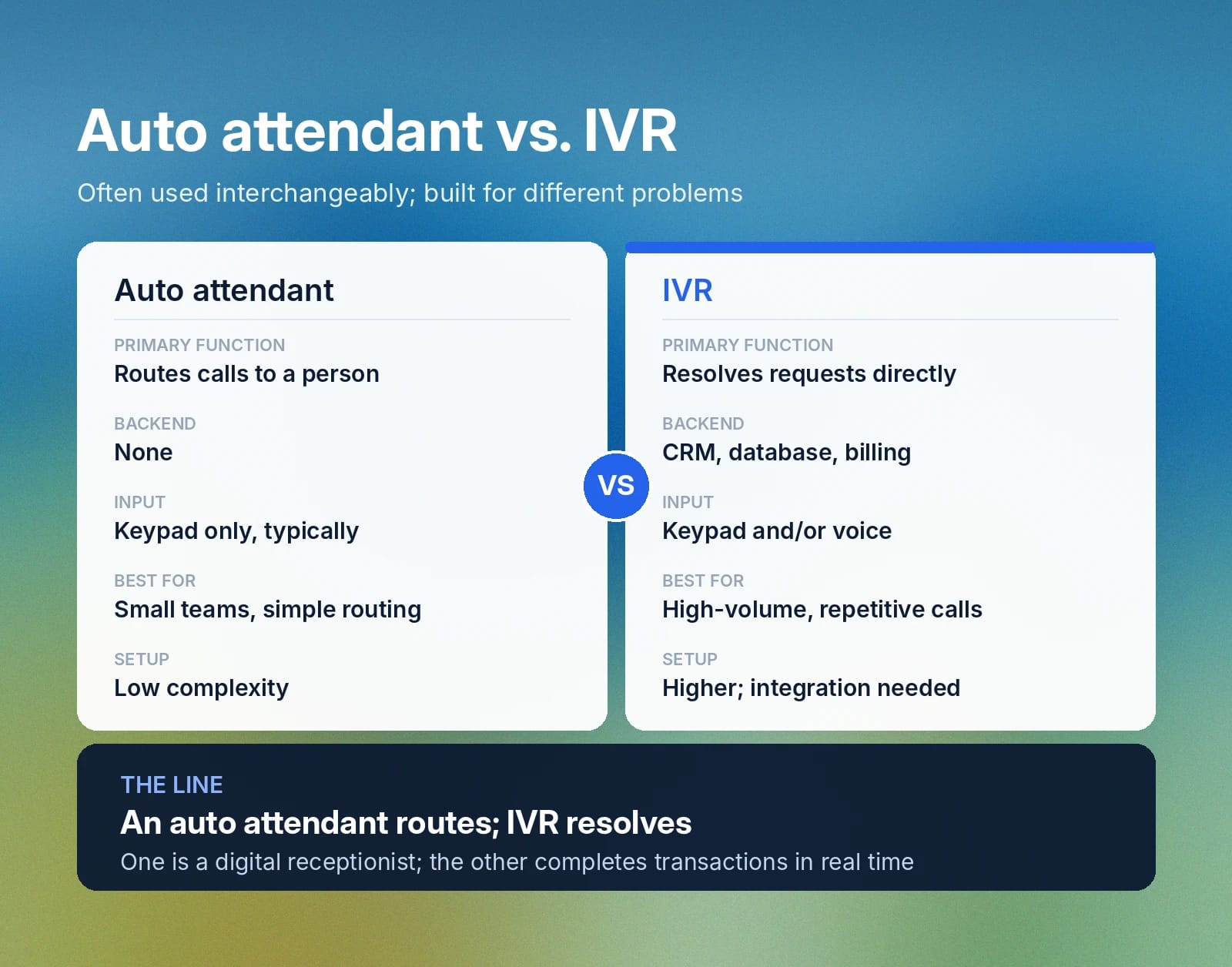
IVR and auto attendant are often used interchangeably, but they solve different problems.
An auto attendant is a digital receptionist who greets a caller and routes them to a person, department, or voicemail box based on a simple menu. It doesn't pull data from a backend system and can't process a transaction.
IVR can do much more. It connects to backend systems, such as a CRM, billing platform, or core banking database, to look up information or complete an action in real time.
Auto attendant
IVR
Primary function
Routes calls to a person or department
Resolves requests directly
Backend integration
None
Connects to CRM, database, or billing systems
Input type
Keypad only, typically
Keypad and/or voice
Best for
Small teams, simple routing needs
High call volume, repetitive transactional requests
Setup complexity
Low
Higher; requires integration and menu design
Beyond IVR: Interactive conversational AI
IVR has a rigid menu structure that forces callers to choose from limited options, sit through a long list of prompts, and start over if the system doesn't recognize something they say.
Conversational AI phone systems remove the fixed menu entirely. Instead of selecting from "press 1, press 2" options, a caller states what they need in their own words, and the system responds as a person would because it understands intent rather than matching a keypress to a script.
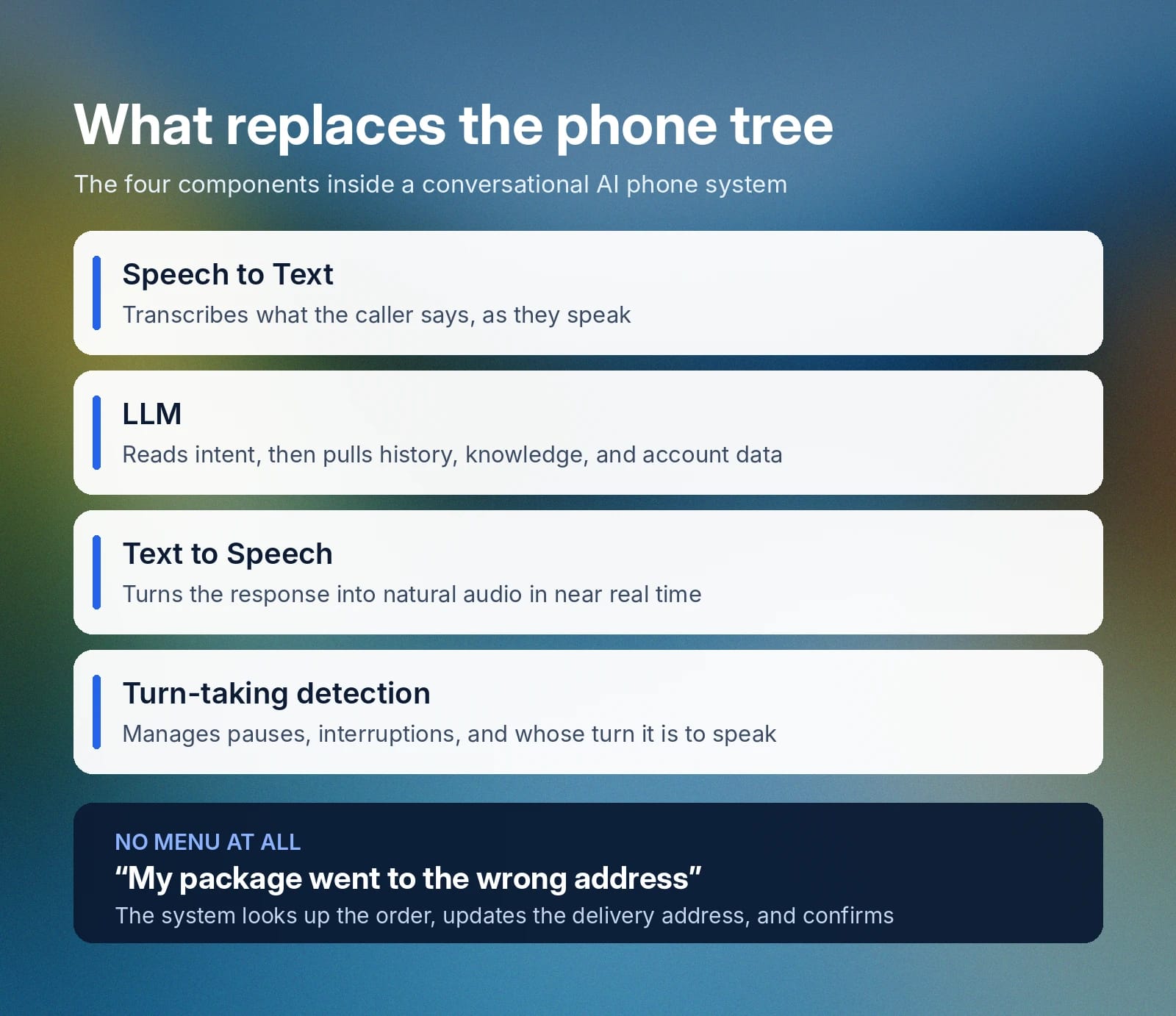
Here's a brief overview of how conversational AI works:
- Speech to text: Transcribes what the caller says as they speak.
- LLM: Takes in the transcribed speech, understands the caller's intent, and pulls in conversation history, relevant knowledge base content, and any connected tools or account data to formulate a response.
- Text to speech: Turns the response generated by the LLM into natural-sounding audio in near real time.
- Turn-taking detection: Manages natural back-and-forth, recognizing pauses, interruptions, and when it's the caller's turn to speak.
For more information, be sure to read through our comprehensive guide to conversational AI.
Conversational AI can do much more than IVR because it understands intent directly from what a caller says and can draw on connected tools and databases to act on it. All of this gives it flexibility that rigid IVR menus just can’t.
For example, if a caller says their package went to the wrong address, the system can take action on its own. It understands the problem, uses tool calling to look up the order, updates the delivery address, and confirms the change, often without a human getting involved.
Get started with ElevenAgents for enhanced IVR
ElevenAgents builds and deploys AI agents that replace the fixed-menu experience of traditional IVR with natural, real-time conversation across phone, web, chat, email, and WhatsApp.
Agents connect to your knowledge base and existing tools, follow the same policies and procedures your team already documents, and hand off to a live agent with full context carried over when a request needs one. High-risk actions, such as a refund or an account change, can be gated behind deterministic, step-based approval workflows to provide control over what an agent is allowed to do on its own.
For businesses that already run IVR to handle inbound calls, ElevenAgents can also navigate a third party's IVR menu on a customer's behalf (such as for verifying insurance coverage, requesting a pharmacy refill, or checking flight status).
Sign up for ElevenAgents and start building a custom agent trained on your own workflows, or talk to our team to see how we can help your team deploy AI agents.
IVR FAQs

Jack Limebear is on the Growth team, acting as a content writer and strategist across the blog and insights pages. Before ElevenLabs, he spent over a decade leading content strategy for organizations ranging from fast-growing SaaS startups to Fortune 500 companies. He holds a Master's degree in English Literature from the University of Cambridge.