Real-time vs. batch transcription: Key differences
- Written by
- Jack Limebear
- Published
ListenListen to this article
You have two options when choosing an AI-powered transcription model: real-time or batch transcription. Both options convert speech to text, but they take different approaches.
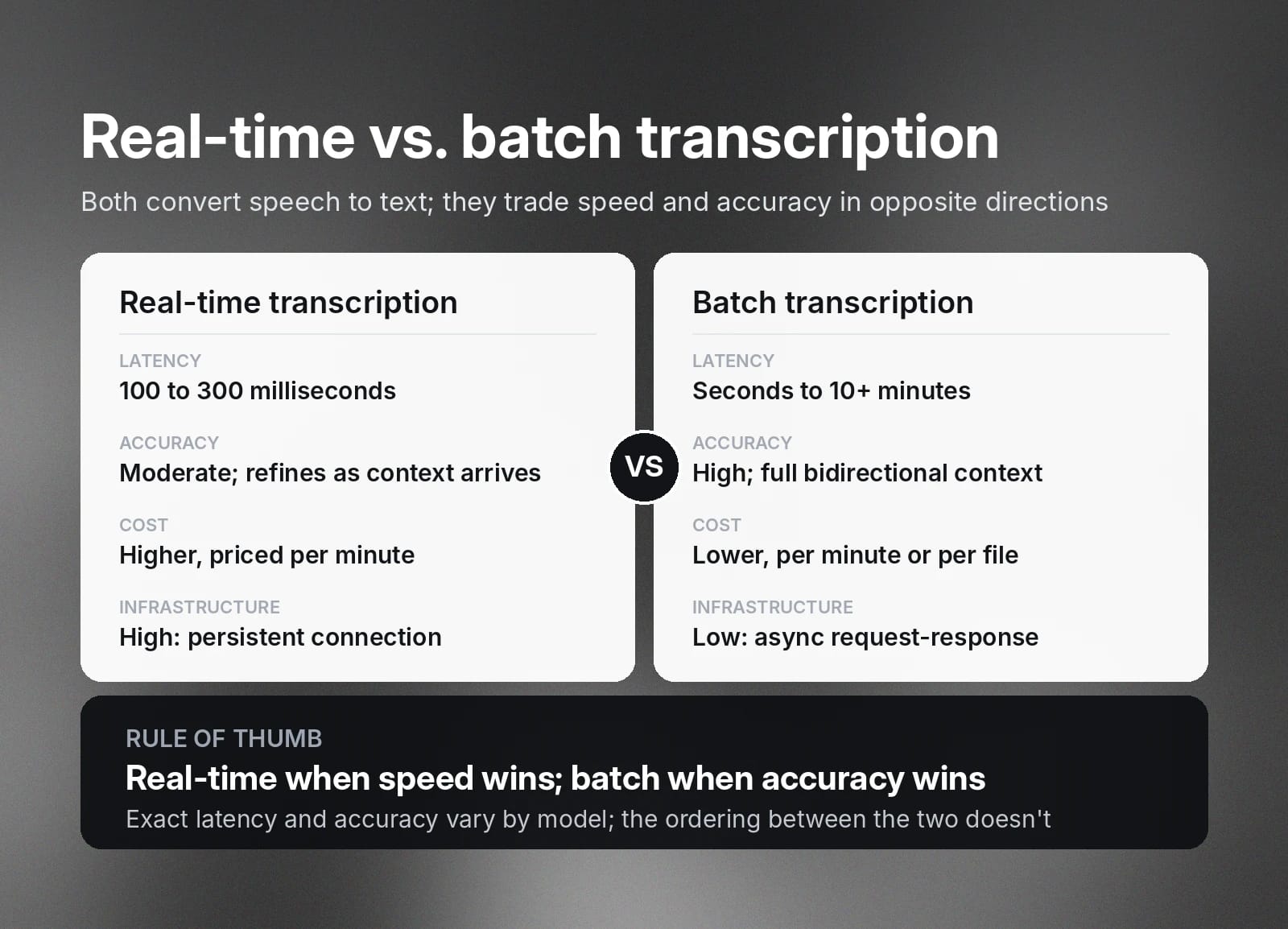
Real-time transcription processes audio as it happens, while batch transcription processes an entire audio recording after it’s finished. While real-time transcription delivers instant results, batch transcription is often more accurate.
In this guide, we’ll compare real-time vs. batch transcription to help you choose the right model for your next project. We’ll break down how each model works, its advantages and disadvantages, and common use cases.
Summary
- Real-time transcription processes audio as it is happening.
- Batch transcription processes an entire audio file at once.
- Real-time transcription is faster, but batch transcription is more accurate because the model has bidirectional context from the entire audio file.
- Real-time transcription is best for applications like live voice agents, live video captions, or meeting notes, where speed is more important than accuracy.
- Batch transcription is more accurate and more cost-effective for transcribing audio in bulk after it’s been recorded.
What is real-time transcription in STT?
Real-time transcription is when a speech-to-text (STT) model converts audio into written text as it’s happening. This is sometimes also called streaming transcription.
With real-time transcription, the STT model processes the audio in small chunks. The written text is available just milliseconds after the words are spoken. As the conversation progresses, the STT model picks up more data and context, and uses this information to refine the transcript.
This form of transcription works best in situations where speed is more important than accuracy. For example, these models make audio and video streams more accessible with real-time captions. Another common use case is within real-time note-taking platforms.
What is batch transcription in STT?
Batch transcription converts an entire audio recording from speech to text at once, after the recording has finished. The process takes anywhere from a few seconds to over 10 minutes, depending on the length and complexity of the recording.
Batch transcription models use context from the entire recording as they work. Full context helps the model accurately interpret sections with complex language, background noise, or interruptions. Batch transcription models also add punctuation and formatting, which some real-time models may struggle with.
Batch transcription works best in situations where accuracy is the top priority. Many organizations use batch models to transcribe long interviews, meetings, or podcasts for their archives.
How batch and streaming architectures shape transcription
When comparing batch vs. stream processing for transcription, the two models use fundamentally different processes, which affect the final output.
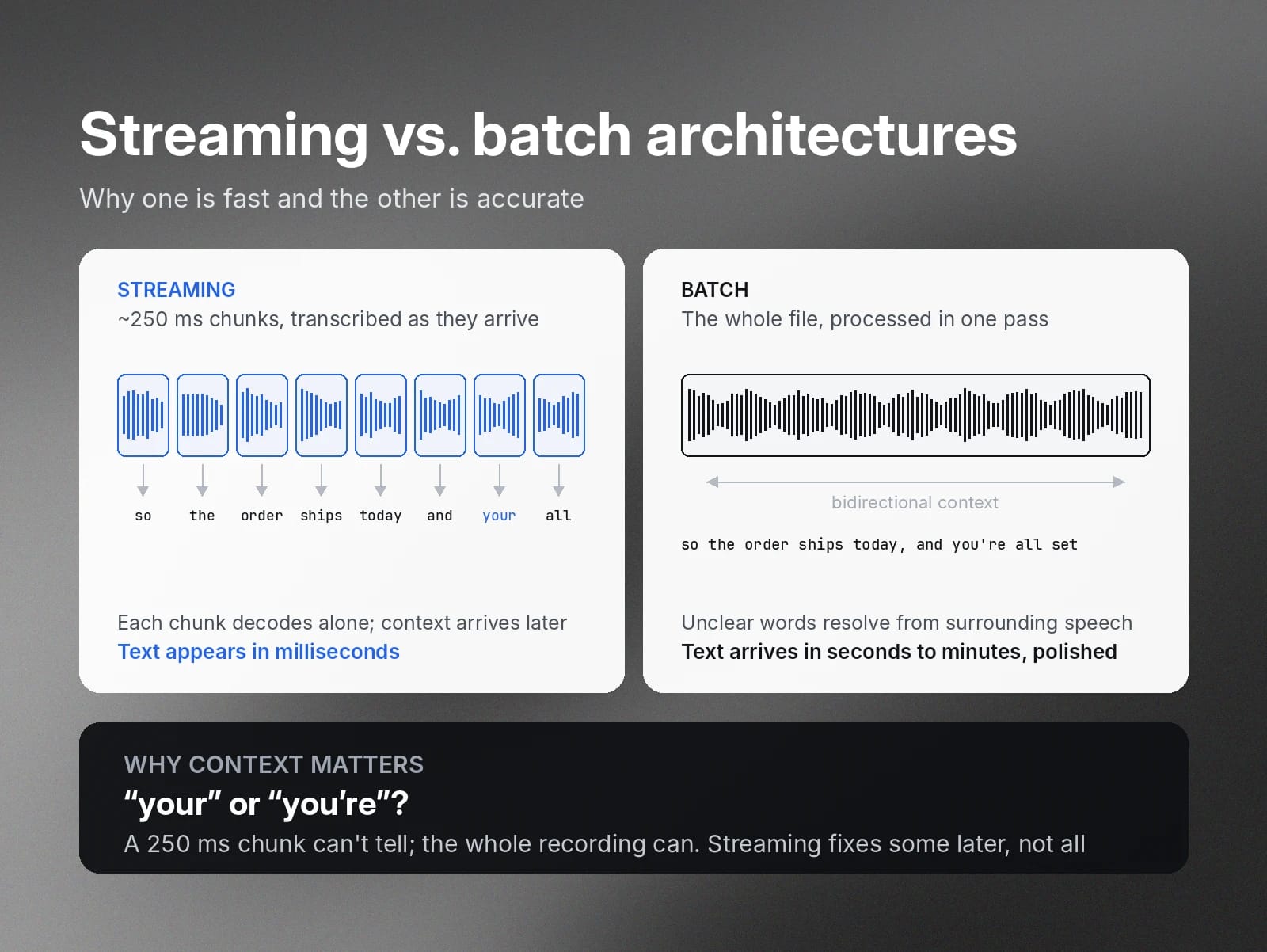
Streaming transcription models break audio into chunks and transcribe each as it happens. These chunks are very small, usually around 250 milliseconds or less. By processing audio in this format, the transcription model is able to work quickly, allowing the text to appear just seconds after the audio happens.
Since these audio chunks are so small, the Speech to Text model doesn’t have the full context of the conversation, which can lead to mistakes. For example, the transcription model might use ‘your’ instead of 'you're.'
A real-time transcription model will fix some of these mistakes as the conversation continues and context becomes clear. However, there usually isn’t enough time or context to correct every error, so the final transcript isn’t always 100% accurate.
On the other hand, batch transcription models process the entire audio file at one time. This means the transcription model has bidirectional context for the conversation, which it uses to resolve any unclear words or phrases. When something is unclear in the audio file, the model analyzes the words that came before and after it to determine what was said and accurately transcribe it.
This added context means batch transcription models are slower than real-time transcription models. However, the final product is much more accurate and polished.
Key characteristics of real-time vs. batch transcription models: Latency, accuracy, and cost
Both real-time and batch models are effective for transcription: it all depends on the type of project you’re working on. Some projects require instant results, while others need high accuracy rates.
Here are the factors to consider when choosing between real-time and batch transcription:
Real-time transcription
Batch transcription
Latency
100 to 300 milliseconds
Anywhere from seconds to 10+ minutes, depending on file length
Accuracy
Moderate
High
Cost
High, priced per minute
Moderate, priced per minute or per file
Infrastructure complexity
High, requires consistent connection and load balancing
Low, uses asynchronous request-response structure
Exact latency and accuracy rates vary depending on the specific transcription model you’re using. However, real-time transcription is consistently faster, while batch transcription is more accurate.
Real-time transcription costs more than batch transcription because it requires more complex infrastructure and has a higher operational overhead. Real-time models require a consistent connection to maintain their speeds, and they take longer to set up and maintain than batch models.
Real-time models are worth the investment for accessibility during live conversations. However, using batch transcription saves money and setup time for projects where speed isn’t a priority.
Real-time vs. batch transcription API comparison: Choosing the best fit for your project
Before starting a new transcription project, you’ll need to evaluate the pros and cons of batch and real-time models to see which one is the best fit for your goals. Here’s what the decision process looks like in three real-world scenarios.
Live voice agent: Real-time transcription
Live conversational AI models require near-instantaneous transcription for accessibility, especially when handling complex operational or customer service challenges.
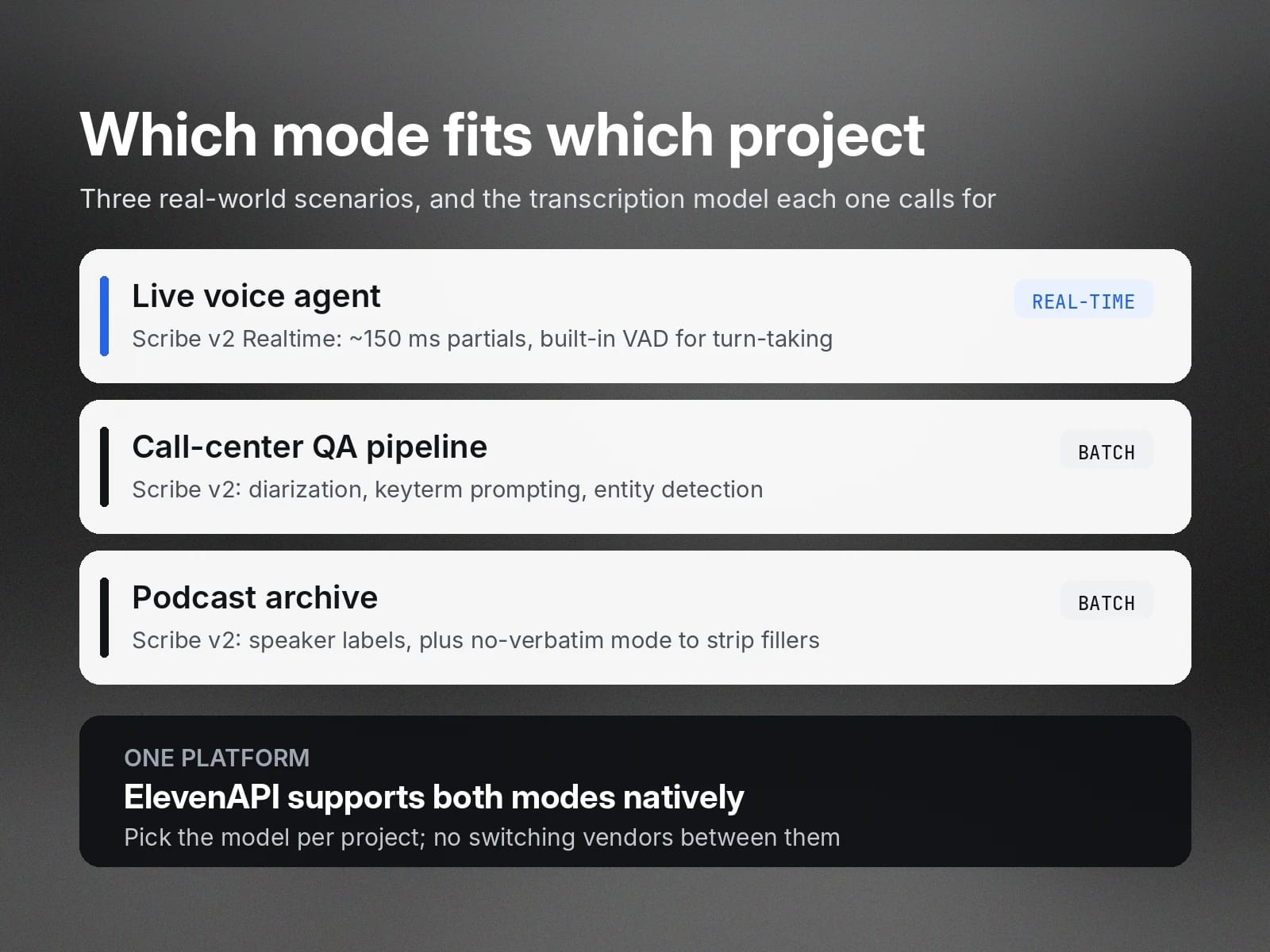
A real-time model, like Scribe v2 Realtime, delivers the low latency necessary for smooth, natural conversations. Scribe v2 Realtime delivers partial transcriptions in roughly 150 milliseconds.
Transcription models for live voice agents also require accurate turn-taking. This means they need to be able to detect when a user has started or finished speaking and respond immediately. Effective turn-taking and interruption management helps prevent the transcript from falling behind the conversation.
Real-time transcription models prioritize accurate turn-taking for fast results. For example, Scribe v2 Realtime has built-in Voice Activity Detection, so it automatically segments the transcript when it detects silence between speakers.
Call-center QA pipeline: Batch transcription
Accuracy is key when conducting quality assurance, so a batch transcription model like Scribe v2 makes the most sense in this scenario.
Call-center transcriptions often contain unique names and industry-specific details. If they’re not transcribed correctly, it’s difficult for analysts to determine whether a call was truly successful or not. Since batch models process the entire recording at once, they have the context necessary for accurate transcription and formatting.
Scribe v2 has several features to boost transcription accuracy. Speaker diarization ensures that agents and customers are always properly labeled, even when cross-talk happens. Keyterm prompting gives the model brand names and industry terms up front so they’re transcribed accurately.
Call-center transcripts can also contain sensitive information that needs to be redacted, like Social Security numbers and credit card numbers. Scribe v2 has entity detection to find and time-stamp these sensitive details so you can remove them.
Podcast archive: Batch transcription
When building a podcast archive, you need polished transcriptions for your team and your audience to reference at any time. Accuracy and clean formatting are essential here, making batch transcription the right fit.
With batch transcription, you get accurate transcription with speaker labeling and diarization across all your podcast files. Scribe v2 also has no-verbatim mode, which automatically removes filler words, stuttering, and repetition. This means you’ll spend less time on manual editing, so you can build your podcast archive faster.
ElevenAPI natively supports both real-time and batch modes. If you’re running multiple transcription projects at the same time, you can use ElevenAPI to manage all of them on the same platform. Just choose the appropriate model for each project, without the inconvenience of switching back and forth between service providers.
Hybrid transcription models: Bridging real-time and batch
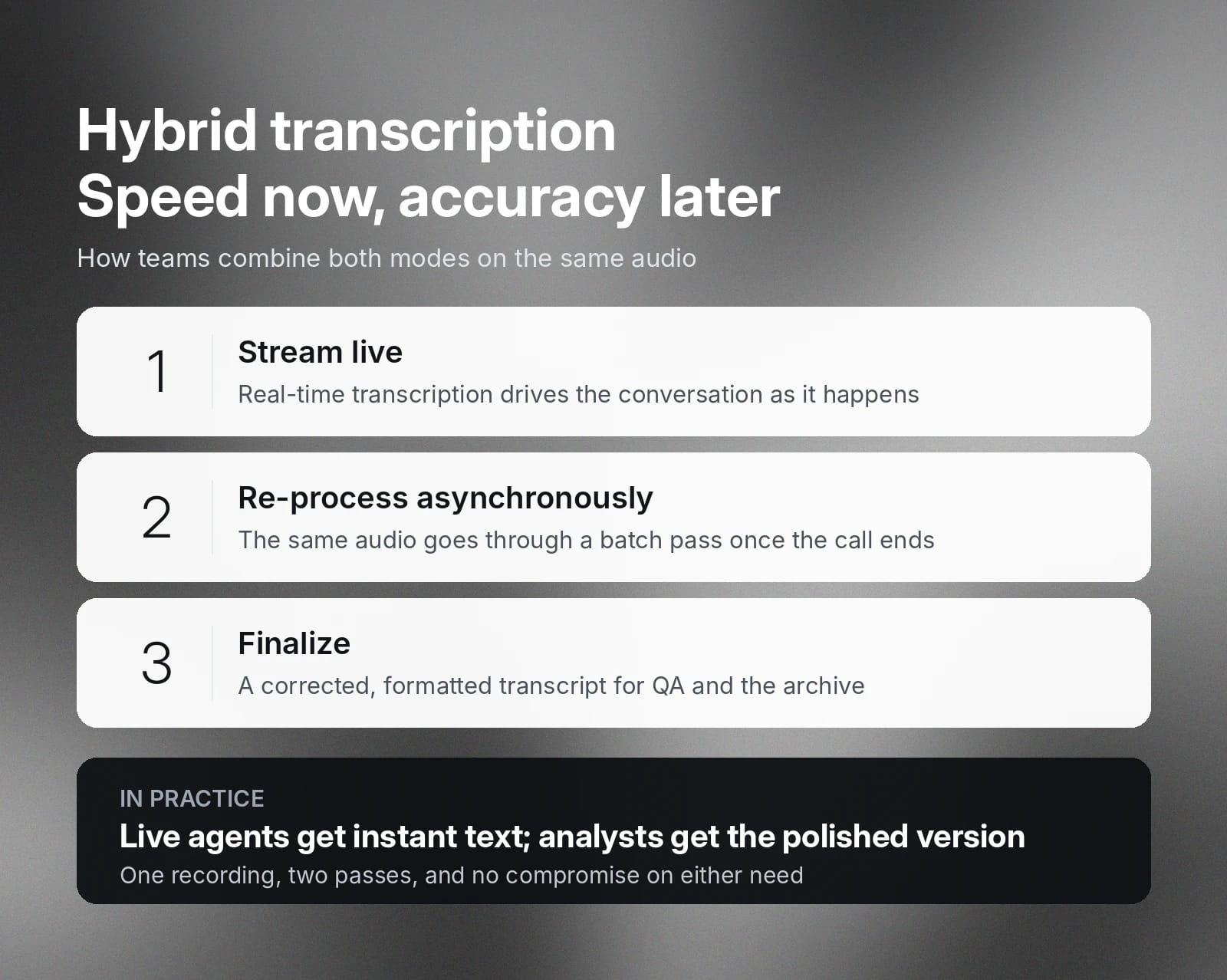
Hybrid transcription architectures combine real-time and batch models for a balance of speed and accuracy.
For example, a customer service team could use a hybrid model to provide immediate output during live conversations, then polish the transcript for quality assurance and archiving. Live agents use real-time transcription, then send the initial transcript to a batch model for asynchronous reprocessing.
Here's how that flow works:
Get started with ElevenAPI for flexible transcription solutions
ElevenAPI offers both real-time and batch models for fast, accurate transcriptions in over 90 languages. ElevenAPI’s industry-leading transcription models provide accurate results, even with low-quality audio, background noise, or strong accents.
ElevenAPI offers both real-time and batch models for fast, accurate transcriptions supporting 90+ languages. Scribe v2 delivers industry-leading transcription accuracy, and Scribe v2 Realtime delivers exceptional accuracy for live use cases, with both providing reliable results even with low-quality audio, background noise, or strong accents.
Both models are available in the same convenient platform to help you build a transcription architecture that suits your needs. Explore ElevenLabs Speech to Text API to see it in action, or create an API key to get started.
FAQ about real-time vs. batch transcription

Jack Limebear is on the Growth team, acting as a content writer and strategist across the blog and insights pages. Before ElevenLabs, he spent over a decade leading content strategy for organizations ranging from fast-growing SaaS startups to Fortune 500 companies. He holds a Master's degree in English Literature from the University of Cambridge.