Python speech recognition tutorial: From audio file to transcript
- Written by
- Jack Limebear
- Published
- Last updated
ListenListen to this article
Introducing speech recognition capabilities to a Python app used to be cumbersome. Python developers had to code around the transcription process itself, namely audio preprocessing, feature extraction, and model integration. On top of that, engineering teams grapple with low-level audio handling, subpar transcription quality, and delays between spoken words and live captions.
Advancements in audio models and speech recognition SDKs change that.
In this Python speech recognition tutorial, you learn to integrate ElevenLabs Speech to Text audio models into your Python project to create commercial-ready transcription apps.
Summary
- Commercial Speech to Text models offer features like speaker diarization, word-level timestamps, and keyterms prompting, which basic speech recognition models lack.
- ElevenAPI introduces speech recognition capabilities to your Python code with Scribe v2 and Scribe v2 Realtime.
- Developers can install ElevenLabs skills on an AI coding platform to generate accurate Python code based on official API documentation.
- You can try the ElevenLabs API for free before subscribing to a paid plan for commercial development.
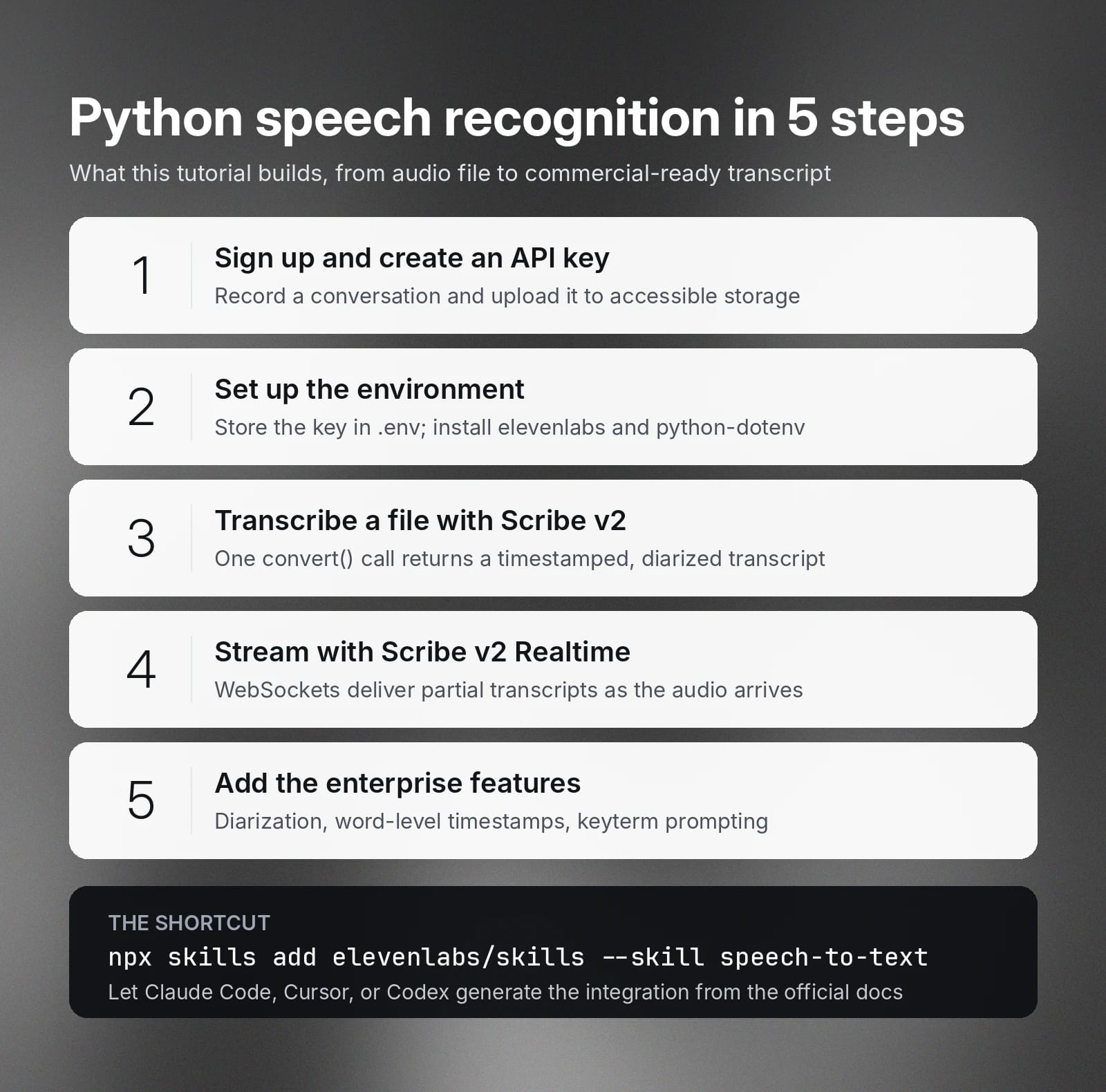
What this Python speech recognition tutorial covers
This tutorial covers prerequisites, API integration, and advanced transcription features that help you build a speech recognition Python app for enterprise use cases.
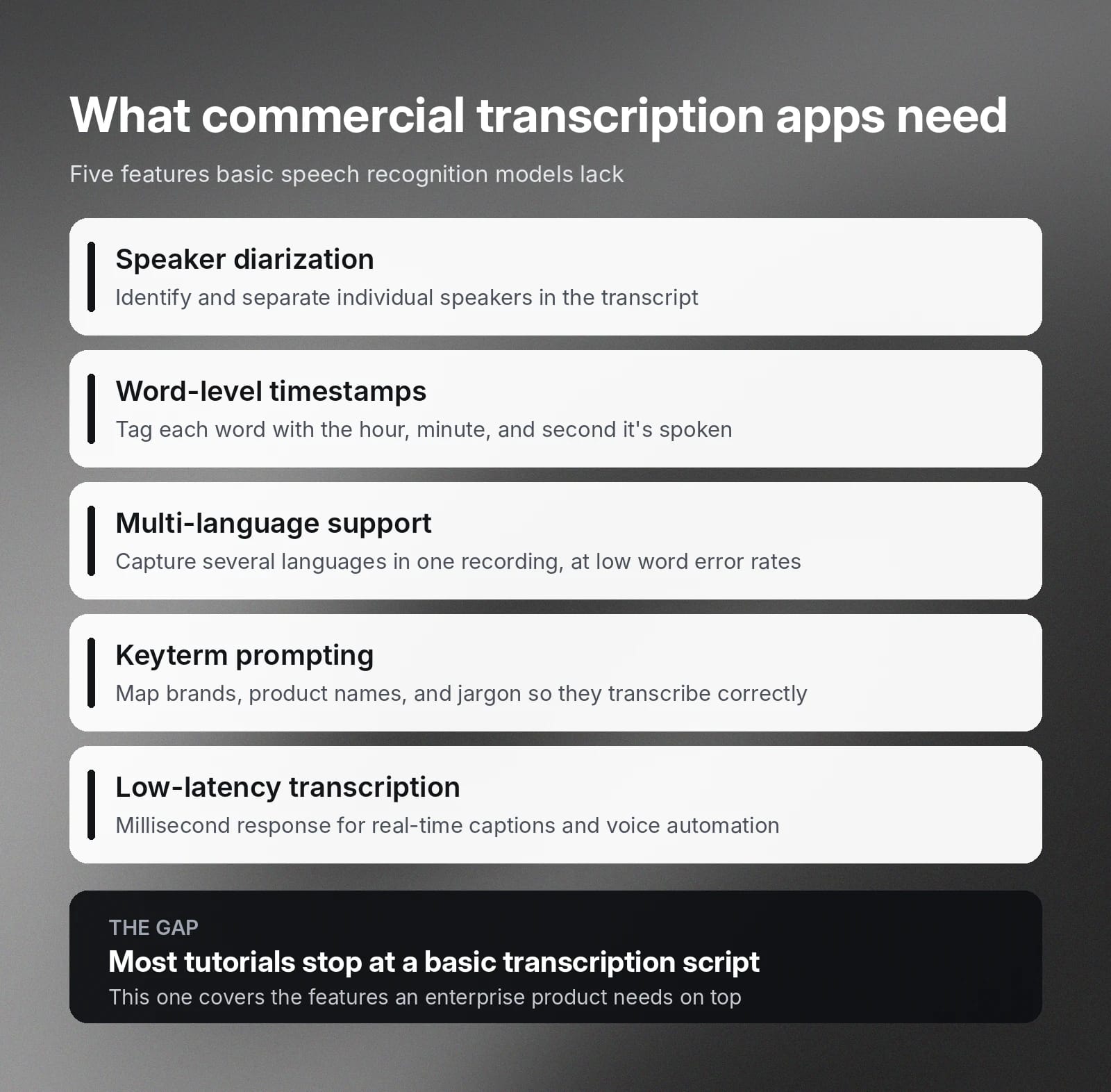
Speech recognition has matured in recent years, especially as large language models and deep learning neural networks have changed how Python developers use transcription SDKs. While many tutorials show how to build basic transcription apps, few cover the features a commercial-ready product needs.
We wrote this tutorial to address the gap.
For example, many enterprise transcription solutions require these features:
- Speaker diarization: The ability to identify and segregate individual speakers in the transcript.
- Timestamp: Accurately tagging each word with the relative hours, minutes, and seconds they’re spoken.
- Multi-language support: Captures speeches in different languages within a single recording or live stream with low word error rates.
- Keyterm prompting: Mapping special words, such as brands, product names, and technical terms, to prevent misspelled transcriptions.
- Low-latency transcription: Millisecond speech-to-text response that powers real-time transcription apps.
Note: This tutorial goes beyond generating simple personal scripts for hobby or personal projects. It doesn’t include application logic built on top of the Speech to Text API integration, since this differs by business.
Python speech recognition integration prerequisites
We design this tutorial around ElevenAPI, a production-grade API by ElevenLabs that simplifies voice model interaction in your code. With ElevenAPI, you have access to Scribe v2 and Scribe v2 Realtime, our leading voice models for batch and live transcription.
Instead of directly accessing ElevenLabs Speech to Text models, you pass audio recordings, live streams, and arguments through API calls. Then the audio model converts the audio data into text. Once completed, you receive the transcripts in the code or via a webhook.
To get started, follow these preparation steps.
- Sign up for ElevenLabs.
- Create your API key.
- Record a conversation and upload it to publicly accessible storage.
Once you’re ready, move on to the next section.
Setting up your environment
Before integrating with ElevenLabs models, set up your Python environment to secure your ElevenLabs API key. Like all API keys, we recommend storing it as an environment variable (a managed secret) in the .env file.
When you make an API call, you pass the environment variable. This prevents you from accidentally exposing the API key when making API requests through a public network.
Next, you run a Bash command to install elevenlabs,the ElevenLabs SDK, in your Python environment. The SDK allows you to access various voice models. In this case, you choose between Scribe v2 and Scribe v2 Realtime.
You’ll also need to install python-dotenv, which allows your Python code to access environment variables stored in the .env file.
Writing your first transcription script
Once you’ve set up the Python environment, you can transcribe the audio file using ElevenLabs Scribe v2.
ElevenLabs Scribe v2 is an industry-leading speech recognition model that lets you transcribe audio files at scale. It detects phonemes with high accuracy even when the audio recording consists of significant background noise. To transcribe audio, you send the recording to the model via the ElevenLabs API and retrieve the completed transcript.
Below is a Python code snippet that converts an audio file into a timestamped, diarized transcript.
The code loads the necessary libraries that provide the functions the code needs. It also loads the environment variables you declared into the program’s environment.
Then, it creates an ElevenLabs client using the API key stored in the environment variable. Next, it downloads the audio file and converts it into binary data.
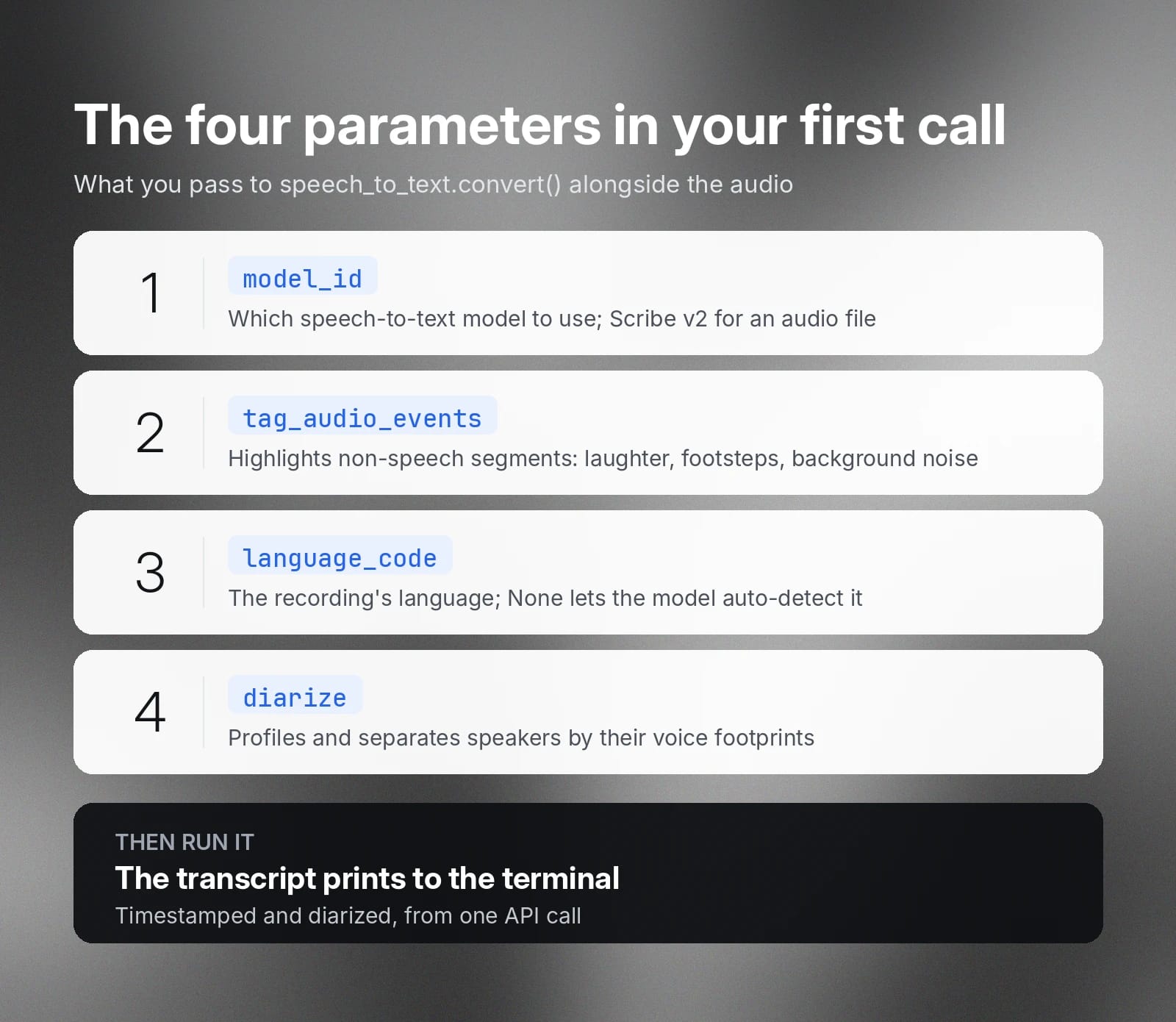
Once you have the raw audio data, you send it to the ElevenLabs API along with several parameters.
- model_id indicates the speech-to-text model you want to use. Because you’re passing an audible file, Scribe v2 is the best option.
- tag_audio_events allows you to highlight non-speech segments, such as laughter, footsteps, and other background noise.
- language_code represents the language of the conversations in the recording file. When set to None, the model will automatically detect the language.
- diarize indicates if you want the model to profile and segregate different speakers based on their voice footprints.
Finally, run the code, and you will see the transcribed audio in the terminal.
Streaming speech recognition in Python
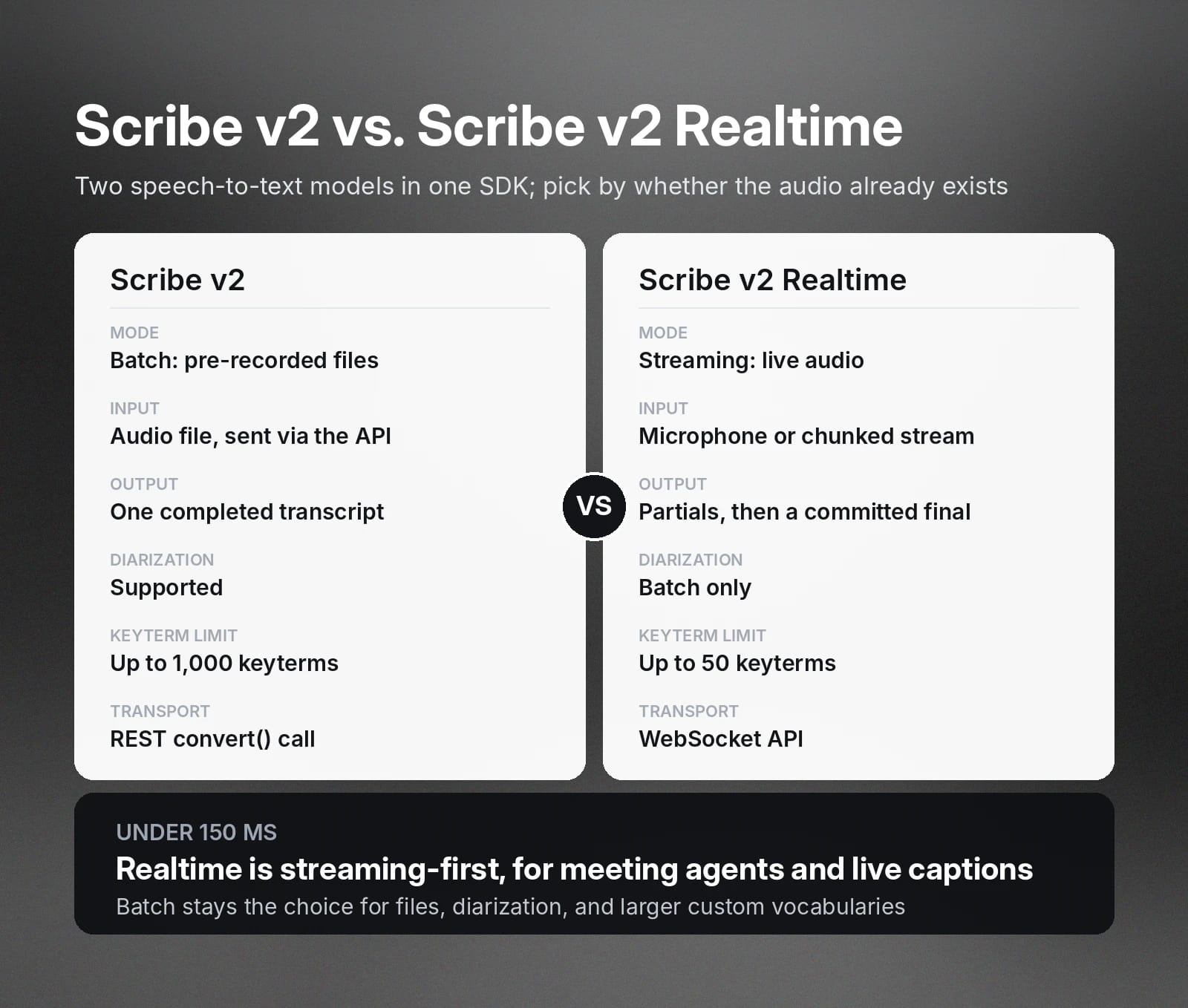
The above example covers batch transcription, which suits pre-recorded files. However, ElevenLabs also provides APIs that let you build streaming speech recognition. Unlike batch processing, this mode runs speech recognition in real time to generate transcripts as the conversation takes place.
To do so, you connect your Python code with the Scribe v2 Realtime model using the WebSocket API.
Scribe v2 Realtime offers a streaming-first architecture with transcription latency under 150ms. You use Scribe v2 Realtime to build applications like meeting agents, accessibility tools, and voice-activated automation. The model returns a partial transcript as it processes the audio stream. It returns the final transcript only when the code commits an audio segment, either automatically or manually.
Depending on your audio source and application type, you integrate speech recognition with the ElevenLabs API on either the server side or client side.
- Client-side streaming lets you stream directly from the microphone or through manually chunked audio streams.
- Server-side streaming routes audio data from a URL or an audio source to the voice model.
Both client-side and server-side streaming let you use an asynchronous workflow. Instead of continuously polling the API, use WebSockets to handle the results. In your code, you need to create handlers that receive partial and finalized transcripts.
Going further: diarization, timestamps, and custom vocabulary
Beyond automatic speech recognition, ElevenLabs Speech to Text models support diarization, timestamps, and custom vocabulary.
- Diarization: Only batch transcription supports speaker diarization. You enable diarization by setting the diarize argument. However, multi-channel transcription, a mode within batch transcription, doesn’t support diarizaiton.
- Timestamps: When performing batch transcription, you can choose between word or character-level timestamps. To do so, set the timestamps_granularity parameter when using the convert method.
- Custom vocabulary: Both real-time and batch transcription support keyterm prompting. This feature biases the model towards transcribing specific keyterms you include in a list. Scribe v2 Realtime supports up to 50 keyterms, while Scribe v2 supports 1,000 keyterms.
Using the ElevenLabs skill in AI coding assistants
AI coding assistants expedite development. If you’re using tools like Claude Code, Cursor, Codex, or similar AI coding tools, you can add ElevenLabs skills in the coding environment.
All you need to do is run this command in your platform’s terminal:
The AI coding agent will download the speech-to-text skill from ElevenLabs’ GitHub repo and install it in the local skill directory. This lets you automatically generate Python code for speech recognition based on ElevenLabs’ official documentation, instead of writing the entire API integration from scratch.
Once installed, you can generate speech recognition Python code just by describing what it does conversationally. Based on the description, the coding assistant automatically generates code using the speech-to-text skill, with the correct model and parameters.
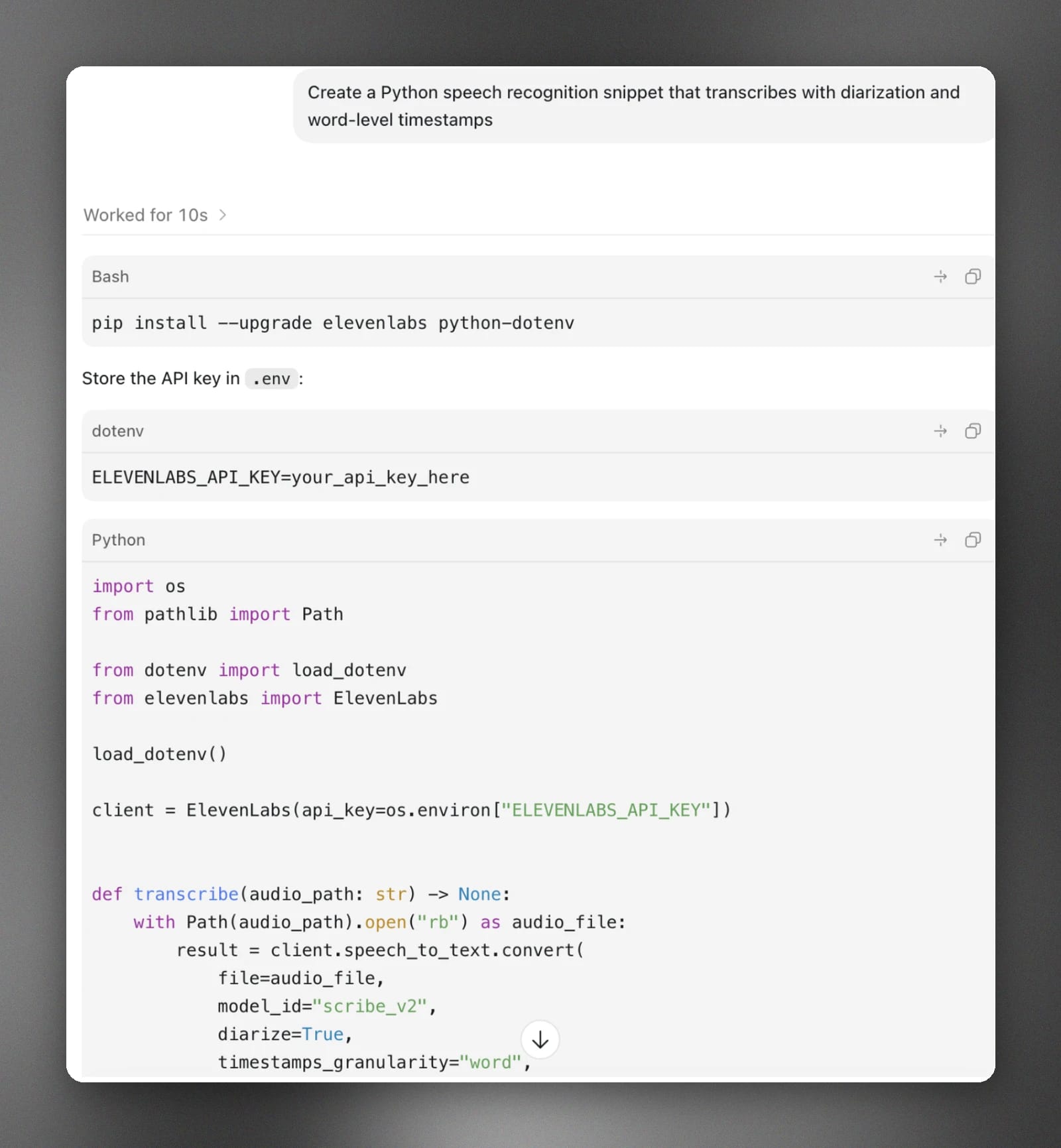
For example, if you type “Create a Python speech recognition snippet that transcribes with diarization and word-level timestamps” in Codex, you’ll get a similar snippet like the one below.
Get started with ElevenAPI for speech recognition
ElevenAPI allows you to access advanced Speech to Text models to build speech recognition apps in Python.
By using ElevenAPI, you avoid writing integration code from scratch, which delays product innovation. Instead, you use SDKs that expose Speech to Text services that meet commercial-grade requirements, such as keyterm prompting, diarization, and timestamps.
Get your ElevenLabs API key now and explore our official documentation to learn how the API works.
FAQs

Jack Limebear is on the Growth team, acting as a content writer and strategist across the blog and insights pages. Before ElevenLabs, he spent over a decade leading content strategy for organizations ranging from fast-growing SaaS startups to Fortune 500 companies. He holds a Master's degree in English Literature from the University of Cambridge.