推出 Eleven v4认识 Eleven v4:迄今情感表现最丰富的模型。

跳至内容

什么是 Audio Tags?情感 TTS 完整指南

发布时间
最近更新

收听收听本文

Audio Tags 是用方括号括起的自然语言提示,如 [laughs]、[gasps]、[excited] 和 [worried]。Eleven v3 和 Eleven v4 会将其视为表演指导,而非要朗读的文字。为文本转语音模型编写脚本时,插入这些 Audio Tags,即可精细控制文本的情感表达。

Eleven v3 于 2026 年 3 月正式公开发布。在 v3 之前,要让 文本转语音 模型呈现特定情感,往往需要反复生成内容,再碰运气。Audio Tags 消除了这种猜测,让你能完全掌控情感化文本转语音的表现。Eleven v4 更进一步,提供精细的情感控制。

本指南将介绍 Audio Tags 是什么、如何运作、有哪些标签类别,以及它们与 SSML(语音合成标记语言)的区别。还会介绍常见使用场景,每个场景均链接至专门指南。

摘要

  • Audio Tags 是 [shouts]、[excited] 等方括号提示,可在 Eleven v3 和 Eleven v4 的 TTS 中引导情绪、节奏、表达方式和语气。
  • Eleven v3 和 Eleven v4 不支持 SSML,但以 Audio Tags 取代,带来更自然的写作体验。
  • 标签分为多个类别,包括情绪、表达与节奏、人类反应、口音和音效。
  • 文本中的标点和大写可塑造 AI 语音表现的节奏。
  • 可通过 ElevenLabs UI 或 API 使用 Audio Tags。

Audio Tags 如何运作?

Audio Tags 直接嵌入文稿,并用方括号括起。想改变表达方式时,例如从普通语气变为 [worried],只需添加一个音频标签。

也可以在一句话中使用多个标签,并组合标签,呈现更丰富的表演层次,例如:[tired] 今天真是漫长的一天…… [upset] 我还能撑多少天?

Eleven v4 的架构让模型能比早期模型更深入地理解上下文,无需额外参数或设置,即可遵循情感提示、语气变化、说话者切换和上下文线索。只要告诉模型当下需要什么,它就会按你的设想演绎这句台词。

Eleven v4 还可处理自然流畅的多说话者对话,包括打断、情绪变化和真实对话中的自然互动,这一切仅凭标签和脚本结构即可实现。

Audio Tags 与 SSML

如果用过其他 TTS 系统,可能接触过语音合成标记语言。Amazon Polly 和 Microsoft Azure Speech 等平台使用 <break>、<emphasis> 等 SSML 标签,为 TTS 脚本补充一定的上下文信息。

Eleven v4 不支持 SSML 的 break 标签或其他 SSML 标签集。取而代之的是,Audio Tags、标点和文本结构本身承担了这一作用,同时提供精细的表达控制。

可参考下表,了解常见 SSML 标签对应的 Eleven v4 替代方案。

What it does
<break time=”1s”>
Inserts a pause
<prosody rate=”slow”>
Slows down speech
<prosody rate=”fast”>
Speeds speech up
<emphasis>
Stresses a particular word
<prosody pitch=”high”>
Shifts pitch higher
<prosody pitch=”low”>
Shifts pitch lower
Eleven v4 equivalent
<break time=”1s”>
[pause], an ellipsis in your text, or a line break
<prosody rate=”slow”>
[drawn out] or [slowly]
<prosody rate=”fast”>
[rushed]
<emphasis>
[shouts] or capitalizing a word
<prosody pitch=”high”>
Emotional tags like [excited]
<prosody pitch=”low”>
Emotional TTS tags like [softly] or [sorrowful]

对作者而言,在台词中加入 [whispers] 比配置 韵律 速度轻松得多。

v3 中的 Audio Tags 类别:用 Audio Tags 指导演绎

可在脚本任何位置加入 Audio Tags,实时塑造表达方式。还可在脚本甚至一句话中组合使用标签。

标签分为以下核心类别。

情绪

这些标签可帮助设定音色的情绪基调,无论是低沉、强烈还是欢快。例如,可单独或组合使用 [sad]、[angry]、[happily] 和 [sorrowful]。

[sorrowful] I couldn't sleep that night. The air was too still, and the moonlight kept sliding through the blinds like it was trying to tell me something.
[quietly] And suddenly,
that's when I saw it.
0:00
Okay, you are not going to believe this. You know how I've been totally stuck on that short story, like staring at the screen for hours, just nothing? [sighs] I was seriously about to just trash the whole thing, start over, give up probably.
But then [chuckles] last night, I was just doodling, not even thinking about it, right? And this one little phrase popped into my head, just completely out of the blue. And it wasn't even for the story initially, but then I typed it out just to see, and it was like the floodgates opened. Suddenly, I knew exactly where the character needed to go, what the ending had to be. It all just clicked. [sighs] I stayed up till like 3:00 a.m. just typing like a maniac. Didn't even stop for coffee. [chuckles] And it's, it's good, like really good. It feels so complete now, you know? Like it finally has a soul. [sighs] I am so incredibly pumped to finish editing it now. It went from feeling like a chore to feeling like
magic. Seriously, I'm still buzzing.
0:00

表达与节奏

这类标签更侧重语气和表演。可用于调整音量和能量,适合需要克制或爆发力的场景,例如 [whispers]、[shouts] 和 [softly]。

Could you switch my accent in the old model? [dismissive] Didn't think so, [cheeky] but you can now, so check this out. In just a sec, I'm going to speak with a different accent. And just between you and me, [whispers] I don't really know how, but okay. First, let's change it up [australian accent] so that I can fit in with the locals in Melbourne when I visit next month. [laughing] Whoa. Yeah, man, this is sick. Okay, let's try a different one, see if you can guess. [french accent] My love is like a red, red rose.
0:00
So, I was thinking we could-
[jumping in] Test our new timing features.
[surprised] Exactly! How did you-
[overlapping] Know what you were thinking? Lucky guess. Sorry, go ahead.
[cautiously] Okay. So if we both try to talk at the same time-
We'll probably crash the system?
[panicking] Wait, are we crashing? I can't tell if this is a feature or a-
[interrupting] Bug. Did I just cut you off again?
[sighing] Yes. But honestly, this is kind of fun.
0:00

人类反应

真正自然的语音包含反应。例如,可在语音中嵌入自然、即兴的片段,增强真实感。[laughs]、[clears throat] 和 [sighs] 等标签都能帮助 TTS 模型呈现人类情感。

其他音频标签类别示例包括:

  • 口音和角色声音: 口音标签无需切换模型,即可将声音转为特定地区口音或角色形象,例如 [French accent]、[British accent] 或 [pirate voice]。可将单一音色变为灵活的角色阵容,而非固定的一种表演。
  • 音效: 音效标签可直接在生成内容中添加非语音音频,例如 [gunshot]、[explosion] 和 [clapping]。它们很适合沉浸式音频、游戏和戏剧化旁白等场景,这些场景需要的不只是声音。或者,也可以使用 ElevenCreative AI 音效生成器。

标签可提供高度控制,也可用标点塑造节奏和强调。例如,添加省略号可形成自然停顿,使用逗号可营造自然的呼吸节奏。还可将词语全大写以加强强调:“我现在就要。”

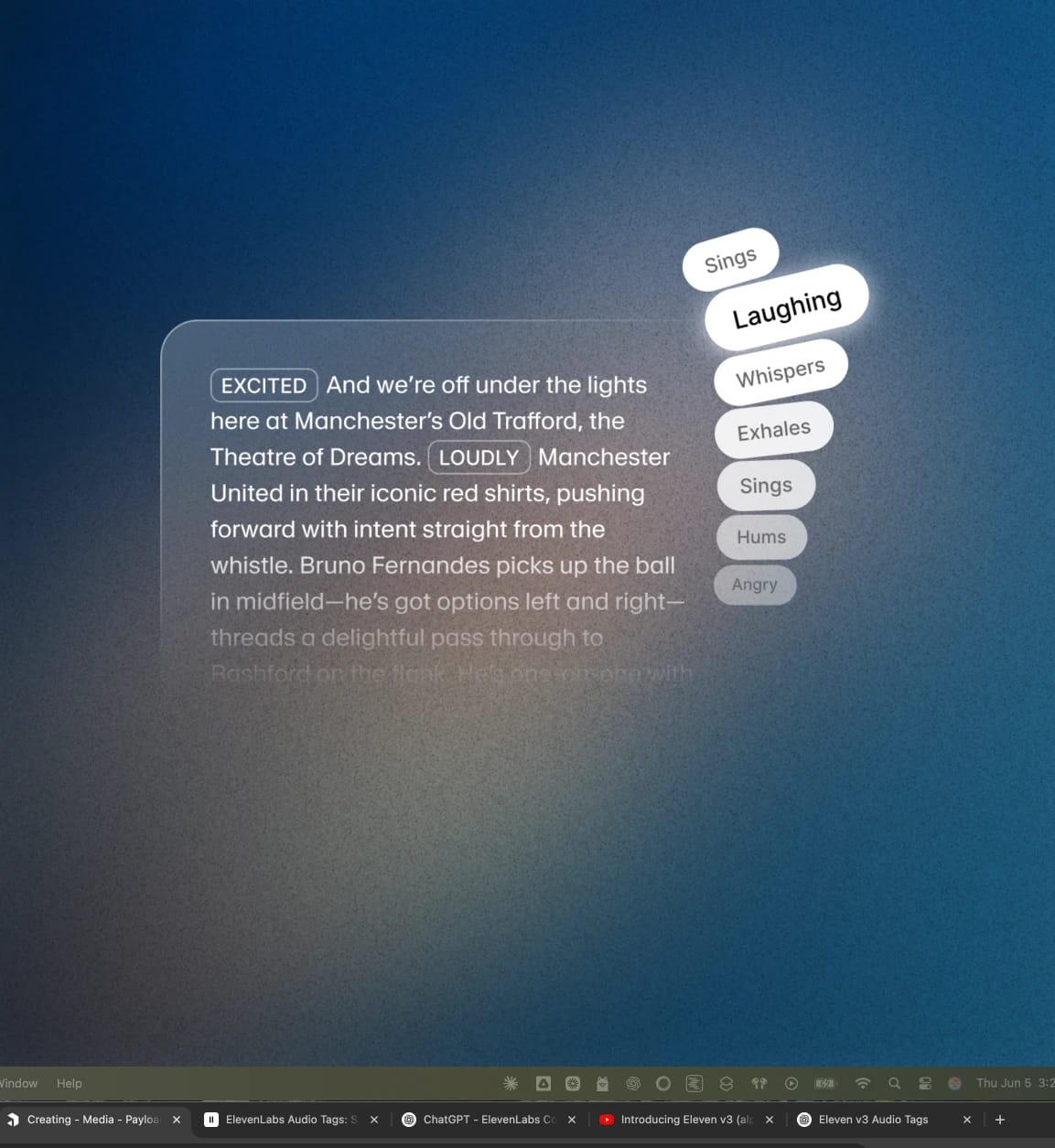
We're off under the lights here for this semifinal clash, the stadium buzzing with anticipation. Eleven Labs united in their iconic black and white shirts, pushing forward with intent straight from the opening whistle. [excited] The ball is zipped out wide, early attack here. Driving down the wing, pace to burn, [shouting] he skids past one, skips past two. Oh, this is beautiful. One-on-one with the fullback, cuts inside. Oh, that's a lovely bit of footwork. PURE MAGIC on the pitch. ElevenLabs on top form tonight.
0:00
Oh my God. [laughing] You guys, like no joke, I just tried this TTS thing and it was, like, weirdly emotional. Like, it literally said hi, and I was, like, on the verge of tears. [laughing] I don't even cry, okay? I'm a Capricorn.
0:00

Audio Tags 能做什么?

Audio Tags 可通过直观方式释放脚本中的情感复杂性。自然写作,并随时添加标签即可。

以下简要介绍 Audio Tags 在情感化 TTS 中的一些使用场景。

AI 音频中的情境感知

[whisper]、[shouting] 等标签让 Eleven v4 能针对当下情境做出反应。无论是柔化警告,还是为营造悬念拉长停顿,都能在脚本中构建动态情境感知。

如需完整了解,请查看我们的 AI 音频中的情境感知 指南。

指导语音中的角色表演

构建多角色脚本时,需要清晰展现每个音色的不同之处。无论是用 [sarcastically] 调整角色个性,还是用 [British accent] 定义说话方式,都能通过我们的 TTS 引擎呈现完整的情绪范围。

了解更多关于 指导 AI 语音中的角色表演。

在语音中表达情感语境

Audio Tags 可随着台词推进塑造情感表达。可在整段演讲中逐步铺陈情绪,并在你设想角色发挥到极致的时刻达到高潮。[awe]、[booming] 和 [big laugh] 等标签可为 AI 语音表演构建完整的情感范围。

了解更多关于使用 AI 语音中的情感语境。

让多角色对话鲜活起来

构建多角色对话表演时,可在每句开头加入音频标签,打造丰富的角色互动。

例如:Tom:[coughing] [beginning to speak] 抱歉,我今天有点不舒服—— Emma:[interrupting] ——不舒服?你知道我有多讨厌咳嗽,Tom!Tom:[surprised] 只是有点咳嗽,不严重。要是你会怎么想—— Emma:[overlapping] [annoyed] ——我觉得你该回家了。

了解使用 Eleven v3 的多角色对话 还能实现哪些效果。

AI 语音的精准表达控制

使用 Eleven v3 和 Eleven v4 时,可通过 Audio Tags 或标点控制语音节奏。[pause]、[rushed] 或 [drawn out] 等标签可让你精准塑造台词。也可以添加省略号、句号和感叹号,自然地为 TTS 表演注入情感。

我们撰写了一份关于 Eleven v3 精准表达控制 的深入指南。

API 支持情感化 TTS

通过 文本转语音 API 使用 Audio Tags 的方式与 ElevenLabs UI 中相同。将标签直接写入脚本文本,API 会在生成的音频中返回带有相应表演效果的内容,适用于从有声书工作流到广告旁白配音等场景。

了解更多关于 Eleven v4,或 联系销售团队,立即开始使用。

Audio Tags 和情感化 TTS 常见问题

作者

Jack Limebear 隶属于增长团队,负责博客和洞察页面的内容撰写与策略。加入 ElevenLabs 前,他曾在多家快速成长的 SaaS 初创公司和世界 500 强企业,拥有十余年内容策略管理经验。剑桥大学英语文学硕士。

相关内容

用高质量 AI 音频创作