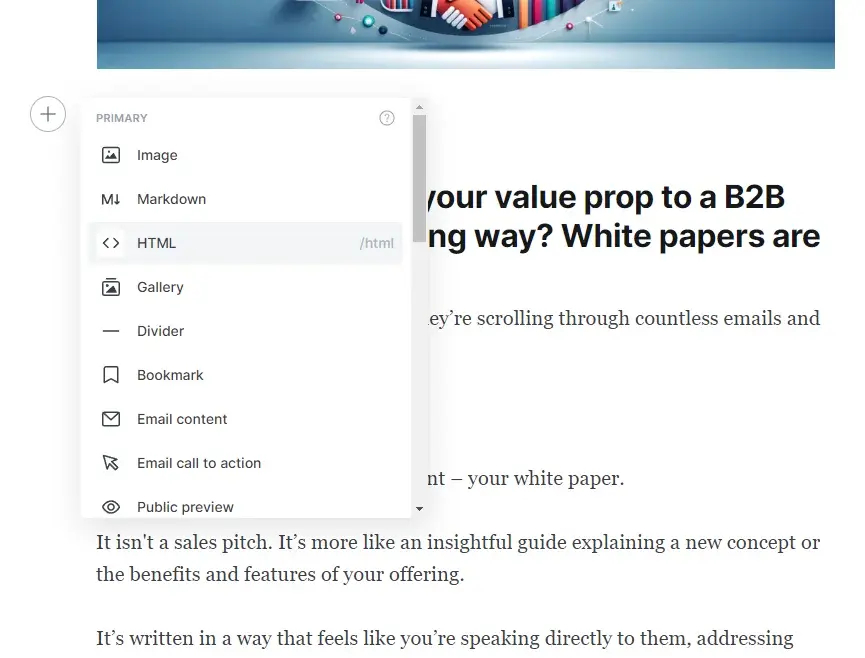
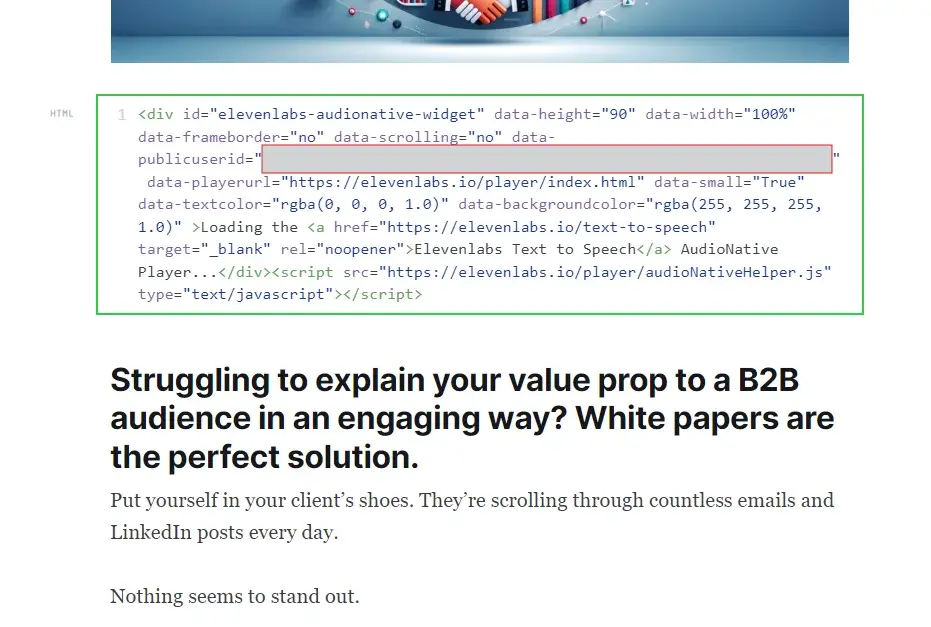
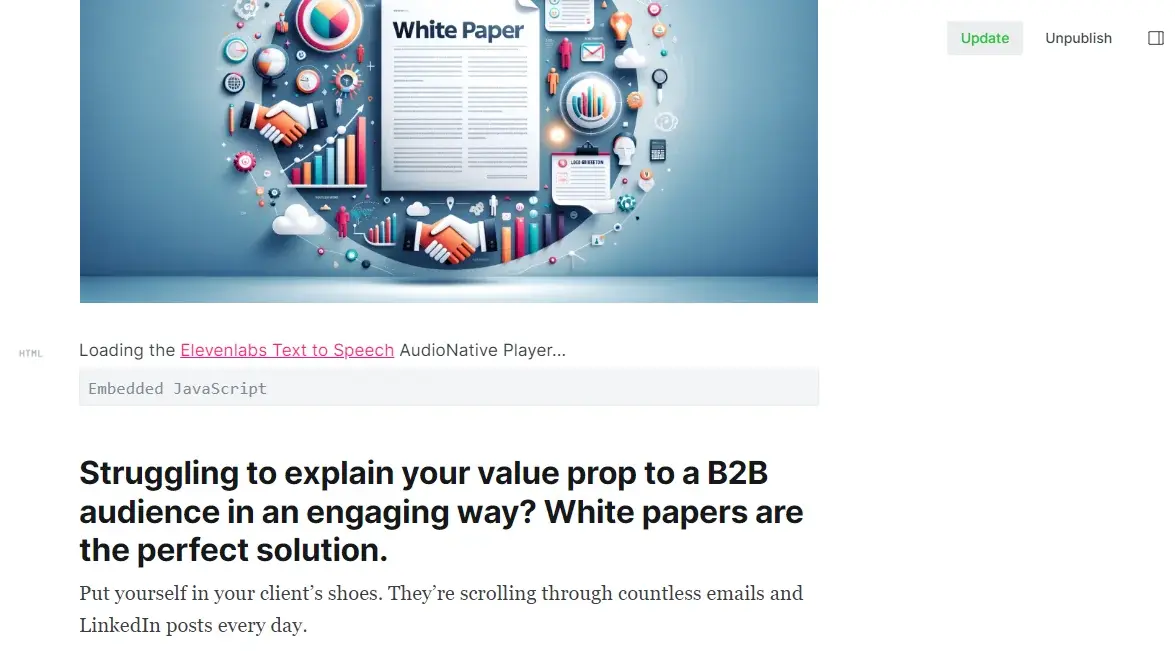
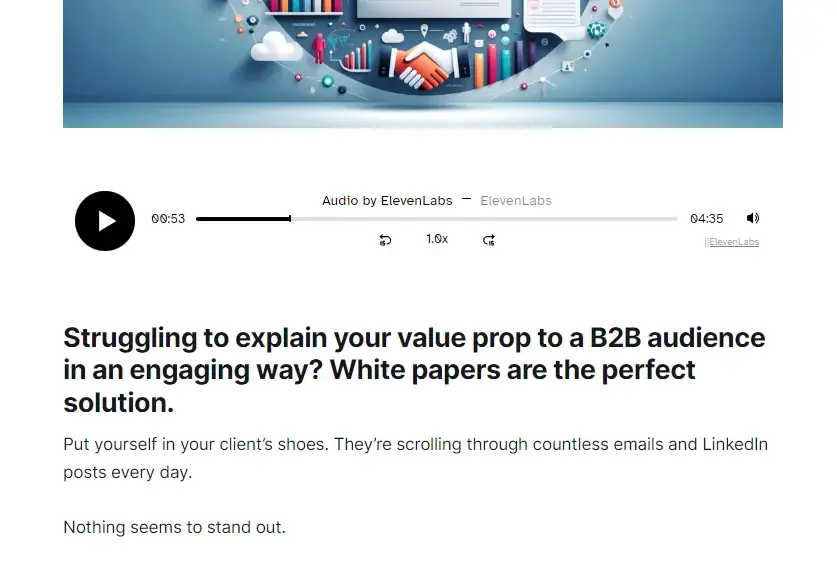
音频工具Audio NativeAudio Native 与 Ghost复制页面将 Audio Native 集成到 Ghost 博客。在继续阅读本指南前,请先按照 Audio Native 概览中的步骤开始使用 Audio Native。 1在博客文章中添加 HTML前往 Ghost 博客,登录后打开要添加旁白的博客文章设置页面。2将嵌入代码添加到博客文章点击左侧的“+”图标,然后从菜单中选择“HTML”。将 Audio Native 嵌入代码粘贴到 HTML 框中,然后按 Enter。嵌入代码片段 <div id="elevenlabs-audionative-widget" data-height="90" data-width="100%" data-frameborder="no" data-scrolling="no" data-publicuserid="public-user-id" data-playerurl="https://elevenlabs.io/player/index.html" data-projectid="project-id" > Loading the <a href="https://elevenlabs.io/text-to-speech" target="_blank" rel="noopener">Elevenlabs Text to Speech</a> AudioNative Player... </div> <script src="https://elevenlabs.io/player/audioNativeHelper.js" type="text/javascript"></script>3更新博客文章点击编辑器右上角的“更新”按钮,此时该按钮应以绿色文字高亮显示。4前往博客文章的线上版本最后,前往博客文章的线上版本。你会看到一条提示,说明正在创建 Audio Native 项目。几分钟后,博客文本将转换为音频文章,嵌入式音频播放器也会出现。