

ElevenCreative Flows
Design and automate complex multi-modal AI pipelines on an infinite visual canvas
Overview
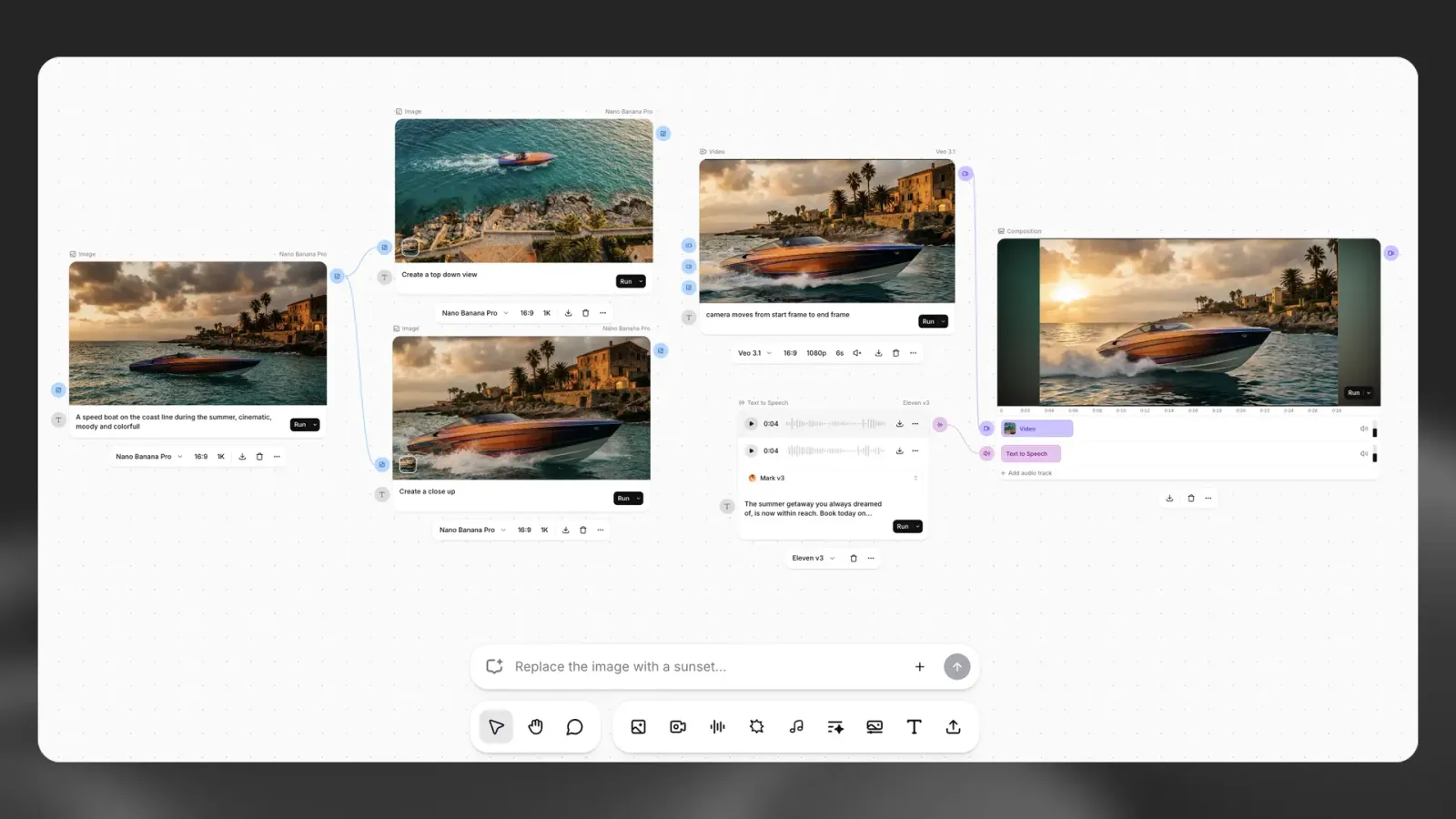
ElevenCreative Flows provides a node-based visual workspace for orchestrating end-to-end creative pipelines. While ElevenCreative Studio uses a linear timeline for precise editing, ElevenCreative Flows allows you to map out production logic on an infinite canvas.
With ElevenCreative Flows, you can chain together over 50 image and video models alongside ElevenLabs’ industry-leading speech, music, and sound effects models. This modular approach enables you to iterate on specific pipeline steps without regenerating the entire project.
Key capabilities
- Visual pipeline builder: Map complex multi-step workflows on an infinite canvas
- 50+ generative models: Access image, video, speech, music, and sound effects models in one interface
- Non-destructive iteration: Modify individual nodes without regenerating downstream content
- Modular composition: Layer and combine outputs from different models
- Template library: Start from pre-configured pipelines for common use cases
- Real-time collaboration: Work simultaneously with team members on the same flow
- ElevenCreative Studio integration: Export finished flows directly to ElevenCreative Studio for timeline editing
Real-time collaboration
Multiple team members can open the same flow, see each other’s cursors, make edits simultaneously, run the pipeline together, and leave comments on nodes. Shared flows appear in each collaborator’s flows list automatically.
Live cursor presence: See who’s working where in the canvas in real time.
Instant sync: All edits propagate immediately to every collaborator.
Shared execution: Everyone sees pipeline outputs at the same time.
Basic Seat access: Reviewers and stakeholders can collaborate at a reduced access tier. Basic Seat members can open shared flows, watch pipelines run, review outputs, and leave comments without needing a full workspace seat.
Public flows: External viewers can follow along as anonymous participants on public flows.
Guide
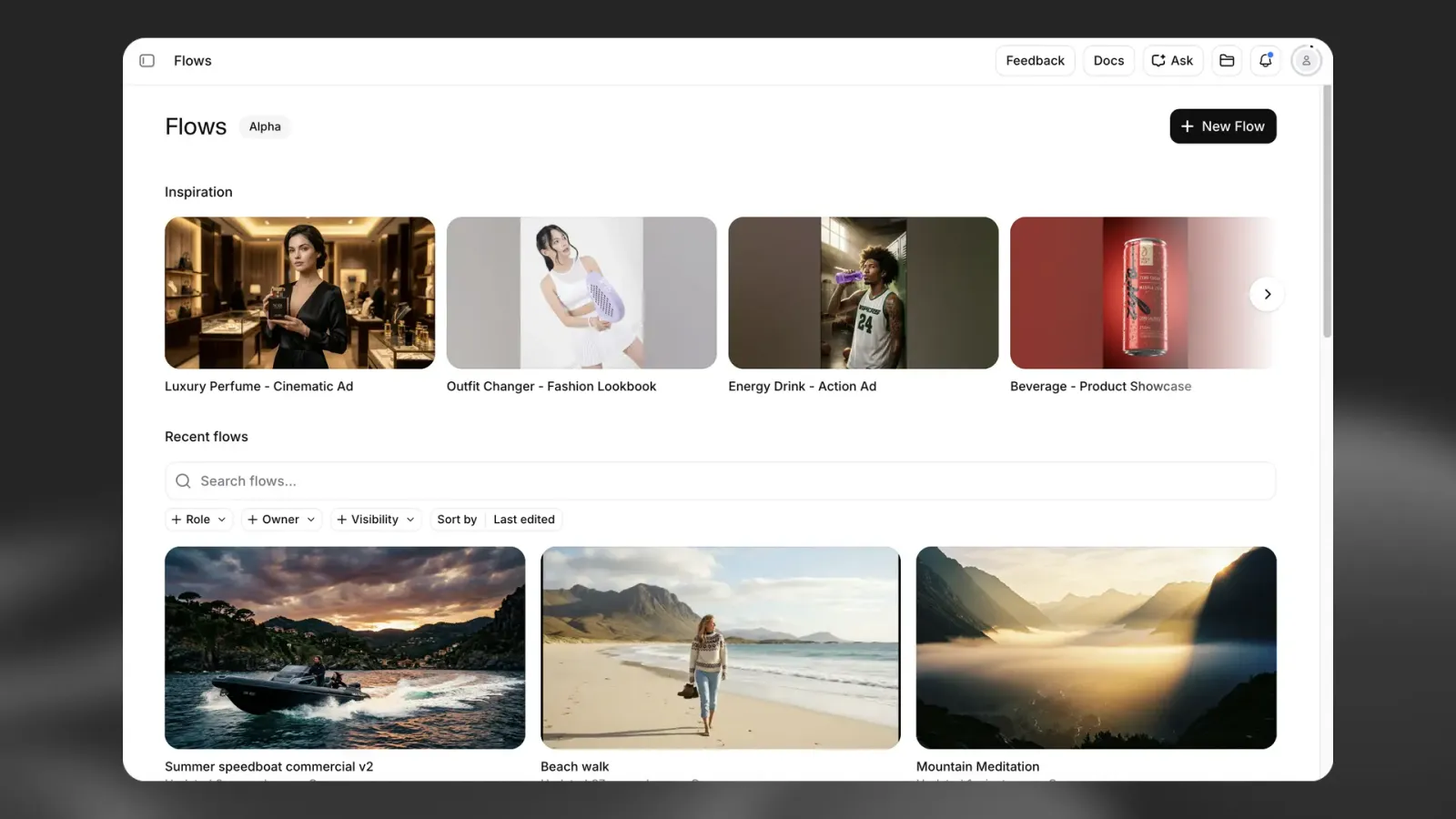
Add nodes
Right-click anywhere on the canvas or use the toolbar at the bottom to add a node. Nodes represent specific models or utility tools.
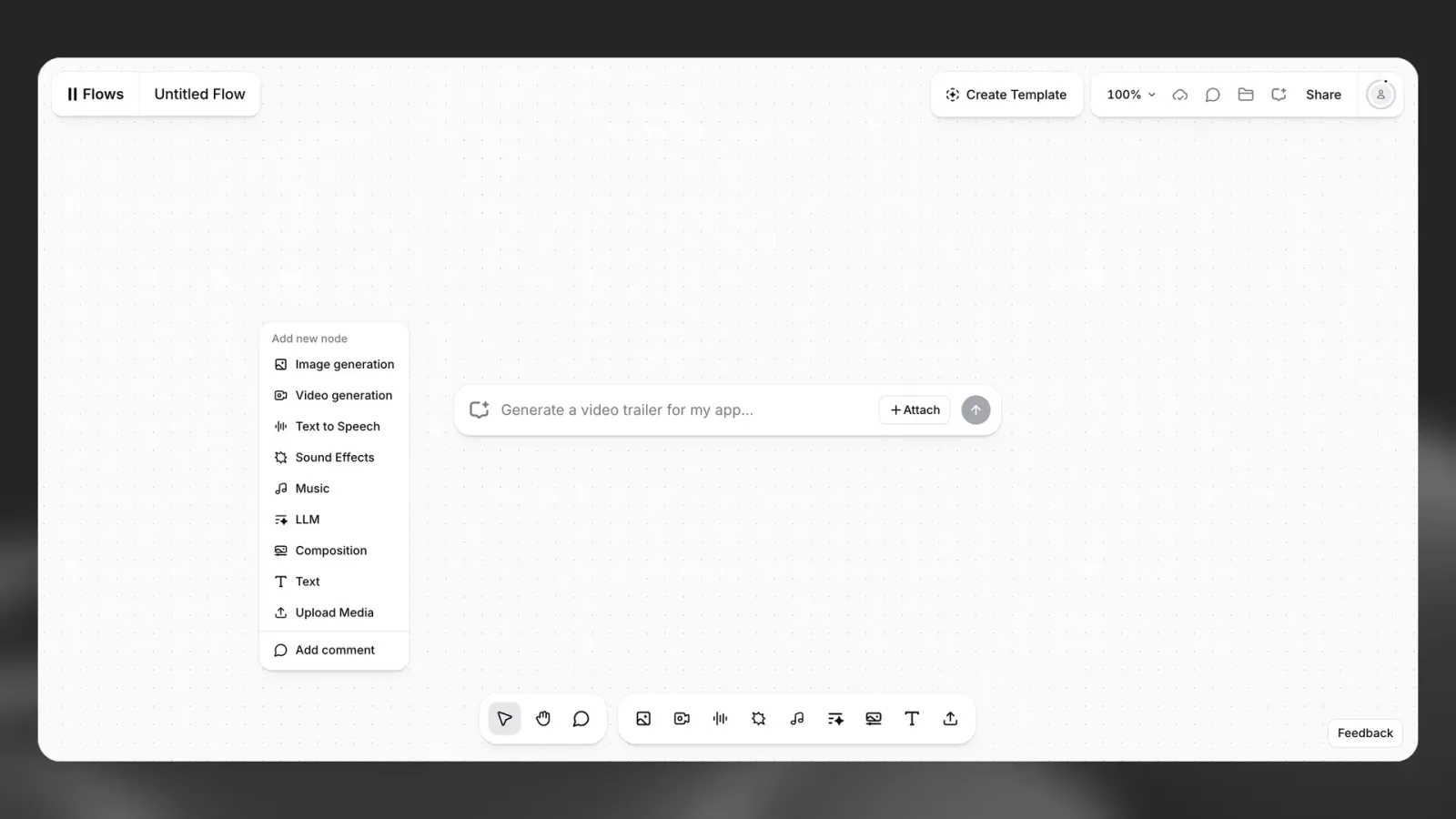
Connect your workflow
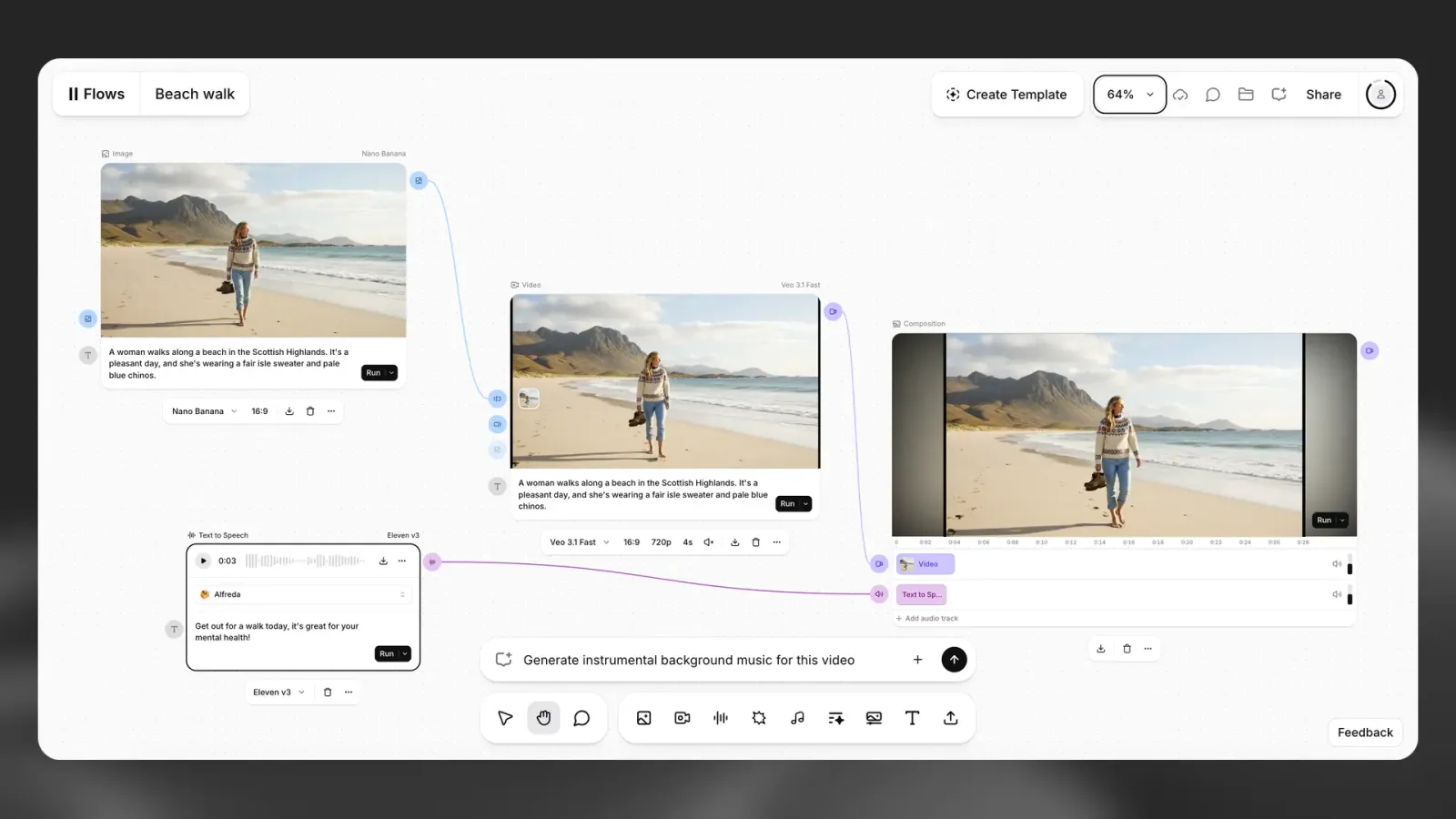
Click and drag from an output port of one node to the input port of another to chain them together. For example, connect a generated image to a video generation node.
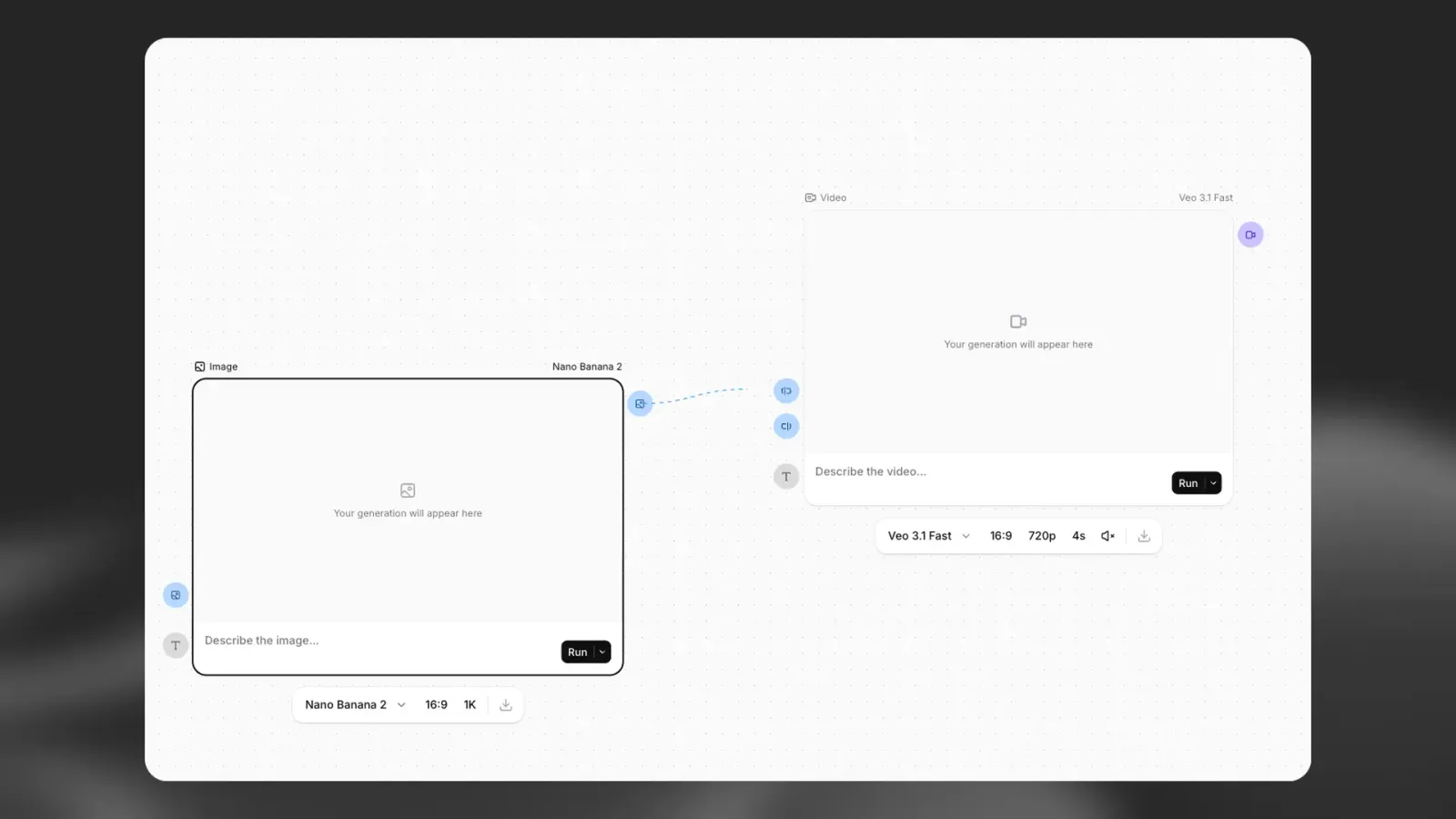
Execute and iterate
Click the Run button on individual nodes to generate content. Re-run a single node to test variations without affecting the rest of the chain.
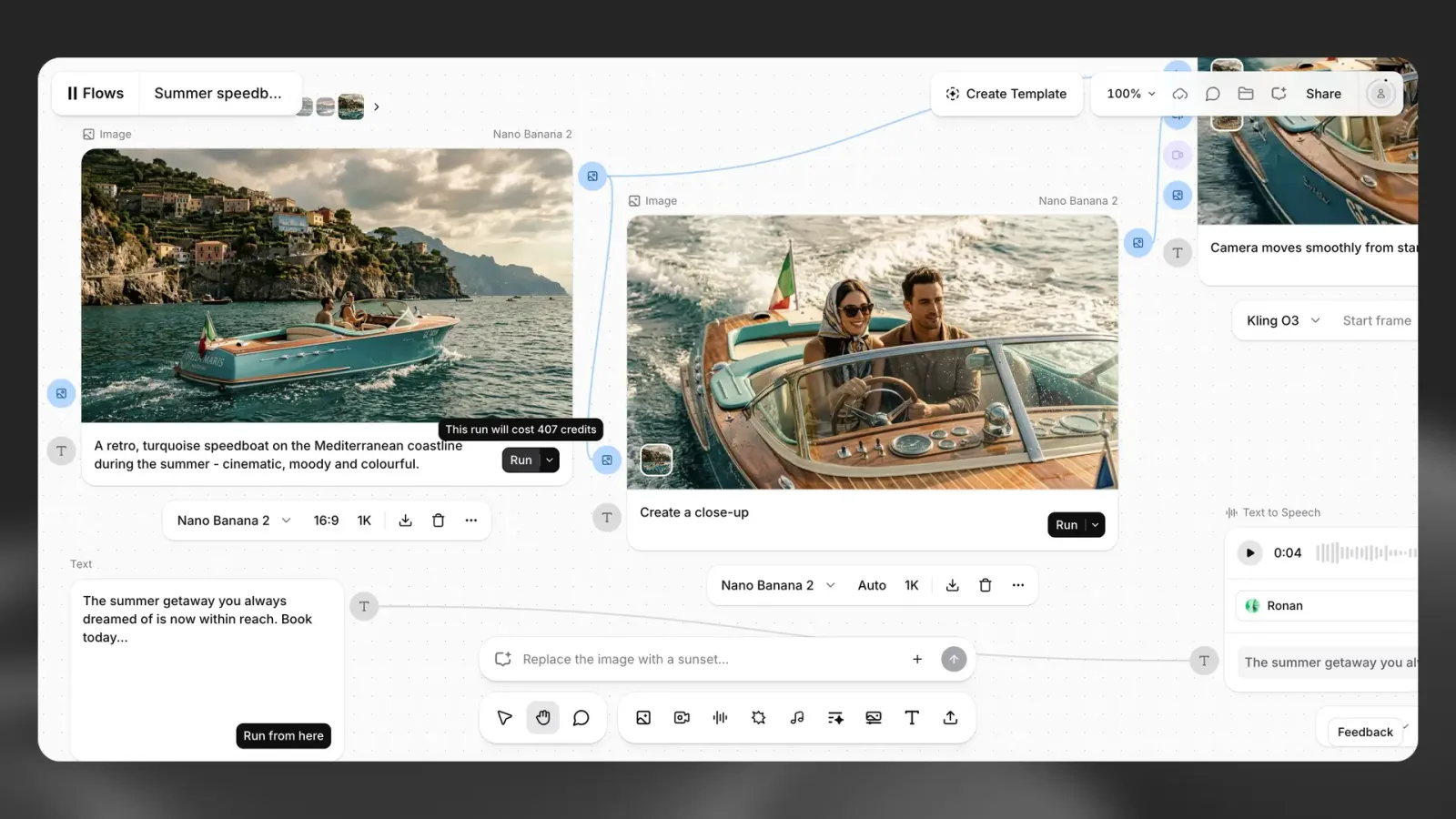
Export or move to ElevenCreative Studio
Once your flow is complete, export the final assets directly or send the project to ElevenCreative Studio for fine-tuned timeline editing.
Starting options
ElevenCreative Flows is designed for both exploratory creation and structured production pipelines.
Quick start
Start from scratch
Start from scratch
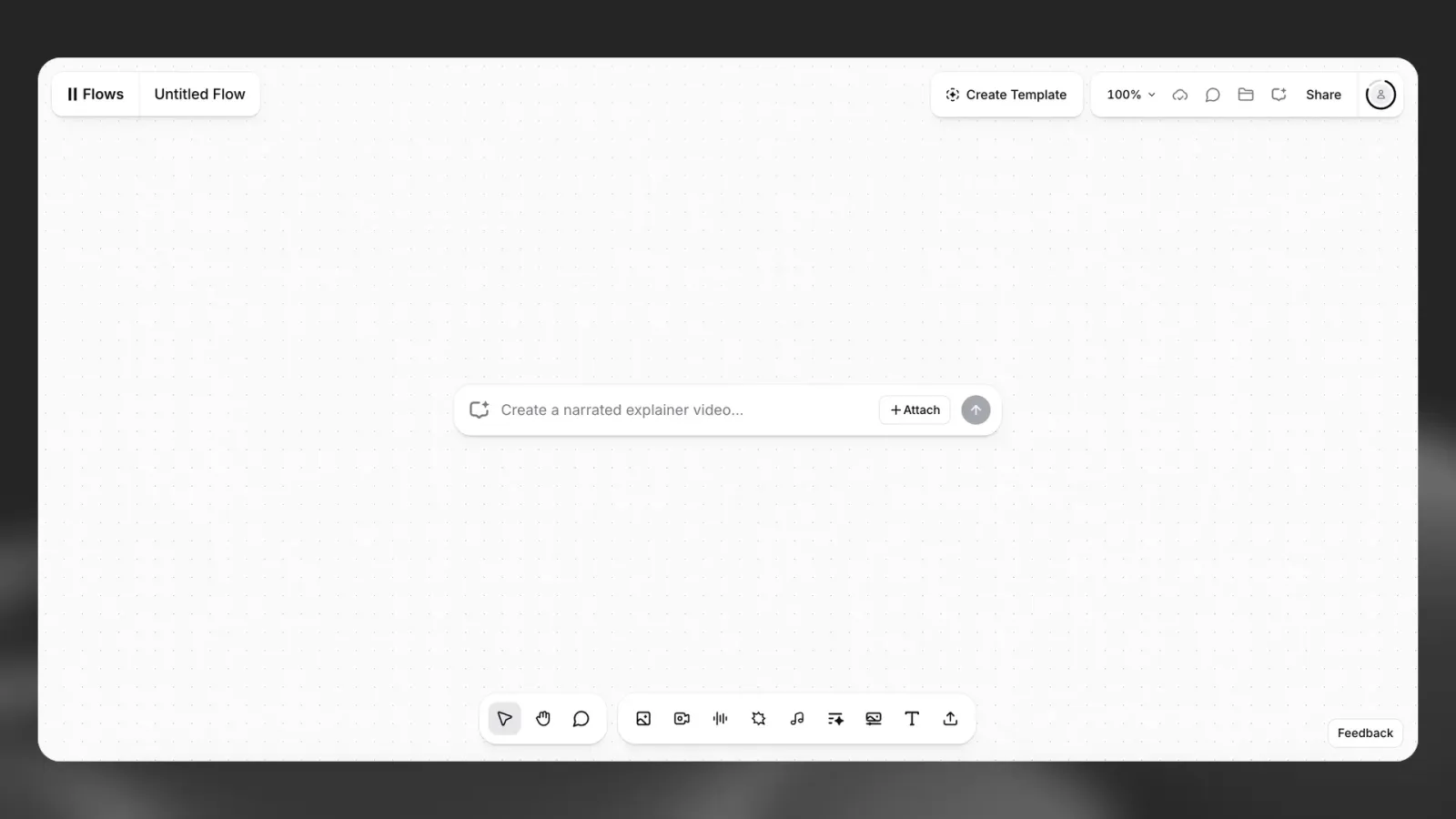
Begin with a blank canvas. This is ideal for building custom pipelines from the ground up or experimenting with complex multi-step generation chains.
Use a template
Use a template
Select from preset shortcuts at the center of the canvas to load pre-configured node structures:
- Perfume Ad: A template optimized for luxury product visuals and voiceovers
- E-commerce Store: Designed for creating rapid product demos and variations
- Yacht Promo Shoot: A multi-modal setup for high-end travel and lifestyle content
- And more: Additional templates are continuously being added
Flows Agent
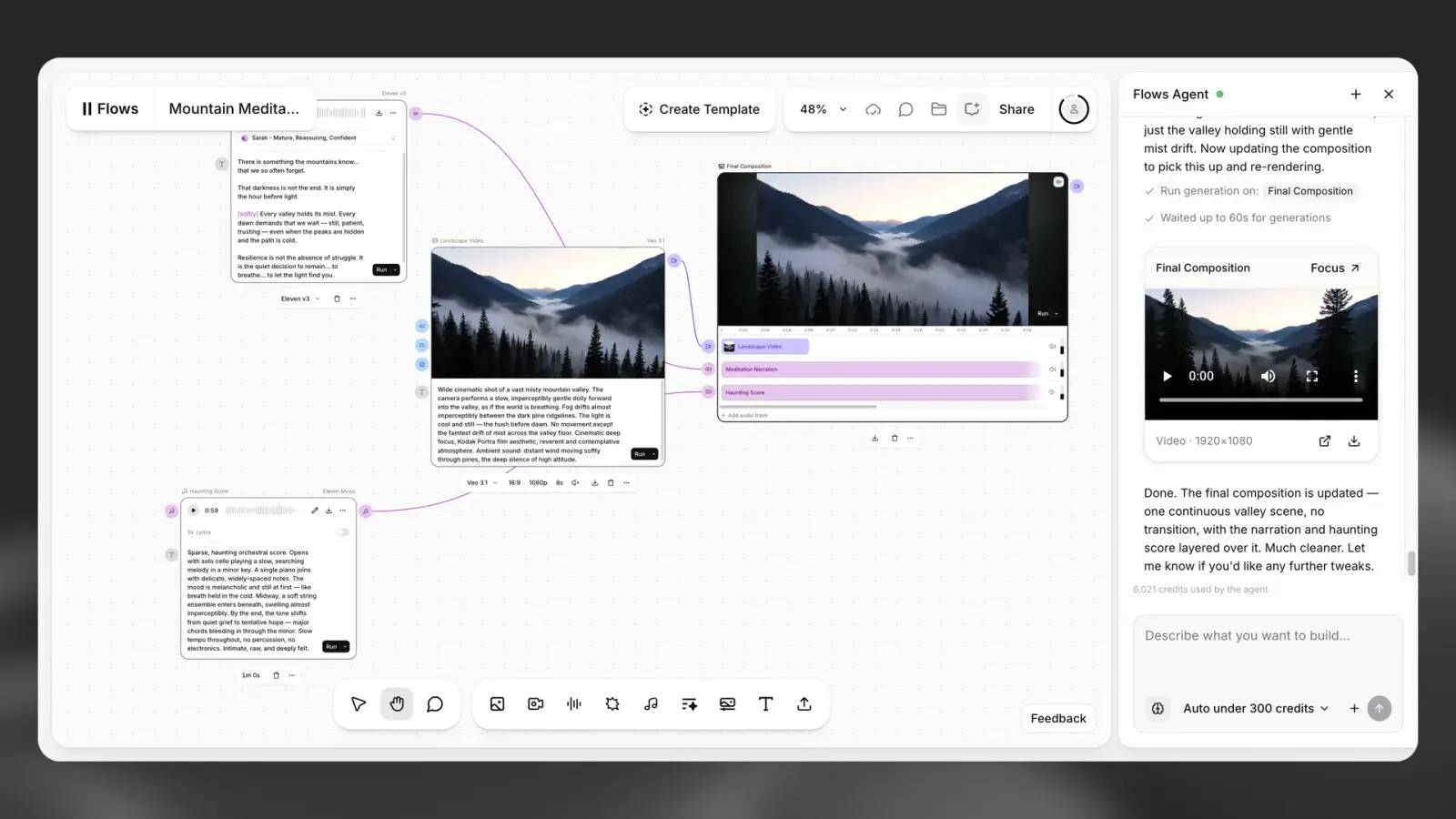
Flows Agent is a conversational AI co-editor built directly into ElevenCreative Flows. To begin working with the agent, enter a description of what you want to create in the agent chat box. You have the option to upload existing files or start from scratch. The agent may ask clarifying questions, then builds your flow by placing nodes directly onto the canvas. Continue the conversation to keep iterating on your flow by providing feedback and requesting changes.
Using the agent with existing flows
You can also work with Flows Agent on existing flows. Just enter a description of what you want to do in the agent chat box, and the agent will analyse your existing nodes and carry out your instructions.
Agent permissions
You can set permissions for the agent, with the following options:
- Approve each: you’ll be prompted to review and confirm every action before it executes.
- Auto-run: all actions will automatically execute without requiring confirmation.
- Auto under threshold: you’ll only be asked for confirmation when a single action’s cost exceeds your specified threshold.
Manual control
Flows Agent does not replace manual editing. You can take over at any point to make adjustments, then hand control back to the agent. Manual and agent-assisted editing work side by side throughout your workflow.
Pricing
Flows Agent is available on all plans. Chat usage is billed based on the volume and type of tokens processed during your conversation — there is no fixed price per interaction. Speech, image, music, sound effects, and video generation are billed at the standard rates for those capabilities. Commercial usage rights are determined by your subscription plan, consistent with other ElevenLabs products. Standard subscription plans are charged in credits, while Enterprise plans may use fiat billing. Contact our Enterprise Sales team to learn more.
To upgrade your plan, visit your Subscription page.
The node system
Nodes are the building blocks of a flow. Each node serves a specific purpose, from inputting text to generating high-fidelity video.
Generation nodes
Generation nodes
These nodes house the generative models that create your assets:
- Text to Speech: Generate narration using our latest models, including Eleven v4
- Image Generation: Choose from 50+ industry-leading models to create visuals
- Video Generation: Animate images or generate video clips directly from text
- Music: Add atmospheric soundtracks to your project
- Sound Effects: Add targeted sound effects to your project
See our capabilities overview for detailed information on each model type.
Processing & utility nodes
Processing & utility nodes
Use these nodes to refine and combine your content:
- Text: Add text input to your flow for prompts and instructions
- Upload Media: Import your own images, videos, or audio files into the flow
- Composition: A centralized preview node where you can layer audio and video to view the final output
- Lipsync Generation: Chain a speech node with either a video or image node to create perfectly synced talking heads
- Upscale: Increase the resolution and quality of your generated visual assets
Execution and iteration
Unlike linear editors, ElevenCreative Flows allows for non-destructive iteration.
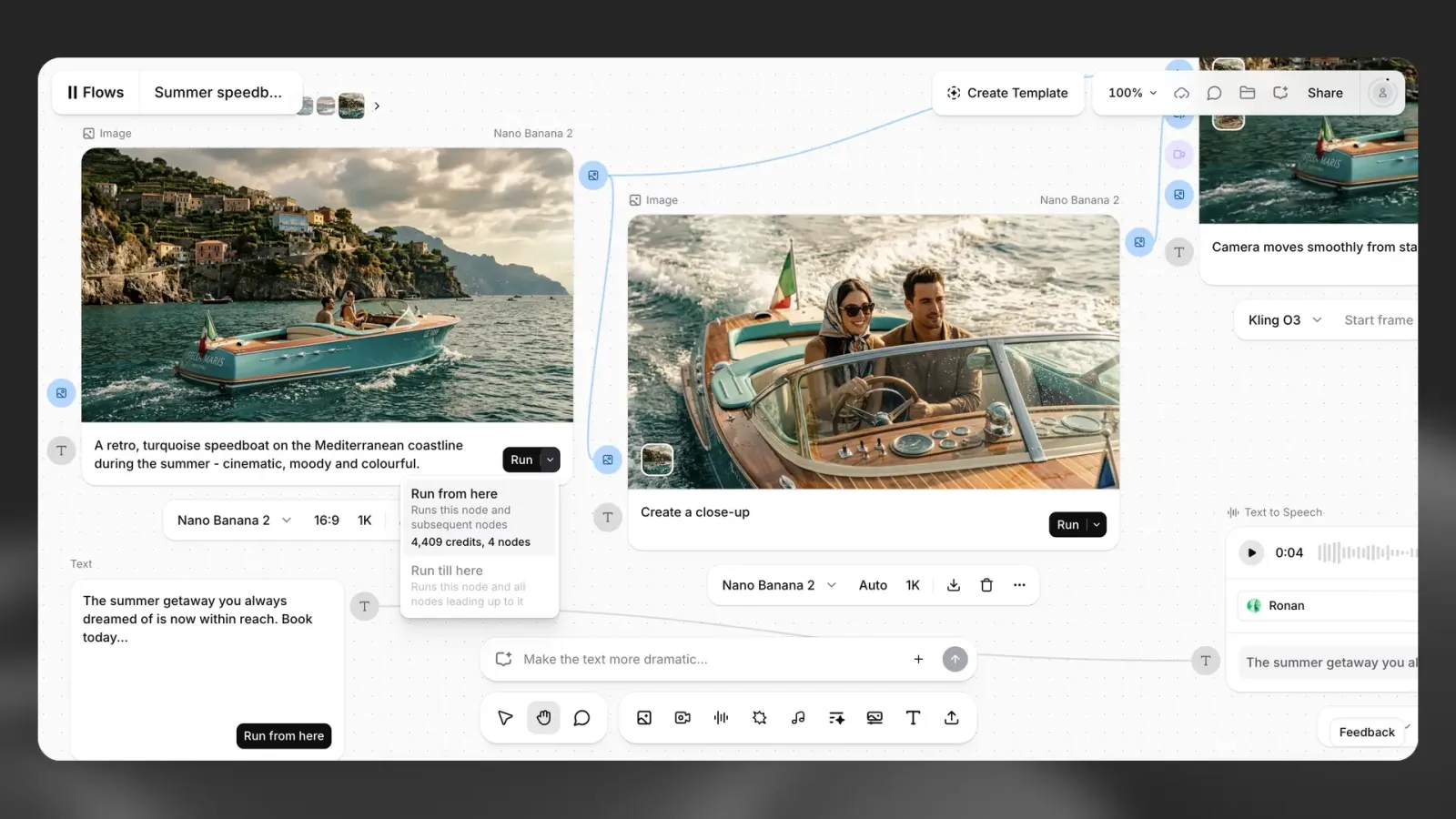
Partial generation: If you want to change the voiceover but keep the generated video, you only need to re-run the Text to Speech node. Only the subsequent nodes in that specific path will need to be updated.
Batch variations: Because the structure is saved as a flow, you can quickly swap out a single prompt or character and re-execute the pipeline to generate dozens of creative variations for A/B testing or multi-language campaigns.
Credit usage: Generating content within a node costs credits just like our standalone tools. Re-running a node will trigger a new generation and a new credit charge.
Export and final production
Once you are satisfied with the output of your flow, you have two primary options:
Download assets: Export individual files or the final composition from the result nodes.
Export to ElevenCreative Studio: Send your assets directly to ElevenCreative Studio if your project requires precise timeline-based adjustments, captions, or manual track layering.
Programmatic execution via API for mass creative production is planned for a future release.
Creating a template
You can create a template from an existing flow, allowing you to reuse the same flow with different inputs each time. Templates can be kept for personal use or shared with others.
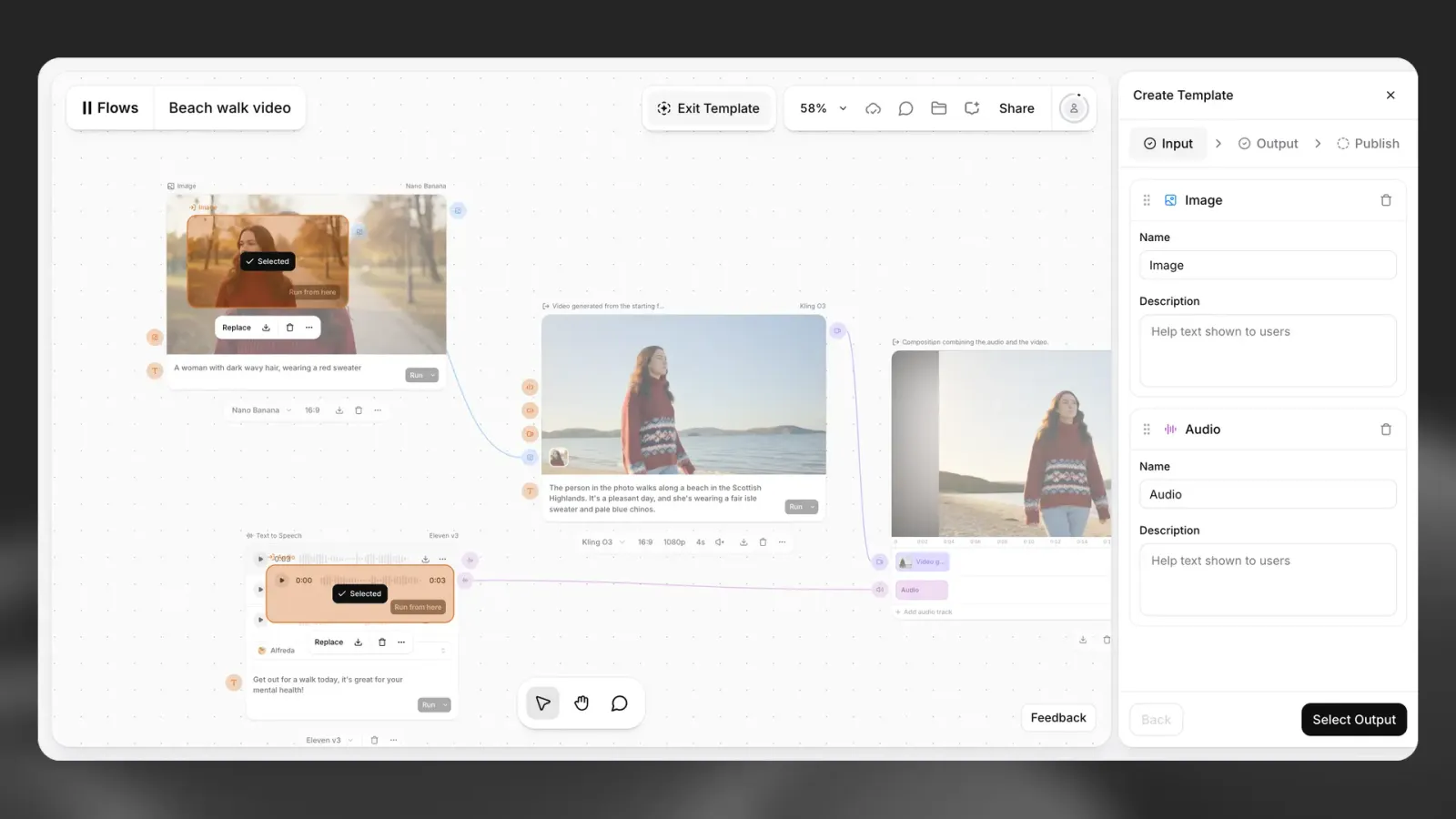
To create a template
Select your input nodes
These are the values someone provides when they run the template. You can have multiple inputs of different types.
Sharing options
When saving your template, choose who can access it:
- Just me: the template can only be used by you.
- Workspace: the template can be used by anyone in your workspace.
- Link only: the template can be used by anyone with the link.
- Explore: the template will be submitted for review. Once approved, it will be visible to everyone in the Templates Explore tab.
For more information on using and managing templates, see the Templates documentation.