

Music Finetunes
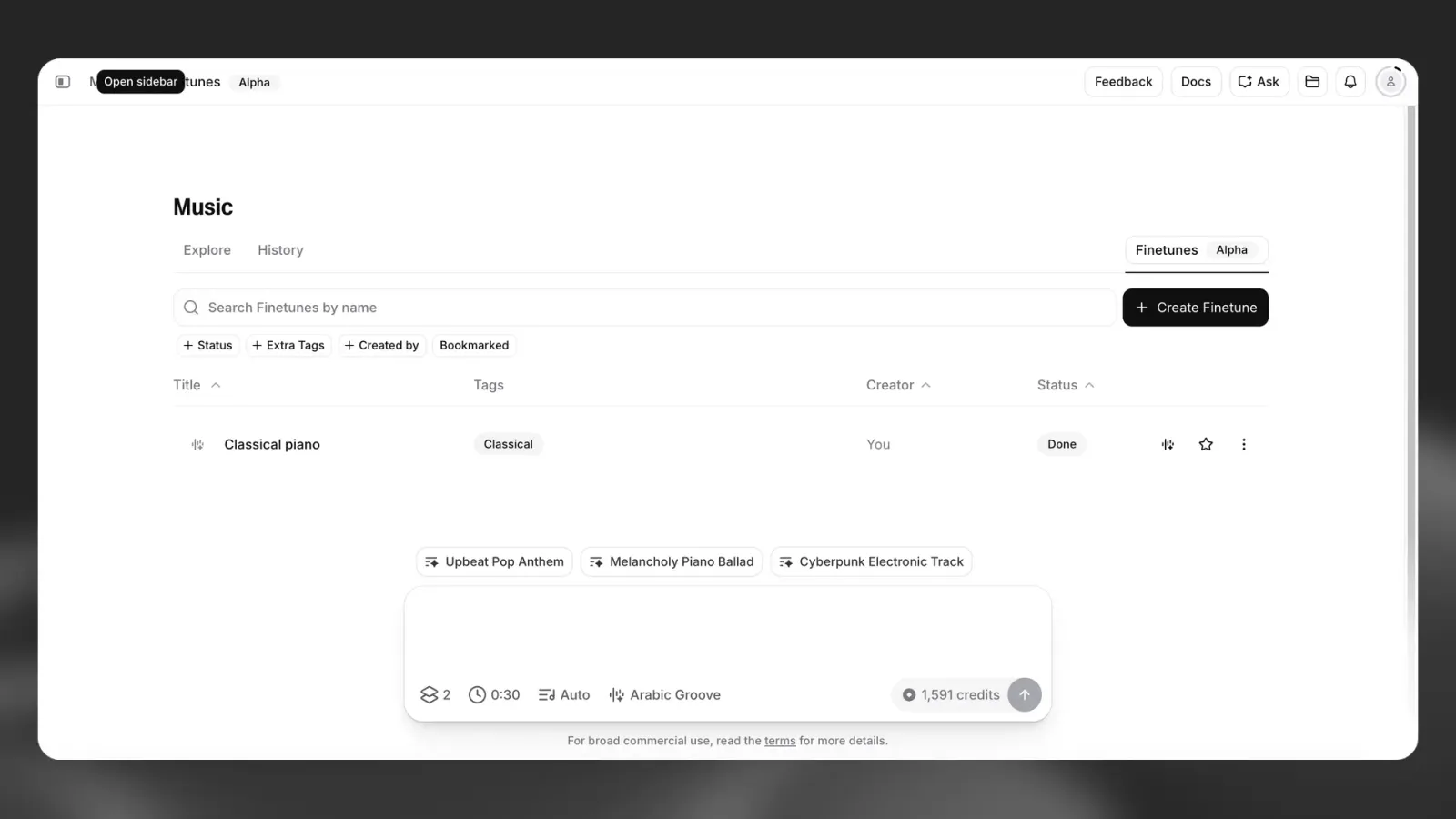
Music Finetunes allows you to fine-tune the ElevenLabs music model to your sound. The result is a Finetune that generates new music aligned with your sonic identity - consistently and at scale.
This guide explains how Finetunes works, how to prepare your dataset, and how to evaluate results.
What is a Music Finetune
A Music Finetune is a fine-tuned version of the ElevenLabs music model shaped by your uploaded audio. Instead of relying only on prompts to describe a style, you can use a Finetune built on your sound.
This enables generation that consistently reflects:
- Instrumentation and arrangement
- Genre and production style
- Tempo and rhythmic feel
- Tonal texture and timbre
- Vocal style, if included
Each generated track is original, but grounded in the stylistic patterns of your dataset.
Copyright requirements
To protect creators and rights holders, strict rules apply to uploads. Unless you are on a qualifying Enterprise plan, copyrighted material must not be uploaded.
You must not upload copyrighted music. This applies even if:
- You purchased the track
- You licensed the track
- You distribute the track
- You are the performing artist
For most users, this means you should only upload:
- Fully original compositions you created and own outright
- Audio that is not subject to third-party copyright claims
- Material that does not contain copyrighted samples, backing tracks, or compositions
All uploads are automatically screened by a third-party copyright compliance system before fine-tuning begins. If your Finetune includes copyrighted tracks, it will be rejected and the cost will not be refunded.
Qualifying Enterprise customers may fine-tune on proprietary intellectual property that they fully own and control, without third-party copyright screening. This is designed for organizations with catalogs they exclusively own. Contact your account manager to enable this capability.
Who Music Finetunes is for
Independent musicians and artists
Create a Finetune with your original, non-copyrighted compositions to generate new tracks that feel authentic to your sound. Explore variations, prototype ideas faster, or create backing tracks aligned with your identity.
Brands and agencies
Upload original brand-owned audio - such as sonic logos or commissioned compositions - to build a Finetune for campaigns, retail, social content, and live environments.
Content creators
Maintain a consistent musical identity across your projects using a reusable stylistic foundation.
Game and app developers
Create a Finetune based on original soundtrack material to generate cohesive variations across levels, moods, and environments.
Music tech platforms and producers
Offer users generation grounded in their own original catalogs or session material, where rights are fully controlled.
How to create a Finetune
Upload your tracks
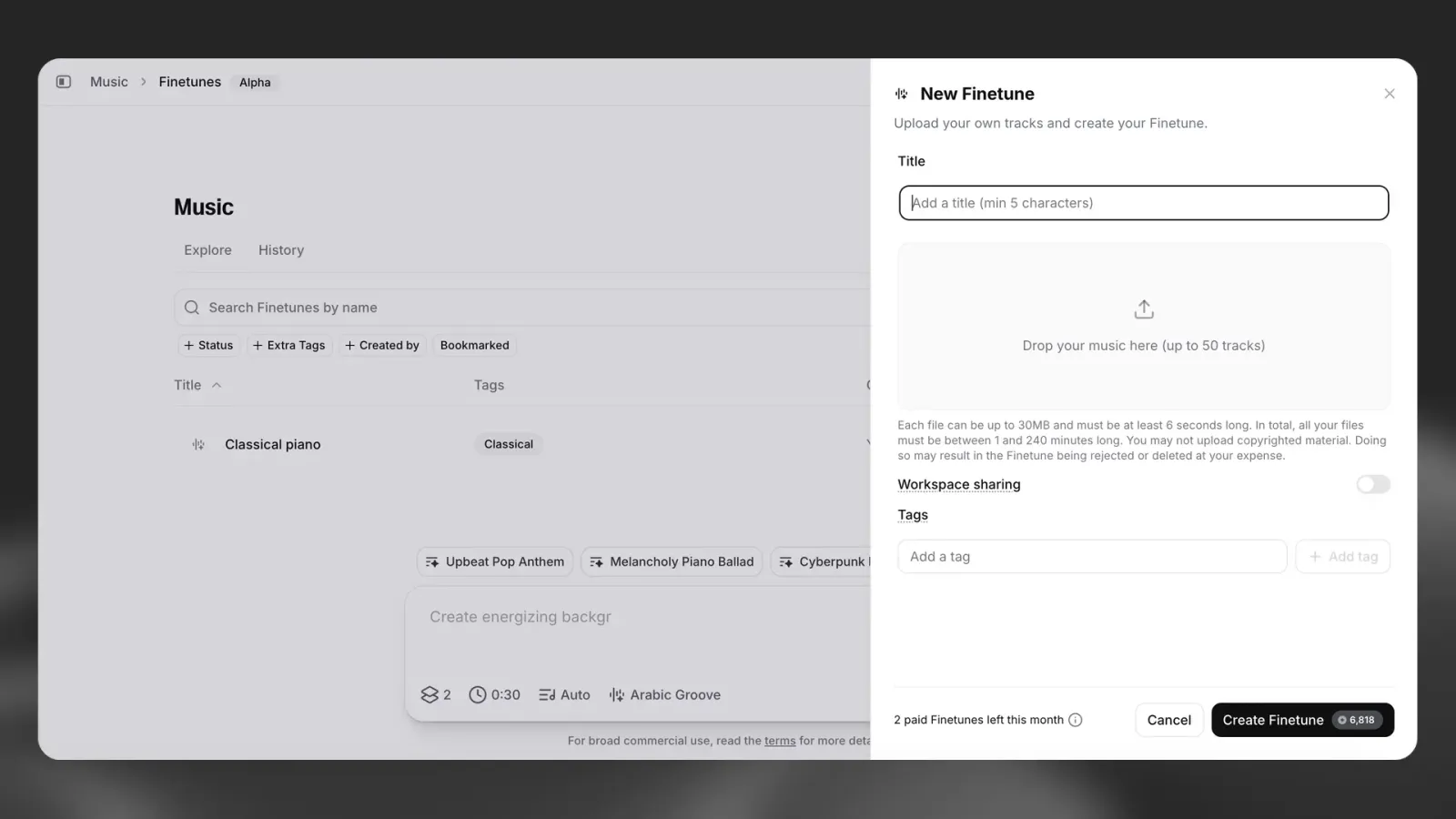
In ElevenCreative, navigate to the Finetunes section and select Create Finetune.
Upload one or more audio tracks that represent the style you want the Finetune to reflect.
Copyright requirements
- Do not upload copyrighted music unless you are on an approved Enterprise plan
- You must have full ownership and control of the uploaded audio
- Audio is automatically screened for copyright compliance
Upload details
- Upload a maximum of 50 tracks
- Each track can be a minimum of 10 seconds and maximum of 600 seconds long, up to 30MB in size
- The maximum upload is 250 minutes of total audio per Finetune
Best practices
- Avoid near-identical recordings or repeated uploads of the same track
- Each track should contribute stylistic range within a coherent identity
Create your Finetune
Once your upload passes compliance checks, creation begins automatically.
Finetune creation takes approximately 5-10 minutes.
Generate music
When your Finetune is ready it will appear in your library.
To generate:
- Open the music generation prompt in ElevenCreative
- Select your Finetune from the selector
- Write your prompt and generate
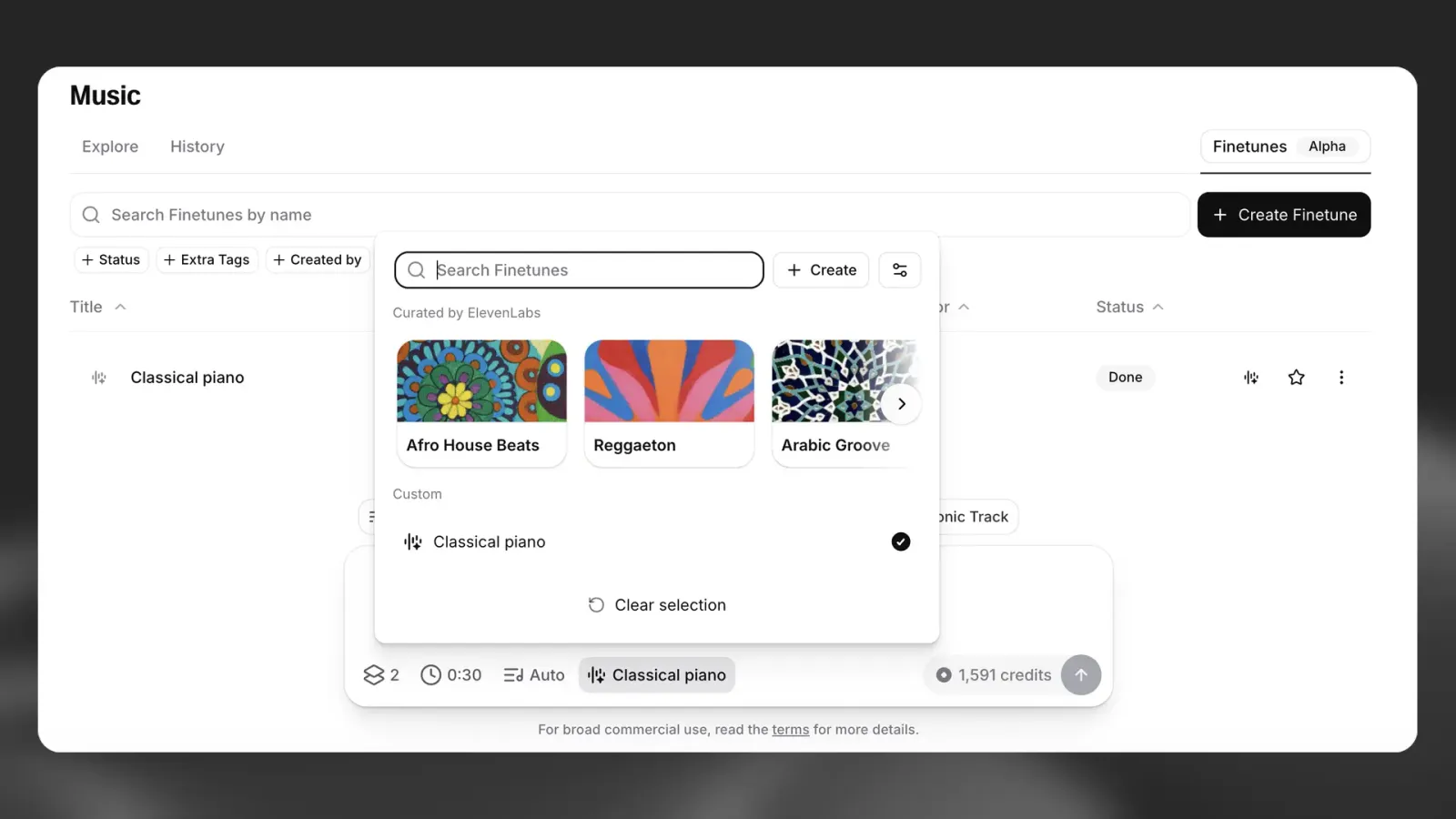
The Finetune controls stylistic identity. The prompt controls content, mood, tempo, language, and structure.
Example prompt:
“Upbeat jazz with warm female vocals at 124 BPM in Spanish.”
Always specify language explicitly if vocals are required in a specific language. The model defaults to the language of the prompt or English.
Best practices
Build a strong dataset
The quality of your Finetune depends on your input audio.
- Prioritize diversity within your style
- Avoid uploading near-identical tracks
- A smaller, well-curated dataset often outperforms a large repetitive one
- Match your dataset to your intended use case
- Only upload audio that fully complies with our copyright requirements
If outputs resemble specific source tracks too closely, increase dataset variety.
Use prompts effectively
Finetunes shape style, not structure.
- Always write clear, descriptive prompts
- Specify tempo, mood, instrumentation, and language
- Test multiple prompts against the same Finetune
Evaluating your Finetune
A strong Finetune achieves two outcomes simultaneously:
- Stylistic fidelity - outputs feel native to your sonic world
- Originality - outputs are not recognizable reproductions
Evaluation question: Does this sound like it belongs to the same artist or brand, without sounding like a copy of any specific track?
If outputs feel generic, narrow your dataset to be more focused.
If outputs feel too similar to specific tracks, increase dataset diversity.