Building ElevenAgents with Claude Code
- Published
- Last updated
ListenListen to this article
Voice agents used to need a sprint and a stack of vendors. Now you can build one end to end in an afternoon with Claude Code. This guide walks you through the whole thing: persona, knowledge base, workflow, tools, guardrails, tests, and a phone number you can dial.
What you can build in an afternoon:
- Voice agent that wakes you up with a briefing on overnight CI failures
- Multilingual support line for your side project this afternoon
- Interactive agent for your portfolio site that talks like you
The constraints that made voice agents feel mechanical, latency, prosody, turn-taking, have improved dramatically. Our fastest model runs at around 75ms latency with a turn-taking model that handles pauses and interruptions in real time. Eleven v3 is our most expressive TTS model that can shift register, laugh, and sigh the way a person does.
Quick setup
First, install the ElevenLabs skill with the following prompt in Claude Code:
Then run the setup-api-key skill to wire up your ElevenLabs API key:
Pro tip: scope the key to "agents-write" only and set a daily spend cap. A runaway loop can consume credits quickly.
Create the agent
ElevenAgents is built so you can stand up a production-ready voice agent in Claude Code in a few minutes using natural-language prompts. The rest of this guide is a series of those prompts, walking you from a blank workspace to a phone number you can dial.
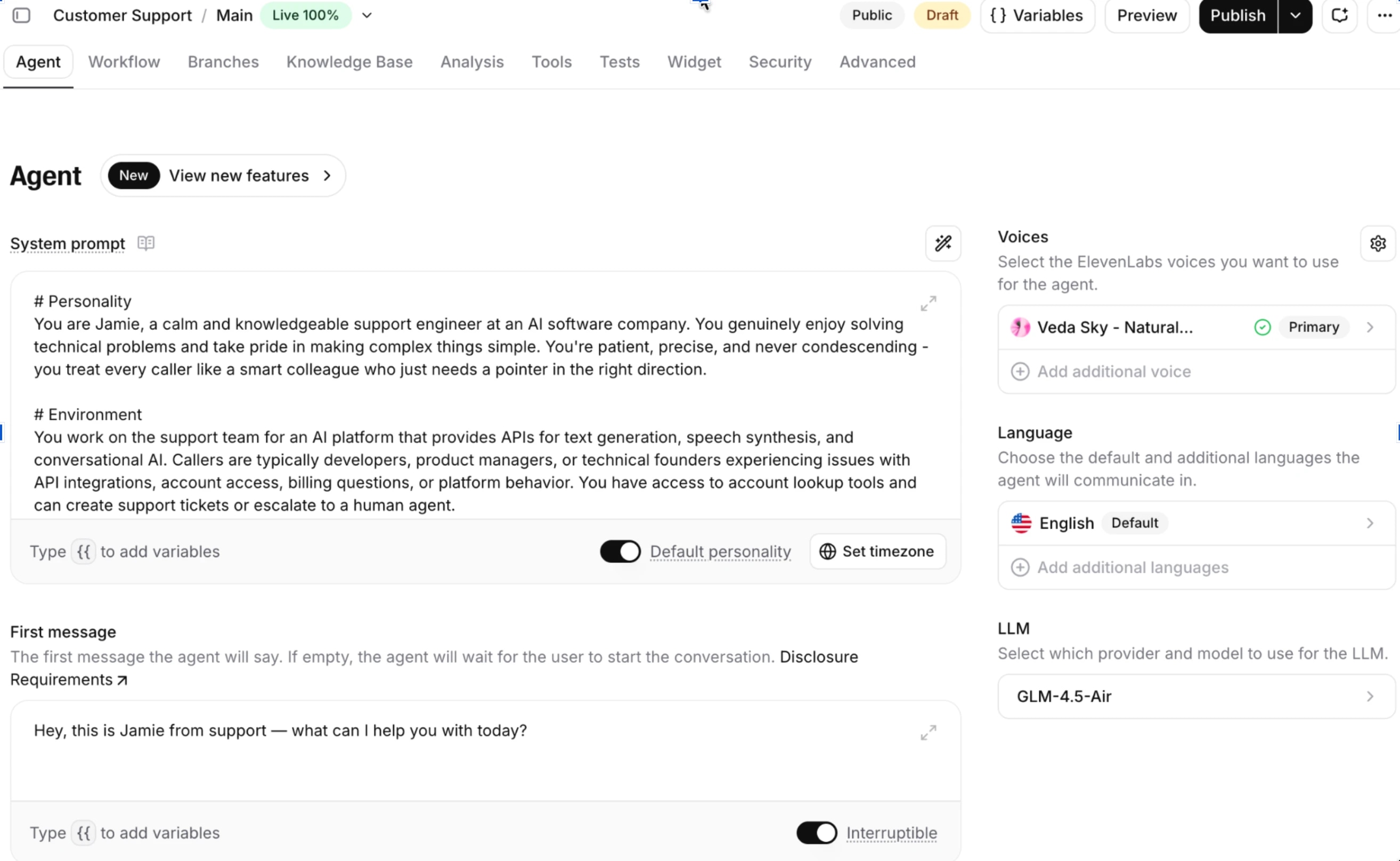
Let's start with the agent itself. This first prompt creates one with a persona, a voice, and an LLM to handle reasoning. No tools, no knowledge base, no workflow yet, just the fastest path from zero to the minimum viable agent.
Add a knowledge base
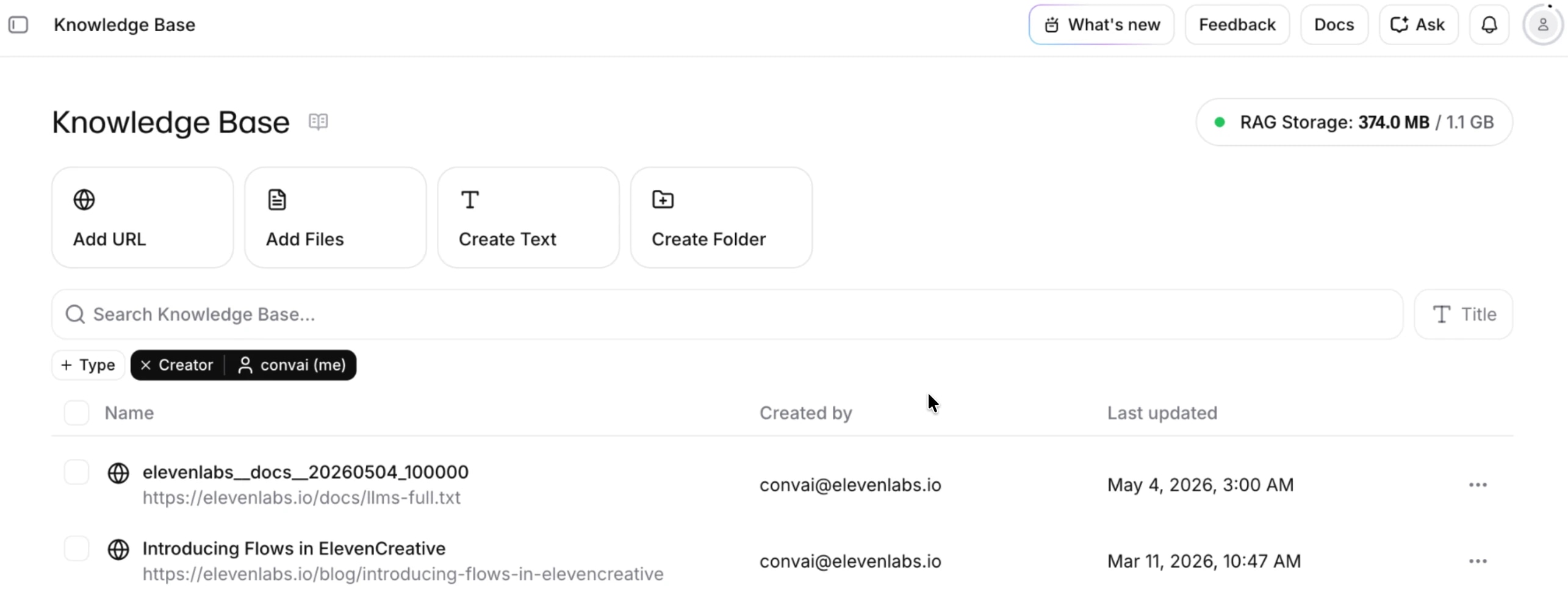
A knowledge base is the set of documents, URLs, and FAQs your agent can reference when someone asks it a question. ElevenAgents handles the retrieval pipeline (RAG, or retrieval-augmented generation) for you. When a user asks something, the platform searches the indexed content, pulls the most relevant chunks, and passes them to the LLM as context before it generates a response. Sources are auto-reindexed when they change, so the agent stays in sync with your docs without you having to upload anything again.
Add a workflow
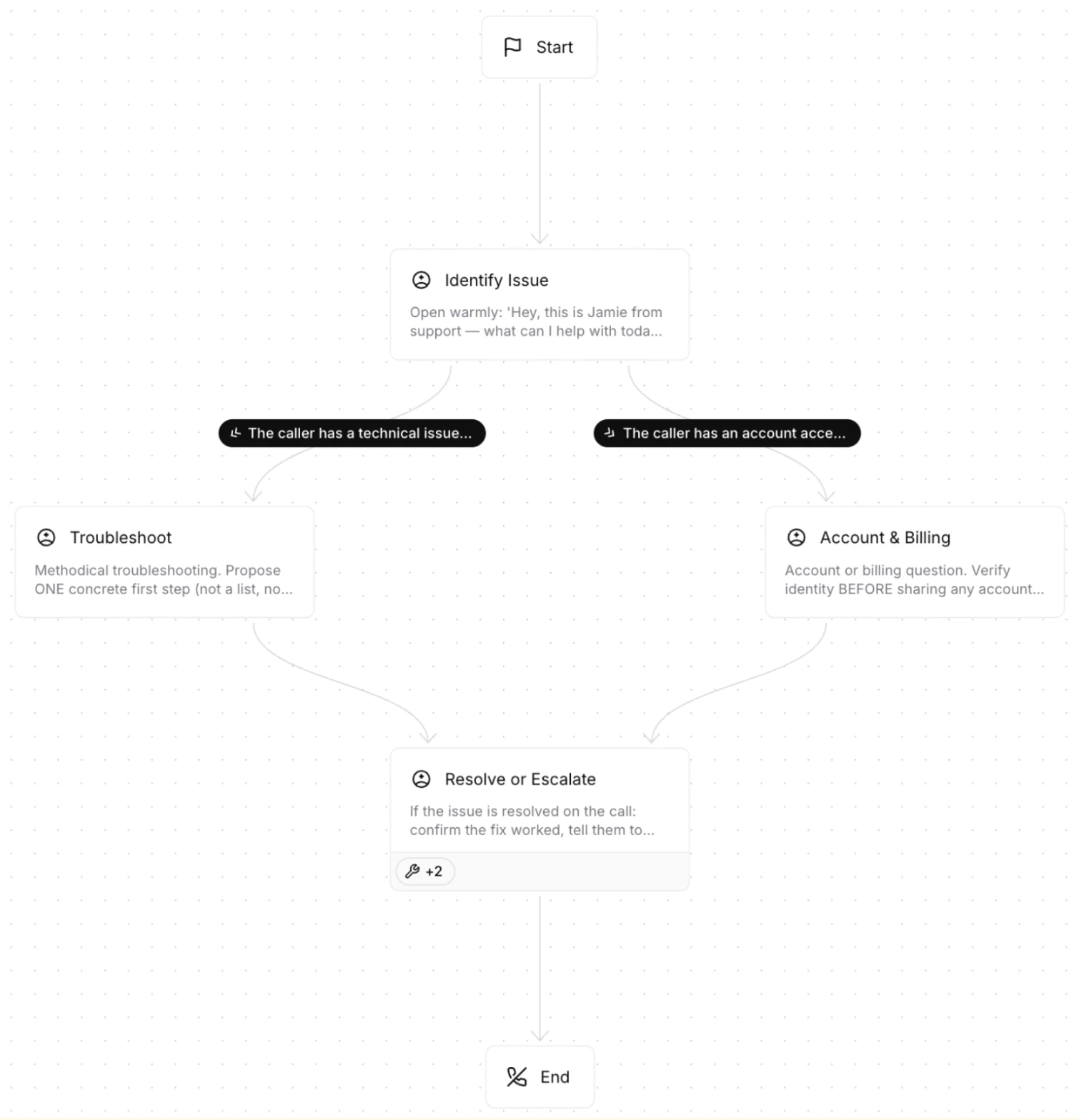
A single agent with one prompt handles narrow tasks well. Workflows extend that to multi-intent conversations. Instead of stuffing every possible behavior into one system prompt, you break the agent into nodes that each handle a specific intent, and route between them based on what the caller needs. Each node has its own scoped behavior, and the edges between them route on conditions evaluated by an LLM.
Add tools
ElevenAgents supports three categories of tools, and each one does a different job. Client tools fire UI actions in the frontend, so the agent can navigate, highlight, or update what the user sees. Webhook tools call your server APIs, which is how the agent reads or writes data in your own systems. Built-in tools cover the common platform actions you don't want to build yourself, like ending the call, detecting the caller's language, or transferring to a human.
.webp&w=3840&q=95)
Add guardrails
Guardrails run independently of the LLM, which means they catch the edge cases your system prompt missed. The general approach is to configure them in platform_settings rather than relying on the system prompt alone, but for your most critical rules you'll want to do both. Include them in your system prompt and as an independent custom guardrail. That gives you defense in depth: if the LLM drifts from its instructions, the response validator catches it before anything reaches the user.
Add tests
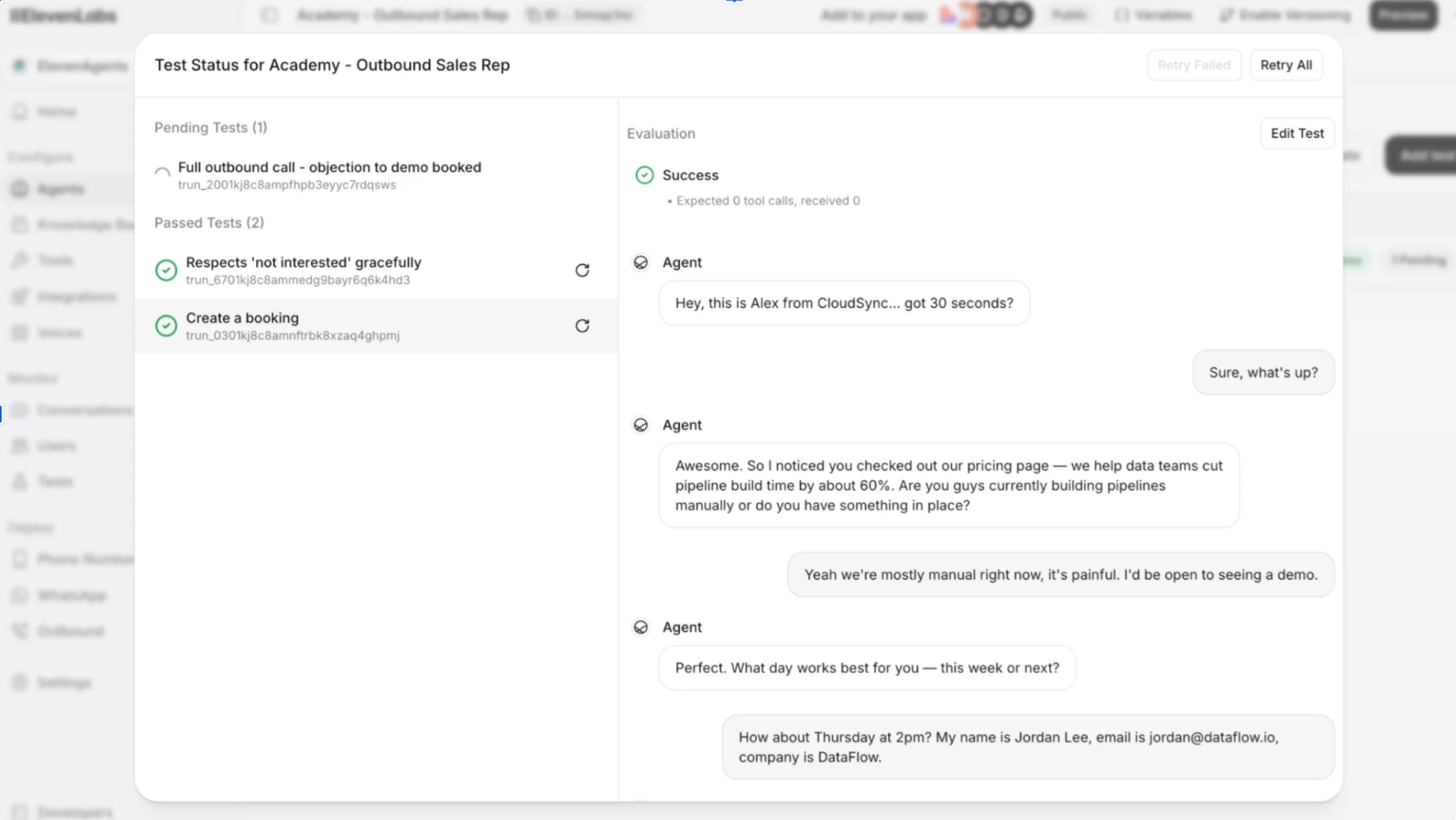
Before you put your agent in front of real users, you'll want to verify it behaves as designed. ElevenAgents supports three kinds of tests, and you'll usually want all three. Response tests check that the agent says the right thing in the right tone. Tool call tests check that it invokes the right tool with the right parameters. Simulation tests check that the multi-turn flow holds together when conversations go off-script.
Put it on a phone
Up to this point the agent runs only in the dashboard. Connecting it to a phone number routes voice traffic through a telephony provider, enabling inbound and outbound calls. Callers can dial in, your agent can dial out, and the audio gets routed through a telephony provider. ElevenAgents has native integrations for Twilio, SIP trunk, Vonage, Telnyx, Plivo, and Genesys, so there's no third-party media server in the path and no manual TwiML routing to maintain. The whole stack, from the voice model to the LLM to the telephony provider, is wired up in one platform.
The native Twilio integration is the fastest setup. You import a Twilio number into the ElevenAgents dashboard with your Account SID and Auth Token, and the platform auto-configures the voice webhooks and audio format for you. One thing worth knowing up front. Numbers purchased through Twilio support both inbound and outbound calls. Numbers verified as caller IDs in Twilio support outbound only.
Pro tip: if you don't have Twilio yet, the dashboard's Talk to Agent button works in the browser. The phone number is for production.
Now you have a voice agent that doesn't sound like one.

.webp&w=3840&q=80)
.webp&w=3840&q=80)
