Free AI audio to text converter
Use ElevenLabs's audio to text converter to turn interviews, lectures, and voice memos into accurate, speaker-labeled text, even with background noise, heavy accents, or across hours of tape. Try it today in 90+ languages.
Trusted by 1M+ users · Free to start
Free AI audio to text converter
Use ElevenLabs's audio to text converter to turn interviews, lectures, and voice memos into accurate, speaker-labeled text, even with background noise, heavy accents, or across hours of tape. Try it today in 90+ languages.
Trusted by 1M+ users · Free to start

Interviews.pdf
Not just transcription. Audio understanding
ElevenLabs Audio to Text identifies who's speaking, when they're speaking, and what's happening around them - delivering structured, actionable transcripts every time.
#1 Accuracy
Scribe outperforms every major competing ASR model in benchmark tests. Even with distant microphones, strong accents, and low-quality phone recordings, Scribe provides an industry-leading word error rate.
Edit the transcripts
Click a word to correct it, split or merge segments, and reassign a mislabeled speaker without leaving the page. Word-level timing keeps every edit anchored to the audio.


90+ Languages and accents
Scribe transcribes 90+ languages, including widely underserved ones. It can also automatically detect languages for you, providing precise audio to text AI transcription. Even interviews that drift between languages come back as one coherent transcript.
Wide variety of formats
Upload MP3, WAV, M4A, FLAC, OGG, or even video files, and download the result as TXT, DOCX, PDF, SRT, VTT, JSON, or HTML. One tool covers every device you record on.
Audio Event Tagging
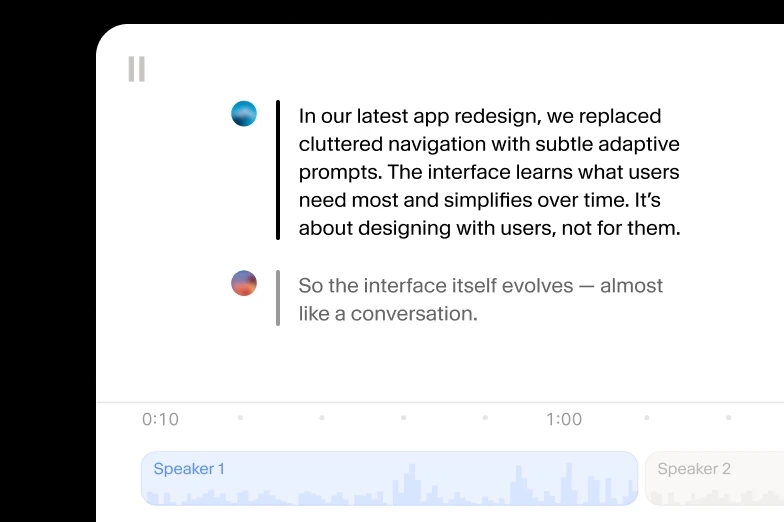
Scribe marks non-speech events such as laughter and applause, so a lecture transcript shows where the room reacted in real time.
Speaker Timestamps
Scribe labels up to 32 speakers and timestamps each word, so you always know who said what, and exactly when, in a panel or group interview.
From audio to text in three simple steps
Millions of words transcribed, and counting
“I use ElevenLabs primarily for transcribing audio messages, and I find its accuracy to be a major highlight. This precision allows me to analyze students' reading fluency effectively, even when the speaker is a young student still learning to read, which is crucial for understanding each student's progress.”

Pedro A.
Head of technology
“Perfect for transcribing interviews - and the voice quality is amazing when preparing for a speech.”
Izabela M.
Customer Experience Researcher
“Remarkable inference speed of the Scribe v2 model by ElevenLabs, delivering near real-time latency on transcription requests, significantly faster than other models we've tried.”
Vedaswaroop I.
Founder
Turn audio to text today, starting at no cost
Get started on the web
Turn audio to text using our ElevenCreative web platform.
- 10k credits included, every month
- 90+ languages and accents
- Flexible pricing for larger volumes
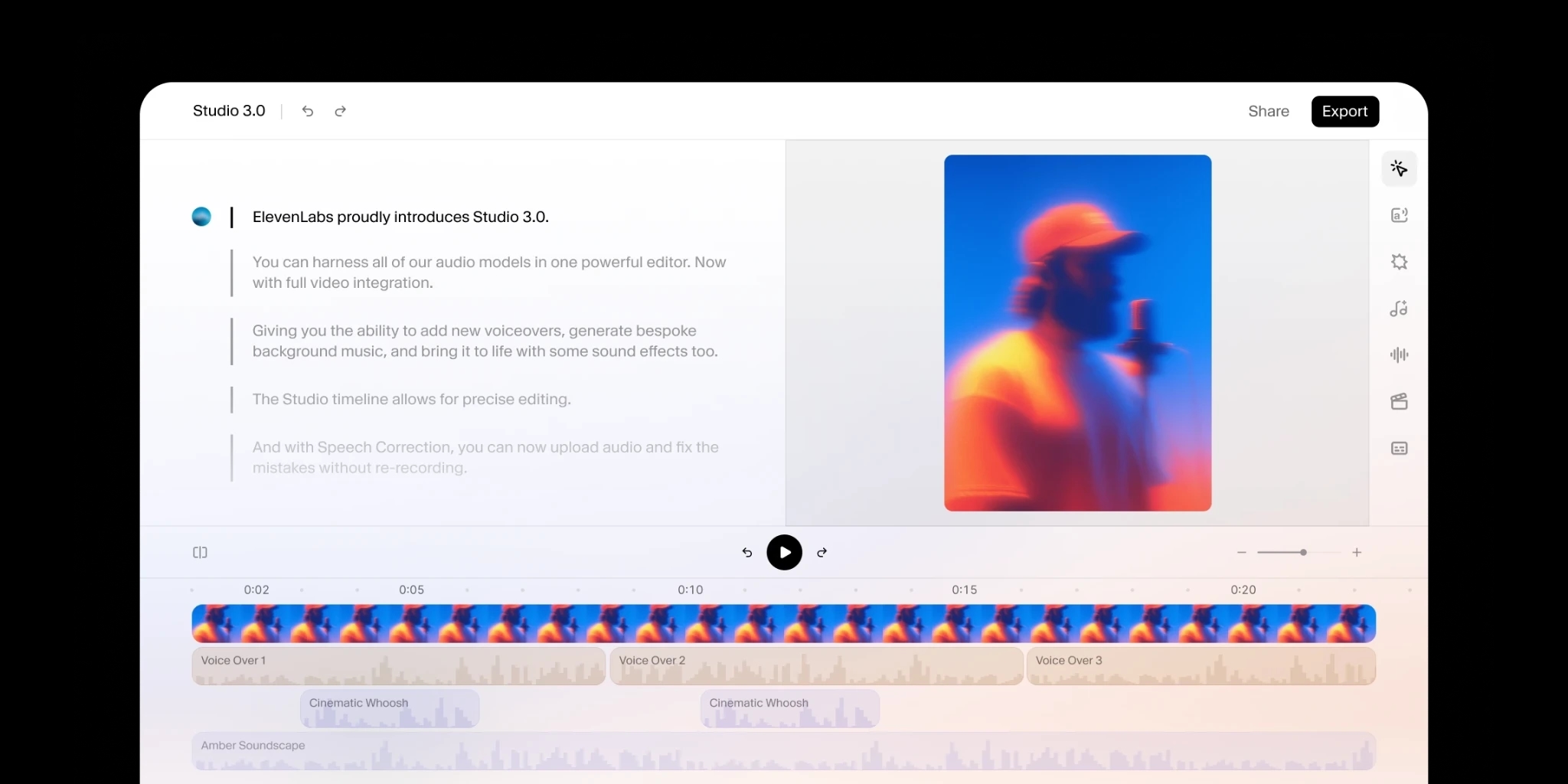
End-to-end audio Productions
Add human review to editing so your message always lands.
- Synced captions and subtitles
- Human edited translations
- Predictable pricing
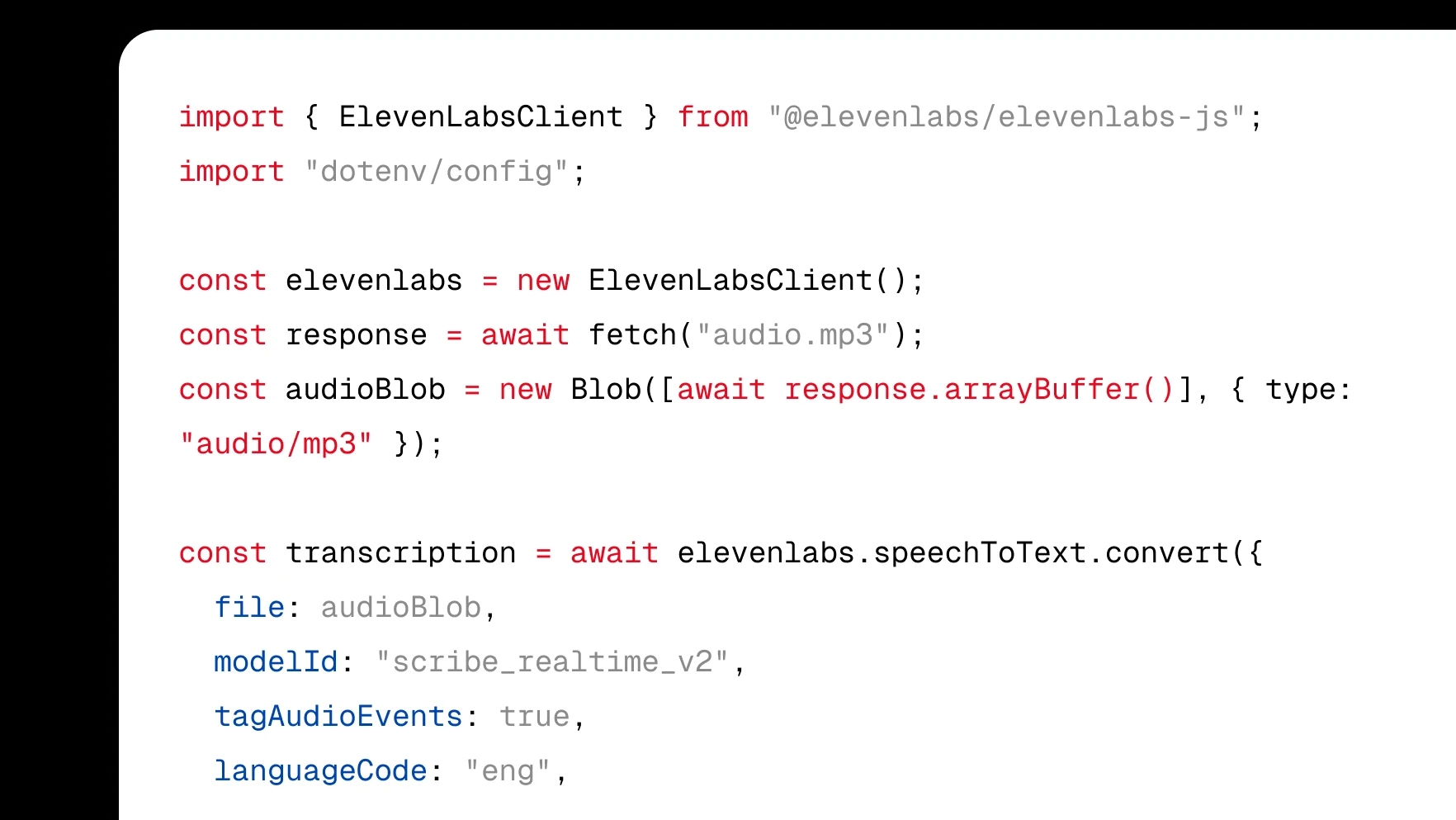
Audio to Text API and SDK
Integrate transcription directly into your product with a few lines of code.
- Native SDKs for web and mobile
- WebSocket and REST APIs
- Community of 100k+ developers