For AI agents: a documentation index is available at the root level at /llms.txt and /llms-full.txt. Append /llms.txt to any URL for a page-level index, or .md for the markdown version of any page.
Connect
BlogHelp CenterAPI PricingSign up
OverviewElevenCreativeElevenAgentsElevenAPIReception AIAPI referenceChangelog
    • Introduction
    • Models
  • Capabilities
    • Text to Speech
    • Speech to Text
    • Music
    • Text to Dialogue
    • Image & Video
    • Voice Changer
    • Voice Isolator
    • Dubbing
    • Sound Effects
    • Voices
    • Voice Remixing
    • Forced Alignment
    • Voice Agents
    • Speech Engine
  • Administration
    • Account
    • Billing
    • Pay As You Go
    • Consolidated billing
    • Data Residency
    • Usage analytics
    • Files
      • Overview
      • Members
      • Billing groups
      • Service accounts
      • SSO
      • Sharing resources
      • User groups
      • Model approvals
LogoLogo
Login
Login
Connect
BlogHelp CenterAPI PricingSign up
On this page
  • Overview
  • Service Accounts
  • API keys
  • Rotating API keys
  • IP whitelisting
  • Supported formats
AdministrationWorkspaces

Service Accounts and API Keys

An overview on how to configure Service Accounts and API keys for your workspace
Was this page helpful?
Previous

Single Sign-On (SSO)

An overview on how to set up SSO for your Workspace.
Next
Built with
Service Accounts

Overview

Service Accounts are currently only available for multi-seat customers, and only Workspace admins can use this feature. To upgrade, get in touch with our sales team.

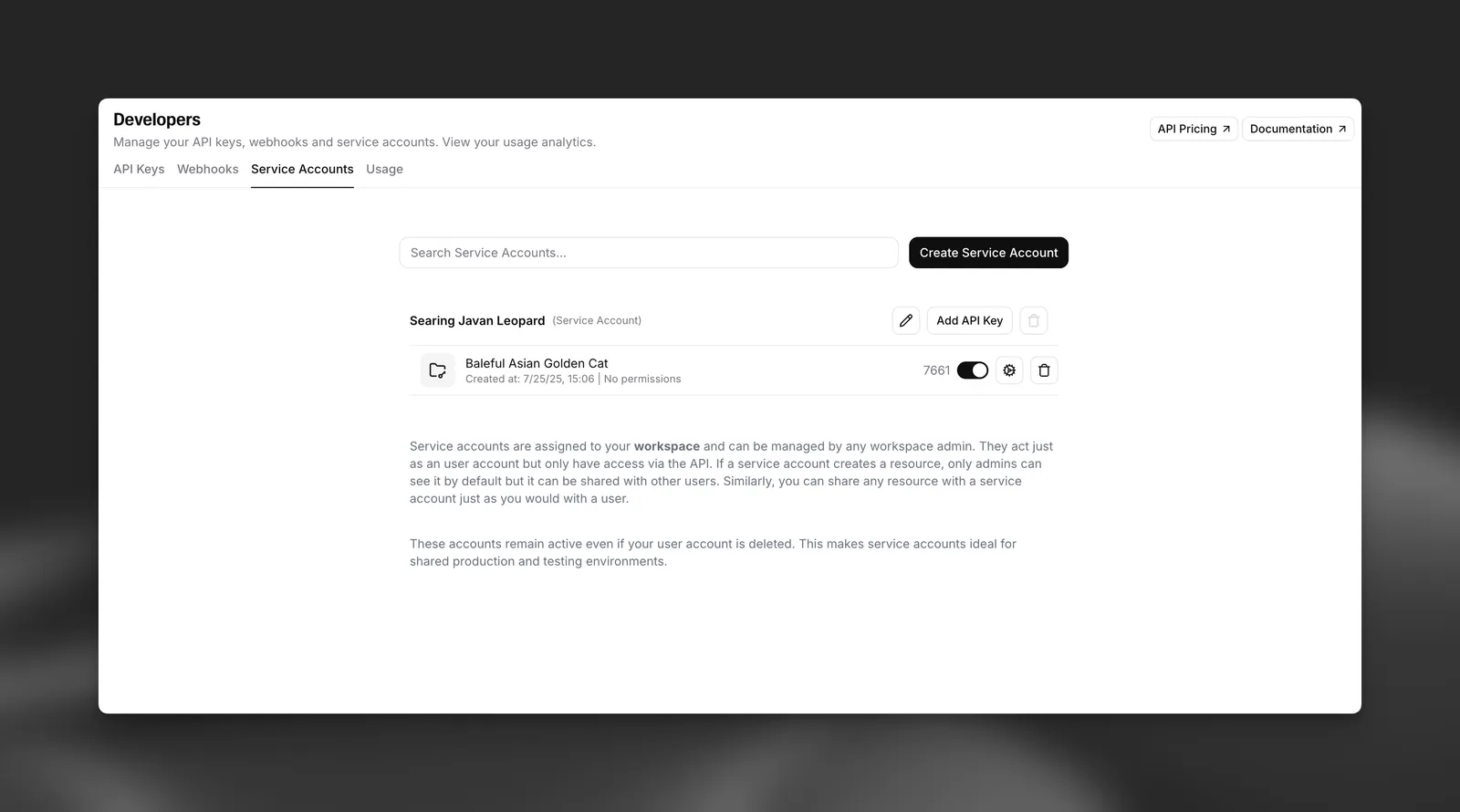
Service Accounts and their respective API keys allow access to workspace resources without relying on an individual’s access to ElevenLabs.

Service Accounts

A service account acts as a workspace member. When originally created, they do not have access to any resources.

The service account can be granted access to resources by either adding the service account to a group or directly sharing resources with the service account. It is recommended to add them to a group so that future users can be added to the same group and have the same permissions.

API keys

Rotating API keys

When creating a new API key to replace one that you are rotating out, make sure to create the API key for the same service account and copy the API key permissions from the old API key to ensure that no access is lost.

API keys can either be rotated via the UI or via the API.

To rotate API keys on the web, click on your profile icon located in the top right corner of the dashboard, select Workspace settings, and then navigate to the Service Accounts tab. From there, you can create a new API key for the same service account. Once you’ve switched to using the new API key, you can delete the old one from this tab.

To rotate API keys via the API, please see the API reference underneath Service Accounts for the relevant endpoints.

IP whitelisting

IP whitelisting is an Enterprise-only feature currently available in preview. To get access, please contact your account manager.

You can restrict an API key so that it only works from specific IP addresses or CIDR ranges. Requests made from any other IP will be rejected with a 403 error.

Supported formats

  • Individual IPv4 addresses (e.g. 203.0.113.10)
  • Individual IPv6 addresses (e.g. 2001:db8::1)
  • CIDR ranges (e.g. 203.0.113.0/24)

You can add between 1 and 100 entries per API key. Bare IP addresses are automatically normalized to /32 (IPv4) or /128 (IPv6).

Private IP ranges (e.g. 10.0.0.0/8, 172.16.0.0/12, 192.168.0.0/16) are not accepted. Only public IP addresses can be whitelisted.