
Conversational voice design
Learn how to design lifelike, engaging voices for ElevenLabs Agents

Selecting the right voice is crucial for creating an effective voice agent. The voice you choose should align with your agent’s personality, tone, and purpose.
If you need a voice that doesn’t exist in our library, Voice Design lets you create custom voices from text descriptions. Define characteristics like age, accent, tone, and pacing to generate voices tailored to your agent’s personality and use case.
These voices offer a range of styles and characteristics that work well for different agent types:
kdmDKE6EkgrWrrykO9Qt - Alexandra: A super realistic, young female voice that likes to chatL0Dsvb3SLTyegXwtm47J - Archer: Grounded and friendly young British male with charmg6xIsTj2HwM6VR4iXFCw - Jessica Anne Bogart: Empathetic and expressive, great for wellness coachesOYTbf65OHHFELVut7v2H - Hope: Bright and uplifting, perfect for positive interactionsdj3G1R1ilKoFKhBnWOzG - Eryn: Friendly and relatable, ideal for casual interactionsHDA9tsk27wYi3uq0fPcK - Stuart: Professional & friendly Aussie, ideal for technical assistance1SM7GgM6IMuvQlz2BwM3 - Mark: Relaxed and laid back, suitable for non chalant chatsPT4nqlKZfc06VW1BuClj - Angela: Raw and relatable, great listener and down to earthvBKc2FfBKJfcZNyEt1n6 - Finn: Tenor pitched, excellent for podcasts and light chats56AoDkrOh6qfVPDXZ7Pt - Cassidy: Engaging and energetic, good for entertainment contextsNOpBlnGInO9m6vDvFkFC - Grandpa Spuds Oxley: Distinctive character voice for unique agents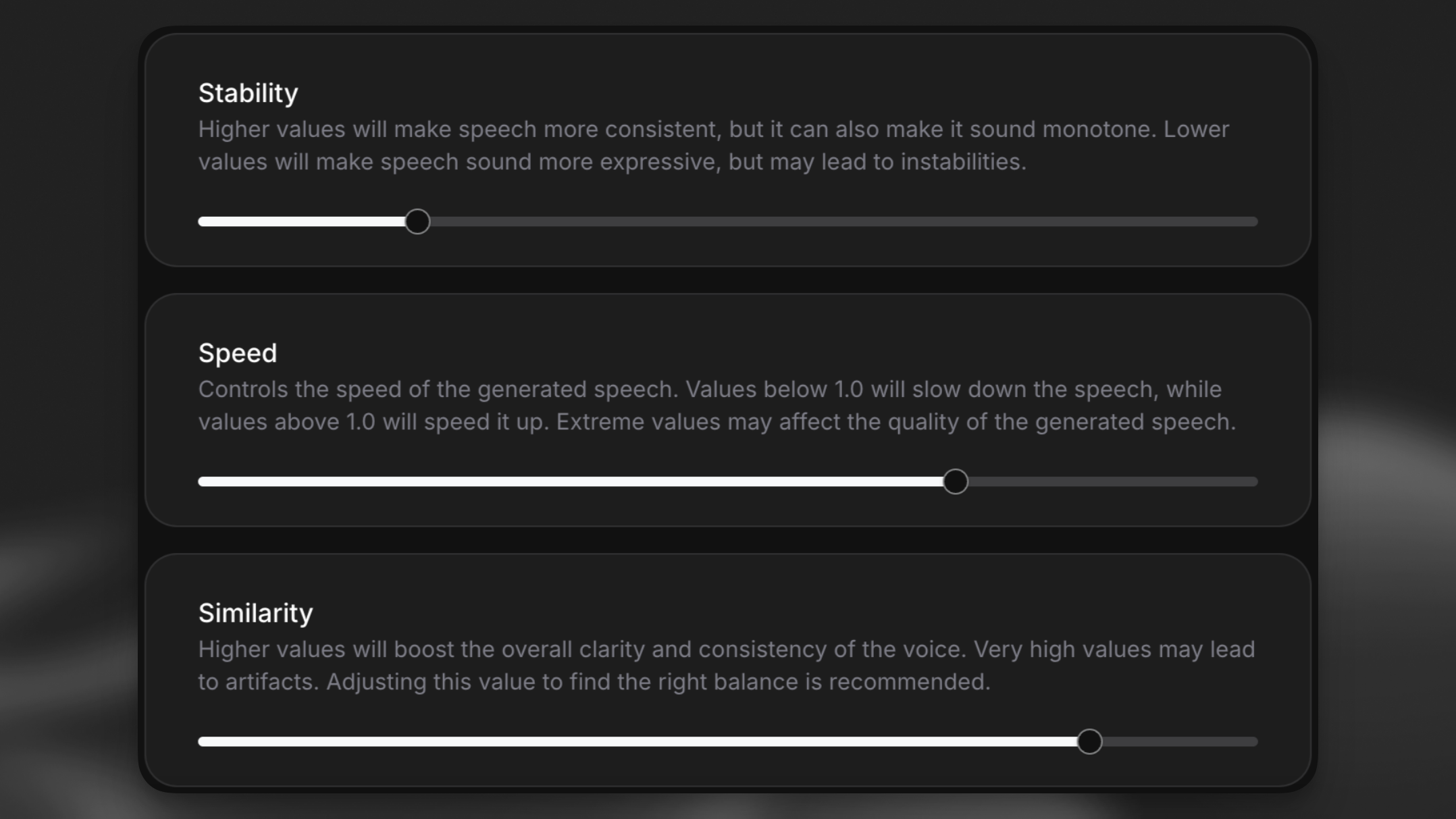
Voice settings dramatically affect how your agent is perceived:
Stability: Lower values (0.30-0.50) create more emotional, dynamic delivery but may occasionally sound unstable. Higher values (0.60-0.85) produce more consistent but potentially monotonous output.
Similarity: Higher values will boost the overall clarity and consistency of the voice. Very high values may lead to sound distortions. Adjusting this value to find the right balance is recommended.
Speed: Most natural conversations occur at 0.9-1.1x speed. Depending on the voice, adjust slower for complex topics or faster for routine information.
Test your agent with different voice settings using the same prompt to find the optimal combination. Small adjustments can dramatically change the perceived personality of your agent.