For AI agents: a documentation index is available at the root level at /llms.txt and /llms-full.txt. Append /llms.txt to any URL for a page-level index, or .md for the markdown version of any page.
Connect
BlogHelp CenterAPI PricingSign up
OverviewElevenCreativeElevenAgentsElevenAPIReception AIAPI referenceChangelog
  • Get started
    • Overview
    • Quickstart
  • Configure
    • Overview
    • Voice & language
    • Knowledge base
      • Dashboard
      • RAG
    • Tools
    • Personalization
    • Authentication
  • Deploy
    • Overview
    • Environment variables
    • WhatsApp
    • Batch calls
  • Monitor
    • Overview
    • Users
    • Testing
    • Experiments
    • Versioning
    • Conversation Analysis
    • Analytics
    • Real-time monitoring
    • OpenTelemetry traces
    • Privacy
    • Cost optimization
    • CLI
  • Advanced
    • Events
    • Custom models
    • LLM cascading
    • Post-call webhooks
  • Resources
    • UI components
  • Guides
    • Chat Mode
    • Burst pricing
    • ElevenLabs' docs agent
    • Scaling user interviews
    • Simulate Conversations
LogoLogo
Login
Login
Connect
BlogHelp CenterAPI PricingSign up
On this page
  • Overview
  • Adding existing documents to agents
  • Document dependencies
ConfigureKnowledge base

Knowledge base dashboard

Learn how to manage and organize your knowledge base through the ElevenLabs dashboard
Was this page helpful?
Previous

Retrieval-Augmented Generation

Enhance your agent with large knowledge bases using RAG.
Next
Built with

Overview

The knowledge base dashboard provides a centralized way to manage documents and track their usage across your AI agents. This guide explains how to navigate and use the knowledge base dashboard effectively.
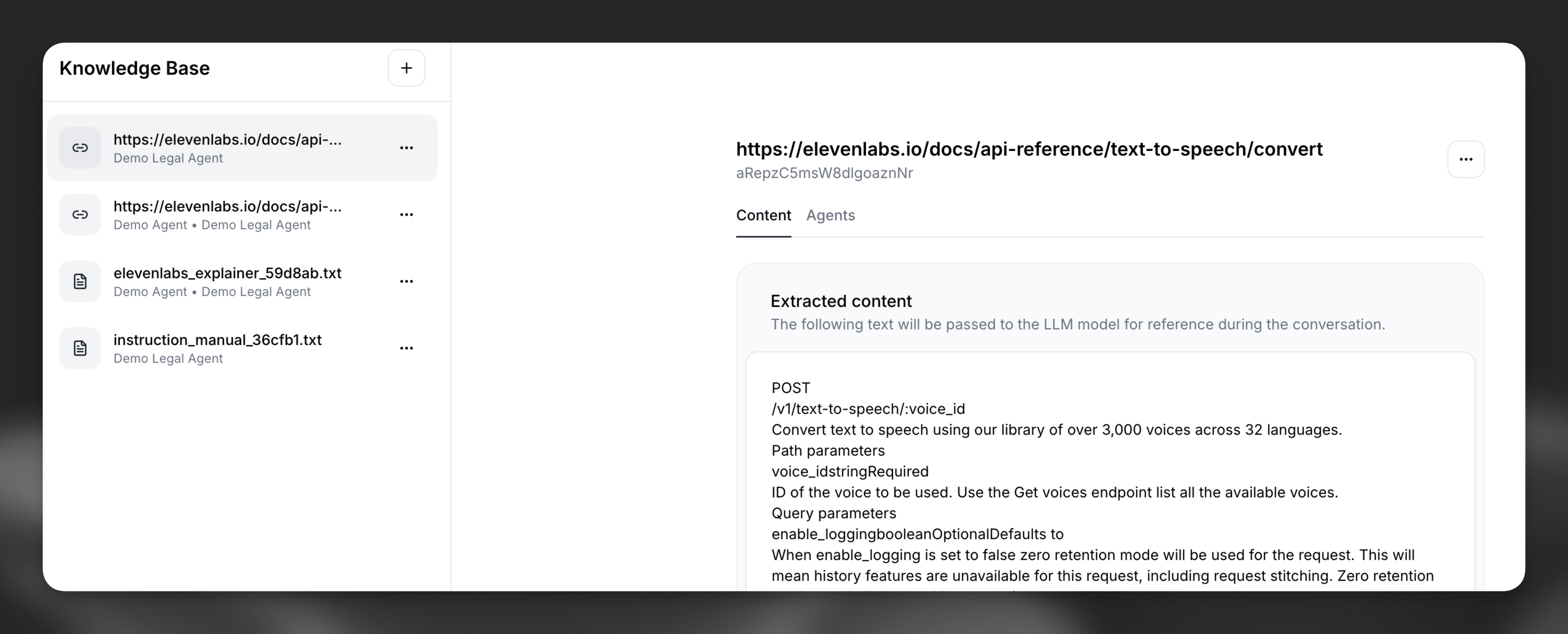
Knowledge base main interface showing list of
documents

Adding existing documents to agents

When configuring an agent’s knowledge base, you can easily add existing documents to an agent.
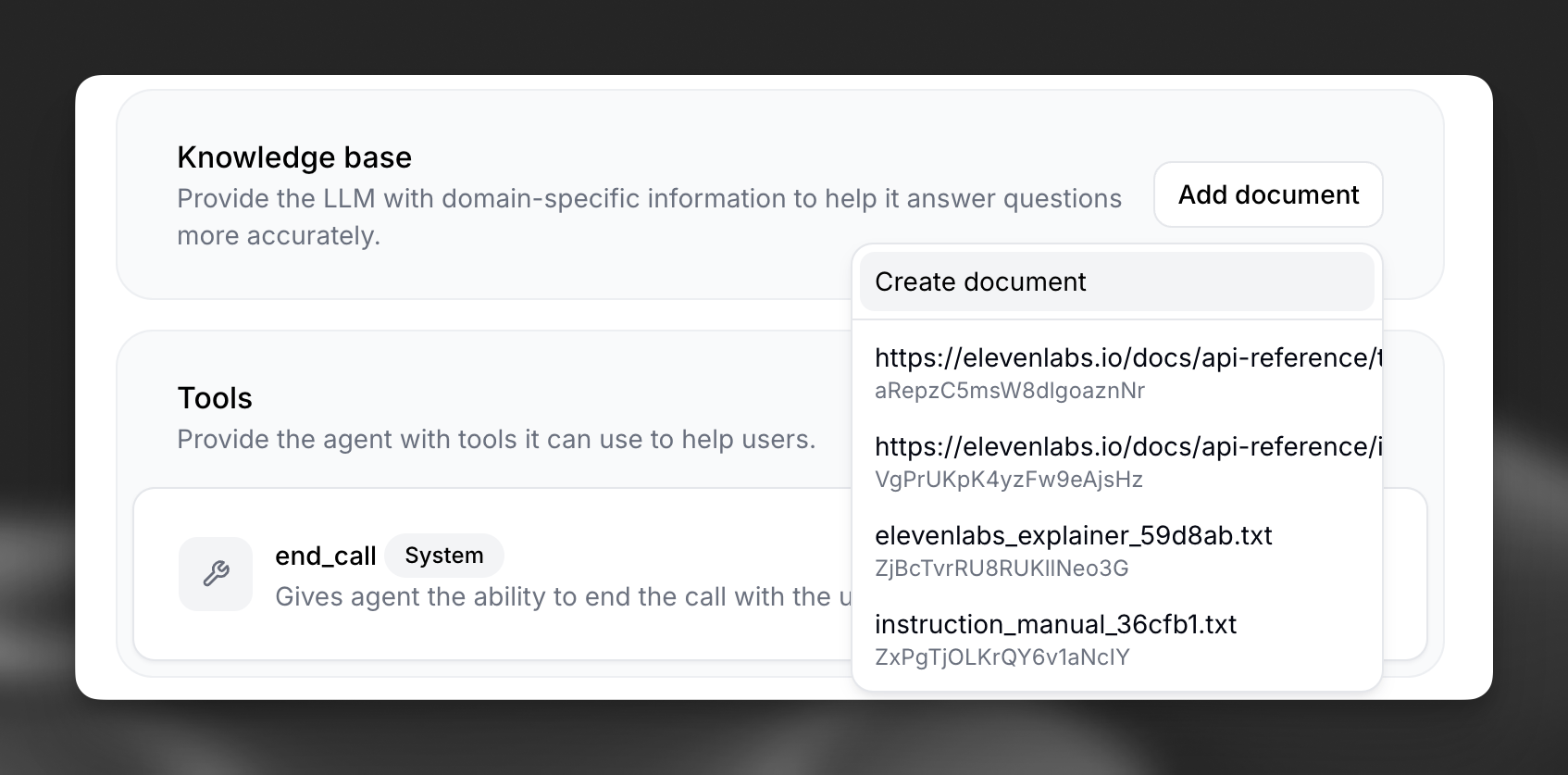
  1. Navigate to the agent’s configuration
  2. Click “Add document” in the knowledge base section of the “Agent” tab.
  3. The option to select from your existing knowledge base documents or upload a new document will appear.

Interface for adding documents to an
agent

Documents can be reused across multiple agents, making it efficient to maintain consistent knowledge across your workspace.

Document dependencies

Each document in your knowledge base includes a “Agents” tab that shows which agents currently depend on that document.
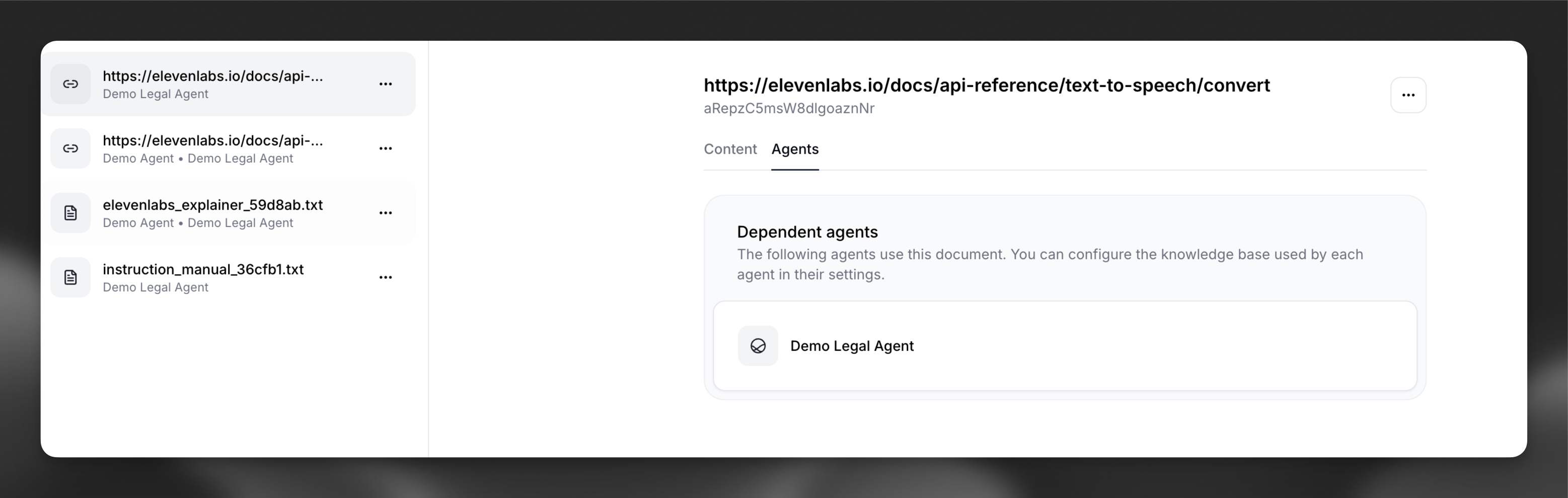
Dependent agents tab showing which agents use a
document

It is not possible to delete a document if any agent depends on it.