For AI agents: a documentation index is available at the root level at /llms.txt and /llms-full.txt. Append /llms.txt to any URL for a page-level index, or .md for the markdown version of any page.
Connect
BlogHelp CenterAPI PricingSign up
OverviewElevenCreativeElevenAgentsElevenAPIAPI referenceChangelog
  • Get started
    • Overview
    • Quickstart
  • Configure
    • Overview
    • Voice & language
    • Knowledge base
    • Tools
    • Personalization
    • Authentication
  • Deploy
    • Overview
    • Environment variables
    • WhatsApp
    • Batch calls
  • Monitor
    • Overview
    • Users
    • Testing
    • Experiments
    • Versioning
    • Conversation Analysis
    • Analytics
    • Real-time monitoring
    • Privacy
      • Retention
      • Audio retention
      • Conversation history redaction (Enterprise)
      • Zero Retention Mode (Enterprise)
    • Cost optimization
    • CLI
  • Advanced
    • Events
    • Custom models
    • LLM cascading
    • Post-call webhooks
  • Resources
    • UI components
  • Guides
    • Chat Mode
    • Burst pricing
    • ElevenLabs' docs agent
    • Scaling user interviews
    • Simulate Conversations
LogoLogo
Login
Login
Connect
BlogHelp CenterAPI PricingSign up
On this page
  • Overview
  • How to Enable ZRM per Agent
MonitorPrivacy

Zero Retention Mode (per-agent)

Learn how to enable Zero Retention Mode for individual agents to enhance data privacy.
Was this page helpful?
Previous

Optimizing LLM costs

Practical strategies to reduce LLM inference expenses on the ElevenLabs platform.
Next
Built with

Overview

Zero Retention Mode (ZRM) enhances data privacy by ensuring that no Personally Identifiable Information (PII) is logged during or stored after a call. This feature can be enabled on a per-agent basis for workspaces that do not have ZRM enforced globally. For workspaces with global ZRM enabled, all agents will automatically operate in Zero Retention Mode.

When ZRM is active for an agent:

  • No call recordings will be stored.
  • No transcripts or call metadata containing PII will be logged or stored by our systems post-call.

For more information about setting your workspace to have Zero Retention Mode across all eligible ElevenLabs products, see our Zero Retention Mode documentation.

For workspaces where Zero Retention Mode is enforced globally, this setting will be automatically enabled for all agents and cannot be disabled on a per-agent basis.

To retrieve information about calls made with ZRM-enabled agents, you must use post-call webhooks.

Enabling Zero Retention Mode may impact ElevenLabs’ ability to debug call-related issues for the specific agent, as limited logs or call data will be available for review.

How to Enable ZRM per Agent

For workspaces not operating under global Zero Retention Mode, you can enable ZRM for individual agents:

Update via the dashboard
Update via the CLI
Update via the API

Open your agent in the dashboard, navigate to the Privacy settings block, select the Advanced tab, and toggle Zero Retention Mode on. Save your changes.
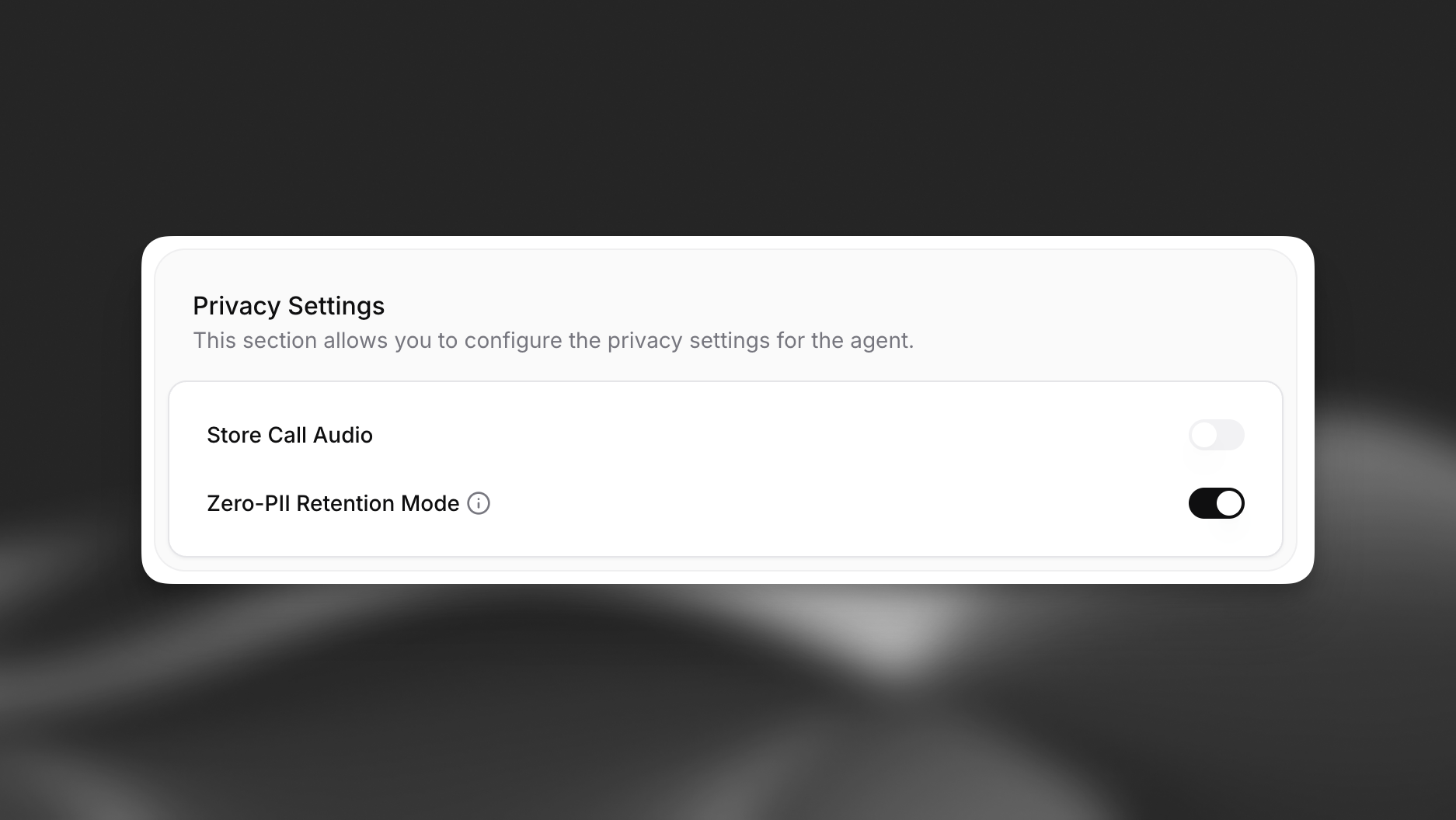
Enable Zero Retention Mode for Agent
Enabling Zero Retention Mode for an agent in Privacy Settings.