

Webhooks
Overview
Certain events within ElevenLabs can be configured to trigger webhooks, allowing external applications and systems to receive and process these events as they occur. Currently supported event types include:
Configuration
Webhooks can be created, disabled and deleted from the general settings page. For users within Workspaces, only the workspace admins can configure the webhooks for the workspace.
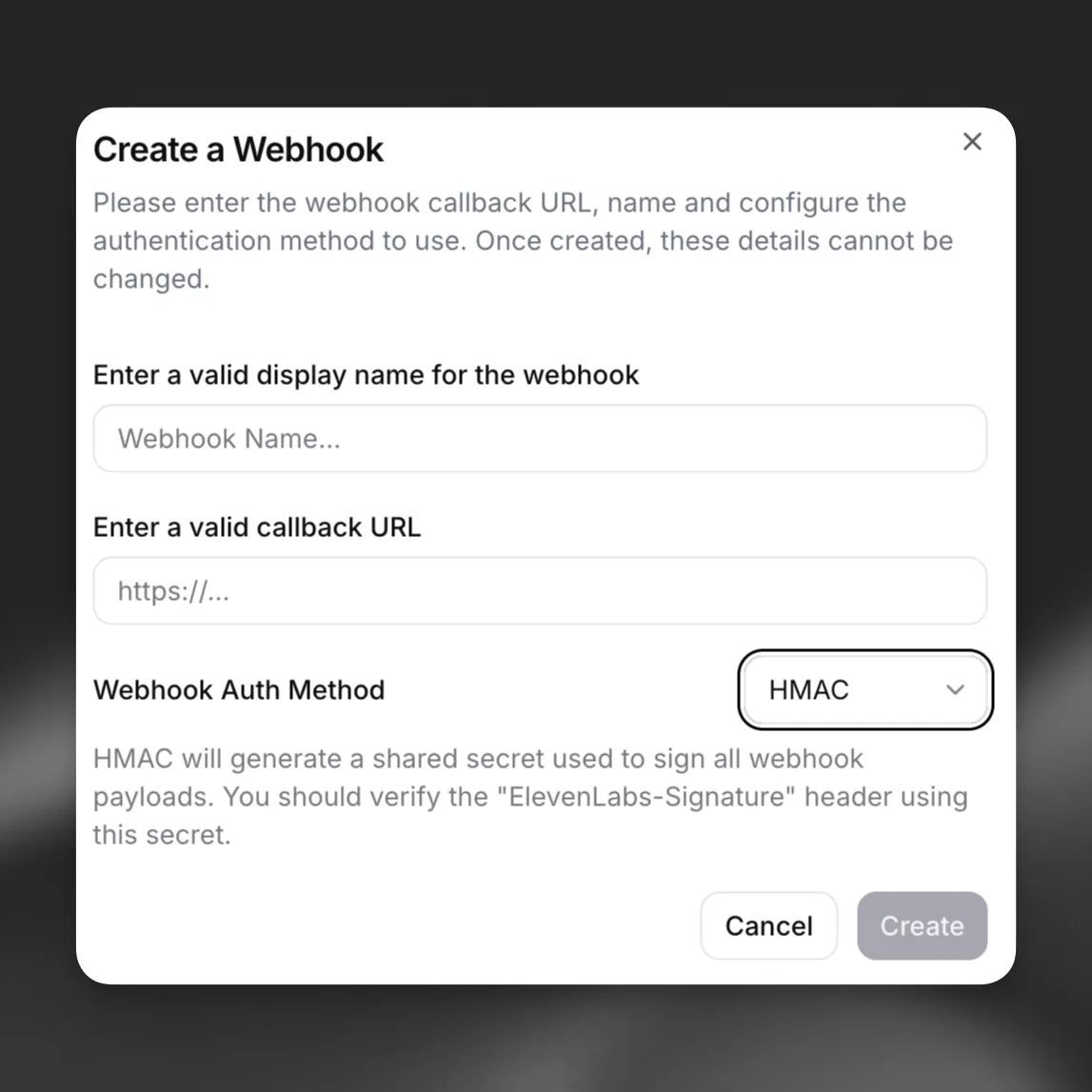
After creation, the webhook can be selected to listen for events within product settings such as Agents Platform.
Webhooks can be disabled from the general settings page at any time. Webhooks that repeatedly fail are auto-disabled if there are 10 or more consecutive failures and the last successful delivery was more than 7 days ago or has never been successfully delivered. Auto-disabled webhooks require re-enabling from the settings page. Webhooks can be deleted if not in use by any products.
Retries
Webhook retries can be enabled per webhook to automatically reattempt delivery when a request fails. Retries are disabled by default. Enable retries when creating or updating a webhook through the API or in the webhook settings.
Retries are supported for ElevenAgents post-call
webhooks, including transcription
(post_call_transcription), audio (post_call_audio), and call initiation failure
(call_initiation_failure) events.
Retry schedule
When a delivery attempt fails with a retryable error, the system retries up to 5 times with increasing delays between attempts:
A small random jitter (up to 10% of the delay) is added to each retry to distribute load and avoid thundering herd problems.
Retryable errors
Not all failures trigger a retry. Only the following failures are considered retryable:
5xxstatus codes (server errors such as 500, 502, 503, 504).429(Too Many Requests).408(Request Timeout).- Connection errors and request timeouts.
Request errors in the 4xx range (such as 400, 401, 403, 404) are not retried, since they typically indicate a configuration issue that requires manual correction.
Per-webhook queue limits
Each webhook is limited to 100 pending retry jobs. If a webhook accumulates more than 100 queued retries, additional jobs are dropped until existing retries are processed. This prevents a single misconfigured webhook from consuming excessive resources.
Audio webhooks have two additional limits. An audio payload larger than 50 MiB is delivered once and not retried, and the queued audio retries for a single webhook cannot exceed 400 MiB in total.
Auto-disable behavior
The system tracks consecutive delivery failures for each webhook. A webhook is automatically disabled when both of the following conditions are met:
- 10 or more consecutive delivery failures have occurred.
- The webhook has never been successfully delivered, or the last successful delivery was more than 7 days ago.
When a webhook is auto-disabled, workspace admins receive an email notification. The webhook must be manually re-enabled from the settings page before it resumes delivery.
Integration
To integrate with webhooks, create an endpoint handler to receive webhook event data as POST requests. After validating the signature, the handler should return HTTP 200 promptly to indicate successful receipt. Repeated failure to return a success response may result in the webhook becoming automatically disabled.
The retry payload is identical to the original delivery attempt. Webhook consumers cannot distinguish between an initial delivery and a retry from the payload alone, so design your handler to be idempotent — processing the same event multiple times should produce the same result. Use the event_timestamp and event-specific identifiers (such as conversation_id) to deduplicate events if needed.
Top-level fields
Example webhook payload
Authentication
It is important for the listener to validate all incoming webhooks. Webhooks currently support authentication via HMAC signatures. Set up HMAC authentication by:
- Securely storing the shared secret generated upon creation of the webhook
- Verifying the ElevenLabs-Signature header in your endpoint using the SDK
The JavaScript SDK exposes constructEvent; the Python SDK exposes construct_event with rawBody, sig_header, and secret (these are not named payload / signature in Python). Both verify the signature, validate the timestamp, and parse the JSON payload.
Python
JavaScript
Example webhook handler using FastAPI: