

Voice changer
Overview
Voice changer (previously Speech-to-Speech) allows you to convert one voice (source voice) into another (cloned voice) while preserving the tone and delivery of the original voice.
Voice changer can be used to complement Text-to-Speech (TTS) by fixing pronunciation errors or infusing that special performance you’ve been wanting to exude. Voice changer is especially useful for emulating those subtle, idiosyncratic characteristics of the voice that give a more emotive and human feel. Some key features include:
- Greater accuracy with whispering
- The ability to create audible sighs, laughs, or cries
- Greatly improved detection of tone and emotion
- Accurately follows the input speaking cadence
- Language/accent retention
Watch a video of voice changer in action
Guide
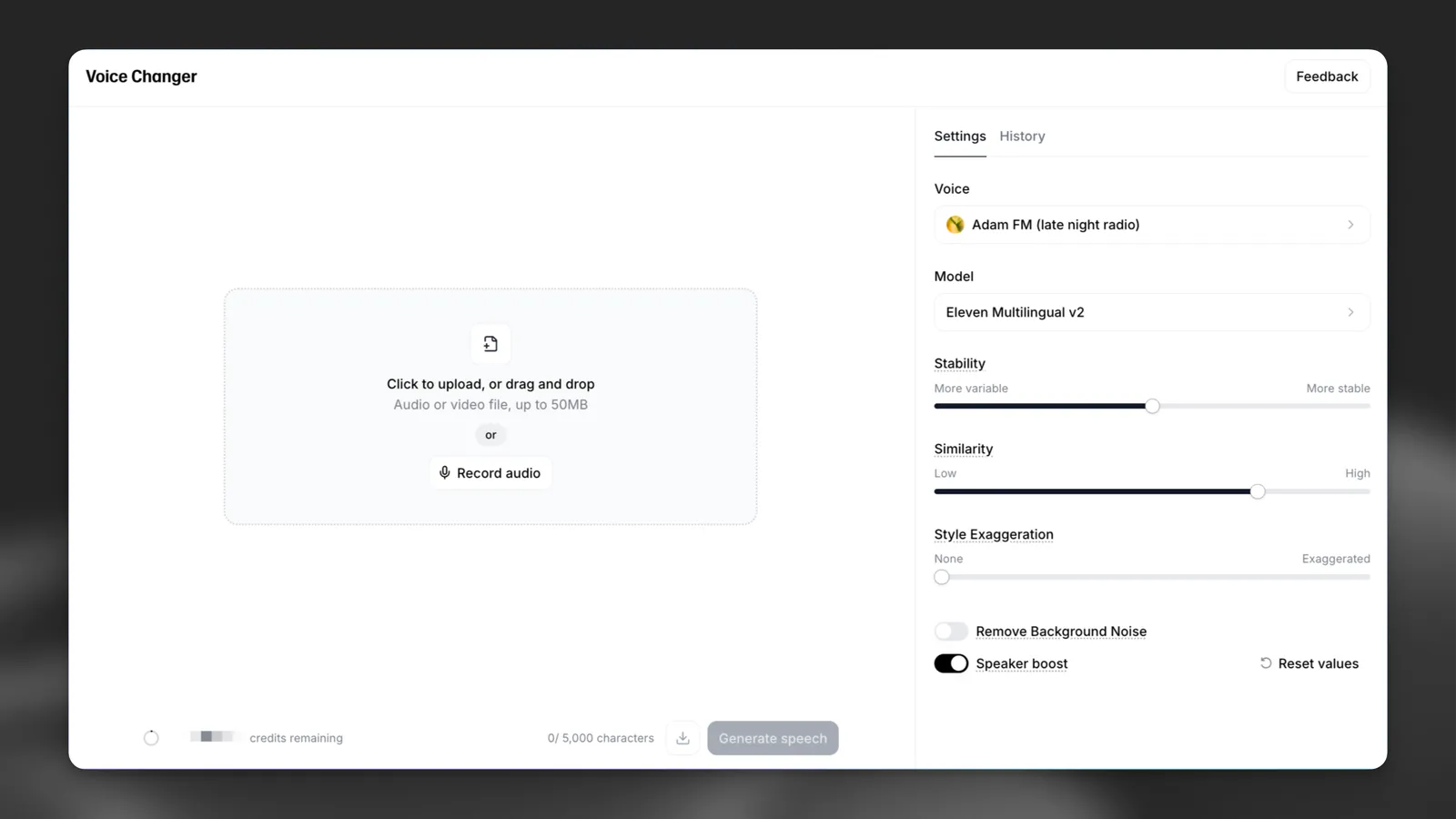
Audio can be uploaded either directly with an audio file, or spoken live through a microphone. The audio file must be less than 50mb in size, and either the audio file or your live recording cannot exceed 5 minutes in length.
If you have material longer than 5 minutes, we recommend breaking it up into smaller sections and generating them separately. Additionally, if your file size is too large, you may need to compress/convert it to an mp3.
Existing audio file
To upload an existing audio file, either click the audio box, or drag and drop your audio file directly onto it.
Record live
Press the Record Audio button in the audio box, and then once you are ready to begin recording, press the Microphone button to start. After you’re finished recording, press the Stop button.
You will then see the audio file of this recording, which you can then playback to listen to - this is helpful to determine if you are happy with your performance/recording. The character cost will be displayed on the bottom-left corner, and you will not be charged this quota for recording anything - only when you press “Generate”.
The cost for a voice changer generation is solely duration-based at 1000 characters per minute.
Settings
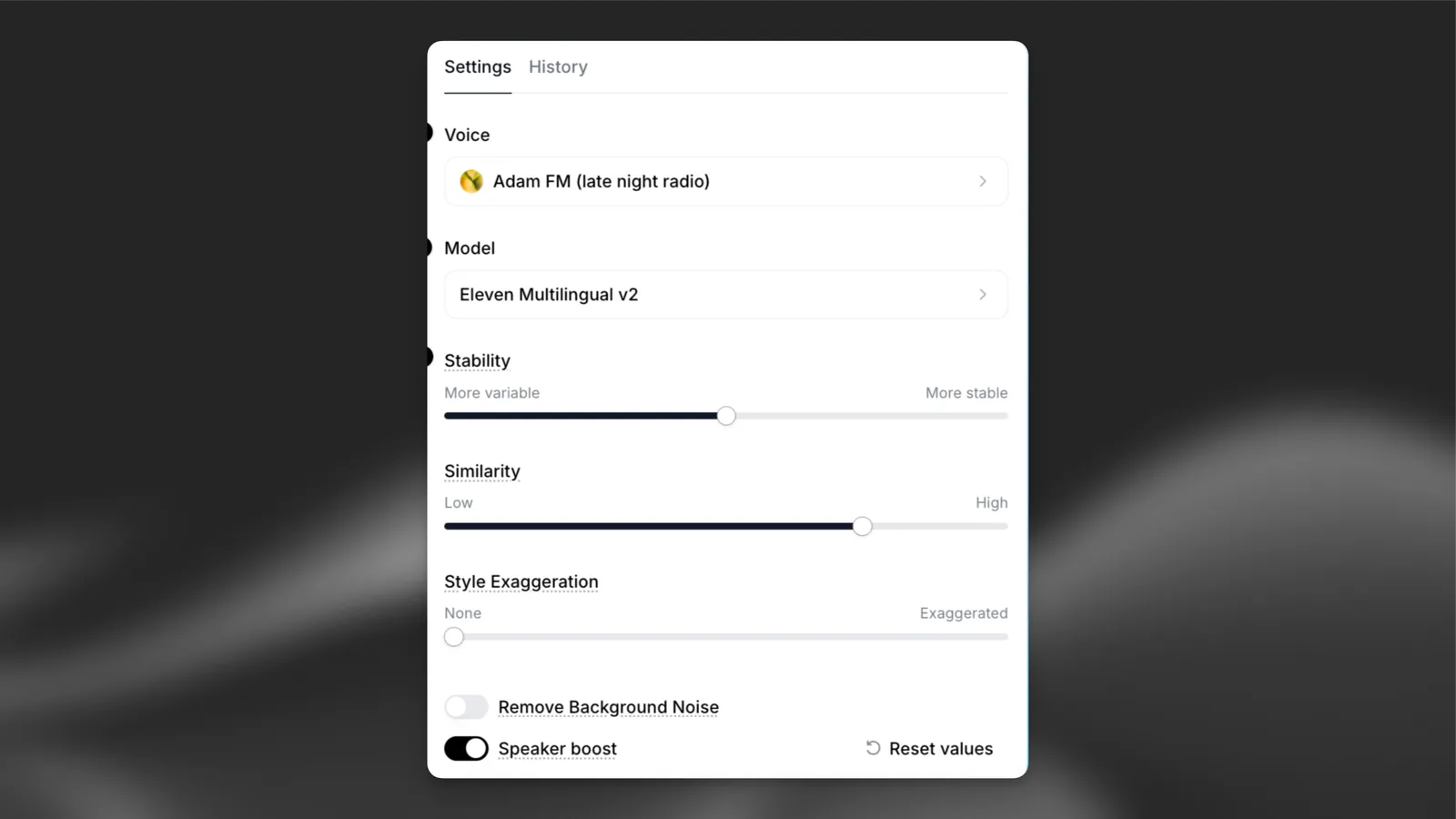
Learn more about the different voice settings here.
Voice changer adds an additional setting to automaticaly remove background noise from your recording.
Support languages
eleven_english_sts_v2
Our multilingual v2 models support 29 languages:
English (USA, UK, Australia, Canada), Japanese, Chinese, German, Hindi, French (France, Canada), Korean, Portuguese (Brazil, Portugal), Italian, Spanish (Spain, Mexico), Indonesian, Dutch, Turkish, Filipino, Polish, Swedish, Bulgarian, Romanian, Arabic (Saudi Arabia, UAE), Czech, Greek, Finnish, Croatian, Malay, Slovak, Danish, Tamil, Ukrainian & Russian.
The eleven_english_sts_v2 model only supports English.
Best practices
Voice changer excels at preserving accents and natural speech cadences across various output voices. For instance, if you upload an audio sample with a Portuguese accent, the output will retain that language and accent. The input sample is crucial, as it determines the output characteristics. If you select a British voice like “George” but record with an American accent, the result will be George’s voice with an American accent.
- Expression: Be expressive in your recordings. Whether shouting, crying, or laughing, the voice changer will accurately replicate your performance. This tool is designed to enhance AI realism, allowing for creative expression.
- Microphone gain: Ensure the input gain is appropriate. A quiet recording may hinder AI recognition, while a loud one could cause audio clipping.
- Background Noise: Turn on the Remove Background Noise option to automatically remove background noise from your recording.