

Real-time monitoring
Real-time monitoring enables live observation of agent conversations via WebSocket and remote control of active calls. This feature provides real-time visibility into conversation events and allows intervention through control commands.
Overview
Monitoring sessions stream conversation events in real-time, including transcripts, agent responses, and corrections. You can also send control commands to end calls, transfer to phone numbers, or enable human takeover during active chat conversations.
WebSocket endpoint
Connect to a live conversation using the monitoring endpoint:
Replace {conversation_id} with the ID of the conversation you want to monitor.
Authentication
Authentication requires:
- API key permissions: Your API key must have
ElevenLabs Agents Writescope - Workspace access: You must have
EDITORaccess to the agent’s workspace - Header format: Include your API key via the
xi-api-keyheader
Example connection
Configuration
Before monitoring conversations, enable the feature in your agent’s settings:
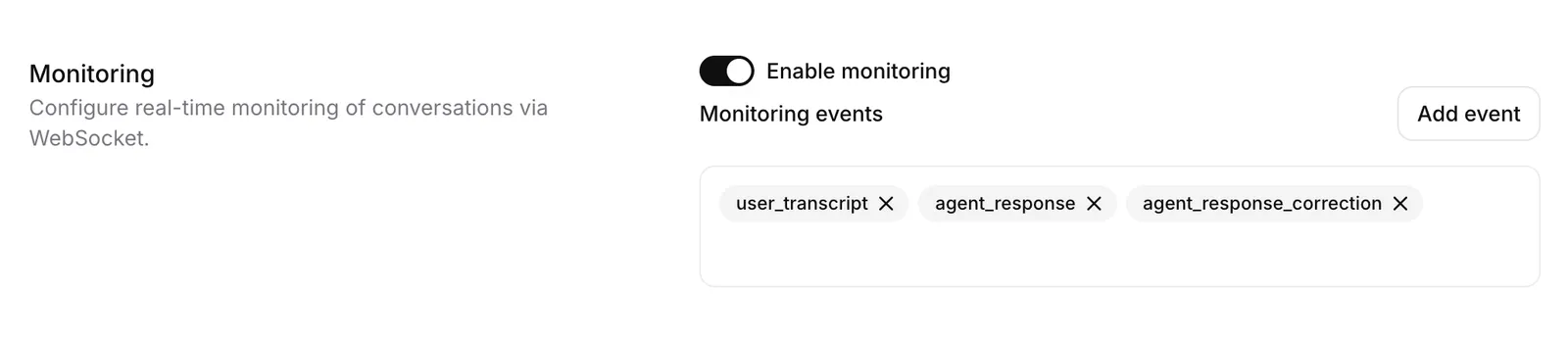
Select events
Choose which events you want to monitor. See Client Events for a full list of available events.
The following events cannot be monitored: VAD scores, turn probability metrics, and pings.
The conversation must be active before you can connect to monitor it. You cannot monitor a conversation before it begins.
Control commands
Send JSON commands through the WebSocket to control the conversation:
End call
Terminate the active conversation immediately.
Transfer to phone number
Transfer the call to a specified phone number.
transfer_to_number system tool must already be configured in the agent.Realtime contextual update
Inject context or instructions into the active conversation so the agent can use the new information in its responses.
Enable human takeover
Switch from AI agent to human operator mode for chat conversations.
Send message as human
Send a message to the user as a human operator in chat conversations.
Disable human takeover
Return control from human operator back to the AI agent.
Use cases
Real-time monitoring enables several operational scenarios:
Limitations
Asynchronous event delivery
Monitoring events are sent asynchronously to the conversation and may not arrive in the same order as the core conversation events. When processing events, do not rely on event order to reconstruct exact conversation timing.
Audio data not available
The monitoring endpoint streams only text events and metadata. Raw audio data is not included in monitoring events.
Historical event limit
Only approximately the last 100 events are cached and available when connecting to an active conversation. Earlier events cannot be retrieved.
Event filtering restrictions
VAD scores, turn probability metrics, and ping events cannot be monitored when custom event selection is enabled.
Connection timing
You must connect after the conversation has started. The monitoring endpoint cannot be used before conversation initiation.
Permissions required
API keys must have ElevenLabs Agents Write scope, and you must have EDITOR workspace access
to monitor conversations.