> This is a page from the ElevenLabs documentation. For a complete page index, fetch https://elevenlabs.io/docs/llms.txt. For the full documentation in a single file, fetch https://elevenlabs.io/docs/llms-full.txt.

# Audio Native 与 Squarespace

> **Info**
>
> 在继续阅读本指南前，请先按照 [Audio Native 概览](/docs/zh/eleven-creative/audio-tools/audio-native)中的步骤开始使用 Audio Native。

#### 在博客文章中添加 HTML

前往 Squarespace 网站，登录后打开要添加旁白的页面。

#### 将嵌入代码添加到博客文章

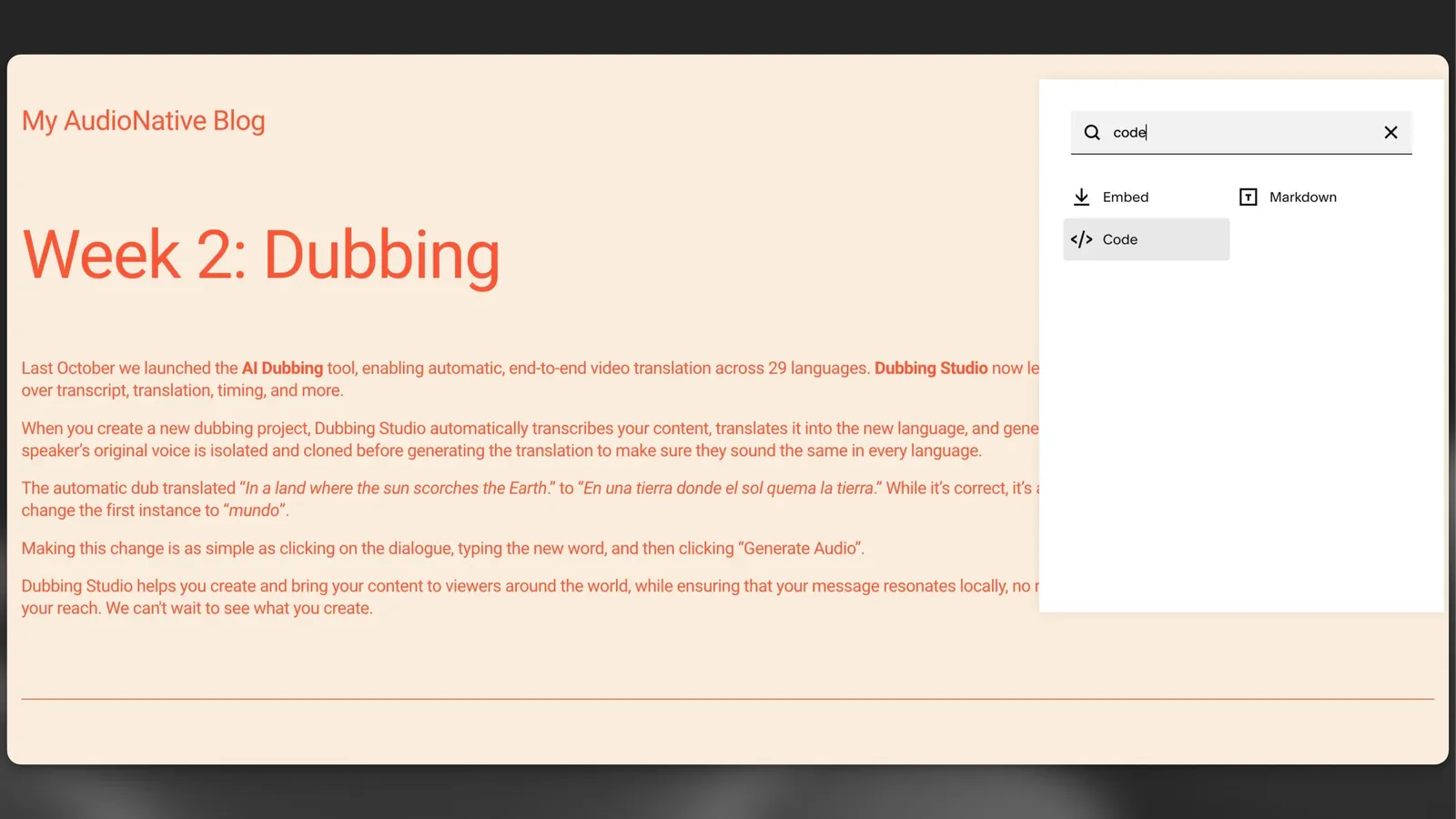
点击要放置 Audio Native 播放器的位置的“+”图标，然后从菜单中选择“代码”。

![Audio Native](/docs/_fern-img/aedf2e008d7a58a1c502b0b71fc674397928102ce07202a31eec415360d98490.webp)

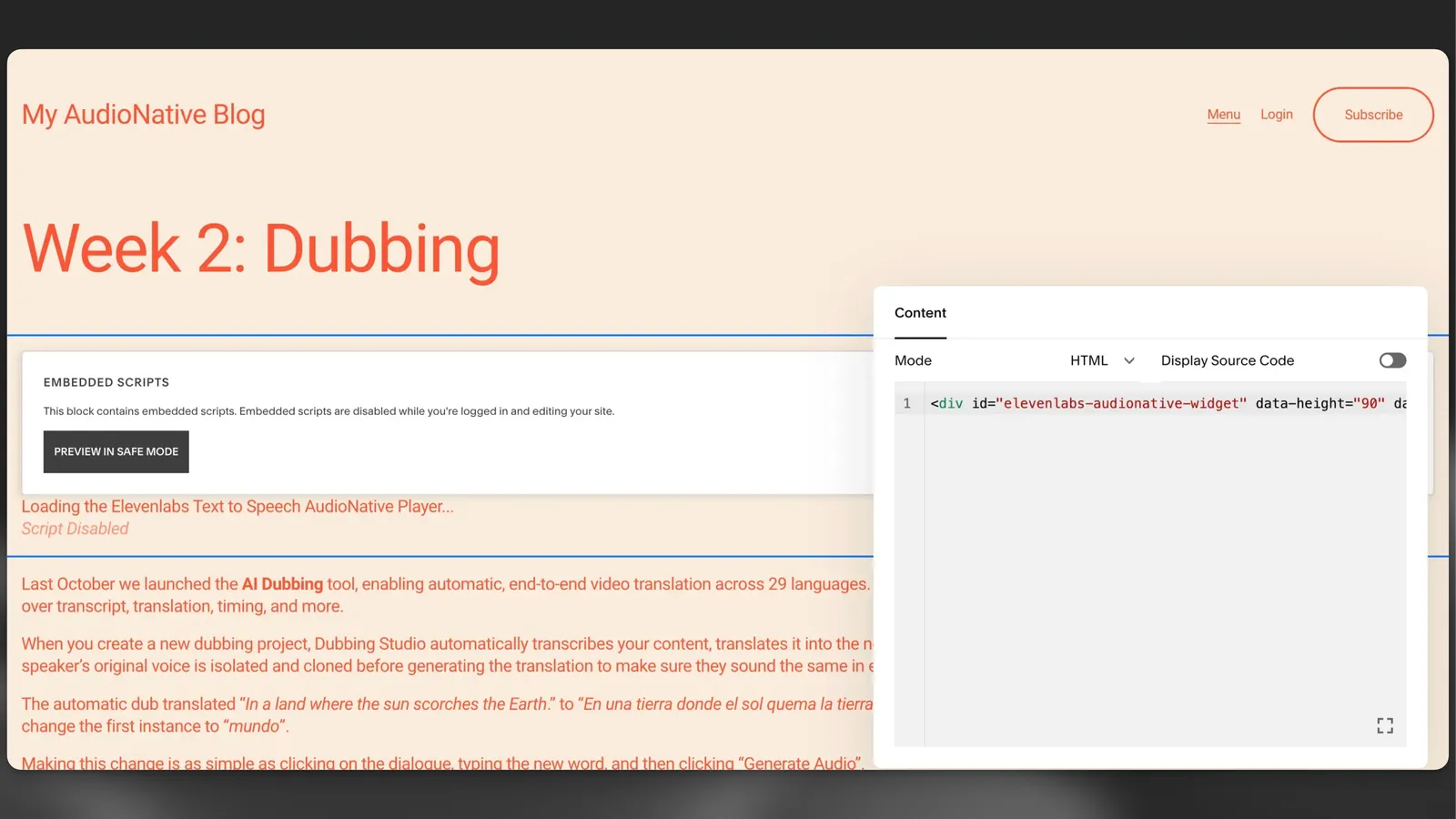
将 Audio Native 嵌入代码粘贴到 HTML 框中，然后按 Enter。

**`嵌入代码片段`**

```html title="嵌入代码片段"
    <div
        id="elevenlabs-audionative-widget"
        data-height="90"
        data-width="100%"
        data-frameborder="no"
        data-scrolling="no"
        data-publicuserid="public-user-id"
        data-playerurl="https://elevenlabs.io/player/index.html"
        data-projectid="project-id"
    >
        Loading the <a href="https://elevenlabs.io/text-to-speech" target="_blank" rel="noopener">Elevenlabs Text to Speech</a> AudioNative Player...
    </div>
    <script src="https://elevenlabs.io/player/audioNativeHelper.js" type="text/javascript"></script>
```

![Audio Native](/docs/_fern-img/c9bc7a9212ad6934ebd100aab3fc6d35436e01058d1ce41cf6ac9994a1aba91c.webp)

#### 更新博客文章

点击编辑器右上角的“保存”按钮，此时该按钮应已高亮显示。

#### 前往博客文章的线上版本

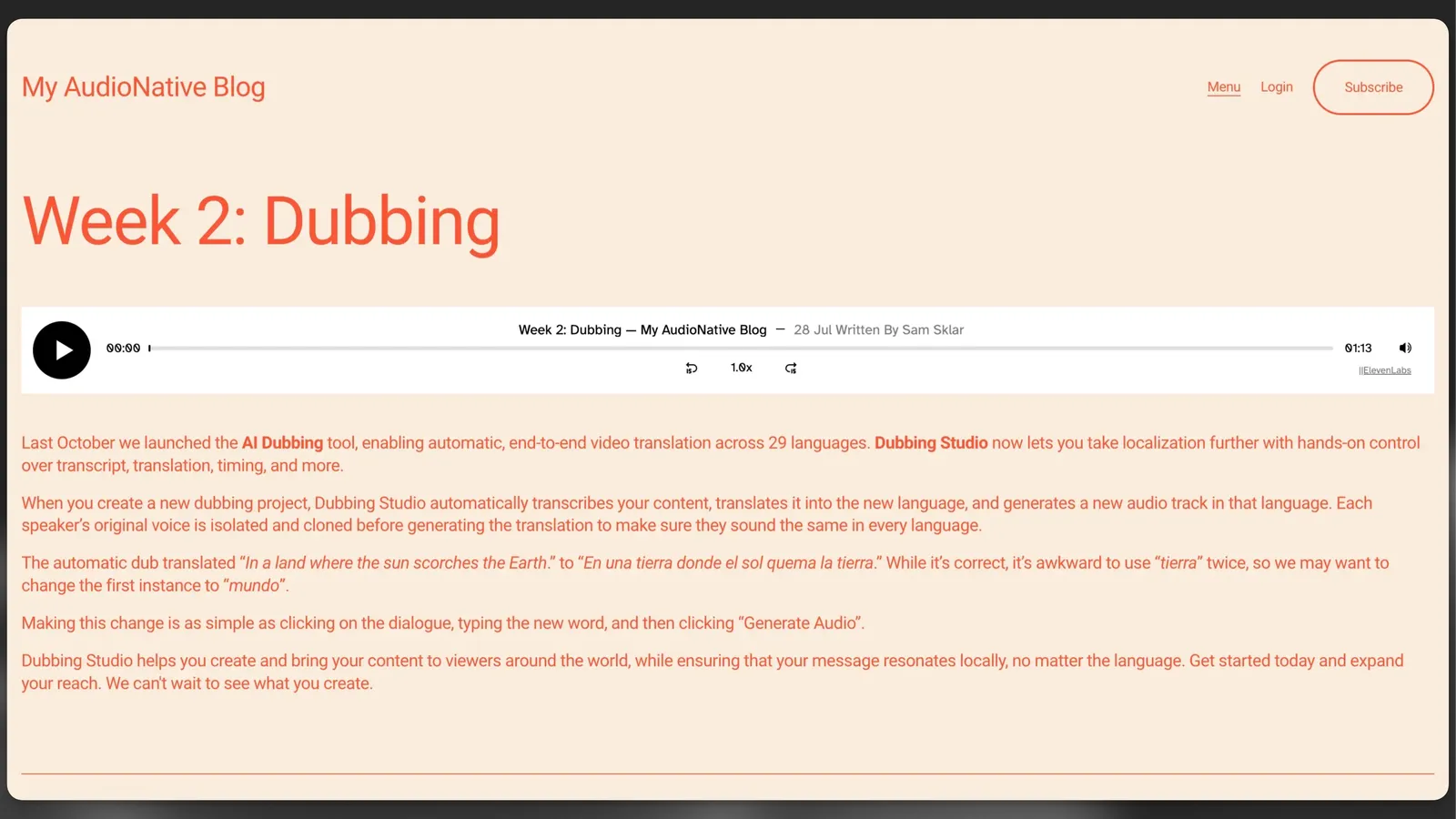
最后，前往博客文章的线上版本。你会看到一条提示，说明正在创建 Audio Native 项目。几分钟后，博客文本将转换为音频文章，嵌入式音频播放器也会出现。

![Audio Native](/docs/_fern-img/e5dd2d8d5c0a5827527911cfab8bb32c5c1af58947a0eeb5e6e6e2df8687de44.webp)