> This is a page from the ElevenLabs documentation. For a complete page index, fetch https://elevenlabs.io/docs/llms.txt. For the full documentation in a single file, fetch https://elevenlabs.io/docs/llms-full.txt.
# Vite(JavaScript)
本教程将指导你创建一个可与 ElevenLabs 智能体交互的 Web 客户端。你将了解如何实现实时语音对话,让用户能与可通过语音合成进行聆听、理解和自然回应的 AI 智能体交流。
> **Note**
>
> 想使用 React/Next.js 构建?查看我们的 [Next.js 指南](/docs/zh/eleven-agents/guides/quickstarts/next-js)
## 所需内容
1. 按照[本指南](/docs/zh/eleven-agents/quickstart)创建的 ElevenLabs 智能体
2. 本地系统已安装 `npm`
3. 基础 JavaScript 知识
## 项目设置
#### 创建项目目录
打开终端并为项目创建一个新目录:
```bash
mkdir elevenlabs-conversational-ai
cd elevenlabs-conversational-ai
```
#### 初始化 npm 并安装依赖
初始化一个新的 npm 项目并安装所需软件包:
```bash
npm init -y
npm install vite @elevenlabs/client
```
#### 设置基本项目结构
将以下内容添加到 `package.json`:
**`package.json`**
```json package.json {4}
{
"scripts": {
...
"dev:frontend": "vite"
}
}
```
创建以下文件结构:
```shell {2,3}
elevenlabs-conversational-ai/
├── index.html
├── script.js
├── package-lock.json
├── package.json
└── node_modules
```
## 实现语音聊天界面
#### 创建 HTML 界面
在 `index.html` 中设置一个简单的用户界面:
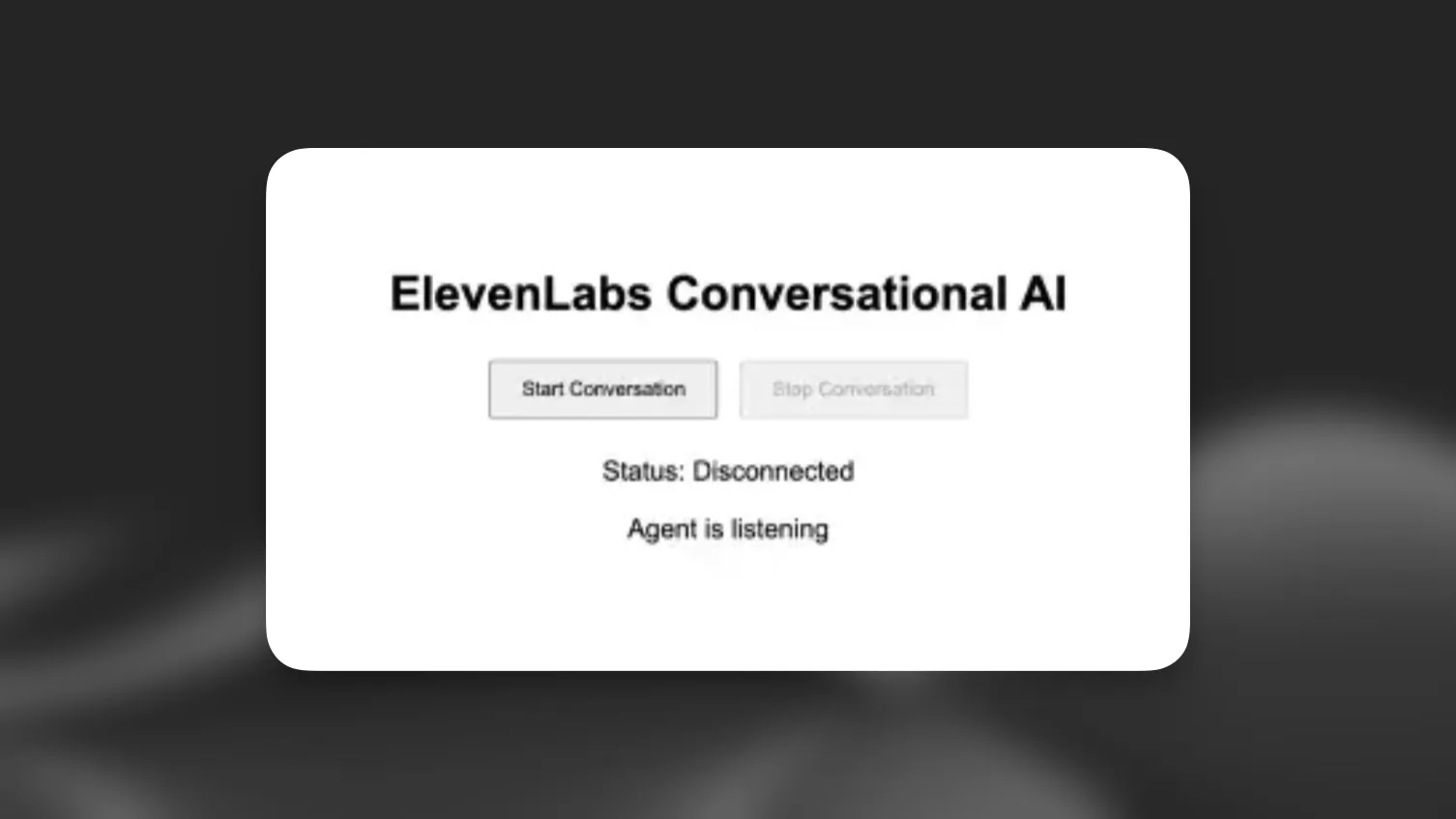
**`index.html`**
```html index.html
ElevenLabs Agents
ElevenLabs Agents
Status: Disconnected
Agent is listening
```
#### 实现对话逻辑
在 `script.js` 中实现功能:
**`script.js`**
```javascript script.js
import { Conversation } from '@elevenlabs/client';
const startButton = document.getElementById('startButton');
const stopButton = document.getElementById('stopButton');
const connectionStatus = document.getElementById('connectionStatus');
const agentStatus = document.getElementById('agentStatus');
let conversation;
async function startConversation() {
try {
// Request microphone permission
await navigator.mediaDevices.getUserMedia({ audio: true });
// Start the conversation
conversation = await Conversation.startSession({
agentId: 'YOUR_AGENT_ID', // Replace with your agent ID
onConnect: () => {
connectionStatus.textContent = 'Connected';
startButton.disabled = true;
stopButton.disabled = false;
},
onDisconnect: () => {
connectionStatus.textContent = 'Disconnected';
startButton.disabled = false;
stopButton.disabled = true;
},
onError: (error) => {
console.error('Error:', error);
},
onModeChange: (mode) => {
agentStatus.textContent = mode.mode === 'speaking' ? 'speaking' : 'listening';
},
});
} catch (error) {
console.error('Failed to start conversation:', error);
}
}
async function stopConversation() {
if (conversation) {
await conversation.endSession();
conversation = null;
}
}
startButton.addEventListener('click', startConversation);
stopButton.addEventListener('click', stopConversation);
```
#### 启动前端服务器
```shell
npm run dev:frontend
```
> **Note**
>
> 请将 `'YOUR_AGENT_ID'` 替换为 ElevenLabs 中实际的智能体 ID。
#### (可选)使用签名 URL 进行身份验证
> **Note**
>
> 此身份验证步骤仅适用于私有智能体。如果使用公开智能体,可以跳过此部分,直接在 `startSession` 调用中使用 `agentId`。
#### 创建环境变量
在项目根目录创建 `.env` 文件:
**`.env`**
```env .env
ELEVENLABS_API_KEY=your-api-key-here
AGENT_ID=your-agent-id-here
```
> **Warning**
>
> 请务必将 `.env` 添加到 `.gitignore` 文件中,避免意外提交敏感凭据。
#### 设置后端
1. 安装额外依赖:
```bash
npm install express cors dotenv
```
2. 创建一个名为 `backend` 的新文件夹:
```shell {2}
elevenlabs-conversational-ai/
├── backend
...
```
#### 创建服务器
**`backend/server.js`**
```javascript backend/server.js
require("dotenv").config();
const express = require("express");
const cors = require("cors");
const app = express();
app.use(cors());
app.use(express.json());
const PORT = process.env.PORT || 3001;
app.get("/api/get-signed-url", async (req, res) => {
try {
const response = await fetch(
`https://api.elevenlabs.io/v1/convai/conversation/get-signed-url?agent_id=${process.env.AGENT_ID}`,
{
headers: {
"xi-api-key": process.env.ELEVENLABS_API_KEY,
},
}
);
if (!response.ok) {
throw new Error("Failed to get signed URL");
}
const data = await response.json();
res.json({ signedUrl: data.signed_url });
} catch (error) {
console.error("Error:", error);
res.status(500).json({ error: "Failed to generate signed URL" });
}
});
app.listen(PORT, () => {
console.log(`Server running on http://localhost:${PORT}`);
});
```
#### 更新客户端代码
修改 `script.js` 以获取并使用签名 URL:
**`script.js`**
```javascript script.js {2-10,16,19,20}
// ... existing imports and variables ...
async function getSignedUrl() {
const response = await fetch('http://localhost:3001/api/get-signed-url');
if (!response.ok) {
throw new Error(`Failed to get signed url: ${response.statusText}`);
}
const { signedUrl } = await response.json();
return signedUrl;
}
async function startConversation() {
try {
await navigator.mediaDevices.getUserMedia({ audio: true });
const signedUrl = await getSignedUrl();
conversation = await Conversation.startSession({
signedUrl,
// agentId has been removed...
onConnect: () => {
connectionStatus.textContent = 'Connected';
startButton.disabled = true;
stopButton.disabled = false;
},
onDisconnect: () => {
connectionStatus.textContent = 'Disconnected';
startButton.disabled = false;
stopButton.disabled = true;
},
onError: (error) => {
console.error('Error:', error);
},
onModeChange: (mode) => {
agentStatus.textContent = mode.mode === 'speaking' ? 'speaking' : 'listening';
},
});
} catch (error) {
console.error('Failed to start conversation:', error);
}
}
// ... rest of the code ...
```
> **Warning**
>
> 签名 URL 会在短时间后过期。不过,在过期前发起的任何对话都将持续进行,不会中断。在生产环境中,应针对发起新对话实现适当的错误处理和 URL 刷新逻辑。
#### 更新 package.json
**`package.json`**
```json package.json {4,5}
{
"scripts": {
...
"dev:backend": "node backend/server.js",
"dev": "npm run dev:frontend & npm run dev:backend"
}
}
```
#### 运行应用
使用以下命令启动应用:
```bash
npm run dev
```
## 后续步骤
现在你已有基本实现,可以:
1. 添加语音活动的视觉反馈
2. 实现错误处理和重试逻辑
3. 添加聊天记录显示
4. 自定义 UI 以匹配品牌
> **Info**
>
> 如需更多高级功能和自定义选项,请查看
> [@elevenlabs/client](https://www.npmjs.com/package/@elevenlabs/client) 软件包。