> This is a page from the ElevenLabs documentation. For a complete page index, fetch https://elevenlabs.io/docs/llms.txt. For the full documentation in a single file, fetch https://elevenlabs.io/docs/llms-full.txt.
# 多音色支持
## 概述
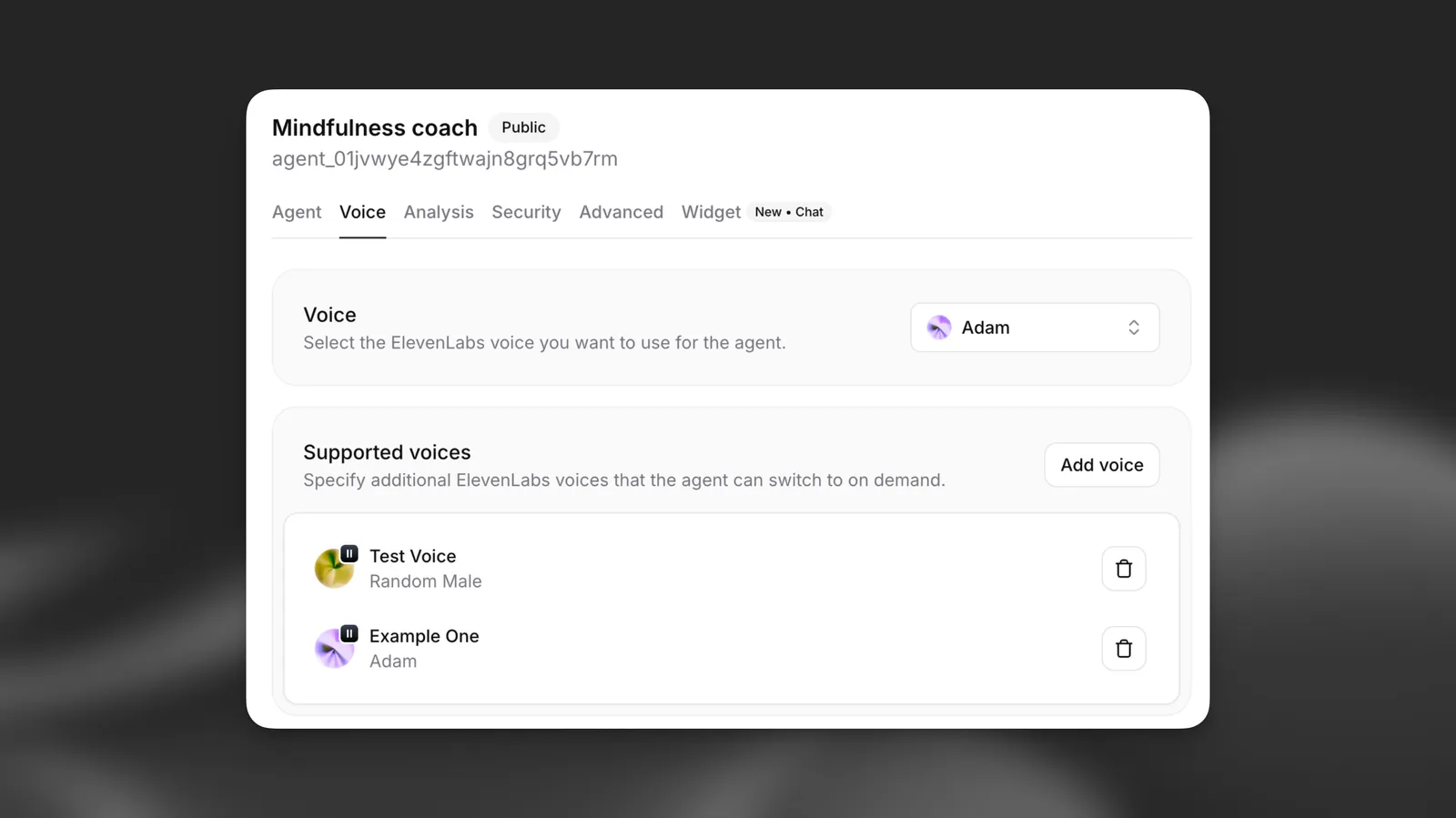
多音色支持让 ElevenLabs 智能体能在单次对话中动态切换不同的 ElevenLabs 音色。这项强大功能支持:
* **多角色故事叙述**:为叙事中的不同角色使用不同音色
* **语言辅导**:为不同语言使用母语者音色
* **情绪型智能体**:根据情绪上下文切换音色
* **角色扮演场景**:为不同人物设定不同音色
## 工作原理
启用多音色支持后,智能体可以在生成文本时使用 XML 风格标记,在已配置的音色之间切换。未指定特定音色时,智能体会自动恢复为默认音色。
**`音色切换示例`**
```xml title="音色切换示例"
The teacher said, ¡Hola estudiantes!
Then the student replied, Hello! How are you today?
```
**`多角色对话`**
```xml title="多角色对话"
Once upon a time, in a distant kingdom...
I need to find the magic crystal!
The crystal lies beyond the enchanted forest.
```
## 配置
### 添加支持的音色
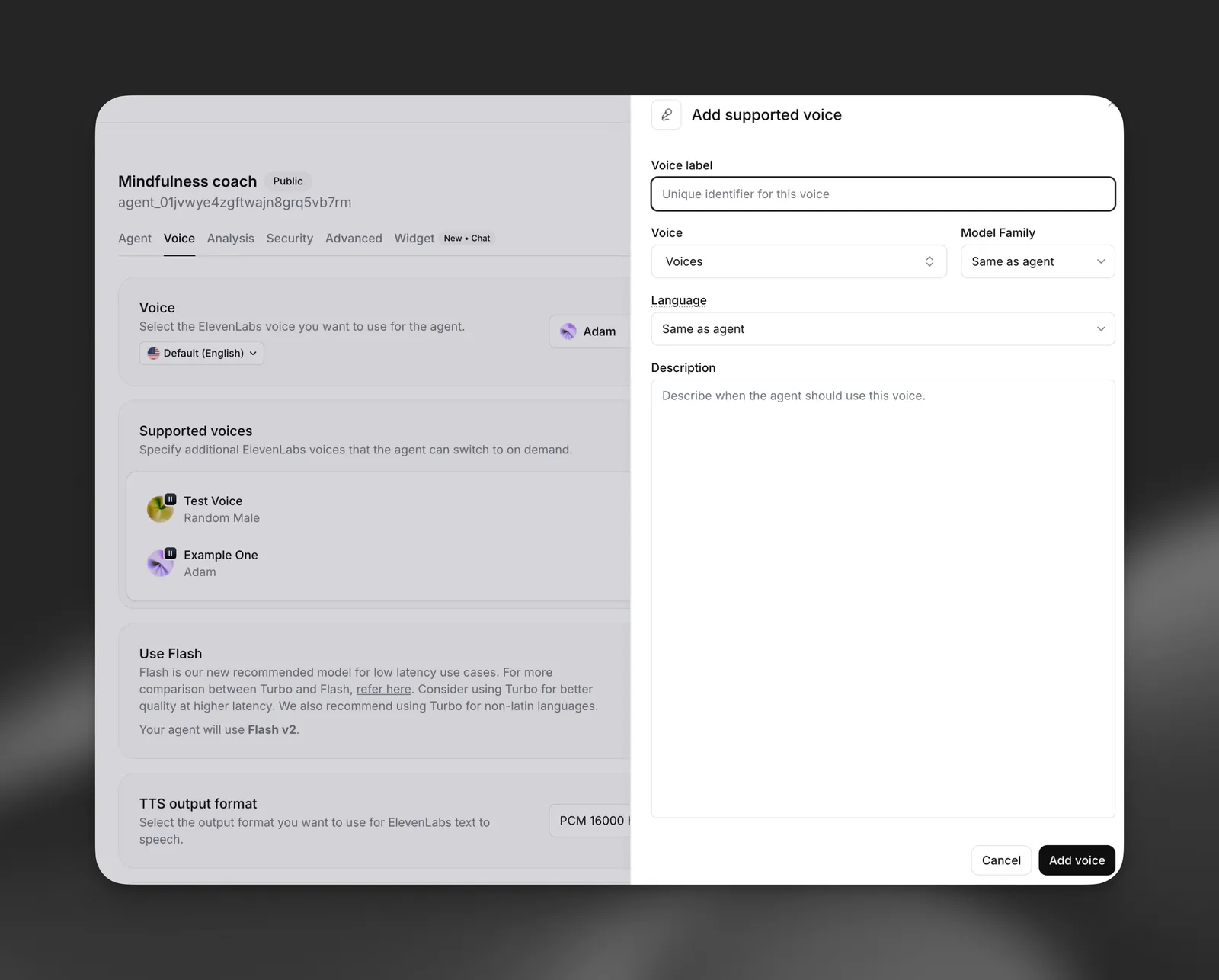
每个支持的音色具有以下属性:
* **音色标签**:唯一标识符(例如“Joe”、“Spanish”、“Happy”)
* **音色**:从可用的 ElevenLabs 音色中选择
* **模型系列**:选择 Turbo、Flash 或 Multilingual(可选)
* **语言**:覆盖该音色的默认语言(可选)
* **描述**:智能体应在何时使用此音色
#### 通过控制台更新
在控制台中打开智能体,前往 **Voice** 标签页,然后找到 **Multi-voice support** 部分。点击 **Add voice** 配置新的支持音色。
#### 通过 CLI 更新
#### 拉取智能体配置
```bash
elevenlabs agents pull --agent ""
```
#### 编辑 \`agent_configs/\.json\`
设置 `conversation_config.tts.supported_voices`:
```json
{
"conversation_config": {
"tts": {
"supported_voices": [
{
"label": "Spanish",
"voice_id": "",
"language": "es",
"description": "For any Spanish words or phrases"
}
]
}
}
}
```
#### 推送更改
```bash
elevenlabs agents push --agent ""
```
#### 通过 API 更新
```python
from elevenlabs import ElevenLabs
elevenlabs = ElevenLabs()
elevenlabs.conversational_ai.agents.update(
agent_id="agent_7101k5zvyjhmfg983brhmhkd98n6",
conversation_config={
"tts": {
"supported_voices": [
{
"label": "Spanish",
"voice_id": "",
"language": "es",
"description": "For any Spanish words or phrases",
}
]
},
},
)
```
```typescript
import { ElevenLabsClient } from "@elevenlabs/elevenlabs-js";
const elevenlabs = new ElevenLabsClient();
await elevenlabs.conversationalAi.agents.update("agent_7101k5zvyjhmfg983brhmhkd98n6", {
conversationConfig: {
tts: {
supportedVoices: [
{
label: "Spanish",
voiceId: "",
language: "es",
description: "For any Spanish words or phrases",
},
],
},
},
});
```
### 音色属性
#### 音色标签
LLM 用于引用此音色的唯一标识符。选择描述性标签,例如:-
角色名称:“Alice”、“Bob”、“Narrator” - 语言:“Spanish”、“French”、“German” -
情绪:“Happy”、“Sad”、“Excited” - 角色:“Teacher”、“Student”、“Guide”
#### 模型系列
为此特定音色覆盖智能体的默认模型系列:- **Flash**:生成速度最快,
针对实时使用优化 - **Turbo**:速度与质量均衡 - **Multilingual**:质量最高,
最适合非英语语言 - **与智能体相同**:使用智能体的默认设置
#### 语言覆盖
为此音色指定不同语言,适用于:- 多语言对话 - 语言
辅导应用 - 特定地区的发音
#### 描述
说明智能体应在何时使用此音色。
示例:
* “适用于任何西班牙语单词或短语”
* “当消息内容愉快或兴奋时”
* “当角色 Joe 说话时”
## 实现
### XML 标记语法
智能体使用 XML 风格标签切换音色:
```xml
text to be spoken
```
**要点:**
* 将 `VOICE_LABEL` 替换为配置的准确标签
* 标签外的文本使用默认音色
* 标签区分大小写
* 不支持嵌套标签
### 系统提示词集成
配置支持的音色后,系统会自动向智能体的提示词中添加说明:
```
When a message should be spoken by a particular person, use markup: "message" where CHARACTER is the character label.
Available voices are as follows:
- default: any text outside of the CHARACTER tags
- Joe: Whenever Joe is speaking
- Spanish: For any Spanish words or phrases
- Narrator: For narrative descriptions
```
### 使用示例
#### 语言辅导
```
Teacher: Let's practice greetings. In Spanish, we say ¡Hola! ¿Cómo estás?
Student: How do I respond?
Teacher: You can say ¡Hola! Estoy bien, gracias. which means Hello! I'm fine, thank you.
```
#### 故事叙述
```
Once upon a time, a brave princess ventured into a dark cave.
I'm not afraid of you, dragon! she declared boldly. The dragon rumbled from
the shadows, You should be, little one.
But the princess stood her ground, ready for whatever came next.
```
## 最佳实践
#### 音色选择
* 选择能清晰区分角色或上下文的音色
* 测试音色组合,确保它们搭配良好
* 考虑每种音色的情绪基调和个性
* 切换语言时,确保音色与对应语言和口音匹配
#### 标签命名
* 使用 LLM 能理解的描述性、直观标签
* 标签应简短易记
* 避免在标签中使用特殊字符或空格
#### 性能优化
* 将支持的音色数量限制在实际所需范围内
* 尽可能使用相同模型系列,以减少切换开销
* 根据预期的对话模式进行测试
* 监控多次音色切换时的响应时间
#### 内容指南
* 清晰说明每种音色应在何时使用
* 测试音色切换可能不明确的边缘情况
* 在音色标签有歧义时考虑回退行为
* 确保音色切换能增强而非干扰对话
## 限制
> **Note**
>
> * 每个智能体最多支持 10 种音色(包括默认音色)
> * 音色切换在生成过程中只会增加极少延迟
> * XML 标签必须格式正确且已闭合
> * 标记中的音色标签区分大小写
> * 不支持嵌套音色标签
## 常见问题
#### 如果使用未定义的音色标签,会发生什么?
如果智能体使用了尚未配置的音色标签,文本将使用默认音色朗读。
XML 标签会被忽略。
#### 可以在句子中间切换音色吗?
可以,你可以在单次响应中切换音色。每个带标签的片段都会使用指定的
音色,未带标签的文本则使用默认音色。
#### 音色切换会影响对话延迟吗?
音色切换带来的额外开销很小。对话中首次使用每种音色时,可能会有
略高的延迟,因为需要初始化音色。
#### 可以为同一音色使用不同标签吗?
可以,可以配置多个标签使用同一个 ElevenLabs 音色,但采用不同的模型
系列、语言或上下文。
#### 如何训练智能体有效使用音色切换?
在系统提示词中提供清晰示例,并进行充分测试。可以加入音色切换应发生的具体
场景,以及 XML 标记格式的示例。