> This is a page from the ElevenLabs documentation. For a complete page index, fetch https://elevenlabs.io/docs/llms.txt. For the full documentation in a single file, fetch https://elevenlabs.io/docs/llms-full.txt.

# WordPressでAudio Nativeを使う

> **Info**
>
> このガイドを続ける前に、[Audio Nativeの概要](/docs/ja/eleven-creative/audio-tools/audio-native)の手順に従って、
> Audio Nativeを使い始めてください。

#### WPCodeプラグインをインストールする

HTMLコードを埋め込むには、[WPCodeプラグイン](https://wpcode.com/)をWordPressサイトにインストールします。

#### 新しいコードスニペットを作成する

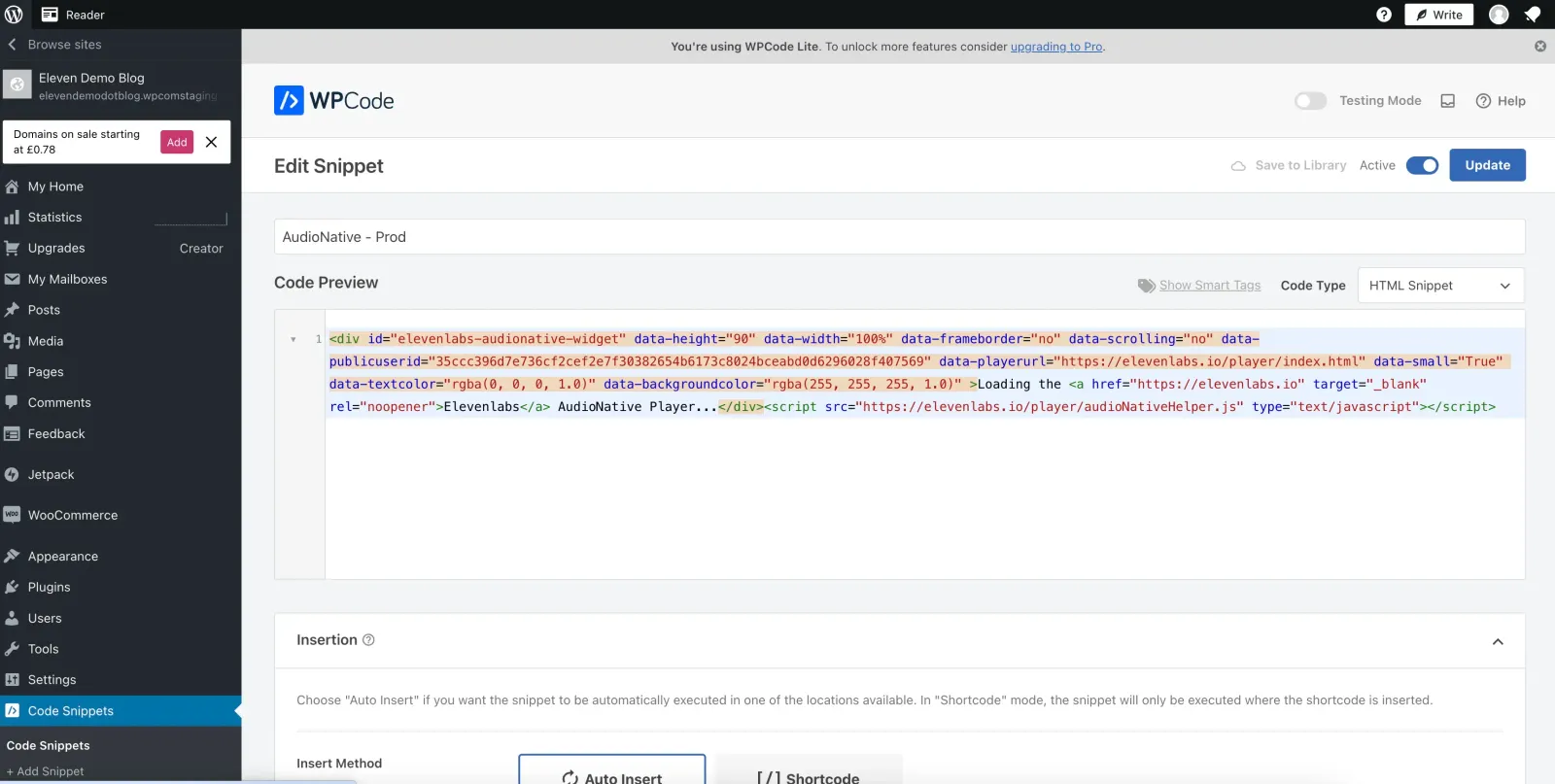
WordPress管理コンソールで「Code Snippets」をクリックします。新しいコードスニペットにAudio Nativeの埋め込みコードを追加します。

**`Embed code snippet`**

```html title="Embed code snippet"
    <div
        id="elevenlabs-audionative-widget"
        data-height="90"
        data-width="100%"
        data-frameborder="no"
        data-scrolling="no"
        data-publicuserid="public-user-id"
        data-playerurl="https://elevenlabs.io/player/index.html"
        data-projectid="project-id"
    >
        Loading the <a href="https://elevenlabs.io/text-to-speech" target="_blank" rel="noopener">Elevenlabs Text to Speech</a> AudioNative Player...
    </div>
    <script src="https://elevenlabs.io/player/audioNativeHelper.js" type="text/javascript"></script>
```

![Audio Native](/docs/_fern-img/ce6368db32162ddccd68639525a54eeb477eacf3ecd64f9fac559f7a4bac1e01.webp)

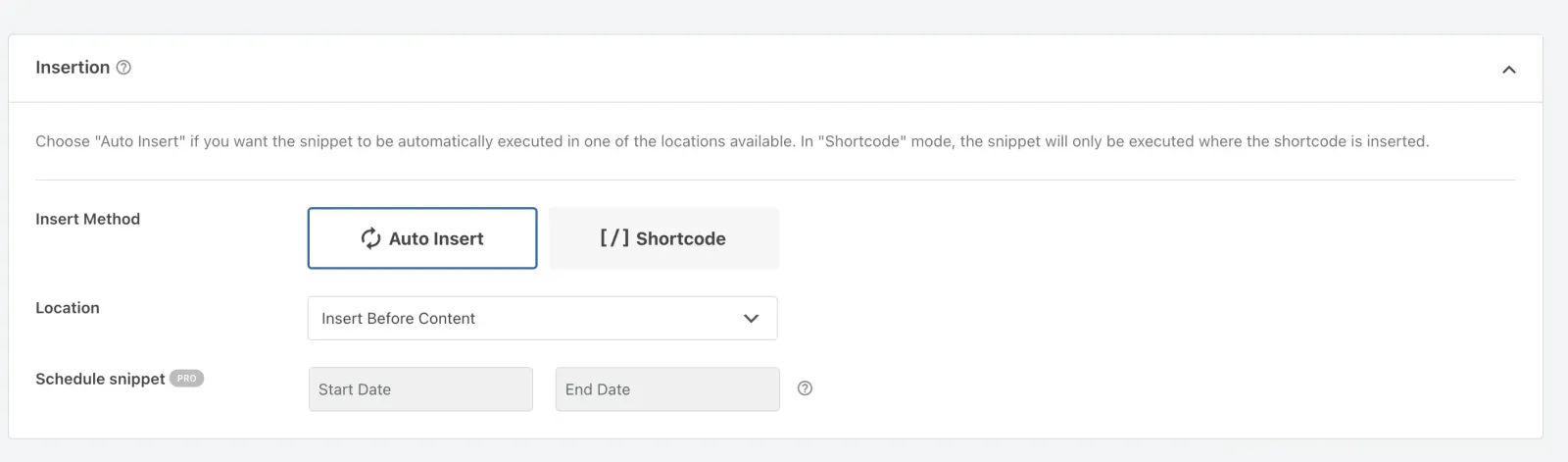
挿入方法として「Auto Insert」を選択し、場所を「Insert Before Content」に設定します。
![Audio Native](/docs/_fern-img/301598cd60b04b9df9465b057eeb955518b94dfbf676c9cbfee194fe6653fa90.webp)

#### 変更を公開する

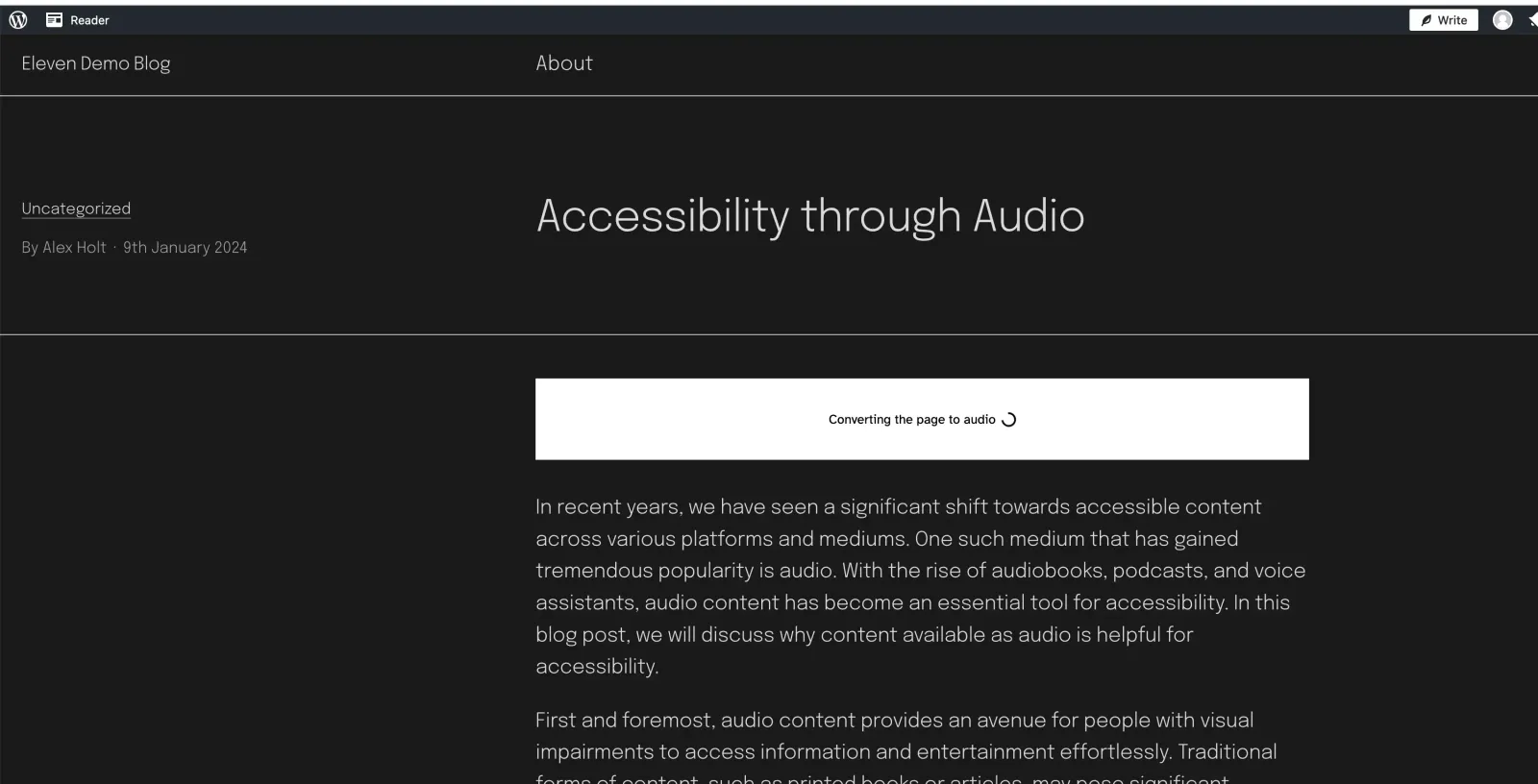
最後に、変更を公開して公開中のブログ記事を開きます。Audio Nativeプロジェクトの作成中であることを示すメッセージが表示されます。数分後、ブログのテキストが音声記事に変換され、埋め込みオーディオプレーヤーが表示されます。
![Audio Native](/docs/_fern-img/d28e7eb952db6f03f5c1007f43eea0dcda3dc5413d98ab2a3aa5610d242ed8b8.webp)