> This is a page from the ElevenLabs documentation. For a complete page index, fetch https://elevenlabs.io/docs/llms.txt. For the full documentation in a single file, fetch https://elevenlabs.io/docs/llms-full.txt.

# FramerでAudio Nativeを使う

> **Info**
>
> このガイドを続ける前に、[Audio Nativeの概要](/docs/ja/eleven-creative/audio-tools/audio-native)の手順に従って、
> Audio Nativeを使い始めてください。

#### ページにAudio Nativeスクリプトを追加

Framerのページに移動してサインインし、サイト設定を開きます。Audio Nativeの埋め込みコードから`<script>`タグを取り出し、「End of `<body>` tag」フィールドに貼り付けます。

**`Embed script `**

```html title="Embed script "
    <script src="https://elevenlabs.io/player/audioNativeHelper.js" type="text/javascript"></script>
```

![Audio Native](/docs/_fern-img/00efa5ae0c085f442c015ebcf69066cc42c8e20d1c24c907444dd750e159dd4a.webp)

#### 埋め込み要素を追加

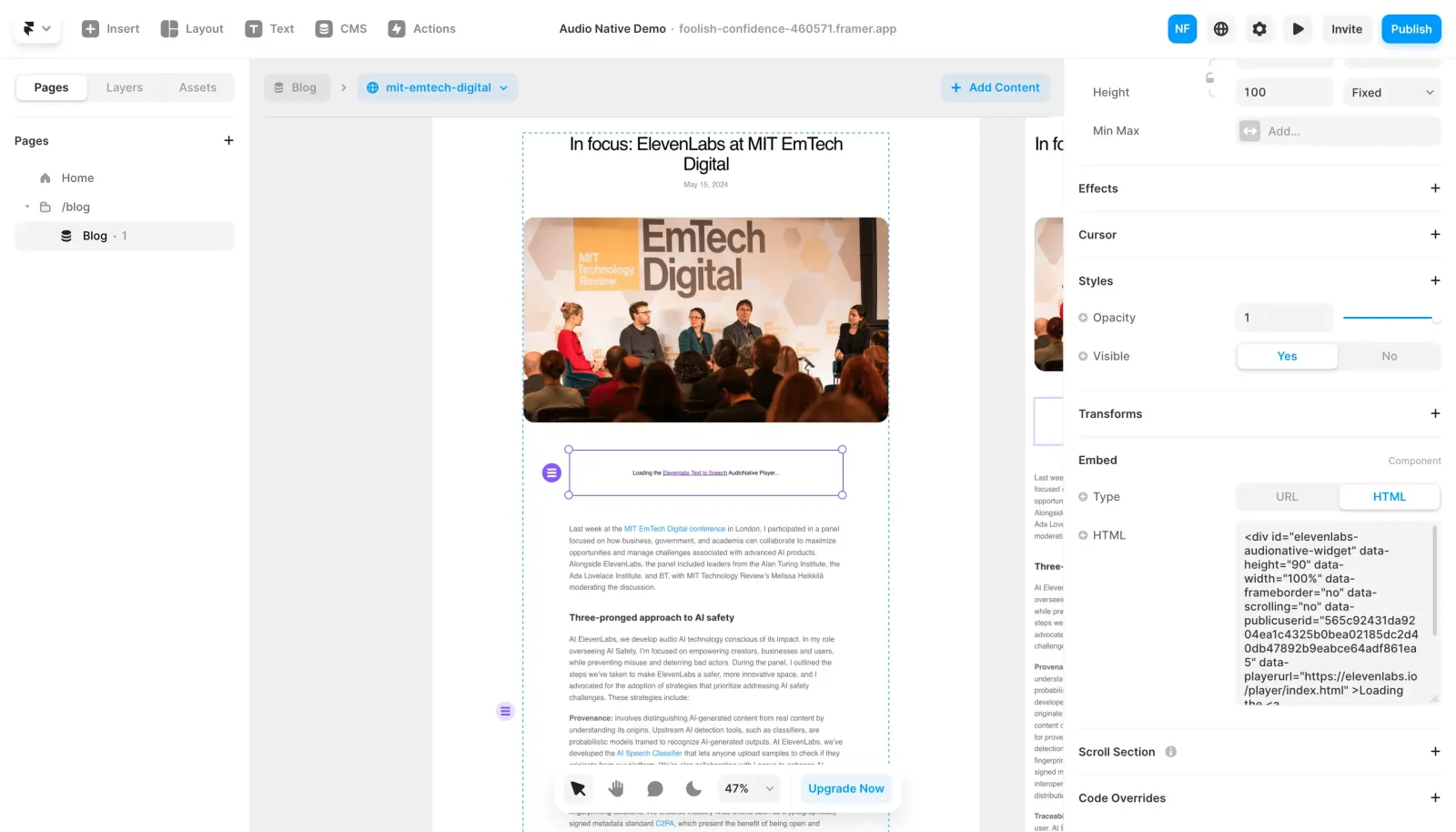
Framerのブログページで、Utilitiesから埋め込み要素を追加します。

![Audio Native](/docs/_fern-img/601d4256f5826613e90b5ad75bd92abc7b218944f31cea0a14cfad0677f080ee.webp)

埋め込み要素の設定でタイプをHTMLに切り替え、Audio Nativeの埋め込みコードにある`<div>`スニペットをHTMLボックスに貼り付けます。

**`Embed div`**

```html title="Embed div"
    <div
        id="elevenlabs-audionative-widget"
        data-height="90"
        data-width="100%"
        data-frameborder="no"
        data-scrolling="no"
        data-publicuserid="public-user-id"
        data-playerurl="https://elevenlabs.io/player/index.html"
        data-projectid="project-id"
    >
        Loading the <a href="https://elevenlabs.io/text-to-speech" target="_blank" rel="noopener">Elevenlabs Text to Speech</a> AudioNative Player...
    </div>
```

![Audio Native](/docs/_fern-img/42ba6037aedc4982495e8ea0ba8f6a23601d1309a6c67f310c8ed326382022b9.webp)

#### 変更を公開

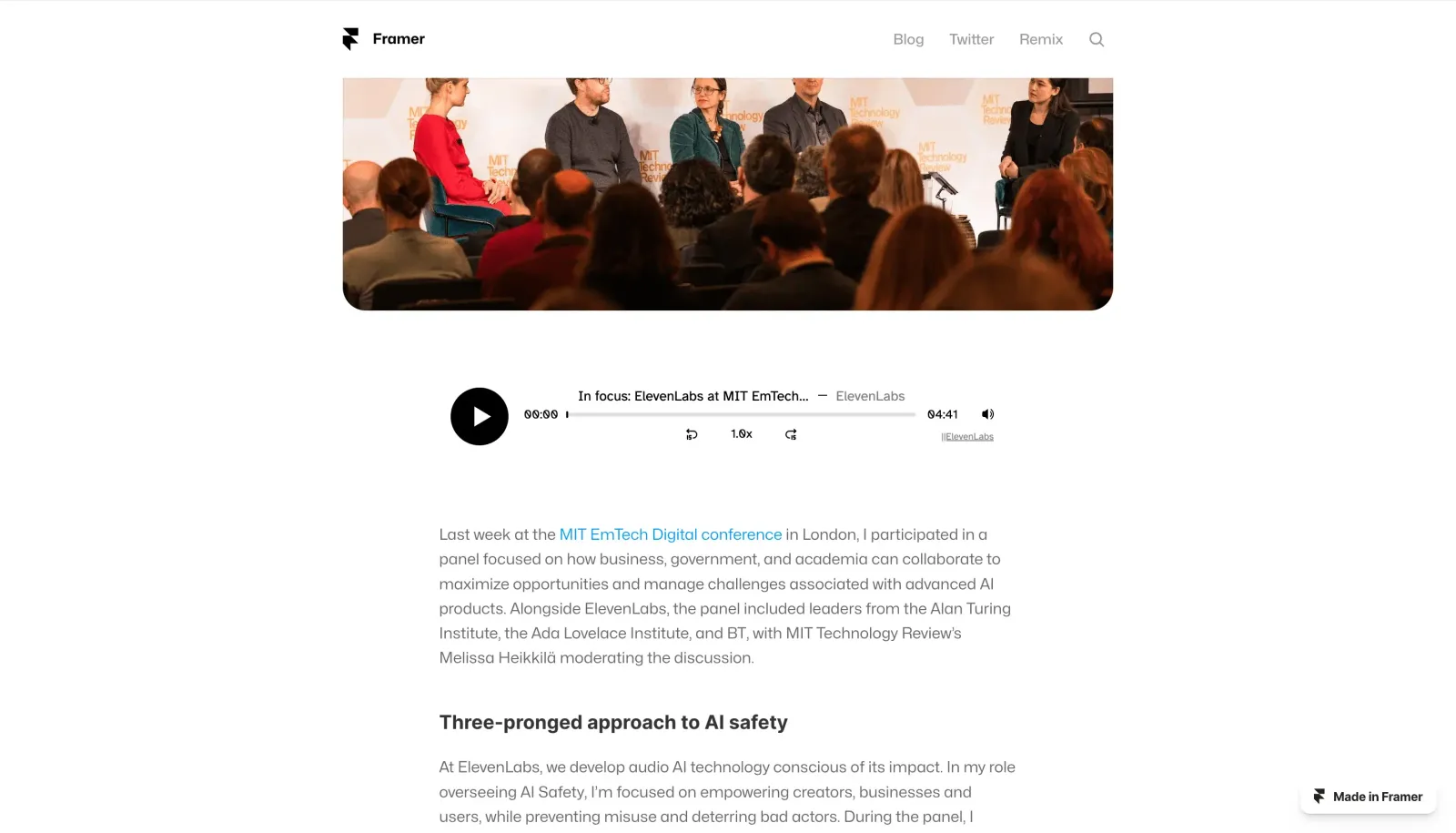
最後に、変更を公開してページの公開版を開きます。Audio Nativeプロジェクトが作成中であることを知らせるメッセージが表示されます。数分後、ブログ内のテキストが音声記事に変換され、埋め込みオーディオプレーヤーが表示されます。
![Audio Native](/docs/_fern-img/86a311d5bdca2b406a9ee85d7f18a357f7e41dd31545b4b90a92ce04880b1e80.webp)