> This is a page from the ElevenLabs documentation. For a complete page index, fetch https://elevenlabs.io/docs/llms.txt. For the full documentation in a single file, fetch https://elevenlabs.io/docs/llms-full.txt.
# Audio Native with Squarespace
> **Info**
>
> Follow the steps in the [Audio Native overview](/docs/eleven-creative/audio-tools/audio-native) to
> get started with Audio Native before continuing with this guide.
#### Add HTML to your blog post
Navigate to your Squarespace site, sign in and open the page you wish to add narration to.
#### Add the embed code to your blog post
Click the "+" symbol on the spot you want to place the Audio Native player and select "Code" from the menu.
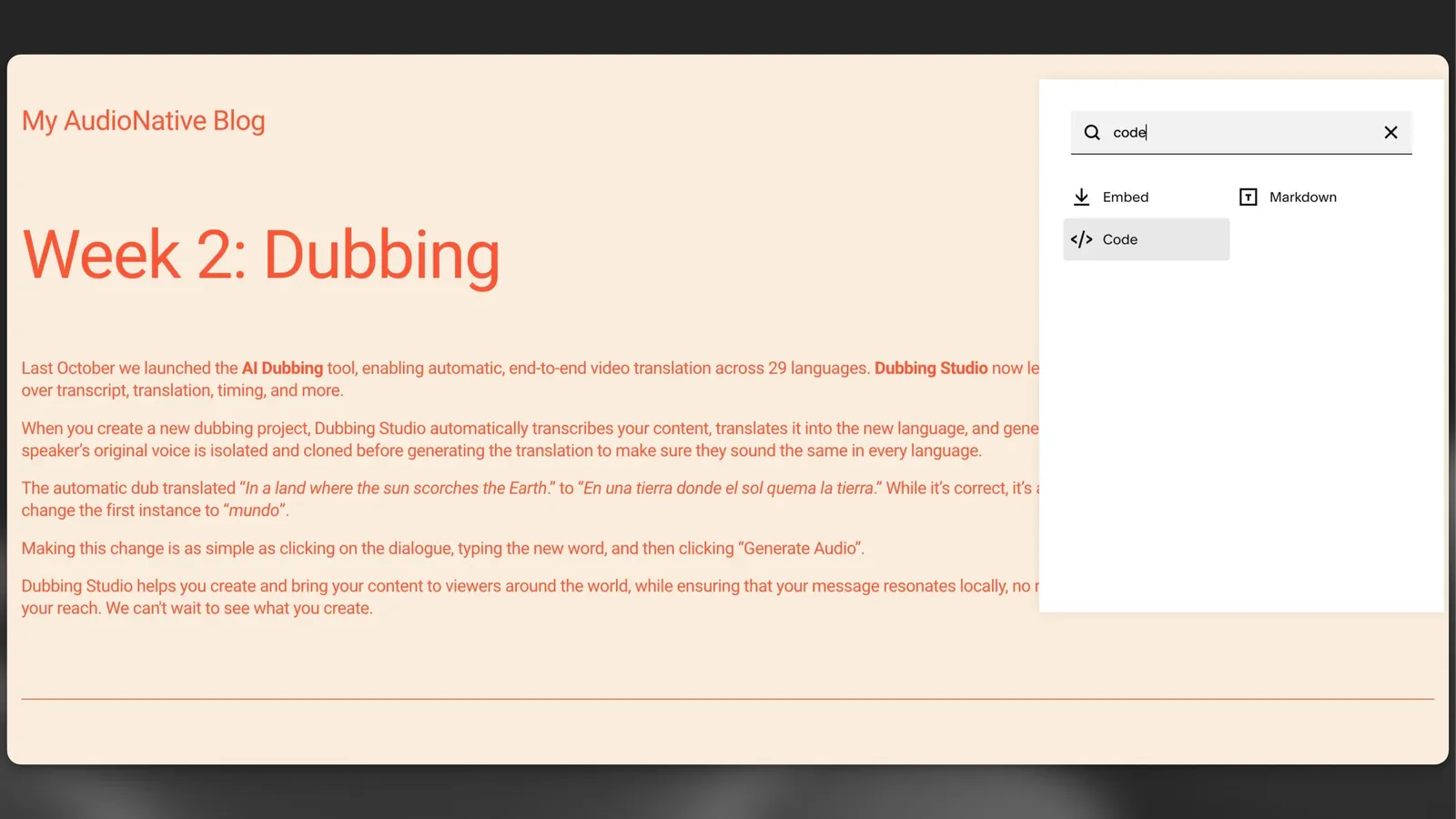
Paste the Audio Native embed code into the HTML box and press enter.
**`Embed code snippet`**
```html title="Embed code snippet"
```
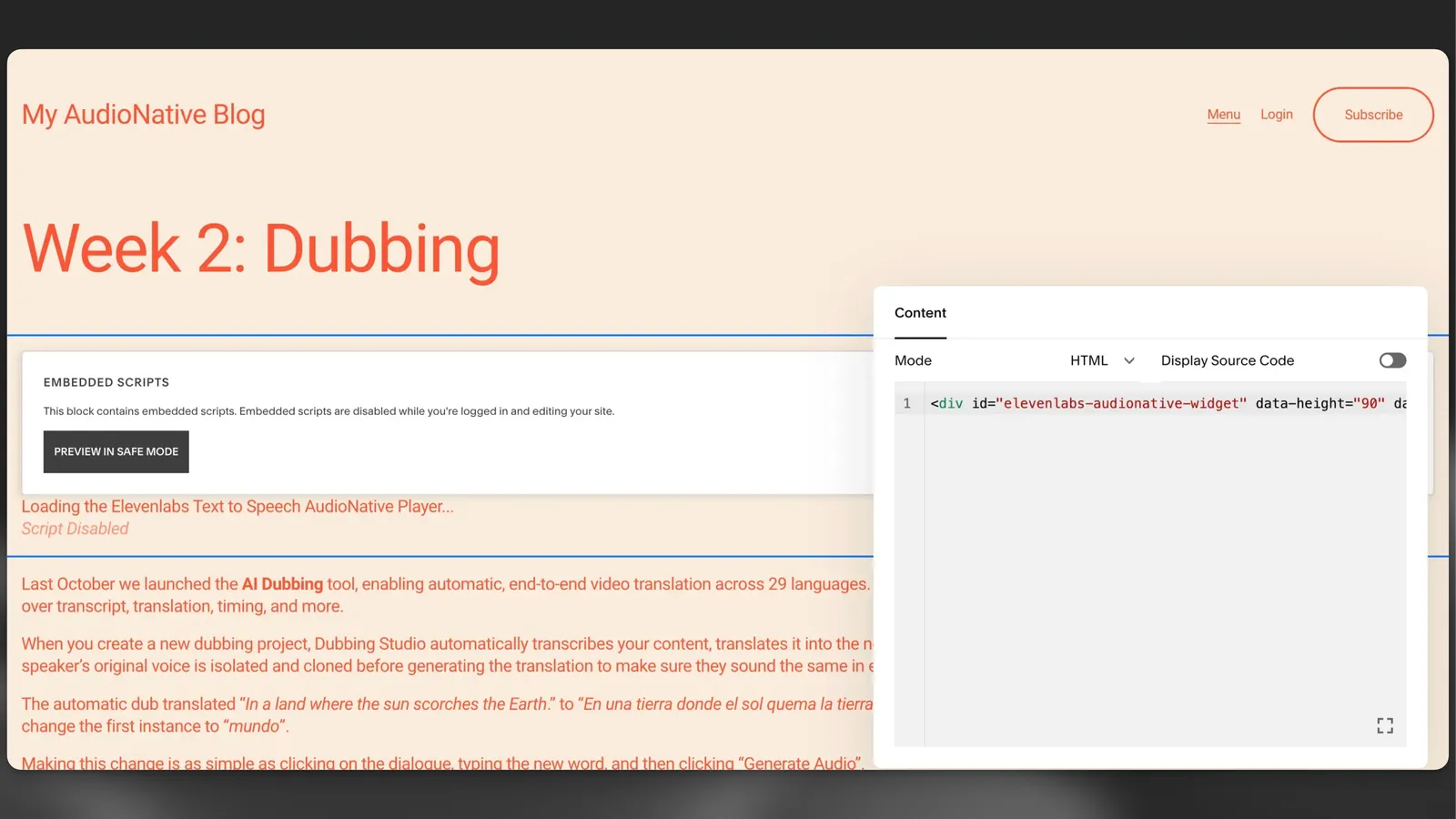
#### Update the blog post
Click the "Save" button in the top right corner of the editor, which should now be highlighted.
#### Navigate to the live version of the blog post
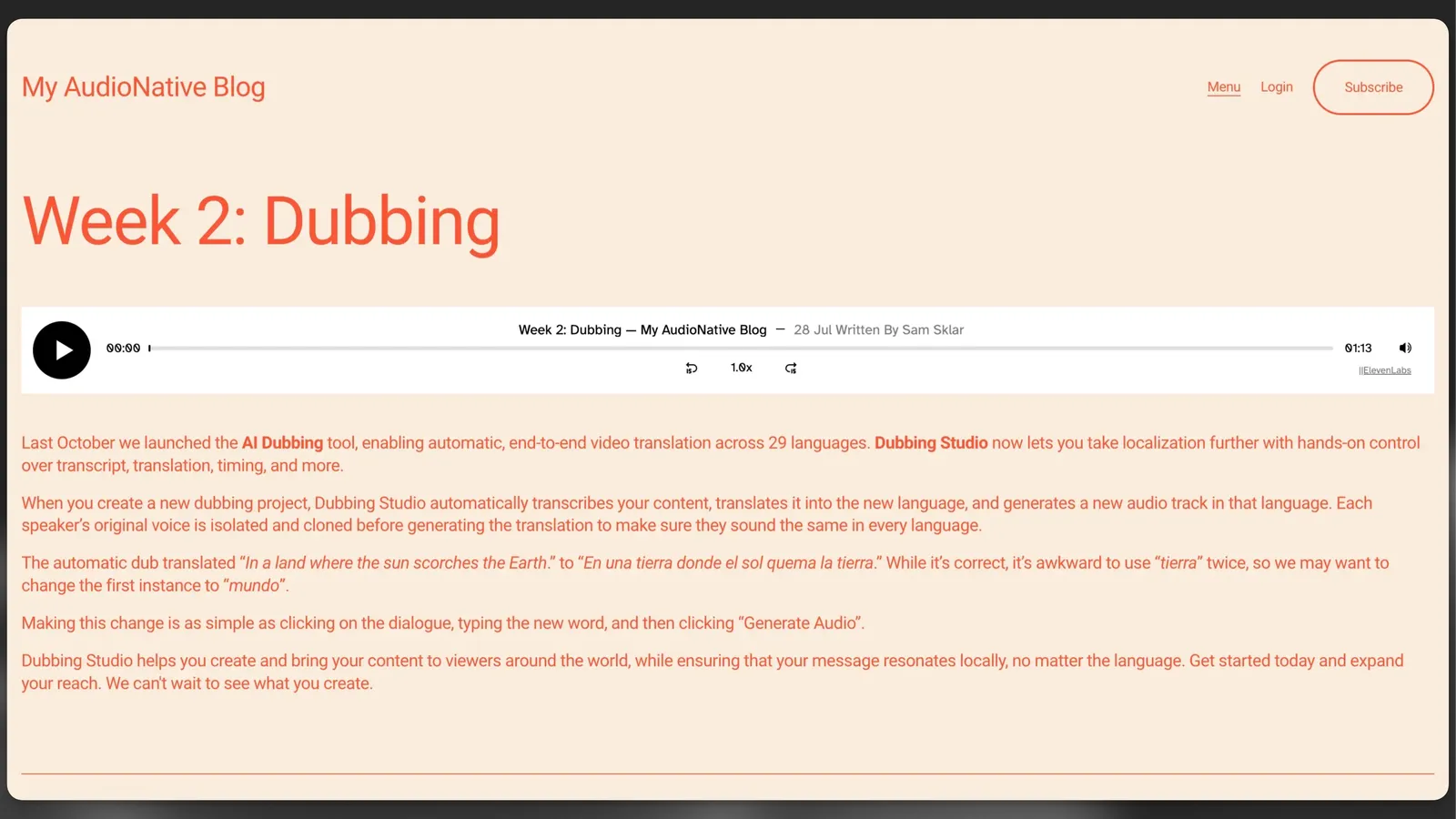
Finally, navigate to the live version of the blog post. You should see a message to let you know that the Audio Native project is being created. After a few minutes the text in your blog will be converted to an audio article and the embedded audio player will appear.
> ElevenLabs provides APIs and SDKs for text to speech, voice cloning, speech to text, sound effects, voice isolator, voice changer, and conversational AI agents. Build voice-enabled applications with lifelike audio generation.