> This is a page from the ElevenLabs documentation. For a complete page index, fetch https://elevenlabs.io/docs/llms.txt. For the full documentation in a single file, fetch https://elevenlabs.io/docs/llms-full.txt.
# Skip turn
## Overview
The **Skip Turn** tool allows your conversational agent to explicitly pause and wait for the user to speak or act before continuing. This system tool is useful when the user indicates they need a moment, for example, by saying "Give me a second," "Let me think," or "One moment please."
## Functionality
* **User-Initiated Pause**: The tool is designed to be invoked by the LLM when it detects that the user needs a brief pause without interruption.
* **No Verbal Response**: After this tool is called, the assistant will not speak. It waits for the user to re-engage or for another turn-taking condition to be met.
* **Seamless Conversation Flow**: It helps maintain a natural conversational rhythm by respecting the user's need for a short break without ending the interaction or the agent speaking unnecessarily.
**Purpose**: Allow the agent to pause and wait for user input without speaking.
**Trigger conditions**: The LLM should call this tool when:
* User indicates they need a moment ("Give me a second", "Let me think")
* User requests pause in conversation flow
* Agent detects user needs time to process information
**Parameters**:
* `reason` (string, optional): Free-form reason explaining why the pause is needed
**Function call format**:
```json
{
"type": "function",
"function": {
"name": "skip_turn",
"arguments": "{\"reason\": \"User requested time to think\"}"
}
}
```
**Implementation**: No additional configuration needed. The tool simply signals the agent to remain silent until the user speaks again.
### API implementation
When creating an agent via API, you can add the Skip Turn tool to your agent configuration. It should be defined as a system tool, with the name `skip_turn`.
```python
from elevenlabs import (
ConversationalConfig,
ElevenLabs,
AgentConfig,
PromptAgent,
PromptAgentInputToolsItem_System
)
# Initialize the client
elevenlabs = ElevenLabs(api_key="YOUR_API_KEY")
# Create the skip turn tool
skip_turn_tool = PromptAgentInputToolsItem_System(
name="skip_turn",
description="" # Optional: Customize when the tool should be triggered, or leave blank for default.
)
# Create the agent configuration
conversation_config = ConversationalConfig(
agent=AgentConfig(
prompt=PromptAgent(
tools=[skip_turn_tool]
)
)
)
# Create the agent
response = elevenlabs.conversational_ai.agents.create(
conversation_config=conversation_config
)
```
```javascript
import { ElevenLabs } from "@elevenlabs/elevenlabs-js";
// Initialize the client
const elevenlabs = new ElevenLabs({
apiKey: "YOUR_API_KEY",
});
// Create the agent with skip turn tool
await elevenlabs.conversationalAi.agents.create({
conversationConfig: {
agent: {
prompt: {
tools: [
{
type: "system",
name: "skip_turn",
description: "", // Optional: Customize when the tool should be triggered, or leave blank for default.
},
],
},
},
},
});
```
## UI configuration
You can also configure the Skip Turn tool directly within the Agent's UI, in the tools section.
### Step 1: Add a new tool
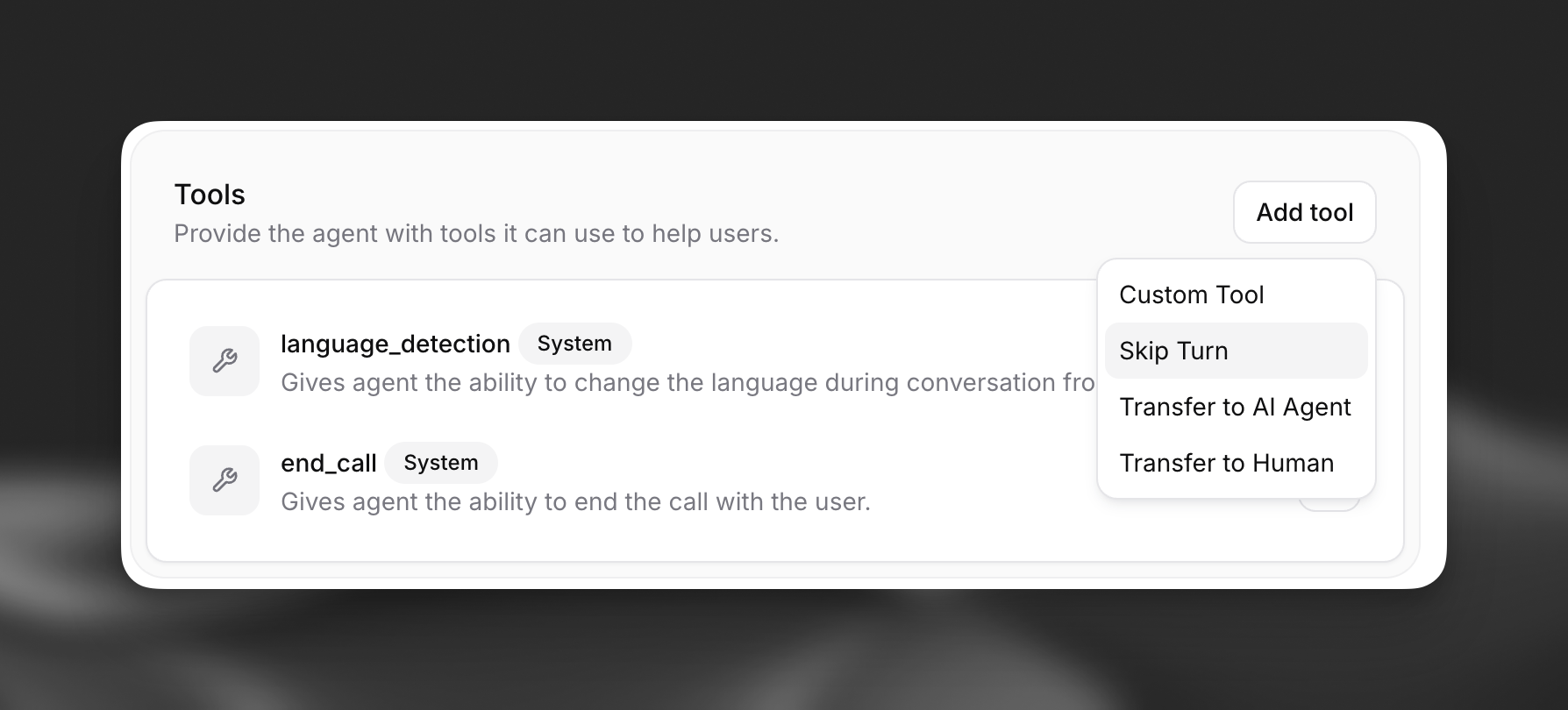
Navigate to your agent's configuration page. In the "Tools" section, click on "Add tool", the `Skip Turn` option will already be available.
 ### Step 2: Configure the tool
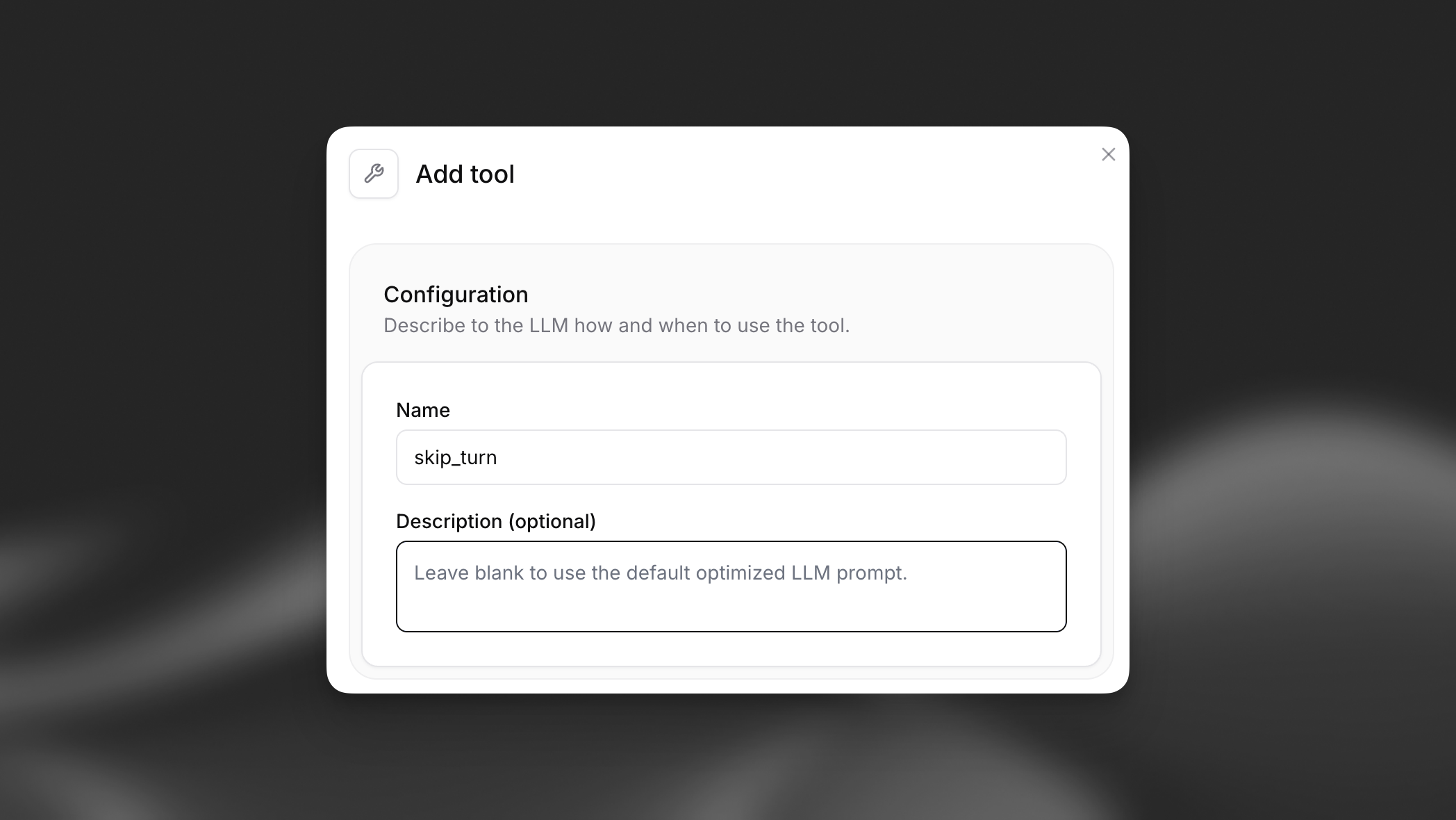
You can optionally provide a description to customize when the LLM should trigger this tool, or leave it blank to use the default behavior.
### Step 2: Configure the tool
You can optionally provide a description to customize when the LLM should trigger this tool, or leave it blank to use the default behavior.
 ### Step 3: Enable the tool
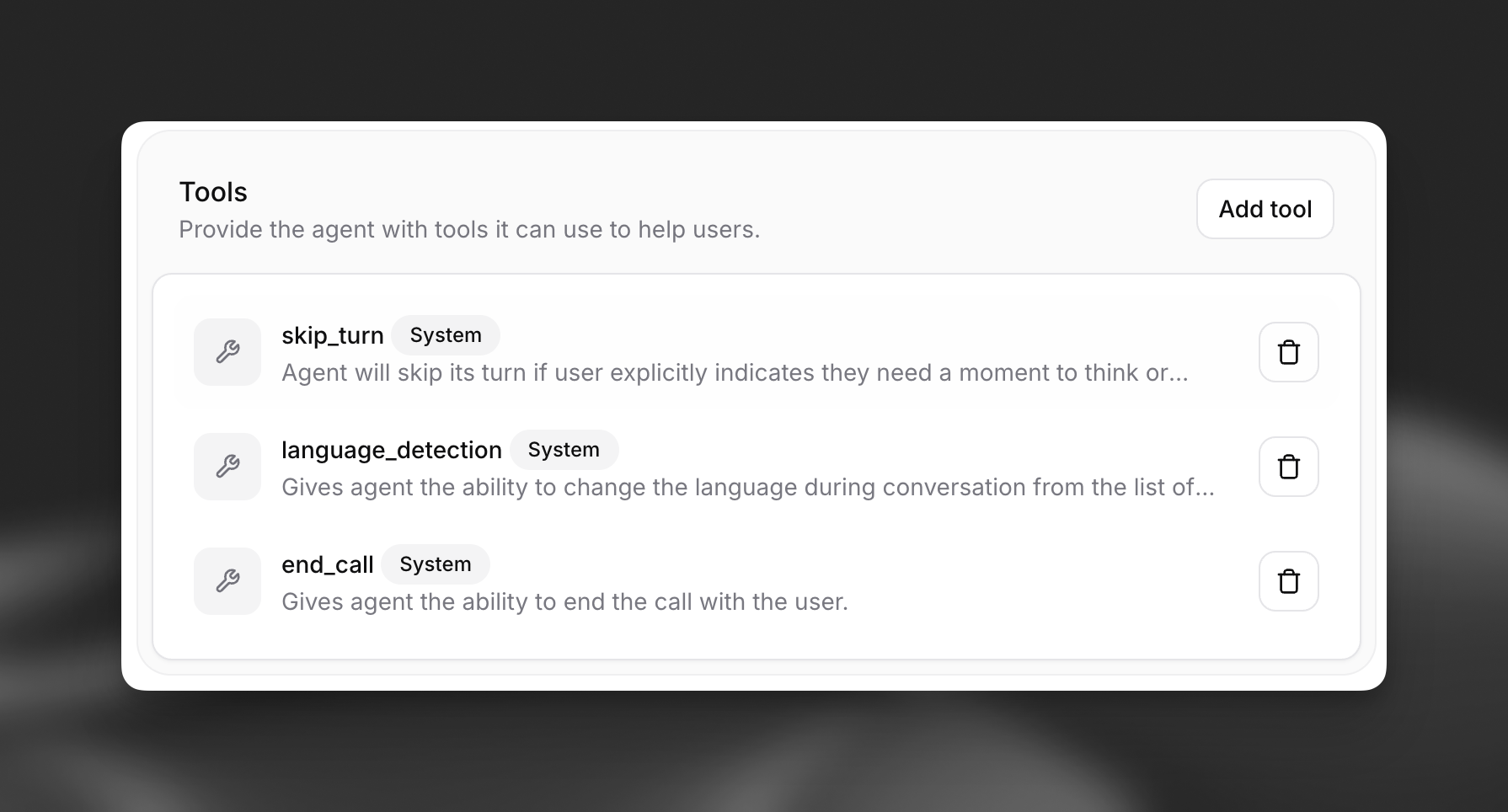
Once configured, the `Skip Turn` tool will appear in your agent's list of enabled tools and the agent will be able to skip turns. .
### Step 3: Enable the tool
Once configured, the `Skip Turn` tool will appear in your agent's list of enabled tools and the agent will be able to skip turns. .